Overview
A great solar proposal isn’t just a document, it’s a deal-maker. It’s where you prove your value, build trust in seconds, and rise above the competition. But let’s be real—crafting a polished, personalized proposal from scratch every single time? That’s a fast track to wasted time, inconsistencies, and missed opportunities. That’s where Solargraf’s enhanced proposal experience steps in and gives you the power to work smarter, not harder—streamlining your workflow, keeping every proposal on-brand, and delivering tailored, high-impact experiences without the repetitive effort. With the right customization strategy, you can move faster, stay consistent, and impress every customer. Let’s dive into how you can unlock the full potential of Solargraf’s customization tools and turn every proposal into a winning one.
What is the new proposal template experience?
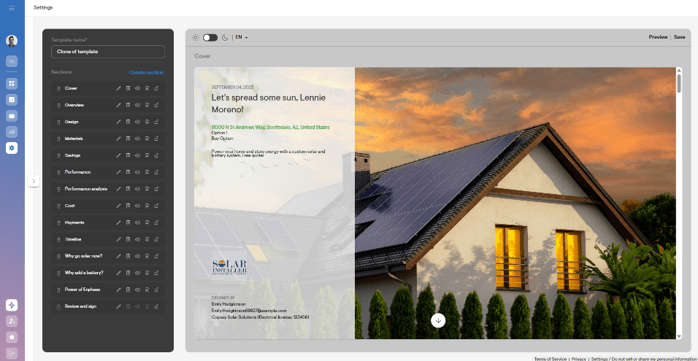
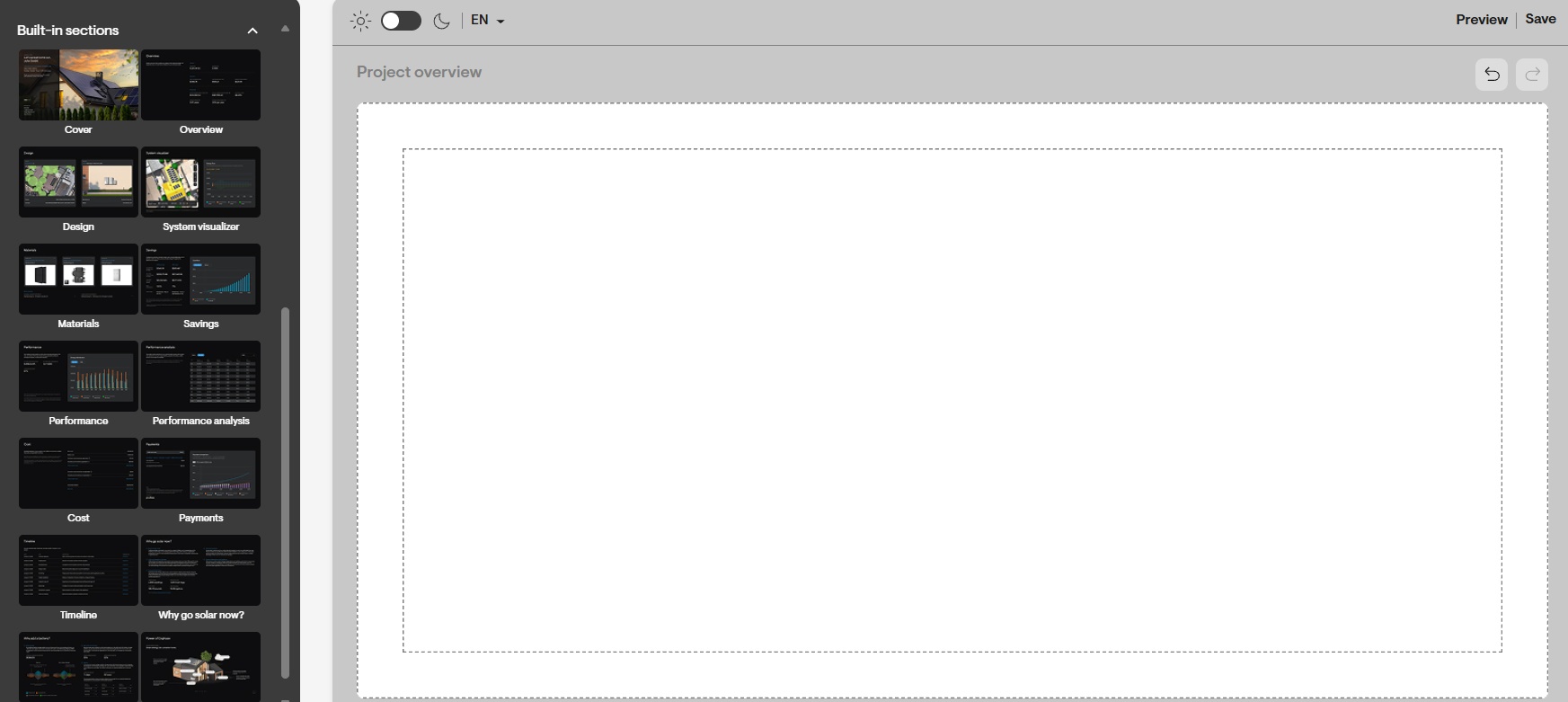
A clean workspace that adapts in real time to what you’re editing, so you always see the most relevant tools and options, including:
- Clear context of what you’re editing (template, section, or other elements), so nothing feels hidden or confusing
- Inline editing of sections to quickly tailor content, images, and visuals while staying focused on the sales narrative
- One‑click actions to save, preview, and apply changes so what you pitch is exactly what your customer sees
- Brand‑forward styling controls to match your company’s look and feel without design expertise
- Drag‑and‑drop sections and elements to customize proposals for different customers or deal types in minutes
- Always‑available quick actions (undo, redo, themes) that let you confidently experiment without risk
The result is a sales ready proposal workflow that helps you move from a default template to a fully customized, customer specific proposal. It helps you present confidently, stay true to your brand, and focus on what really matters—closing the deal.
The new proposal experience also offers:
- Centralized, flexible workflow that brings content, layout, and styling controls into a single, intuitive editing environment.
- Clear visibility into what’s being edited and where it applies.
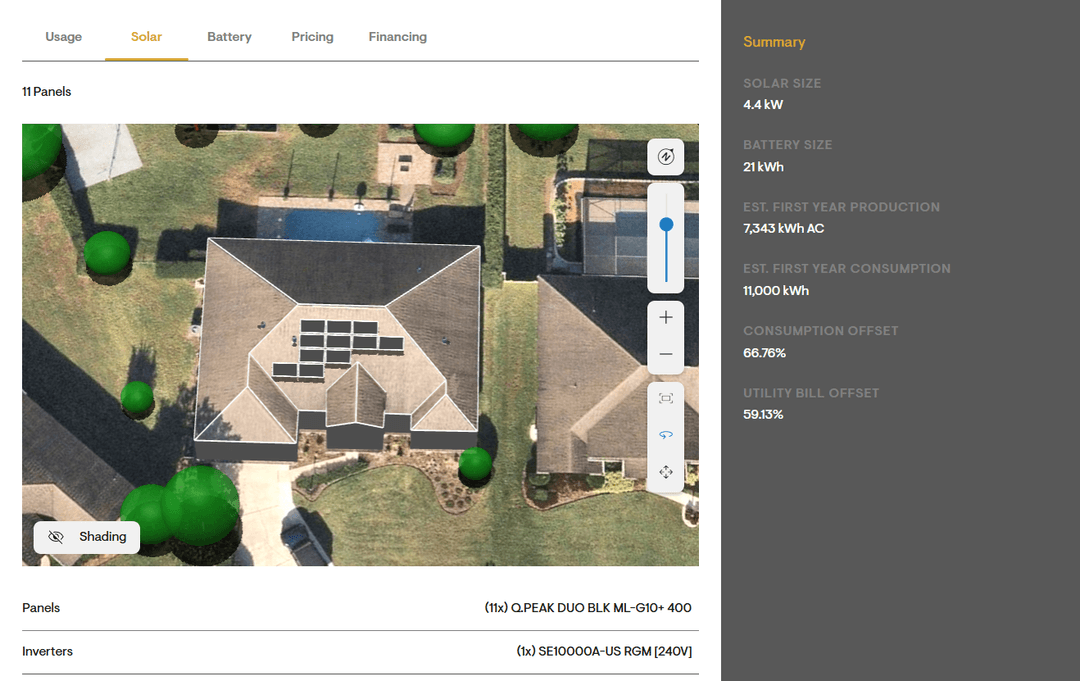
- Rich visual elements (like charts and tables) that make proposals more engaging and easier to understand.
- Real‑time previews to ensure web and PDF outputs stay in sync.
- Fully customizable pages and predefined sections which can be easily dragged-and-dropped in the proposal builder.
How to enable the new proposal template experience?
You can enable the new proposal template experience in your User Profile → Preferences, using the toggle labelled “Use enhanced proposal format” for the user you wish to enable this feature for.
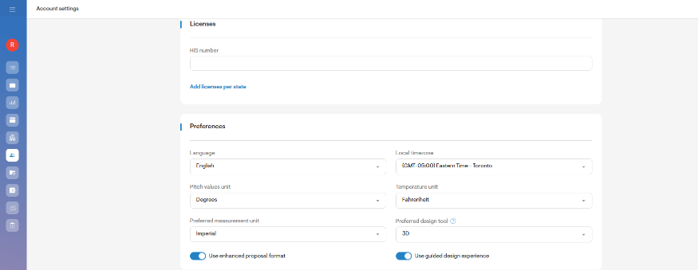
- Once this permission has been enabled, the users can view and edit the proposal templates page under the Company settings.
- Go to Company settings -> Proposal section and click on Proposal templates to open the template settings.
- The proposal template dashboard has all the templates created by your company users along with the recommended template.
- You can view and clone this recommended template or click the Create template button to enable the new proposal template experience.
- Click the cloned or newly created template to open all built‑in sections in edit mode.
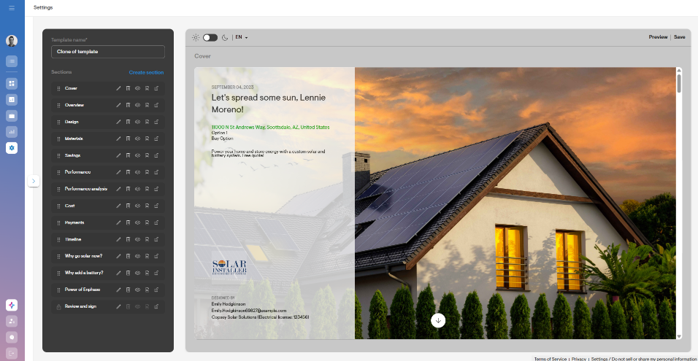
With the new proposal experience, you can build tailored templates for multiple use cases—empowering your team to streamline workflows, deliver consistent value, and accelerate deal closures.
Best practices to follow:
-
Build custom templates for different use cases
Open Solargraf's proposal template builder and create a template that reflects your brand and selling style. Get it right once — every proposal benefits from it.
-
Customize sections to fit your pitch
Add, modify, or reorder sections to highlight your strongest selling points. A proposal that feels intentional wins trust before the conversation even starts.
-
Set best template as default
Mark your best template as the default so every new project opens with it automatically. Your team starts strong every time, with zero setup.
-
Swap templates when the deal calls for it
Use the template dropdown within the project to switch to a different template without losing any project data for different use cases. One click, same data, different presentation.
-
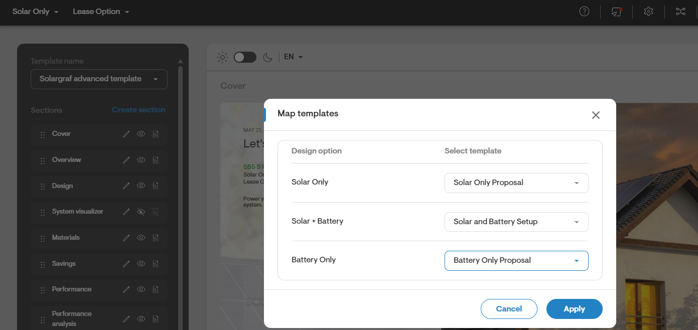
Map templates to design options
Create dedicated templates for specific design types — for example, a solar-only template mapped exclusively to solar designs. When a salesperson opens a project, the right template surfaces automatically based on the design, removing guesswork and keeping every proposal relevant and consistent.
A well-built proposal template isn't just a time-saver — it's a sales asset. Start simple, refine as you go, and let Solargraf's proposal tools do the heavy lifting — so every customer gets a proposal worth saying yes to.
Need Help?
If you have questions or want to explore specific tools, shortcut lists, or workflow examples, visit additional articles in the Solargraf support portal or contact our support team.