When it comes to creating permit‑ready solar plan sets without the back and forth, having the right level of control makes all the difference. Solargraf offers a range of customization options that allow installers and designers to tailor plan sets to specific project requirements and company standards. These configurations help streamline permit plan set generation, improve accuracy, and ensure compliance with NEC and site‑specific practices.
In this blog, we explore how leveraging the new Electrical and Permit enhancements in Solargraf makes it more powerful and easier for users to build DIY SLD and permit plan sets. These changes support the creation of accurate, compliant, and permit-ready plan sets that align with your team’s workflows, and AHJ standards.
The configuration options are divided into two main sections—Electrical Settings and Permit Settings—each designed to simplify workflows and provide greater flexibility during plan set creation.
You can access these settings by navigating to:
Company Settings → Design → Electrical and Permit Settings
Electrical settings
Configuring electrical settings correctly is key to seamless SLD generation. Solargraf’s Electrical settings section includes the following key customization fields.
Aluminum wire toggle
This setting allows users to switch from an all-copper wiring approach by limiting it up to 6 AWG and using aluminum (AL) conductors for larger wire sizes.
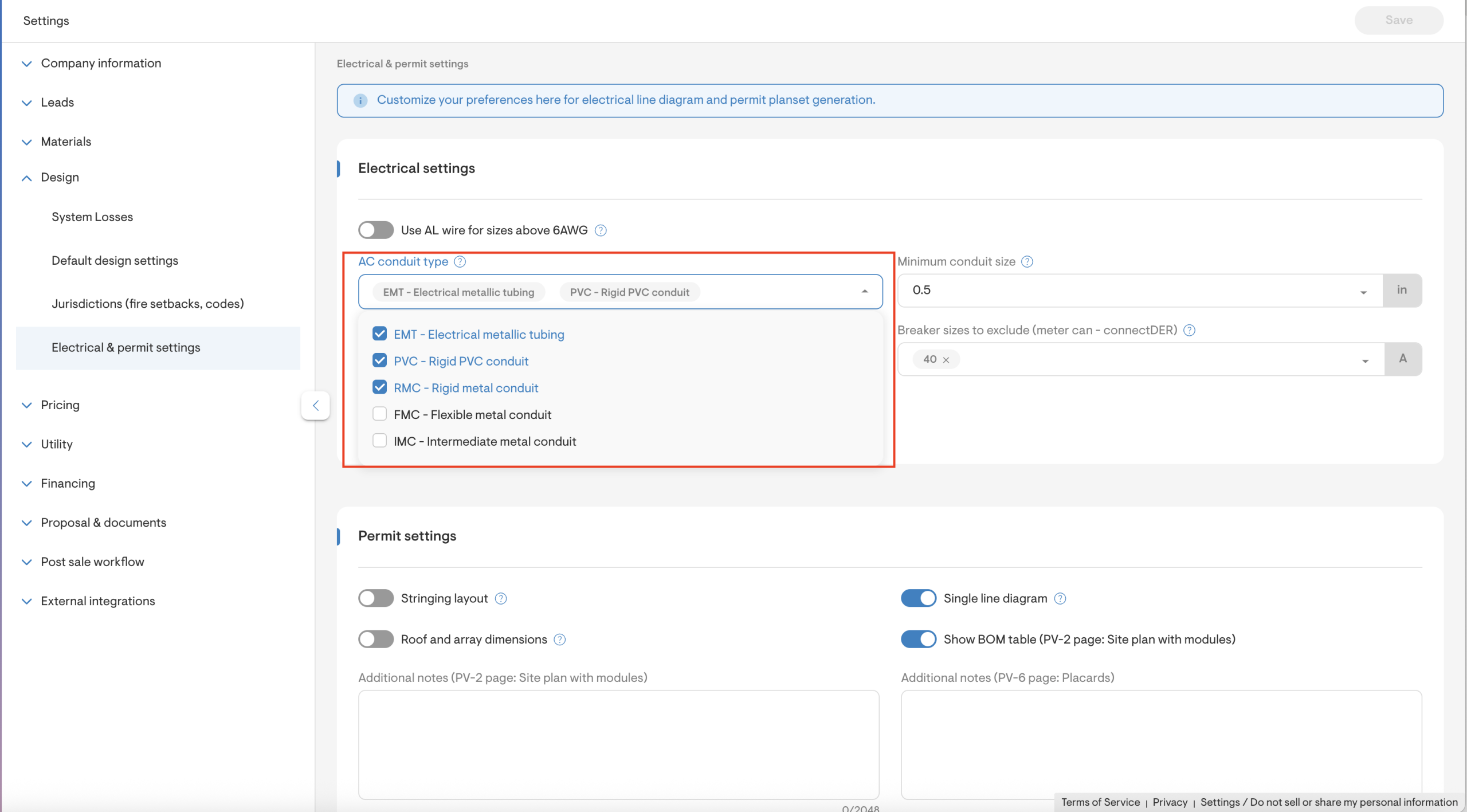
AC conduit type selection
This setting allows users to specify the preferred conduit for the AC wire installation and the minimum conduit size for wire calculations. This is indicated in the wire details section of the electrical line diagram and wiring calculations page of the permit plan set. This ensures consistency with internal standards or local regulations.
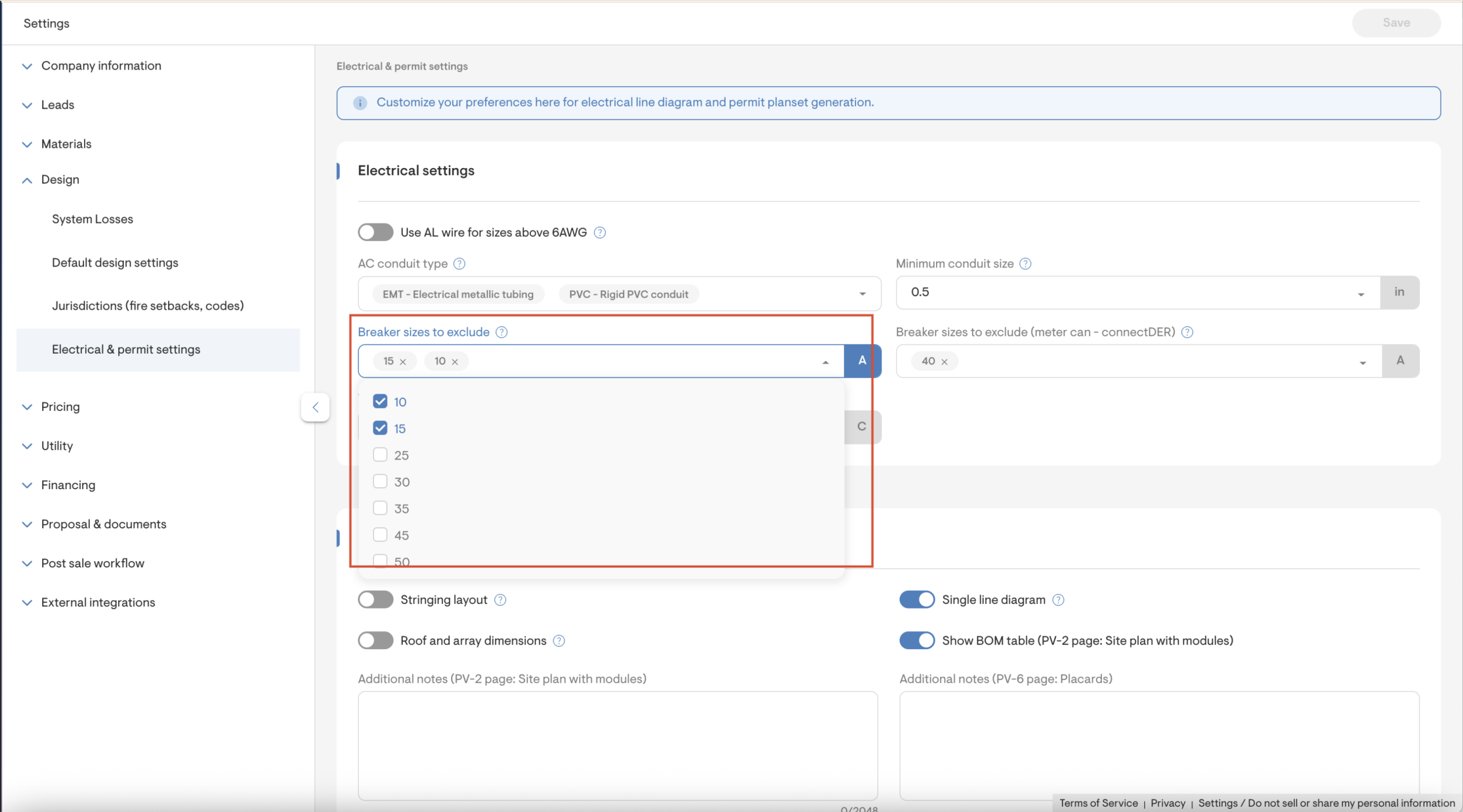
Breaker size exclusion in SLD generation
This setting allows users to exclude specific breaker sizes when generating single-line diagrams (SLDs). Users can also choose exclusions for when the interconnection tie-in method is set to Line-side connection (meter can - connect DER) separately.
Setting wire temperature rating (75°C or 90°C)
This setting helps ensure that designs comply with specific site conditions and internal best practices. Users can define a default wire temperature rating (75°C or 90°C), which directly affects wire sizing and ampacity calculations.
Permit settings
Through permit settings, users can customize how additional notes and contractor signatures appear on specific pages of the permit plan set. These fields allow for added clarity, personalization, and automation during the final plan set generation.
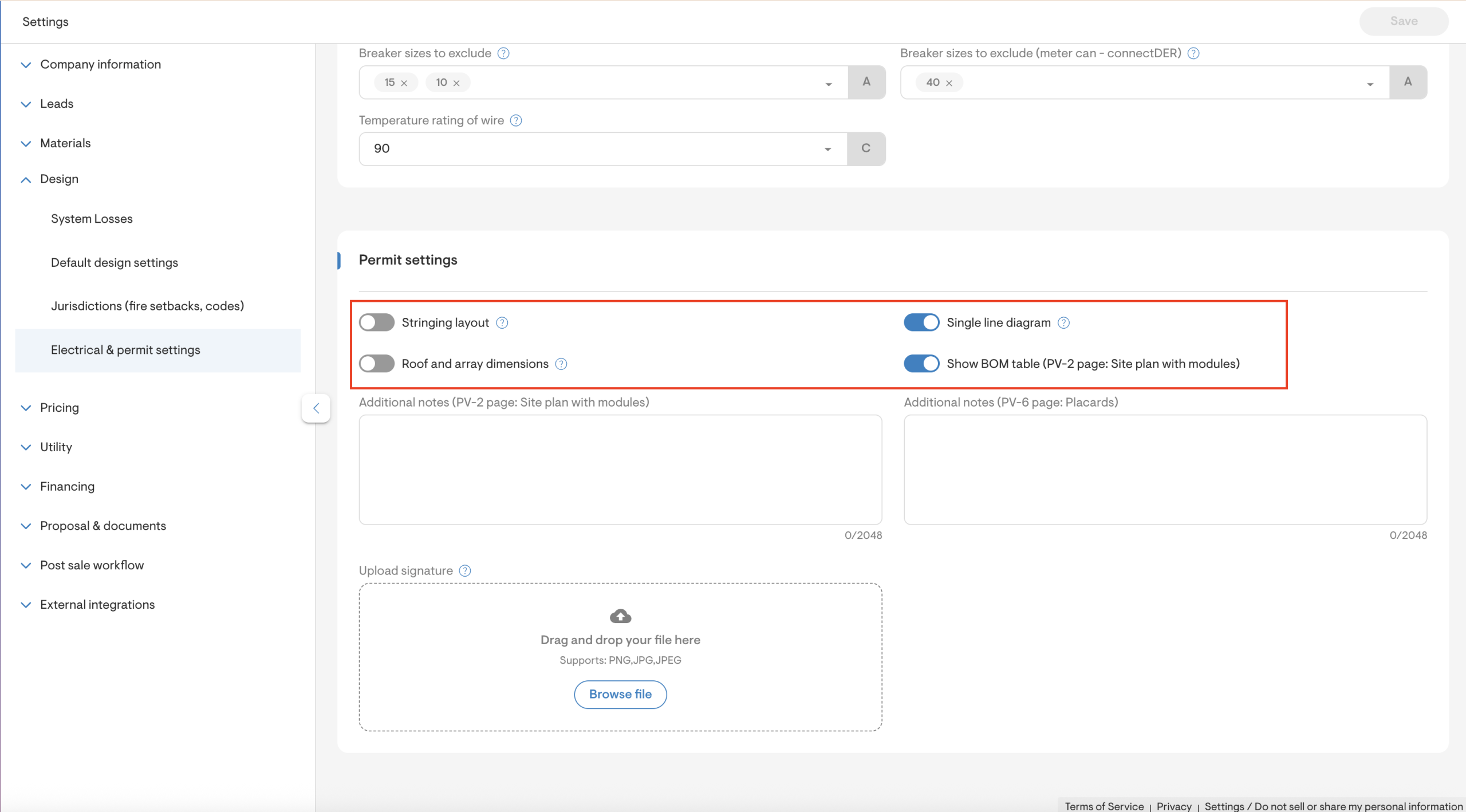
Permit adders
Users can add additional pages/sections to appear in the final permit plan set generation. It includes:
- Stringing layout: Schematic illustration of the wiring between solar panels to form strings/branches.
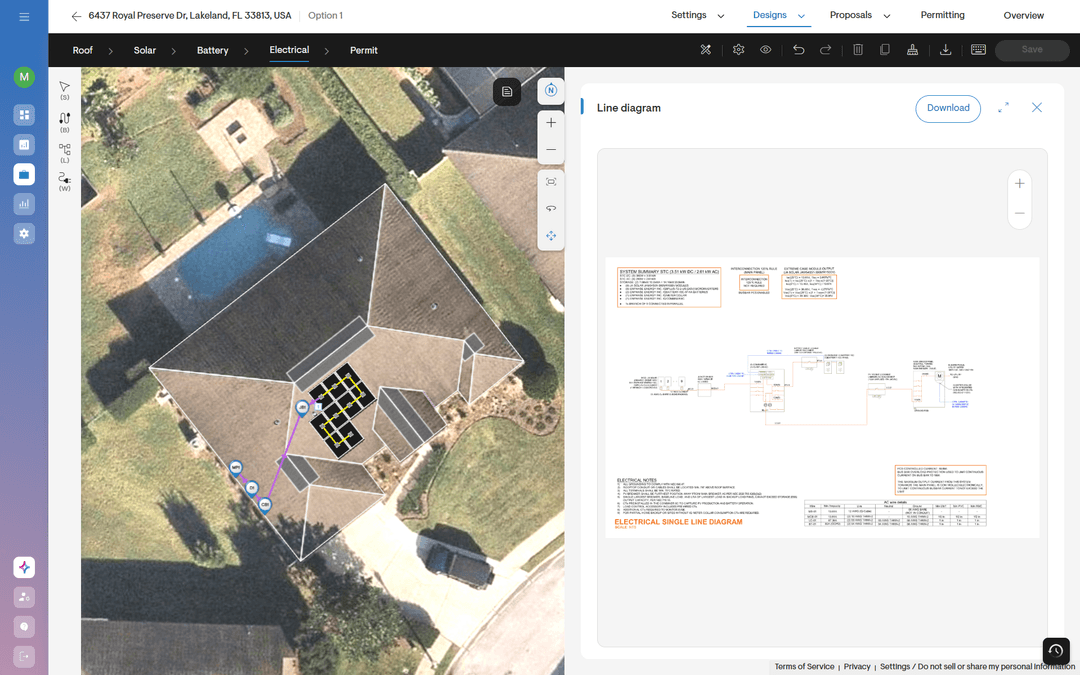
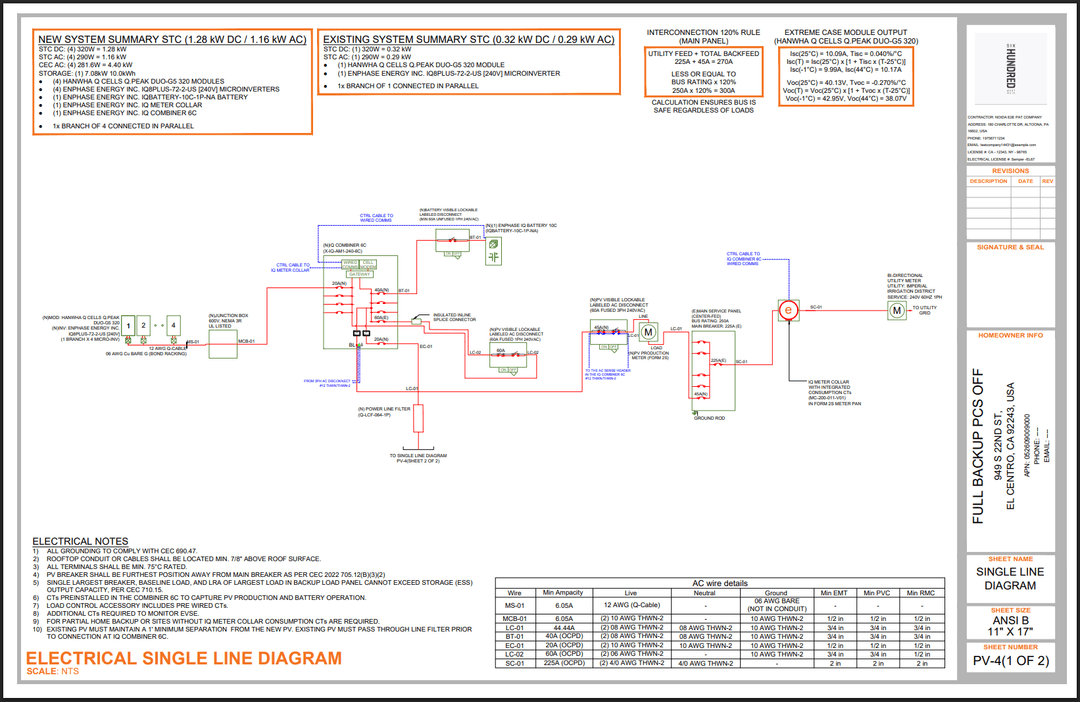
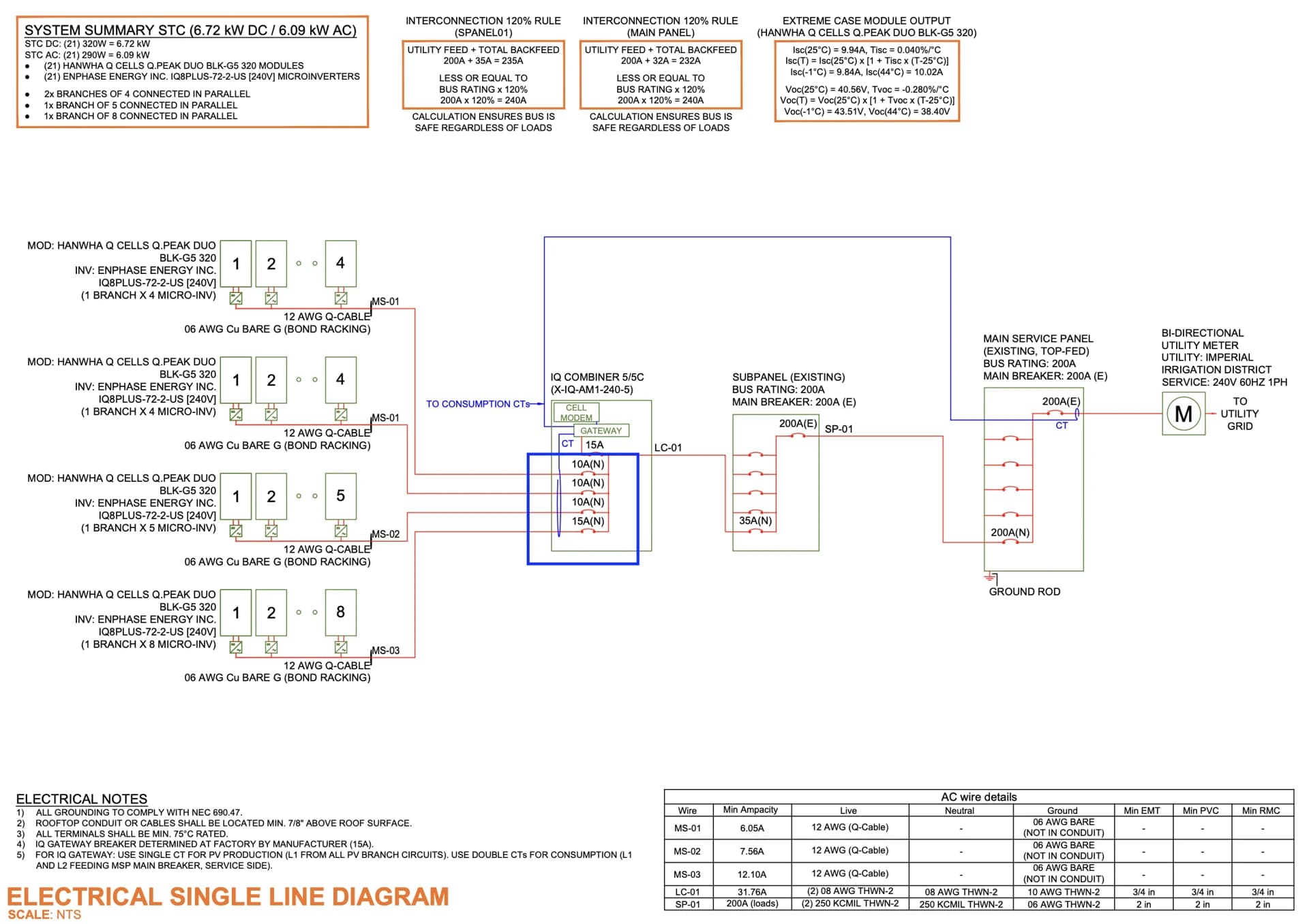
- Single-line diagram: Shows the solar energy system's electrical components and their interconnections, including storage if applicable.
- Roof and array dimensions: Illustration of the reference dimensions of the PV array from the roof edges to support the installation crew.
- BOM table (PV-2 page: Site plan with modules): Shows comprehensive Bill of Materials as per the design.
Additional notes on PV2 page (roof plan with modules) and PV6 page (placards page)
Add custom project notes or installer-specific information directly on the PV2 page of the permit plan set. As well as supplementary notes on the PV6 Placard page to appear after Solargraf’s automatically generated text.
Automate signature
This feature automates the inclusion of the contractor’s or designer’s signature in the permit plan set — saving time and ensuring a professional finish to every generated plan.
Additional customizations
Beyond the standard Electrical and Permit Settings, Solargraf now offers notably advanced customizations to enhance the accuracy, automation, and professionalism of your permit plan sets.
Property line adjustments
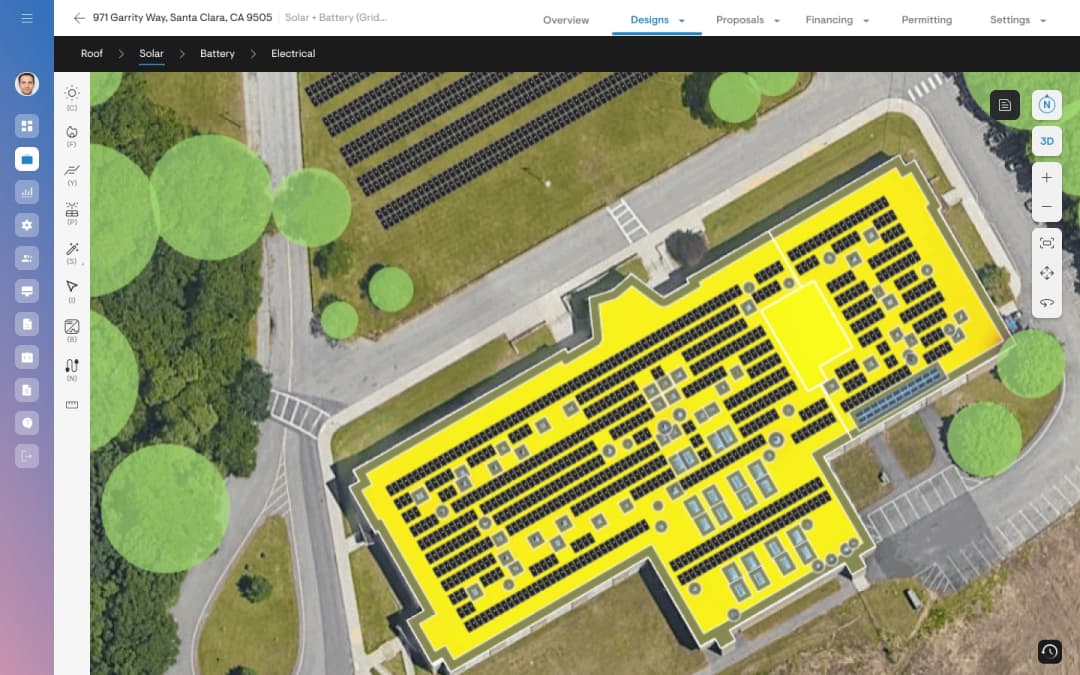
The new Property Line Adjustment feature allows users to view, move, and validate property boundaries to prevent design conflicts. Any overlap with the roof is highlighted in orange with a warning, allowing property lines to be adjusted accordingly.
Adding equipment location and custom descriptions to plan sets
This feature enables users to specify location (Interior/Exterior) and custom descriptions for electrical components (e.g., inverters, batteries, panels). These details will automatically appear in:
- Cover Page (PV1) and PV2 under the legend section.
- SLD (PV4) and 3LD (PV4.1) under block details.
Additional permit plan set markers
Users can now display site-specific markers on PV1 and PV2 pages, such as:
- Front of house
- Street location
- Roof access points
- Gas meter
- Heat alarm
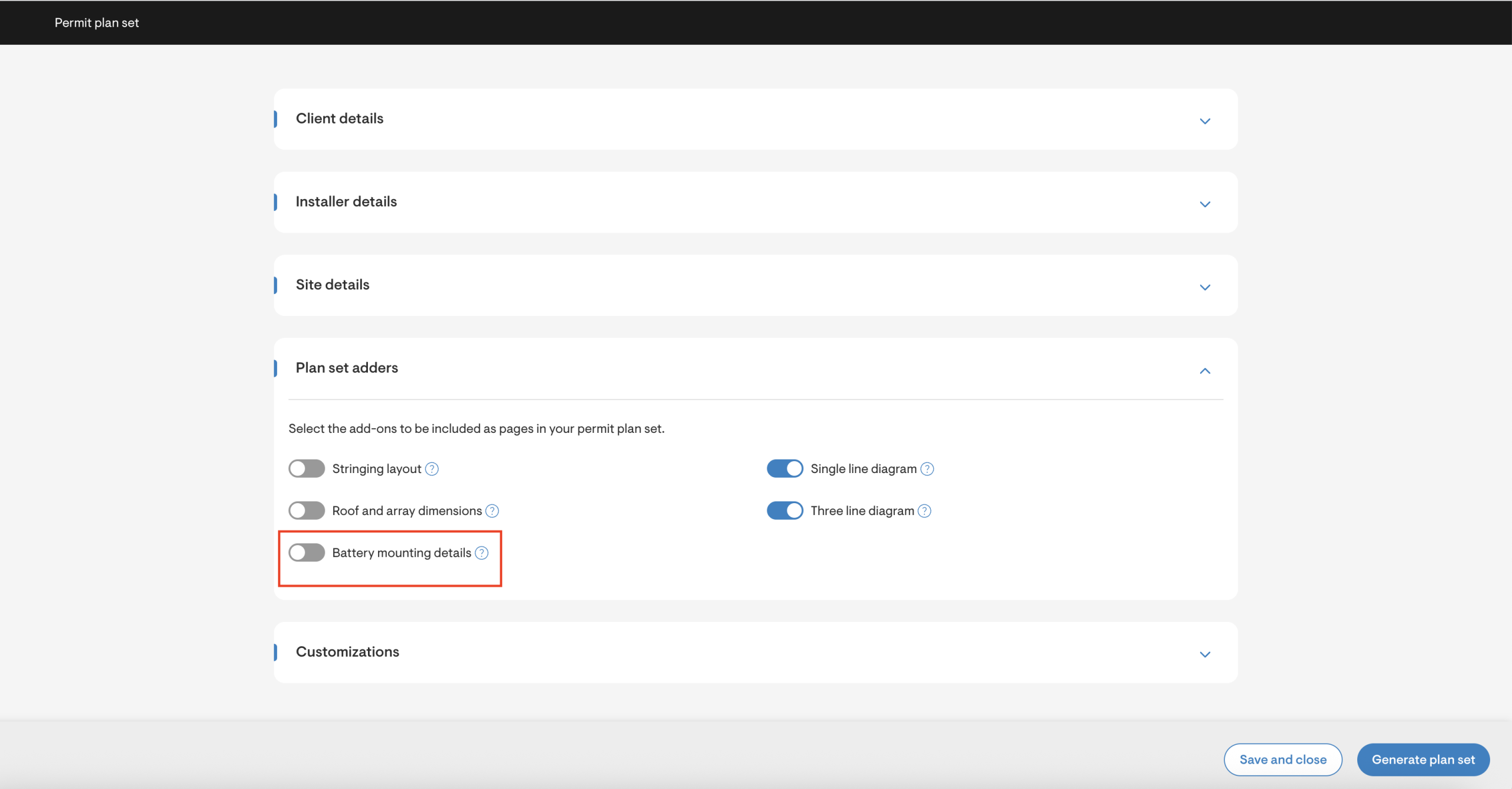
Battery mounting details in permits
Battery jobs now automatically include battery mounting details as a separate PDF within the Equipment Specification section of the permit plan set.
Automate homeowner email address and phone number
Users can now display the homeowner’s email address and contact number directly in the permit plan set, alongside their name.
SKU ids for Enphase and Tesla products in electrical line diagrams
Solargraf now automatically displays SKU IDs for
- Enphase components, such as IQ Battery, IQ Combiner Box, IQ System Controller, and IQ Meter Collar.
- Tesla product SKU IDs such as Powerwall 3, DC Expansion, Gateway 3, and Backup Switch.
These appear in both the Single Line Diagram (SLD) and Three Line Diagram (3LD) for clear component identification.
Site address in placard caution box
Solargraf now automatically displays the site address within the PV6 Placard Caution Box by default — improving clarity and compliance.
Placard rotation in PV6 caution box
The PV6 placard map now automatically rotates to match the user’s perspective facing the Main Service Panel (MSP), ensuring accuracy when mounting the physical placard.
Dynamic breaker sizing for IQ combiner boxes
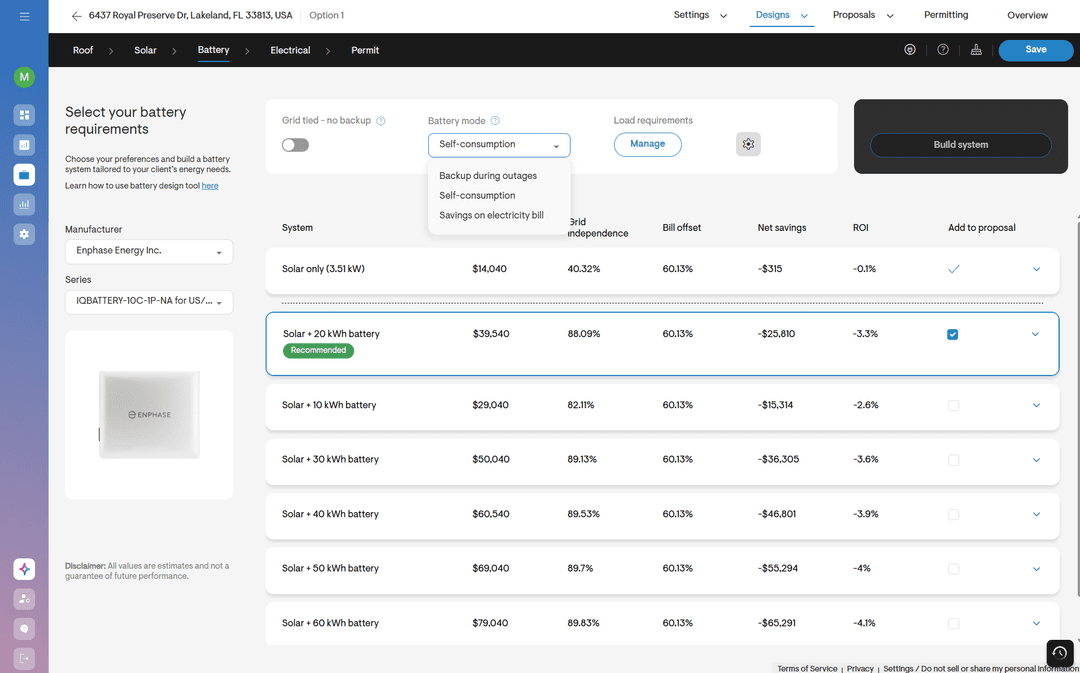
Solargraf now supports 10A or 15A breakers in IQ combiner boxes — dynamically selected based on branch current, instead of defaulting to 20A. Users can disable specific breaker ratings (10A, 15A, or both) under Electrical and Permit Settings if needed.
Wall elevation canvas
Users can now get pre-built wall elevation diagrams with editable components within the platform. This diagram is included within the permit plan set that can be downloaded.
Conclusion
Permit plan sets don't need to slow you down. With the right configurations in place, Solargraf handles the complexity, from wire sizing and breaker selection to signatures, site markers, and battery details, so that every plan set you generate is accurate, compliant, and ready to submit. With advanced customizations like property line adjustments, equipment location details, and dynamic breaker sizing, your plan sets reflect real installation conditions.
Explore these settings in your Solargraf account and take the friction out of permitting.
Want to know more?
Join our upcoming webinar to dive deeper into our enhancements.
Schedule a demo for a personalized walkthrough on understanding how Solargraf can add value to your business.
Thank you for being part of our growing community; we can’t wait to show you what’s next.