Help Center Permit
Tracking the progress of your Permit-Set Request
Published on 10 Dec 2021
This guide provides an overview of how to track the progress of your permit sets through Solargraf.
The permit set service streamlines the post-sale workflow by allowing users to initiate a permit set application as soon as a client signs a solar proposal. The application is automatically pre-filled with existing project data, saving time and reducing manual entry.
Beyond permit sets, users can also request structural and electrical engineering stamps, wet stamps, and include additional components such as battery storage or carport installations.
Turnaround time
- Residential projects: Permit sets are typically completed within 24 to 48 business hours. Delays may occur if the application is missing required information or if revisions are requested.
- Commercial projects: Turnaround times vary depending on project complexity and scope.
Status of your Permit-Set Request
You can track the progress of your permit set request on the Overview page, located at the top right, just below the Order a plan set button.
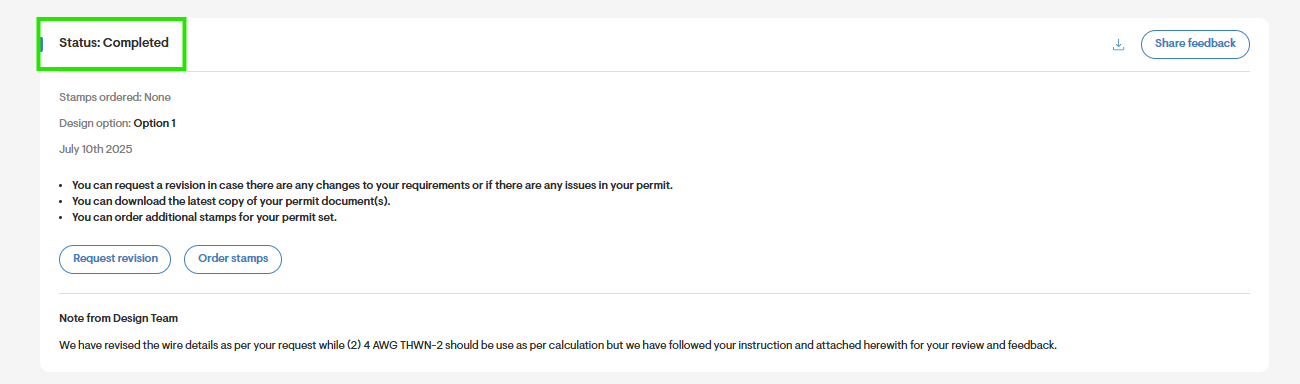
Here are the possible statuses you may encounter:
Ordered
This status means your application has been received and is currently being processed. At this stage you can still request a revision.
Completed
Your permit set has been completed and is now available for review. At this stage you can still request a revision.
Under Revision
Your revision request has been received and is under review. At this stage you can still request a revision.
Note: You can still cancel the order at this stage.
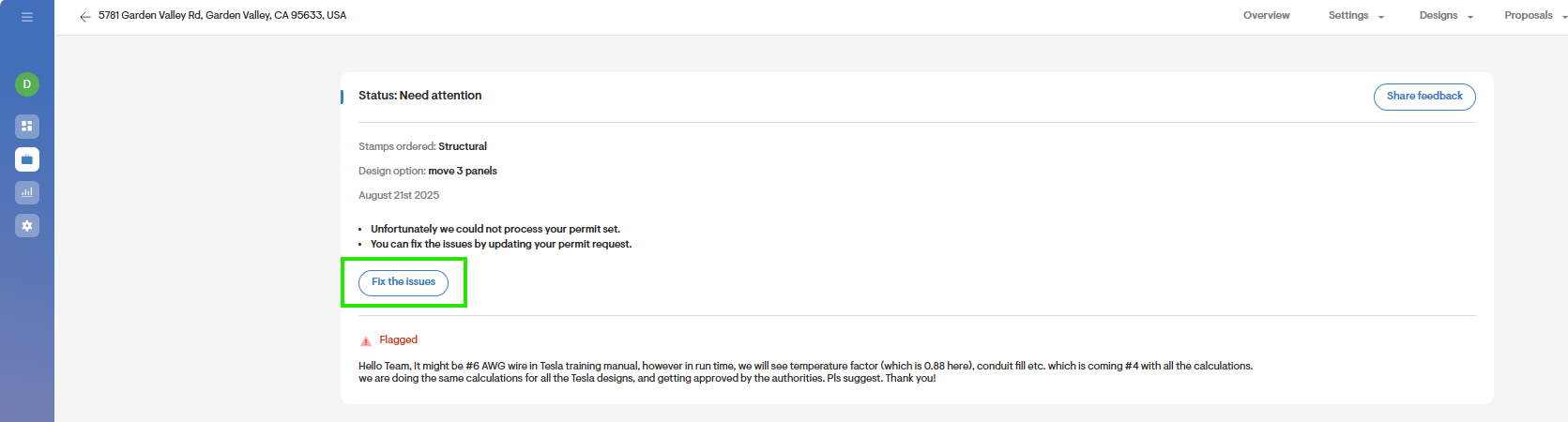
Need attention
Your permit set order is missing required information.
Action required: Please respond to the request with the missing details to proceed by clicking Fix the issues.
Download the completed Permit-Set
- To download the completed permit set, click the download iconat the top right corner of the screen:

- You can also find this document on the Overview page under Project files.
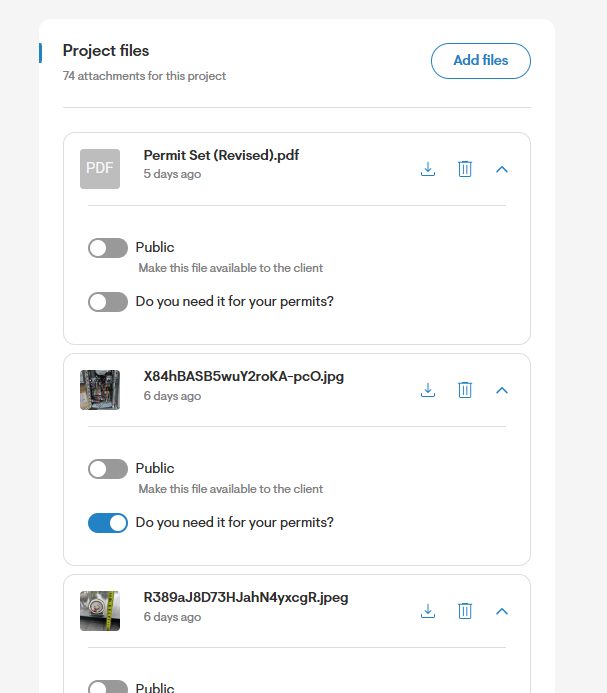
- If you requested engineering stamps, these will be included on the applicable pages of the permit set document.
- Requested wet stamps will be mailed to your company address. You can confirm the company address is correct prior to submitting your permit set application.
Best practices for Permit-Set Applications
For a smooth process, we recommend the following:
- Submit the permit set application after the client has signed the proposal. Once you have submitted an application for a permit set, you cannot receive a refund. This also reduces the likelihood that you will need to submit revision requests, which may delay your order.
- Write all comments in the Comments section of the permit set application. Any notes left on the Overview page do not get sent to the permit set team.
- Ensure your payment information is correct. Permit set orders can only be placed with valid payment details. To avoid delays, make sure to update your payment information on your Settings page.
- Follow the correct process to submit a revision request. Revision requests for a completed permit set cannot be submitted through live chat, phone, or email. They must be completed by following the correct steps on the Solargraf portal.