Help Center Proposal Setting
Terms & Conditions and Custom Laws
Published on 25 May 2023
The following guide provides information on the terms & conditions and custom laws that can be added to your Solargraf proposal.
The capabilities listed below are available only to users who have enabled the ‘Use enhanced proposal format’ toggle. You can change this setting in your user preferences.
Company settings
You can configure your company’s terms & conditions to appear in proposals by following these steps.
To add company-wide terms & conditions, navigate to your company's Settings page. Scroll to the Proposal & documents section:
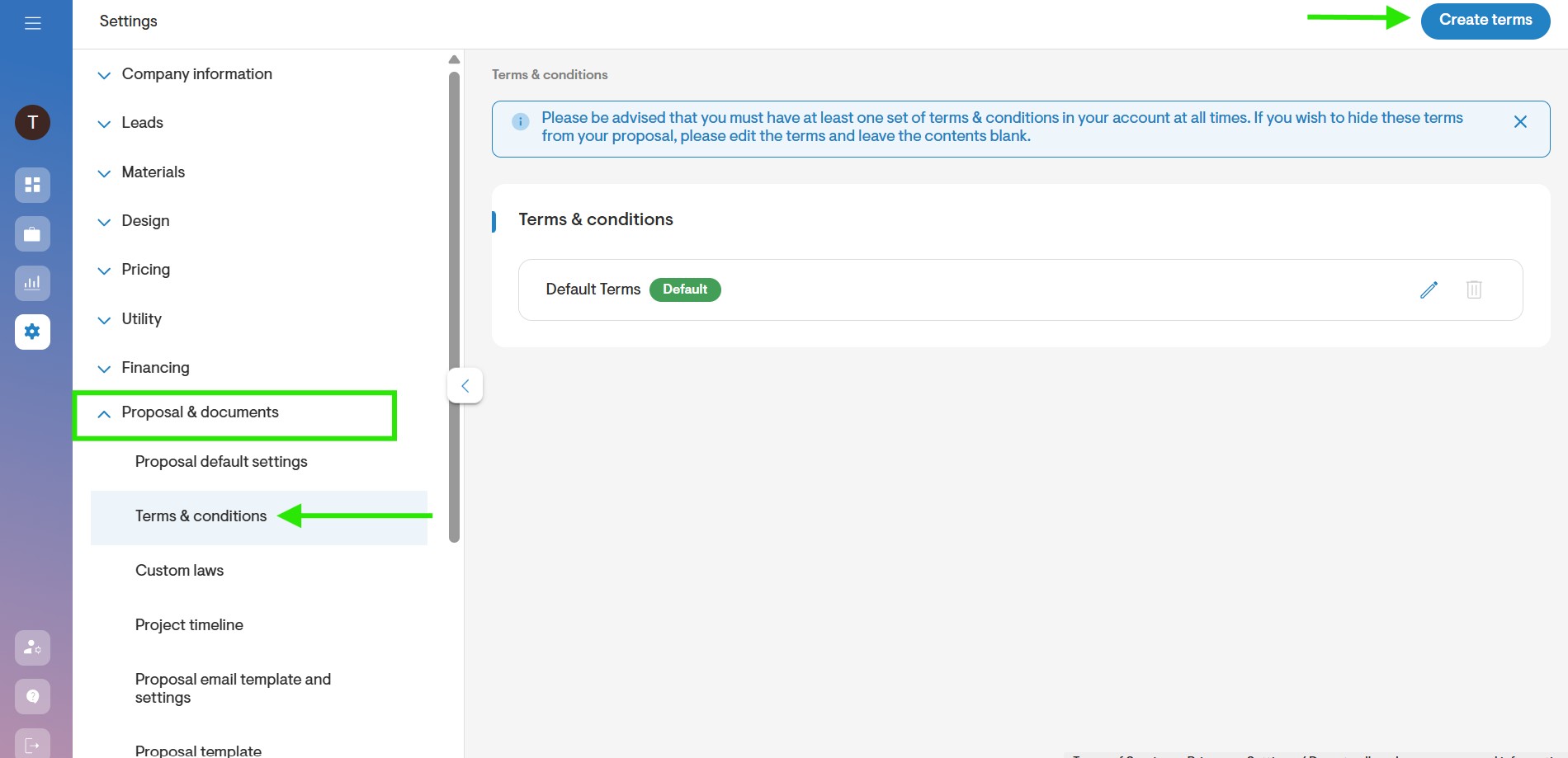
Click the Create terms button to create a new terms & conditions entry.
In the rich text editor, either select a predefined type, or paste your company’s terms & conditions text and format it as needed.
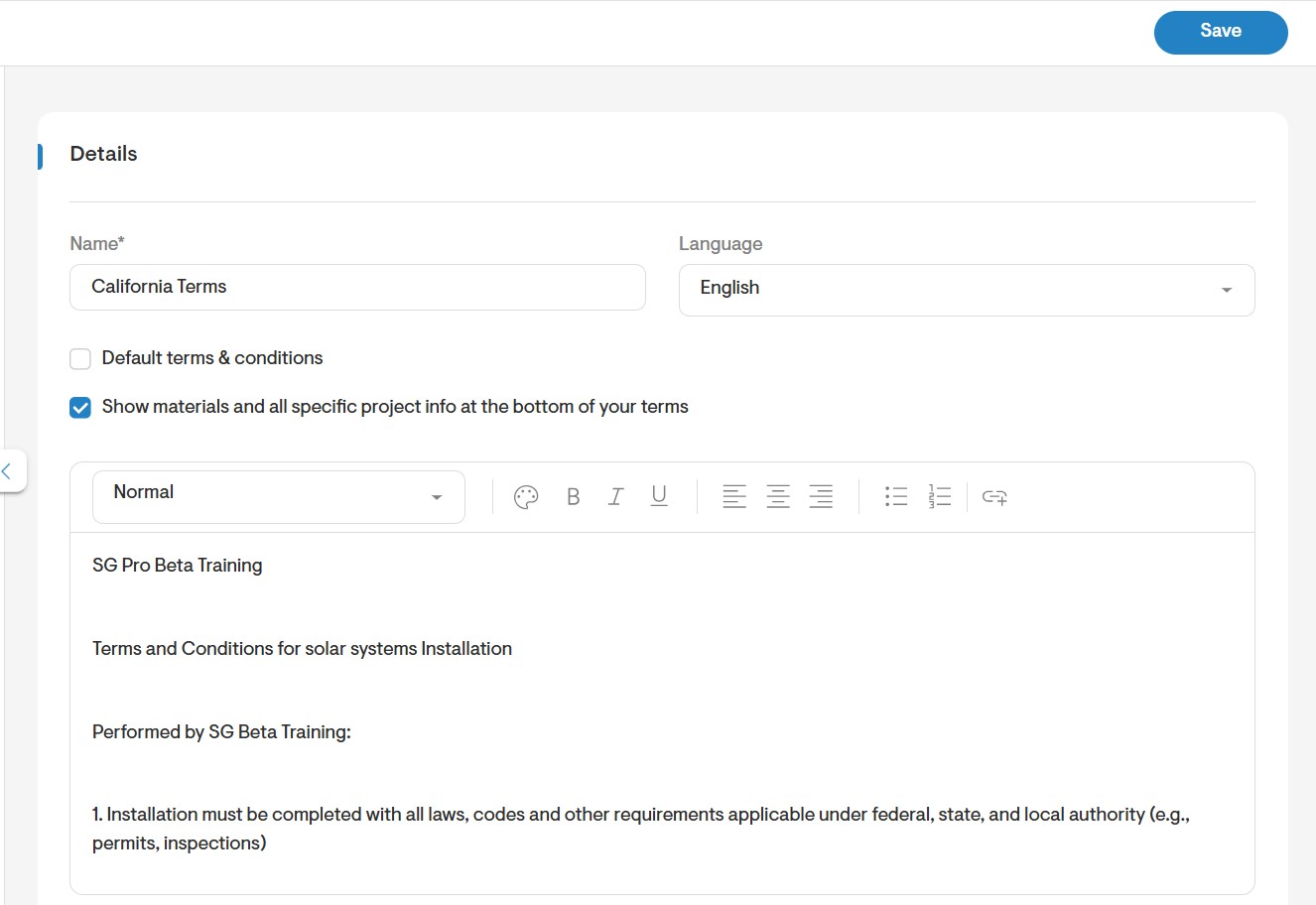
You may also choose to Show materials and all specific project info at the bottom of your terms by enabling the checkbox.
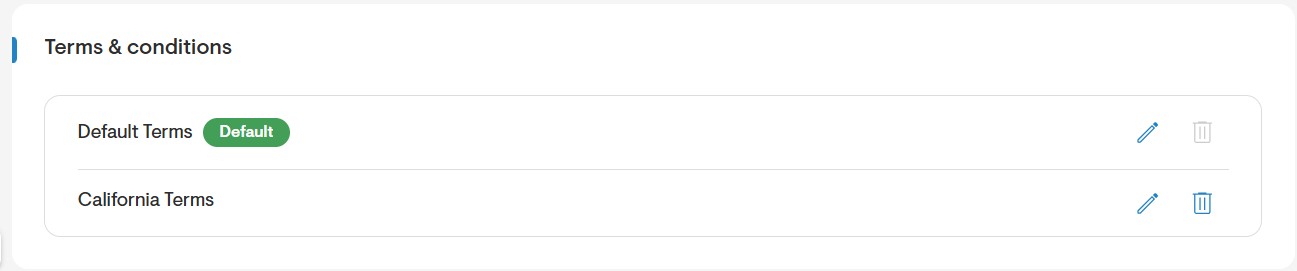
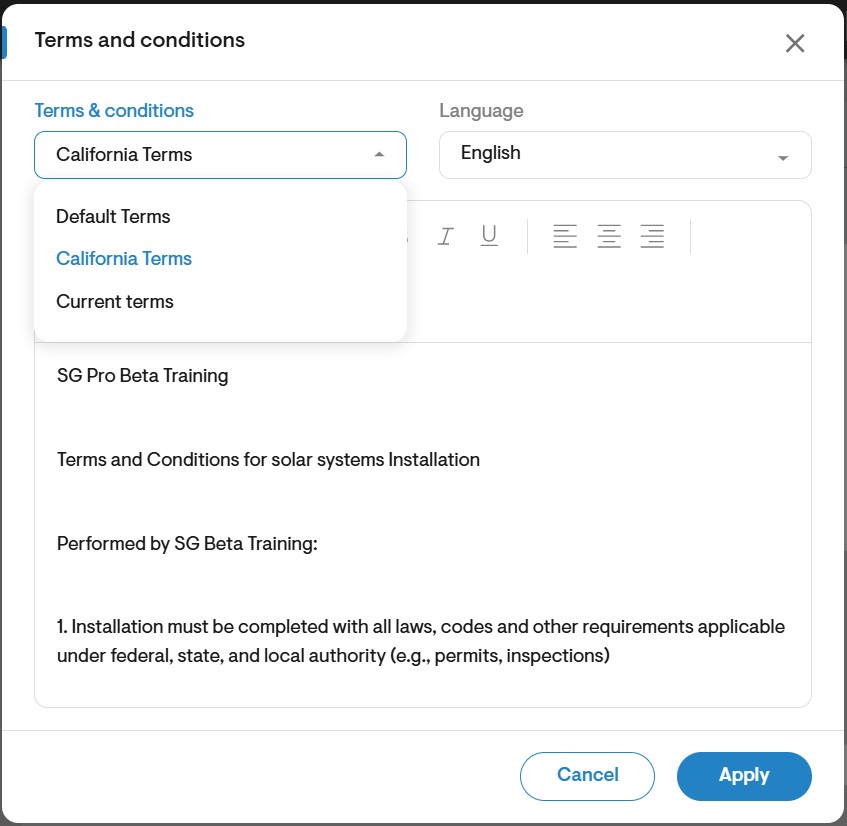
Note: You can have multiple terms & condition entries, which will be available at the project level to apply as needed.
Set default terms & conditions
- Choose one terms & conditions entry to set as default.
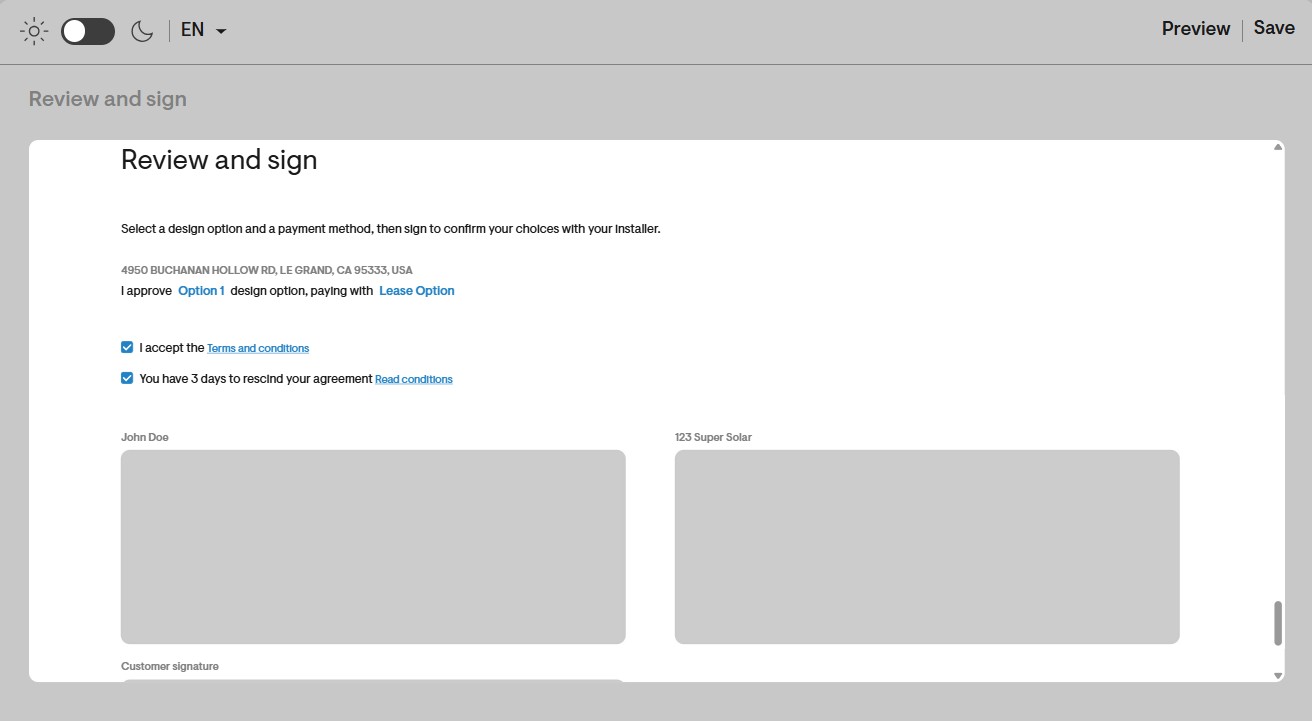
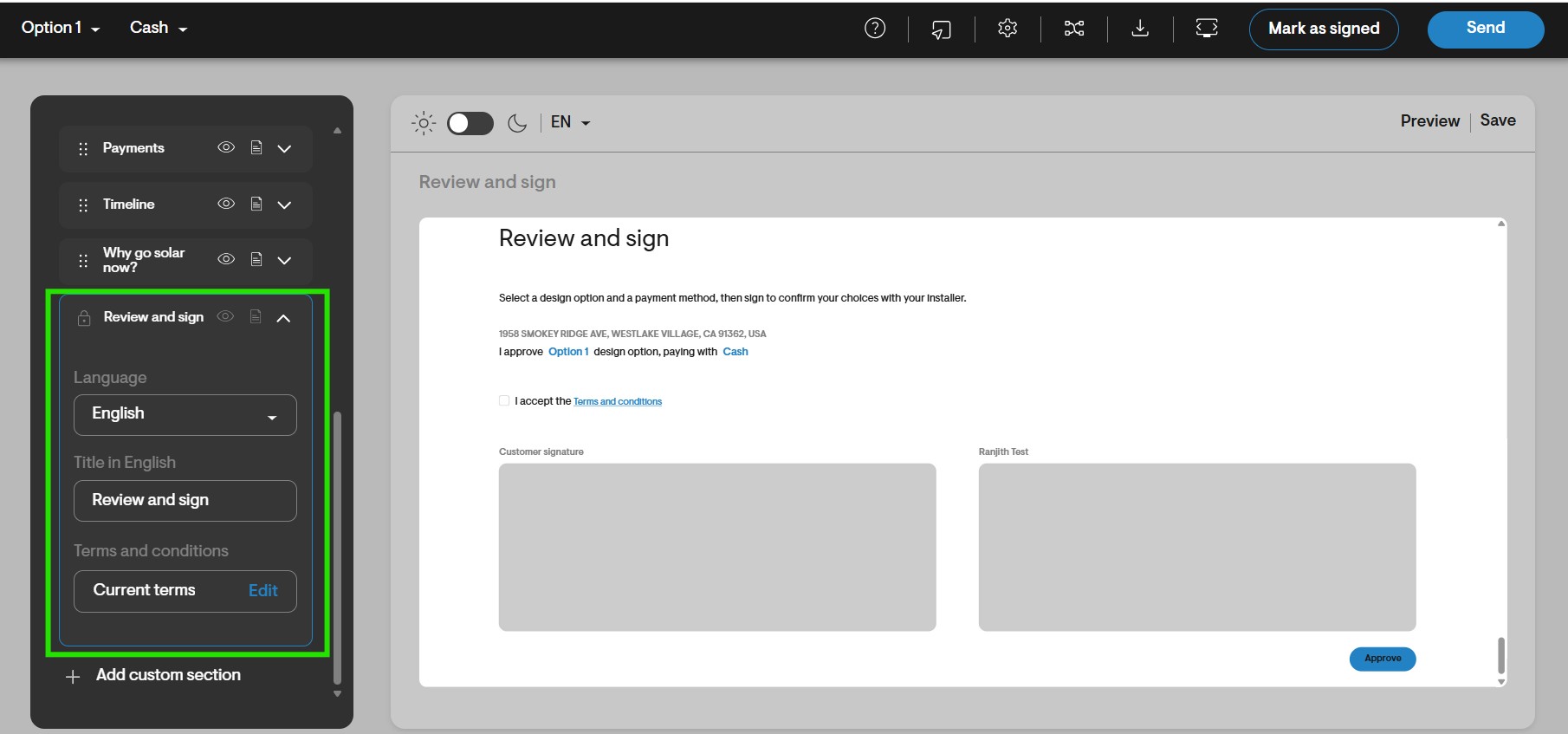
- This default will automatically populate into the Review and sign section of the proposal.
Edit project-level terms
- In the proposal preview, open the Review and sign section.
- Click Edit next to the current terms to modify any terms & conditions specific to that project.
Configure custom laws
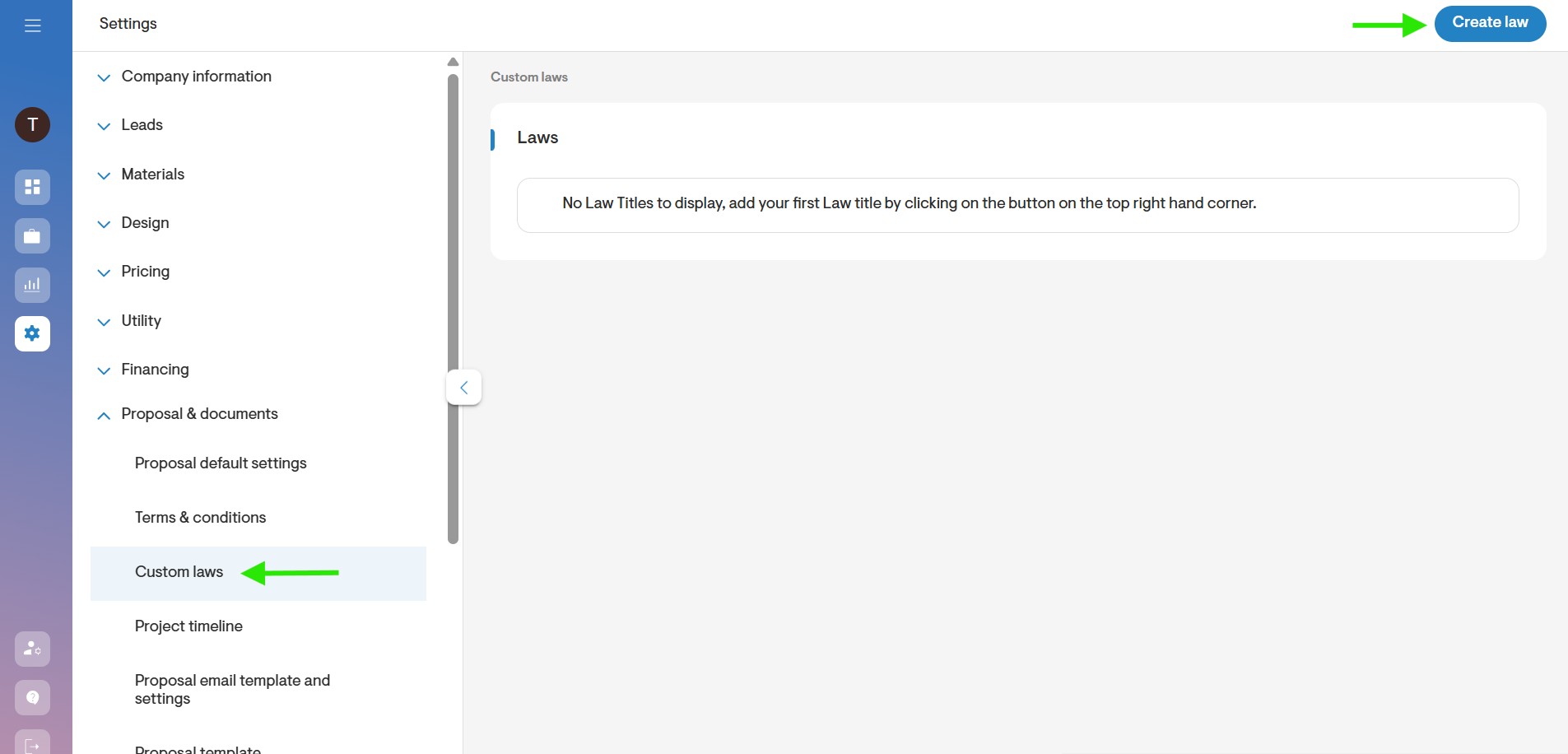
Under the Proposals & documents section, select Custom laws.
To create a new entry, click the Create law button on the upper-right corner of the page.
Enter the Law title, Law agreement statement, Law content, and indicate which states this law applies to.
You can also choose whether to add this custom term or law after the cover page in the PDF proposal.
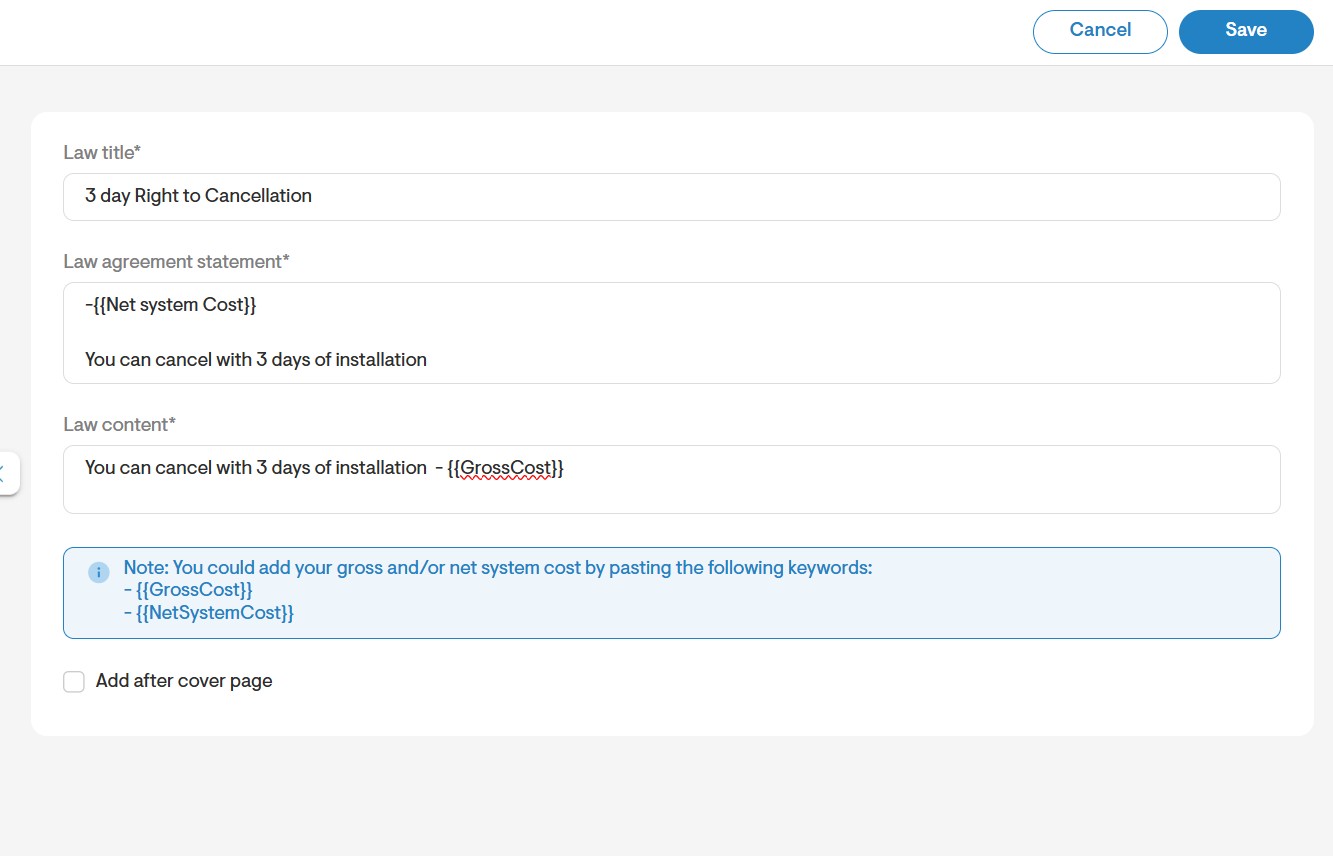
Use this feature to highlight an additional term or law that you would like your clients to agree to, in addition to the proposal's standard terms & conditions. Clients will be required to enable the checkbox next to the additional item before signing the proposal.