Help Center Release Notes
Solargraf Releases - June 29th, 2025
Published on 25 Jun 2025
Features Added
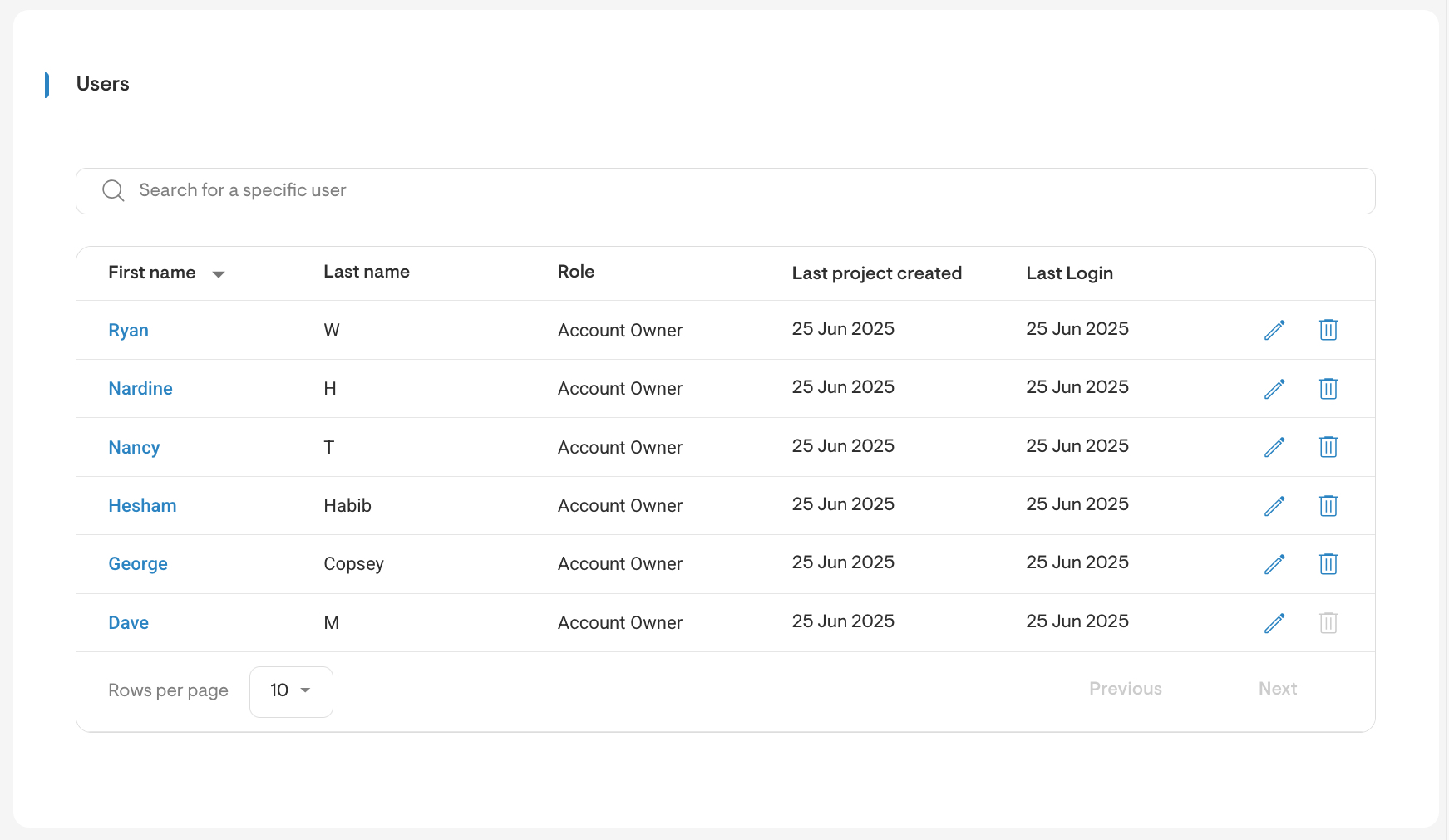
- User's table
The user management interface has been revamped with a new table view that provides a high-level summary of each user.
This includes key details such as the last project created and last login, making it easier to monitor user activity at a glance.
- Roles and permissions interface improvements
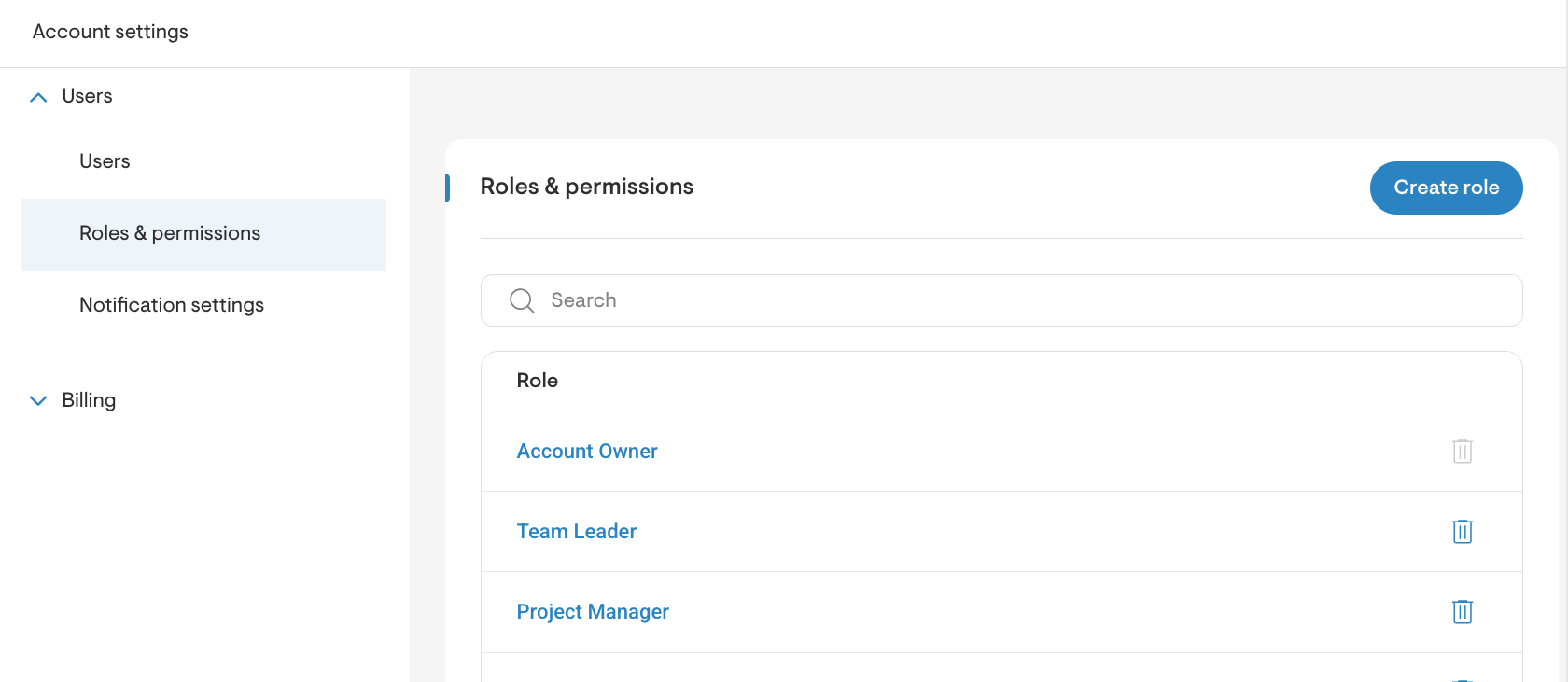
The interface for managing roles and permissions has been updated to offer a more streamlined experience.
Role names and permissions can now be edited directly by selecting the role name, and roles can be deleted using the trash icon.
- Placeholders for custom sections on proposals
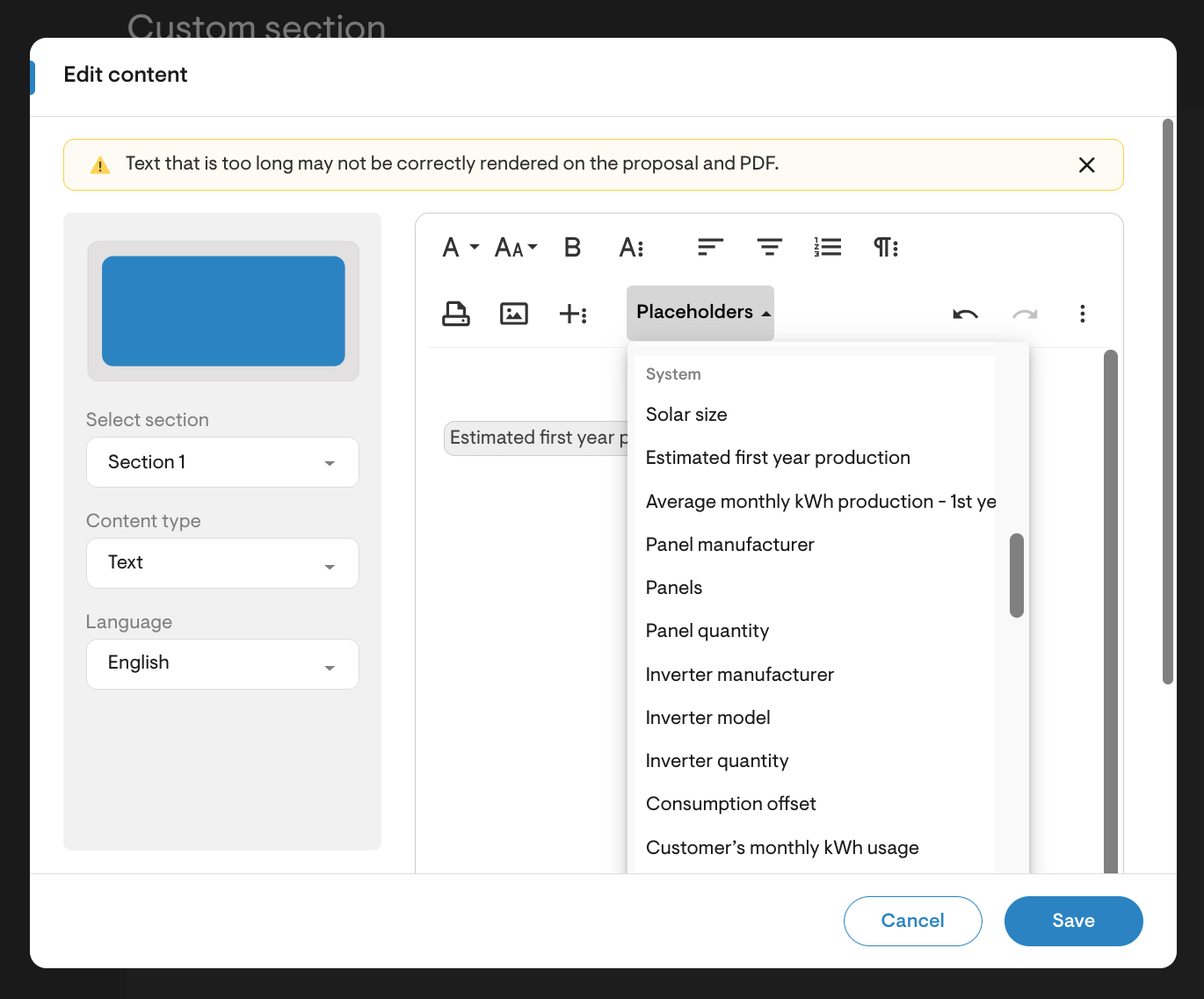
Custom sections within the proposal now support the use of placeholders, improving the content creation process by inserting information relevant to each specific proposal.
They can be accessed once a new custom section has been created by clicking on Edit content, a dialog will appear with the available placeholders to choose from.
- Added state license number
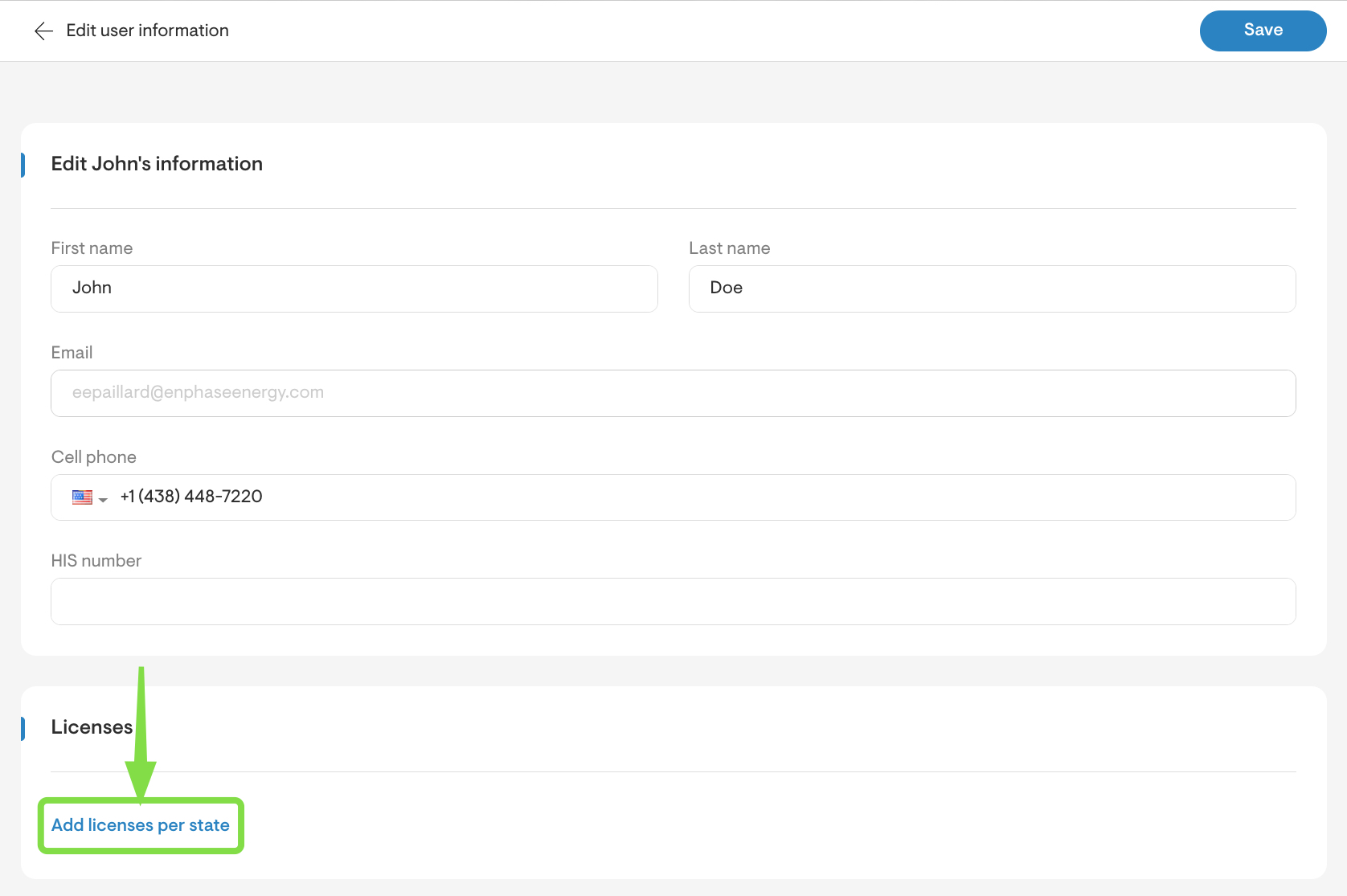
User profiles now include the ability to add license numbers by state. A drop-down menu allows for state selection, and multiple licenses can be added or removed as needed.
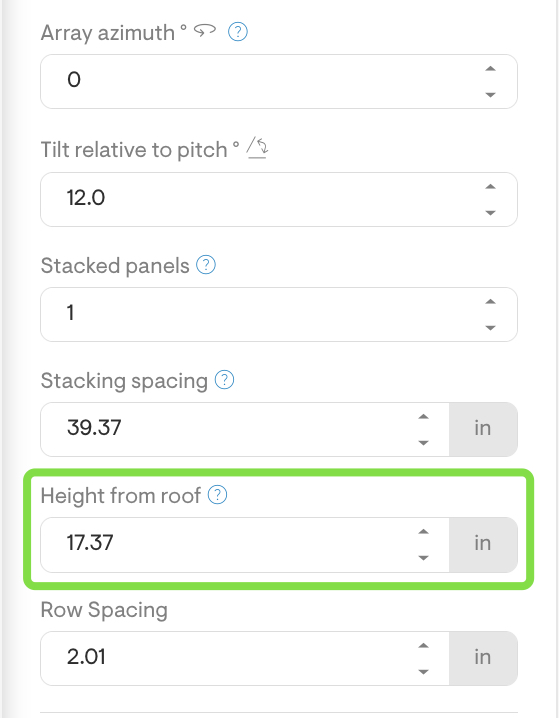
- Ability to define height from roof for low slope arrays
In the solar design step, a new field allows users to specify the vertical distance between the roof and the bottom row of panels (height from roof), applicable only to low slope arrays.
This feature supports the design of structures such as solar canopies by accounting for the elevation from the roof surface.
- Fire Pathways Feature
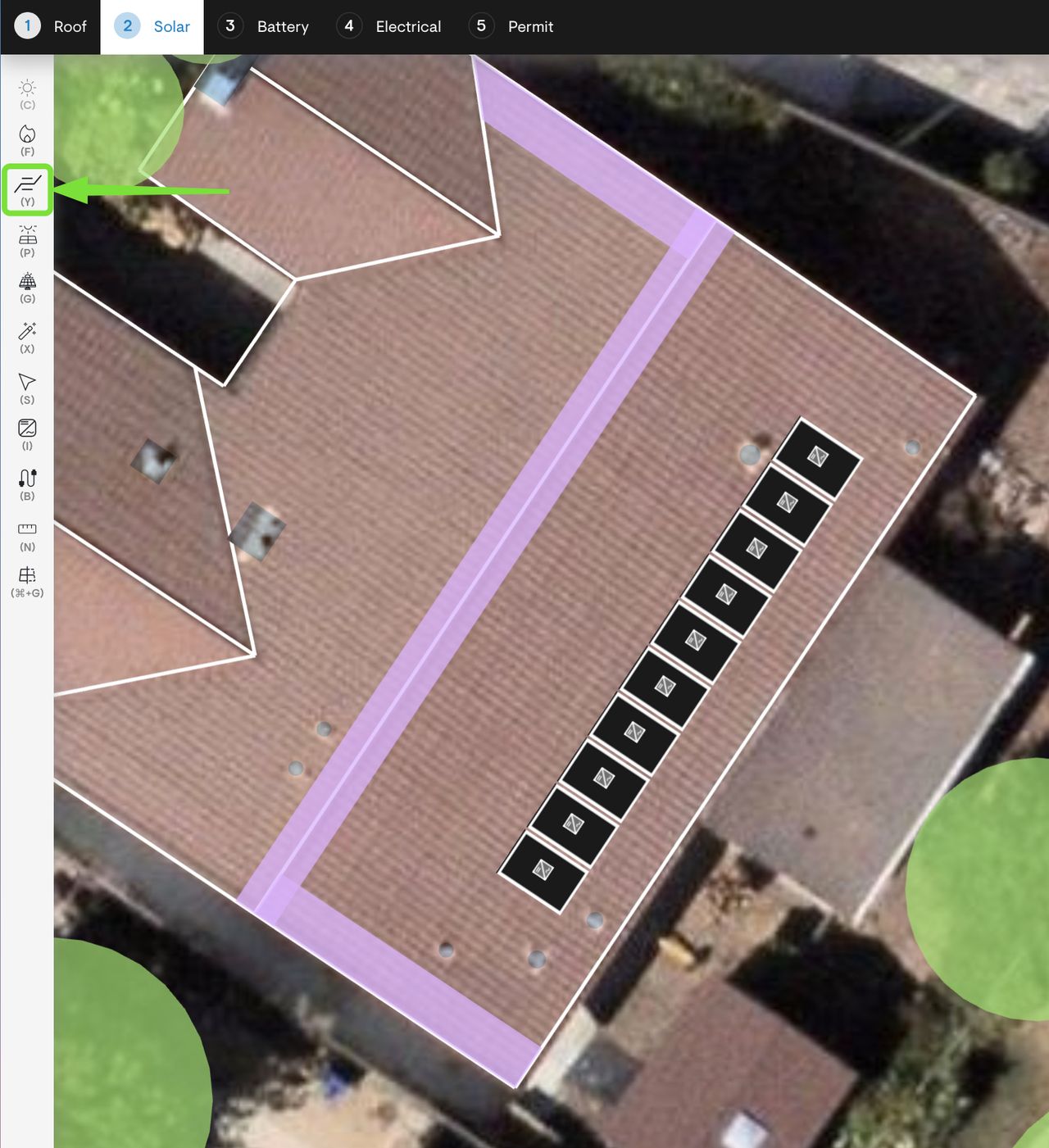
A new feature has been introduced in the design tool as an alternative to traditional fire setbacks. This intelligent solution is designed to maximize usable roof space for panel placement while maintaining compliance with design codes. The feature is disabled by default and can be enabled by companies through the Design Tool Default Settings in the settings menu.
Pathways can be “detected”, where Solargraf will place pathways according to the roof’s shape, panel layout (if panels have already been placed), location of obstructions, and shading at various parts of the roof. The algorithm considers the presence of absence of a sprinkler.
Alternatively, a user can create a pathway using the Create pathway tool, and then selecting a roof edge. Custom pathways are placed with a 18 inch width by default, which can be edited by selecting the pathway.
- Added work from home consumption profile
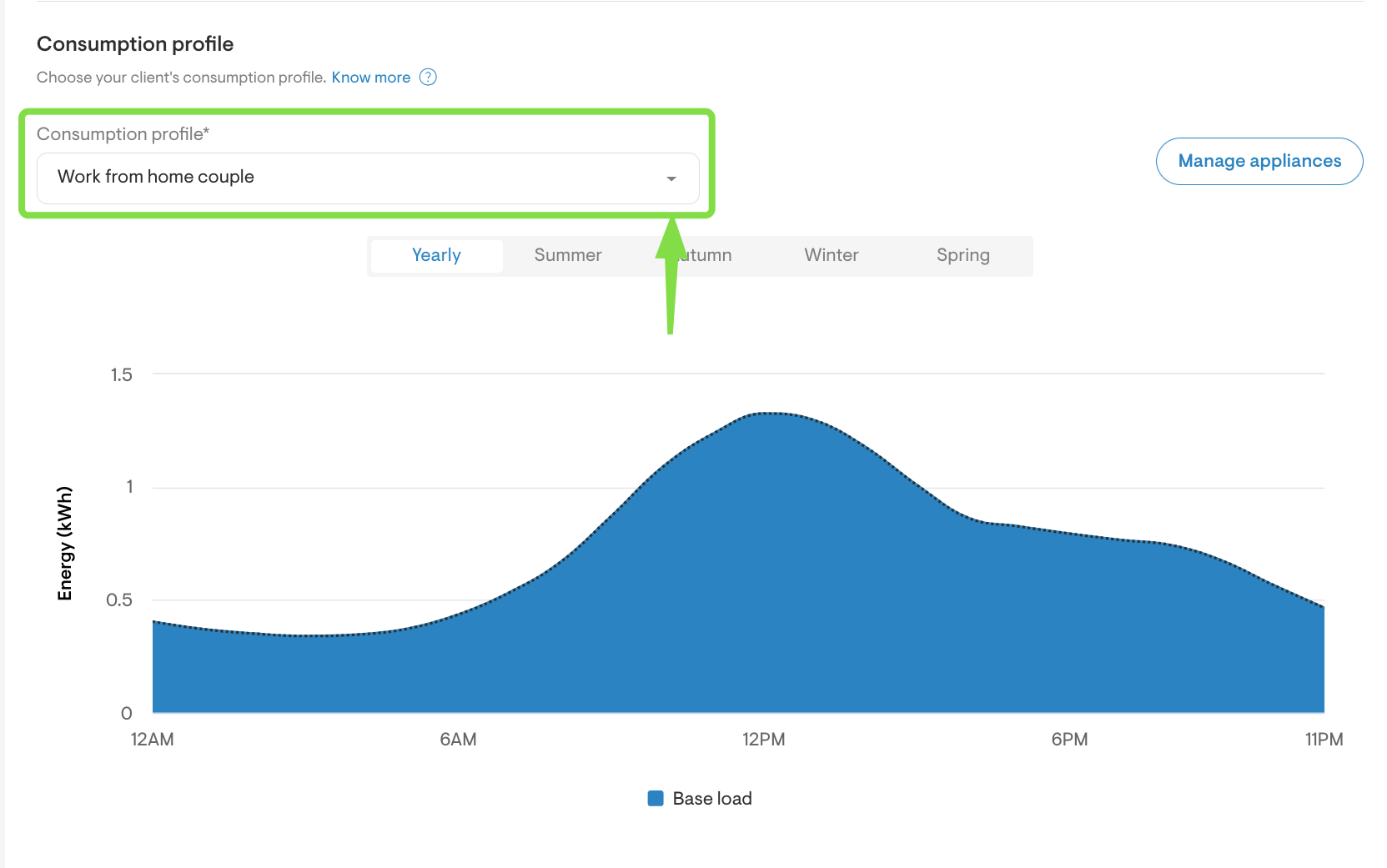
A new consumption profile labelled Work from home couple has been introduced under Utility Settings > Consumption Profile.This profile is designed to better reflect the energy usage patterns of customers who work remotely, enabling more accurate modelling.
Other features
- Added checkbox to offset only supply charges
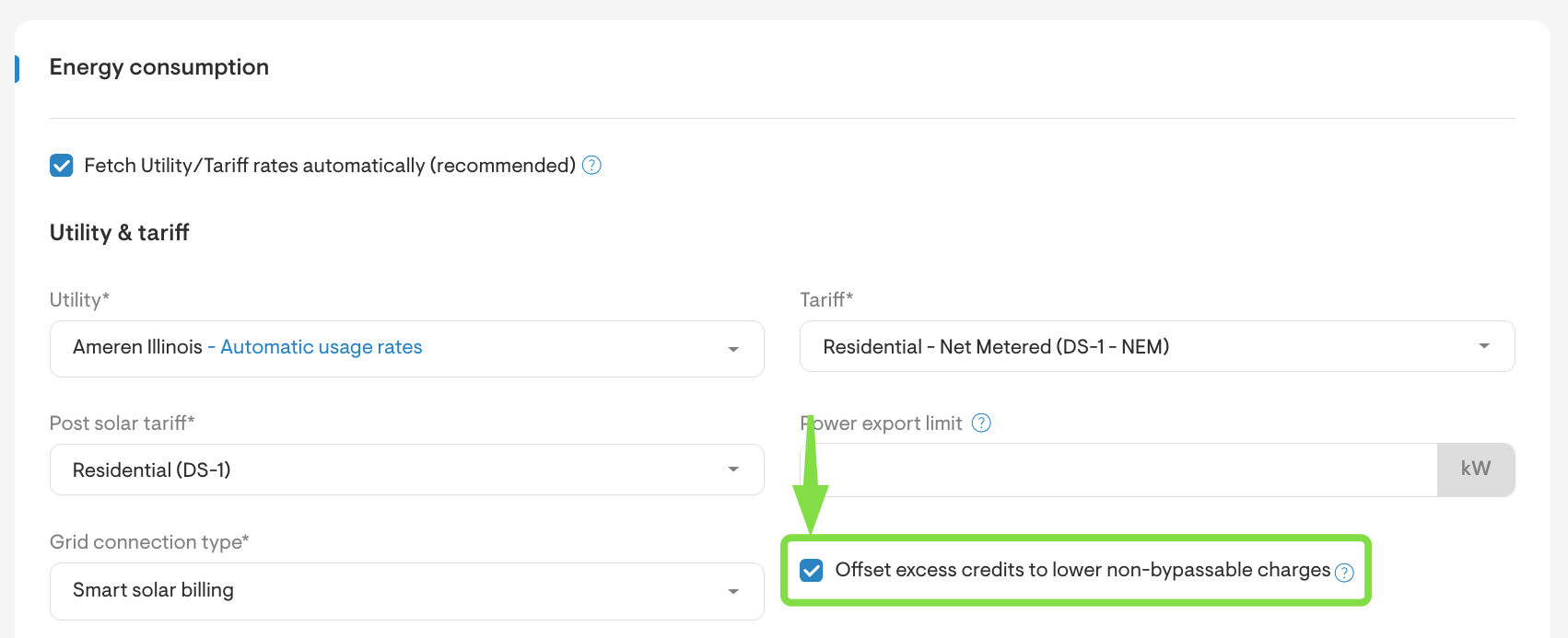
When “Net Metering (retail rate with fixed reduction)” or “Smart Solar Billing” is selected under the utility settings, a new checkbox becomes available. The checkbox is labeled Offset excess credits to lower non-bypassable charges.
This option may be checked if the utility allows excess credits typically from supply charges to be used to offset non-bypassable charges, such as transmission and distribution fees.
- Placeholder improvements such as the addition of Racking Type as a placeholder.
- Notification settings moved to Account settings for a better flow.