Help Center Release Notes
Solargraf Releases - July 19th, 2026
Published on 16 Jul 2026
Account settings
- Password confirmation required for login email changes
You now need to enter your current password when changing the email address used for login. This adds an extra layer of protection against unauthorized changes to your account.
Proposal
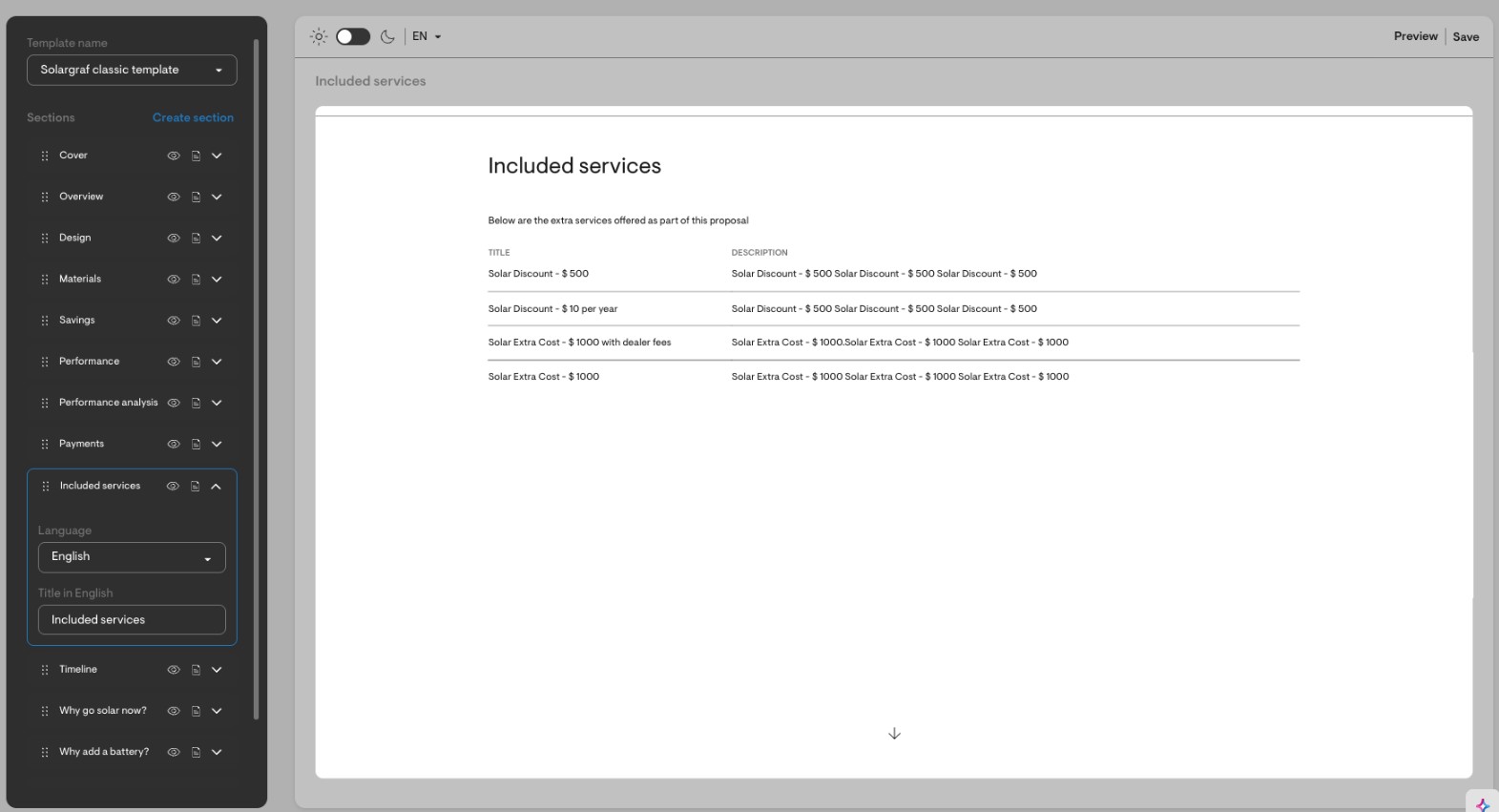
- Included services section
For Concert Propel Financing lease proposals, you can now use a new Included services section in the webquote. This section lists public adders and discounts that apply to the lease option, including the title and description for each included service.You can edit the section, disable it, and choose whether to show or hide it from the PDF. It is available for both classic and advanced templates.
Express editor
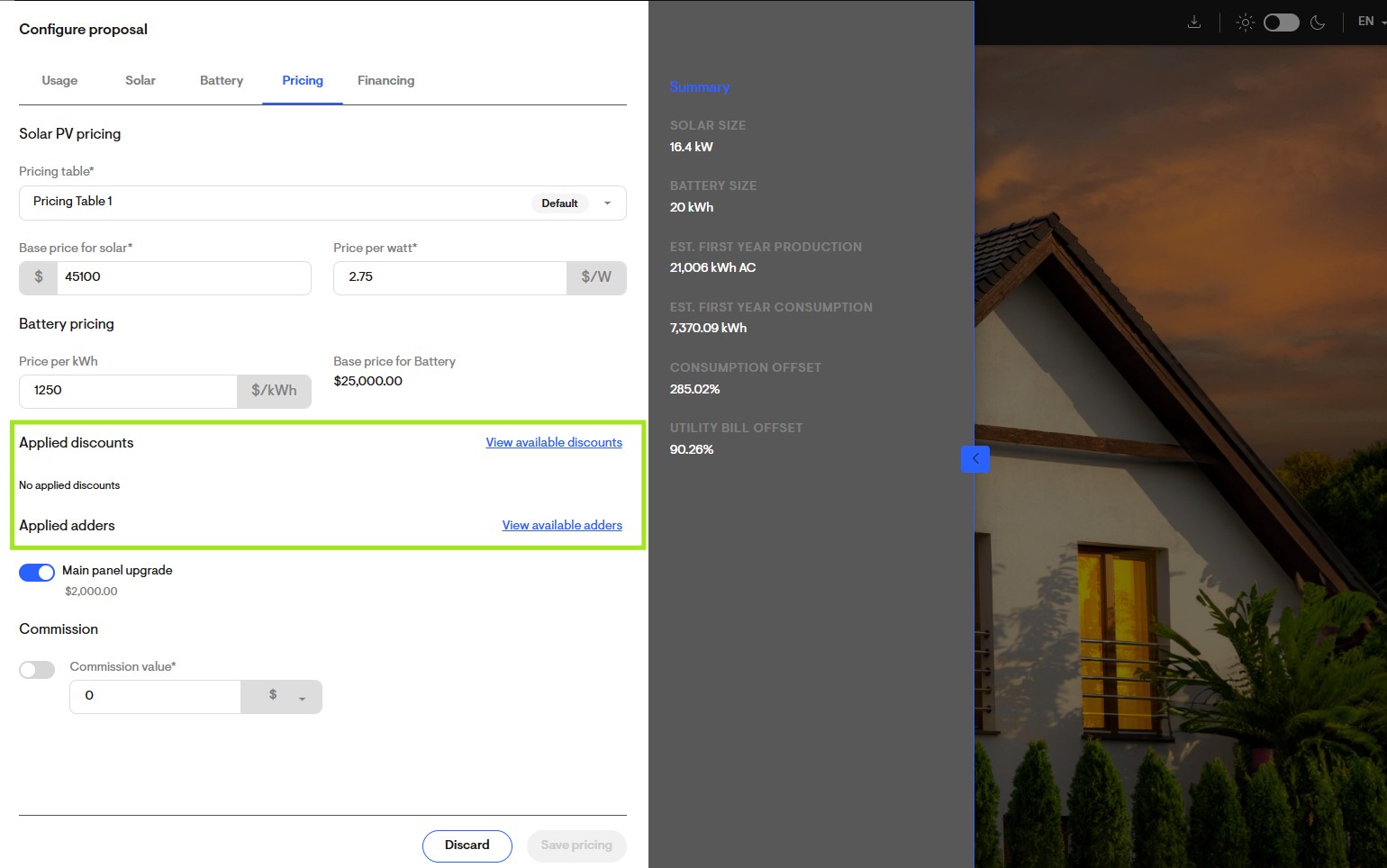
- Adders and discounts
You can now select adders and discounts directly from the pricing tab in the express editor, even if they were not previously imported into the project. This makes it easier to update pricing while working with a customer, without needing to return to project pricing settings first.Available adders and discounts now display their values alongside their names, and you can apply or un-apply imported items directly from the express editor. Any saved changes stay in sync with the project pricing configuration.
- String inverter support
You can now use the express editor's solar tab with string inverter designs. When toggling panels on or off with a string inverter, the "Save solar" button changes to "Calculate production" so auto-stringing and production are recalculated automatically. The solar tab is available for any 3D design with flush-mounted panels.
Click here to learn more about how to use the Express editor feature.
Design tool
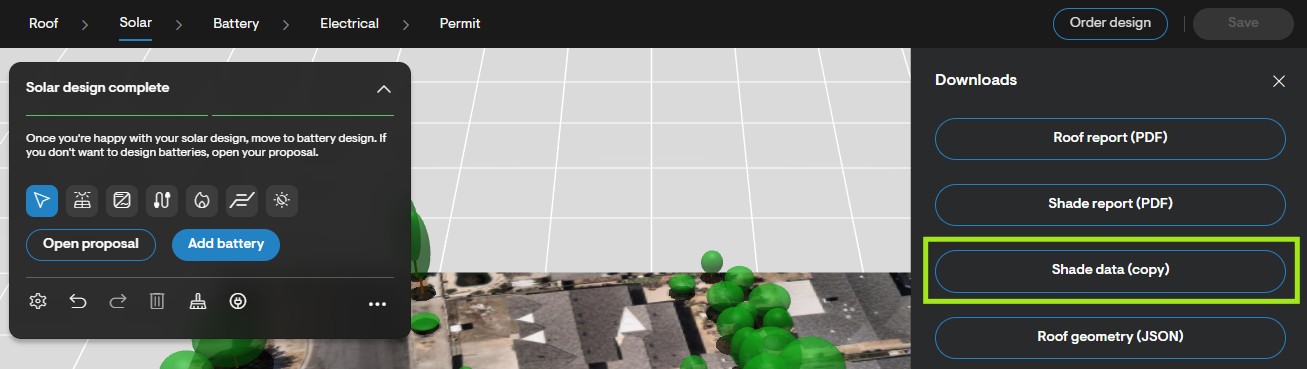
- Copy shade data to clipboard
In the design tool, a new "Shade data (copy)" option is available in the downloads menu. It copies array-level shading values (Array ID, Panel count, Azimuth, Pitch, TOF%, SAV%, TSRF%) as text you can paste directly into financier portals like IGS.
Projects
- Clearer CSV export labels on the Projects page
Project export terminology has been standardized to make CSV data easier to understand. “Client status” is now labeled Project lifecycle stage, and “Project state” is now labeled Proposal status. You will see these updates both in the export selection menu and in the downloaded CSV headers. - Design option rename now respects permissions
The permission formerly labeled Manage clone and design options is now called Edit design options. If you do not have this permission, you will no longer see the option to rename a design in the project navigation.
Services
- Clearer messaging for declined or refunded PaaS requests
When a PaaS design request has been declined or refunded, you now see a clear status-specific message when opening the project. This replaces the previous generic message and makes it easier to understand when a new request needs to be submitted.
API
- Power control system details in the List proposals / Design options API
The List proposals / Design options API now returns power control system details configured on each design option. The response includes power export limit information and main panel upgrade avoidance settings, such as the selected method, panel ratings, breaker ratings, calculated current limits, NEC 120% rule limits, and manual current limits where applicable.