Help Center Financing Set Up
Integrate with LightReach
Published on 21 Jul 2025
To get your credentials, email partneractivation@palmetto.com with the subject “Activation Request: SolarGraf-LightReach Integration” and include in the body: “I consent to making my LightReach account visible to the SolarGraf integration and request my LightReach organization alias."
Set up integration
- Navigate to Settings > Manage LightReach Credentials.
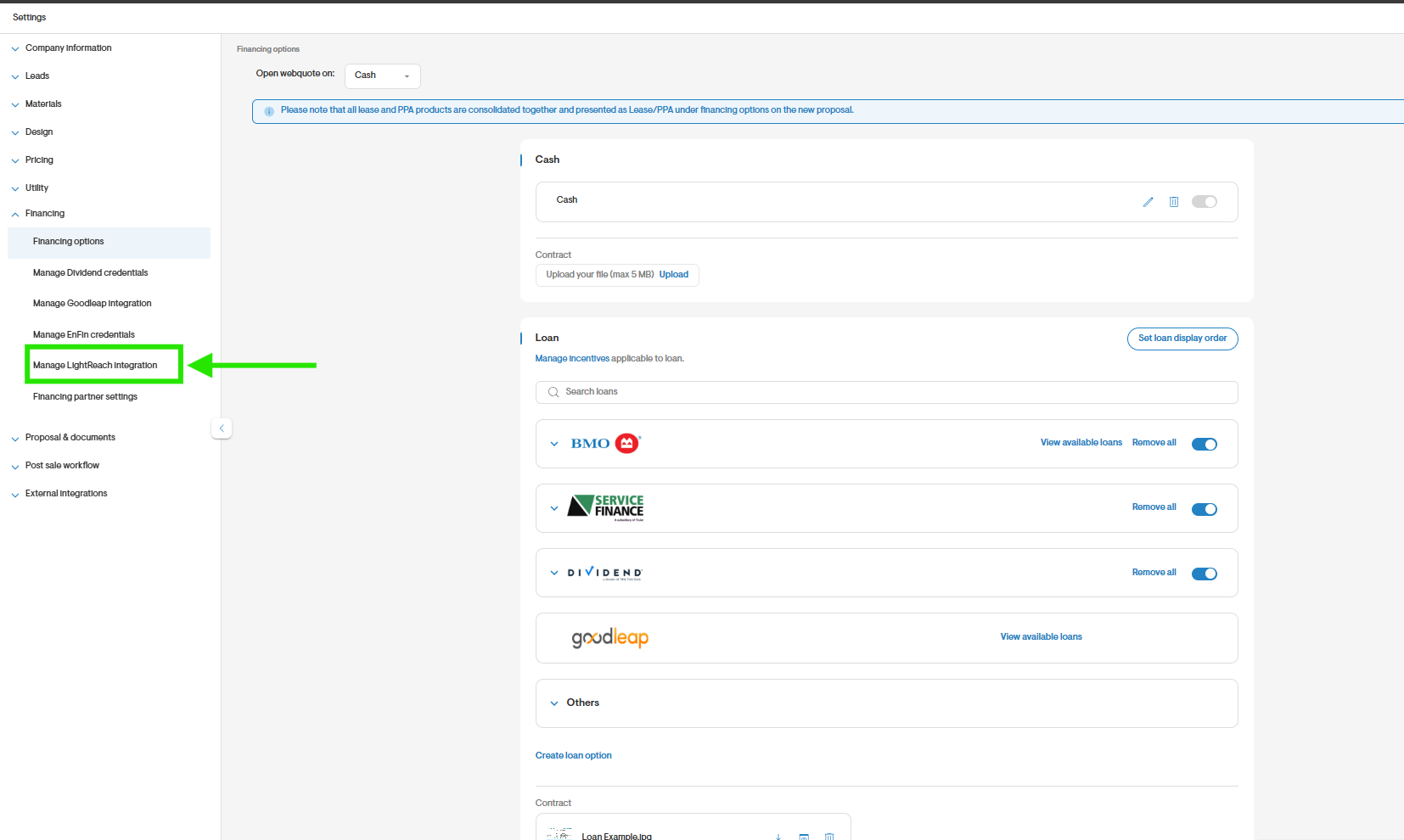
- Enter the Organization alias.
- Set your TPO pricing settings as to whether sales reps can see both DC & non-DC pricing or only one of the these on the pricing matrix on webquote.
- Save the credentials to integrate with LightReach.

- You’ll now see LightReach as a financing option on the Project Overview page.
Set up system losses
It's crucial to initially verify that the system settings highlighted in the image below align with LightReach's expected configuration.
Please follow the instructions below:
- Go to your Company Settings.
- Navigate to Design > System Losses.
- Click on Add new to create a template.
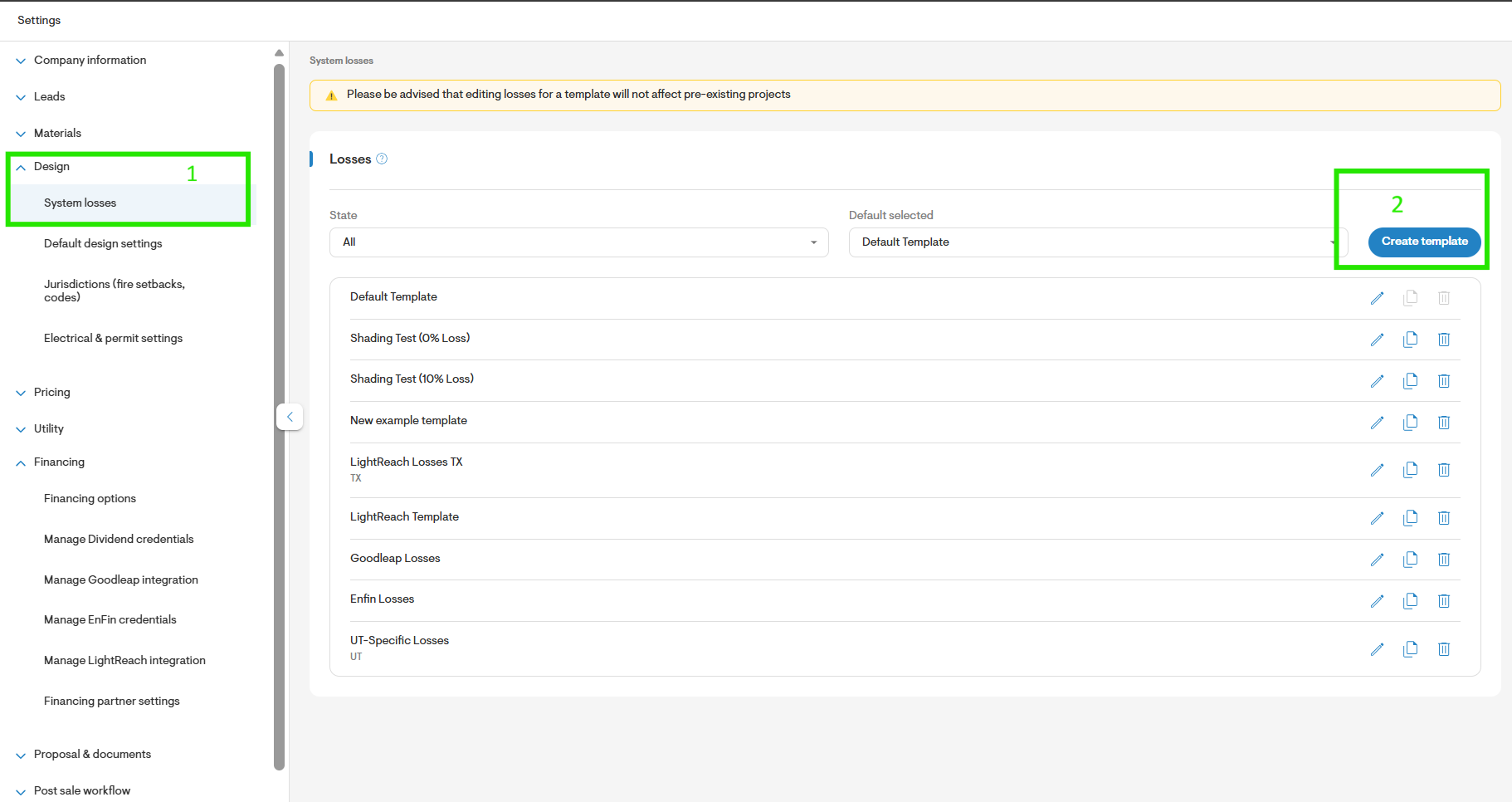
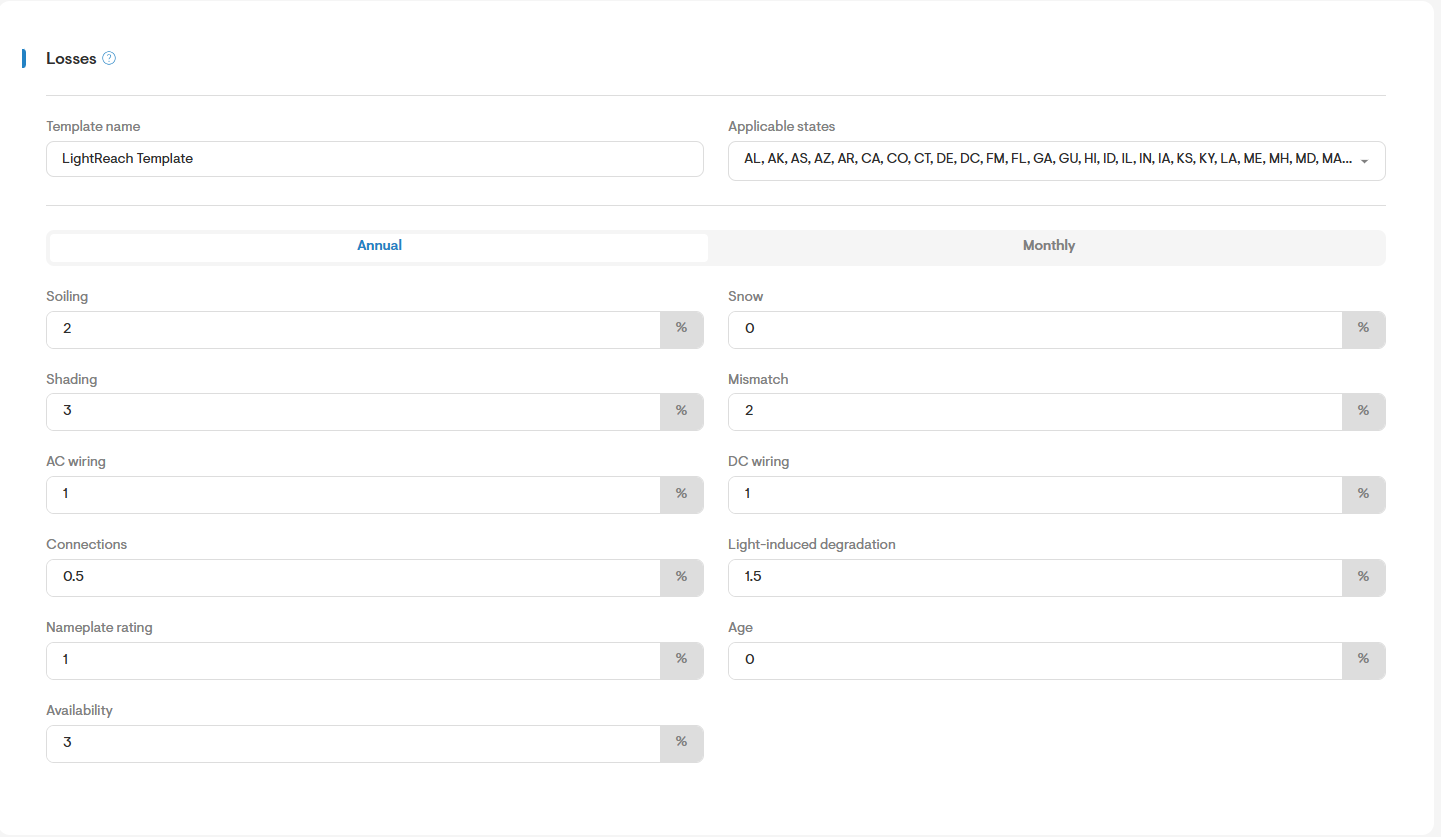
- Enter the annual values for each field following the minimum loss percentage required for each region.
· Soiling: 2.0%
· Snow: Varies by state – please see details in the below table
· Mismatch: 2.0%
· AC Wiring: 1.0%(0% if using string inverters)
· DC Wiring: 1.0% (0% if using string inverters)
· Connections: 0.5%
· Light-Induced Degradation:1.5%
· Nameplate rating: 1.0%
· Age: 0.0%
· Power Export Limit: 0.0%
· Availability: 3.0%
- Save your changes.
Below are the values for Minimum System Loss, excluding Shade Loss % and Snow Loss % for each state:
States | Minimum System Loss Settings without shade loss | Snow Loss Settings in Solargraf |
| 9.1% | 0% |
| 10.5% | 2% |
| 12.3% | 4% |
| 15.1% | 7% |
| 17.8% | 10% |
| 23.3% | 16% |
| 14.1 | 0% |
To learn how to submit a financing application, review Send a LightReach Financing Application.