Help Center Financing Set Up
How to use: Propel (via Concert Finance) in Solargraf
Published on 3 Feb 2026
This guide explains how to use Propel financing (via Concert Finance) in Solargraf, including prerequisites, setup steps, and common reasons the option may not appear.
What this product is:
Propel is an ownership-focused financing product available through Concert Finance.
You can access it in Solargraf under project Financing options in the prepaid lease tab.
Prerequisites:
You must be onboarded with Concert Finance before Propel will be available in Solargraf.
If you are already a Concert or GreenTech Finance customer, only a few additional items may be required.
If you are new to Concert, onboarding can take 4–8 weeks.
Step-by-step: how to use Propel in Solargraf:
To apply with Concert on Solargraf, you need to first integrate with your Concert credentials under settings.
To get your credentials, send an email to eng@beamfintech.com with the email address where you can receive the password to that account. We recommend that you set up an email group that multiple people have access to, so that there is no risk that the email address will conflict with an existing Concert user account, for example, solargraf_concert_api@abcsolar.com. The username and password are to be updated on Solargraf as the API key username and password respectively.
Step 1: Set up integration
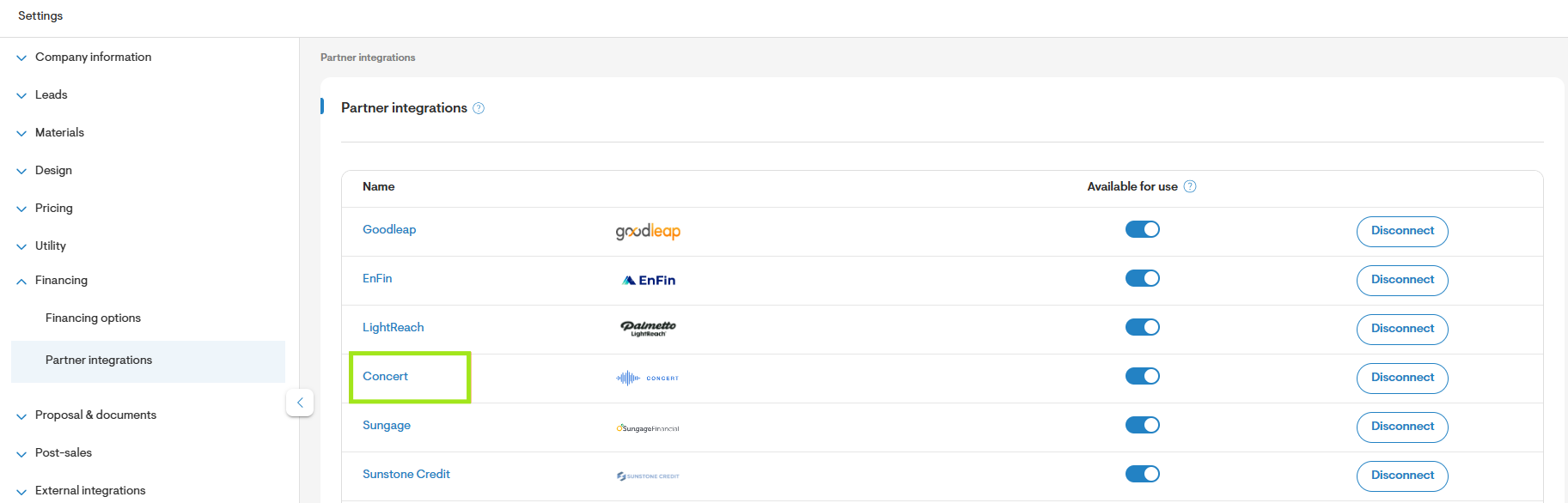
- Navigate toSettings > Financing > Partner integrations.
- Click on Concert.
- Enter the username & password received from Concert finance.
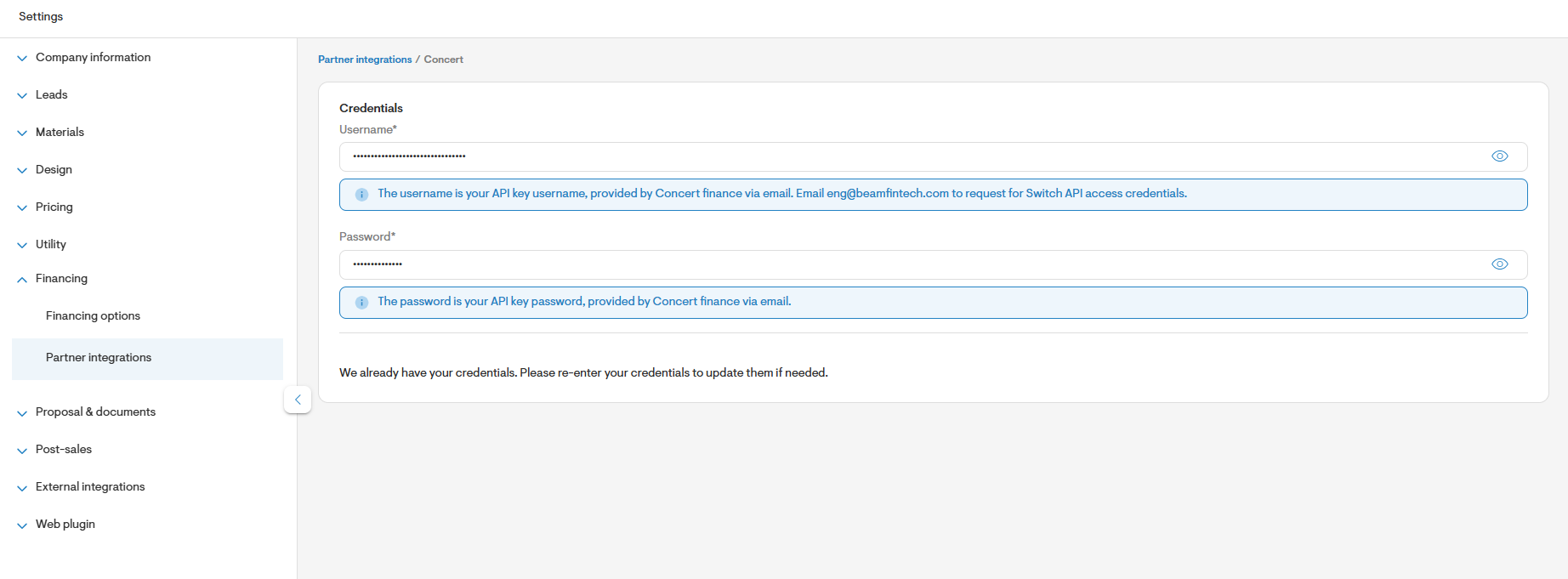
Save the credentials to integrate with Concert.
You’ll now see Concert as a financing option on the Project Overview page.
Once the Concert integration is complete, you can submit an application from the project page.
To do so, follow the steps below:
Step 2: Design your system
Create your solar or solar + battery design in Solargraf.
Use only equipment that is on the approved AVL.
Set pricing before selecting financing (cash-equivalent pricing must be defined).
Step 3: Enable Propel prepaid lease products
Propel financing products from Concert must be enabled at the project level, as its availability depends on the specific address and its associated utility provider.
- In your project overview, navigate to Financing options:
 in Solargraf_2.jpg)
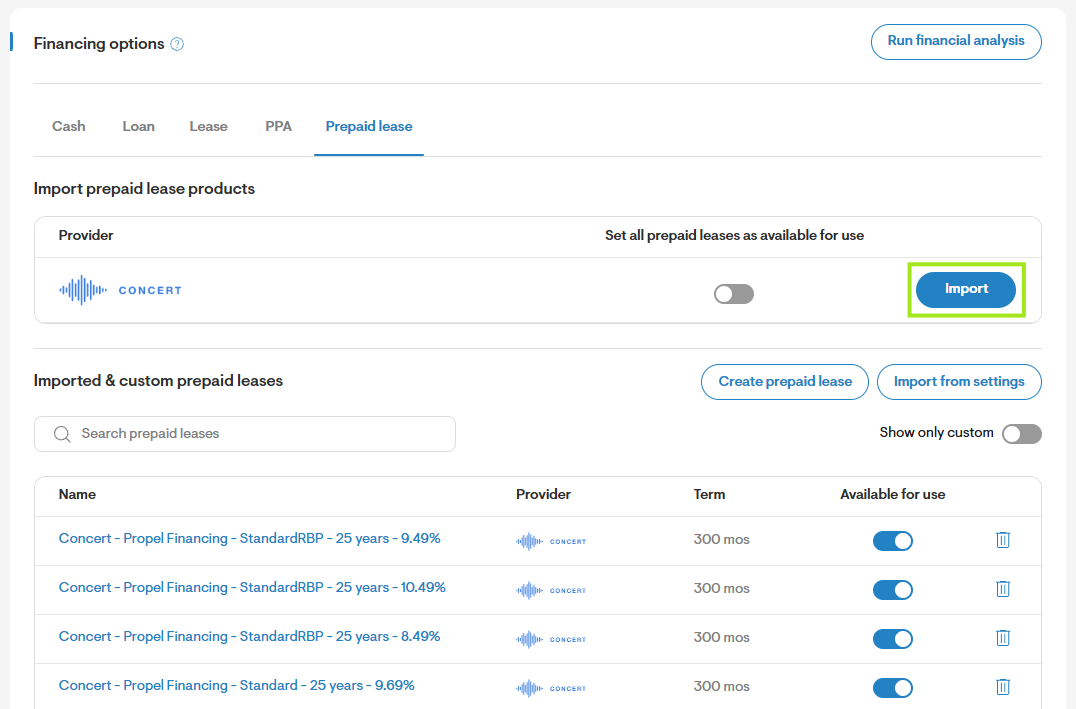
- Go to the prepaid lease tab.
- Click on the import button for Concert under prepaid lease providers.
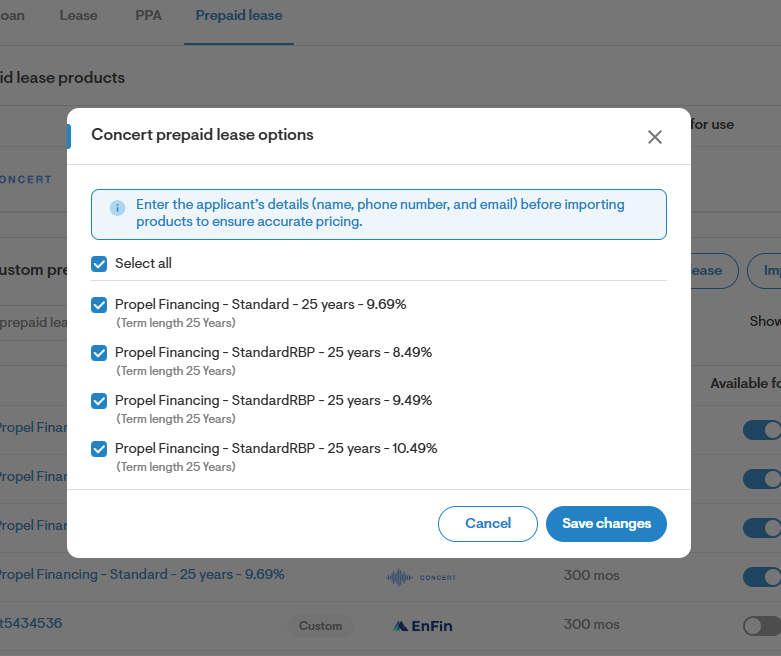
Import the Propel prepaid lease products by clicking on the checkbox.Click Save changesto add it to your proposal.
- Propel is configured at the project level, not in company settings. The workflow mirrors other TPO financing integrations in Solargraf.
Step 4: View monthly payments on proposal
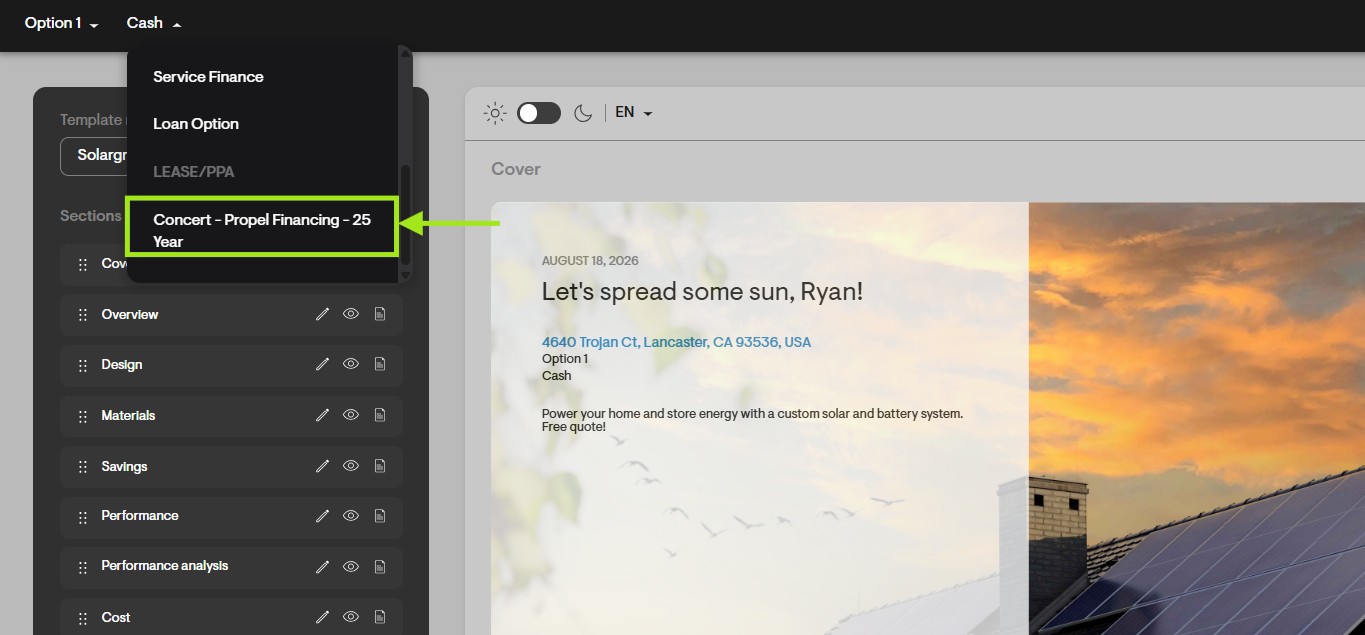
- Navigate back to the customer’s proposal and select the Propel financing option:
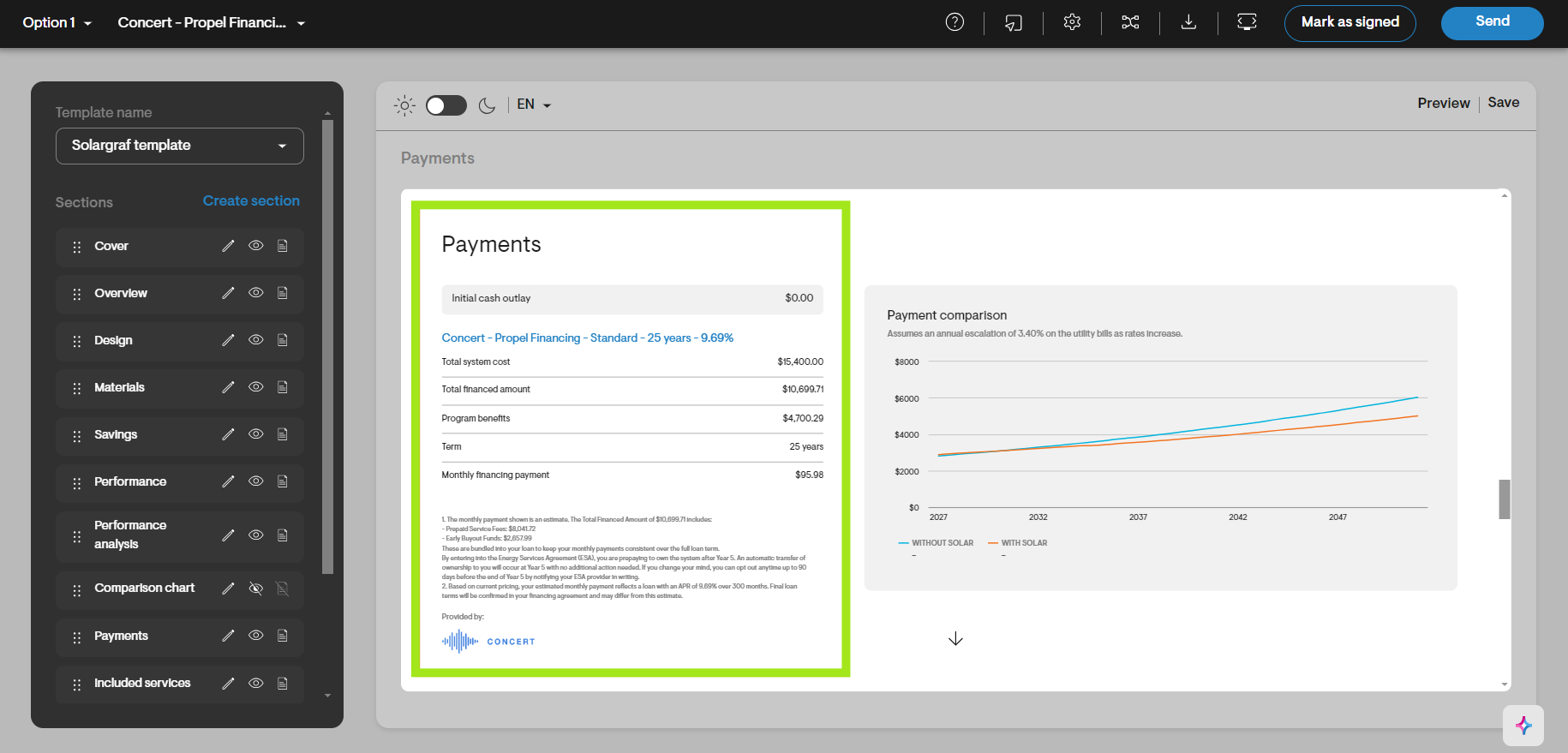
- View monthly payments and other details in the payments section on the proposal:
Apply for TPO
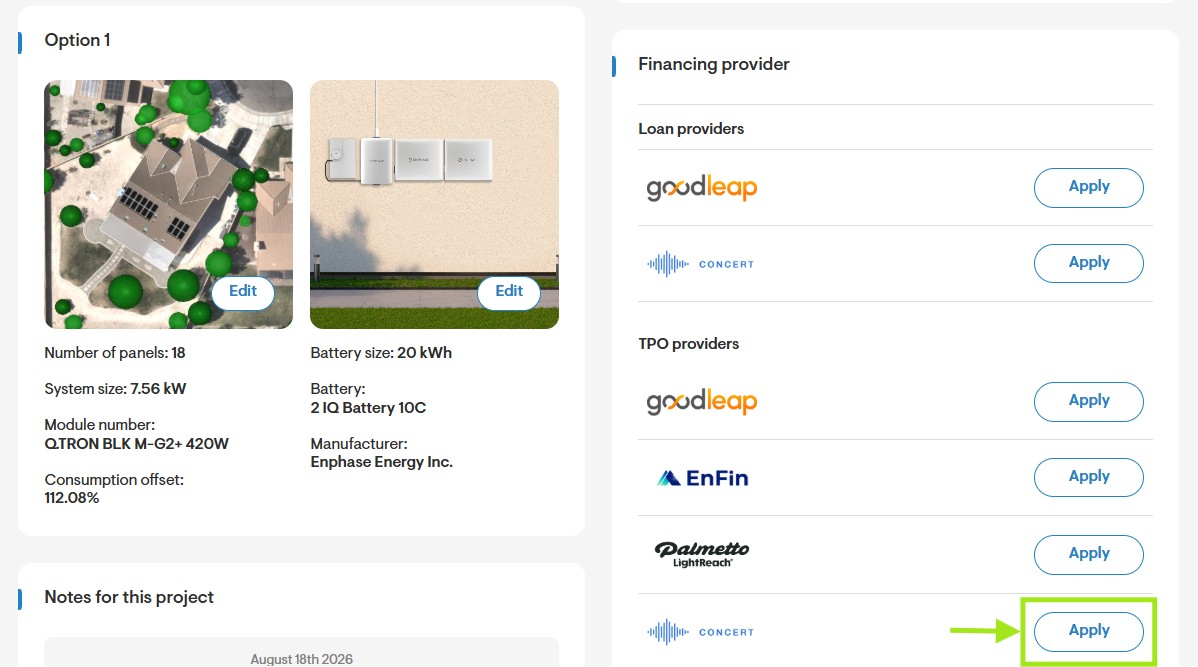
- On the Project Overview page, click Apply next to Concert TPO:
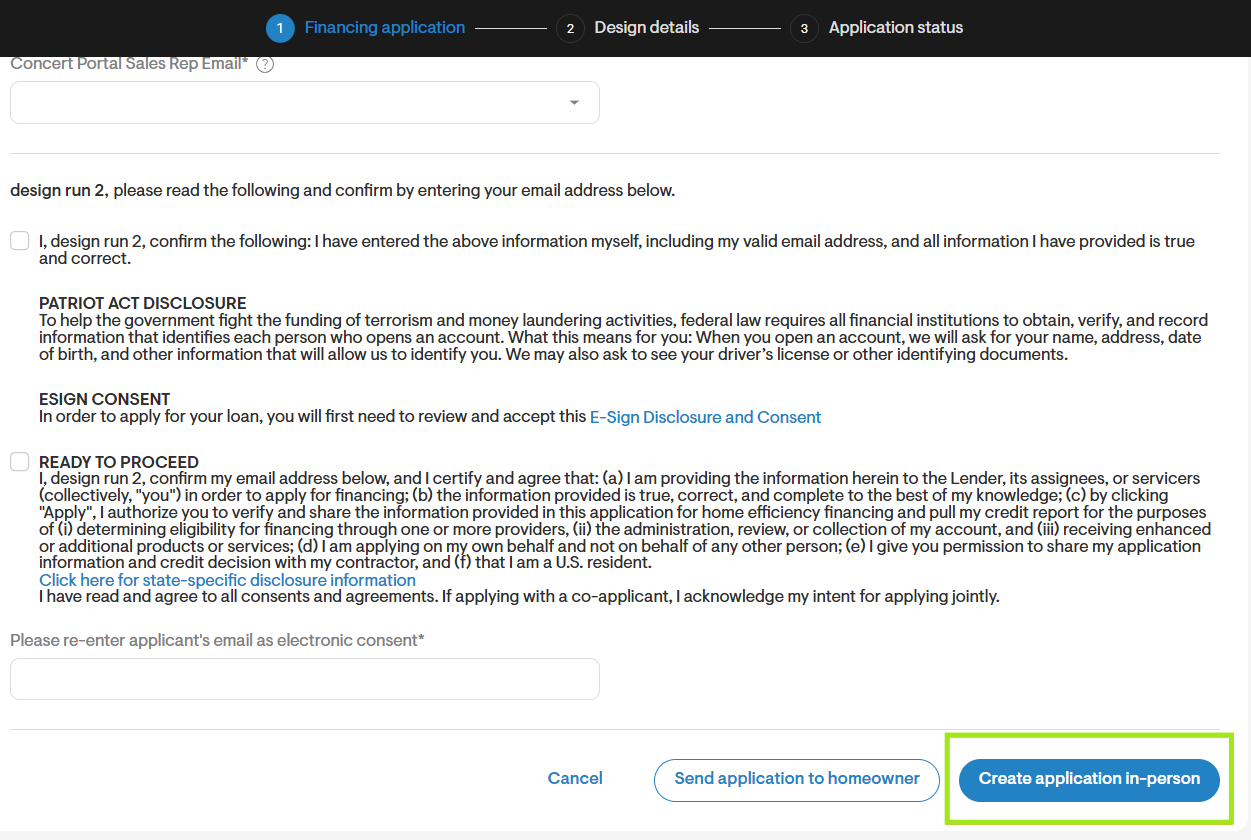
On the application screen for Concert, choose “Create application in-person” to create an application in person on Solargraf, or choose “Send application to homeowner” to send the application to the homeowner.
 in Solargraf_8.jpg)
For the option to create an in-person application, select the financing option, fill out the form with the applicant and sales rep details.
 in Solargraf_9.jpg)
Verify the information.
Review and accept the Terms & Conditions and submit the application.
Review design details.
Check the status of the pre-approval after submission by clicking on the refresh button on the status screen.
 in Solargraf_11.jpg)
Post application actions
Click on send contract on the application status screen to request Concert to send documents to the homeowner if the precheck is approved.
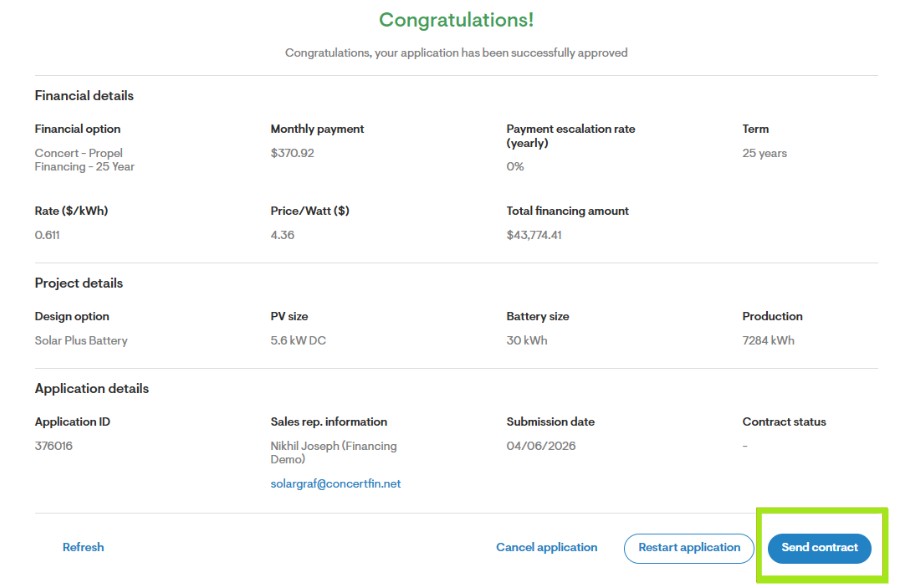
To cancel the application, click on cancel application on the status page and provide a cancellation reason.
To submit a change order, click on restart application from the status page. You will be redirected to Concert portal to submit the change order.
Common reasons Concert (Propel) may not appear:
1. Equipment not on the AVL:
Because Propel only supports approved equipment, using non-approved items will prevent the product from appearing, so be sure to use equipment listed on Concert’s approved AVL.
2. Project address in a non-supported state:
If your project is not located in approved states, Propel will not be available.
3. System price exceeds allowed limits:
If the system price exceeds Concert’s maximum PV or storage thresholds, Propel will be disabled. Refer to your Concert or GreenTech Finance representative for pricing limits.
4. Concert onboarding not completed:
Propel will not be available in Solargraf until your Concert onboarding process is fully completed.
5. Applicable utility provider needs to be selected:
Propel will not be available for an individual project unless a utility is chosen on the pre-design page.
Propel and Concert financing FAQs:
What is Propel financing?
Propel is an ownership-based solar financing solution offered through Concert Finance that allows you to offer structured monthly payments to homeowners.
Does Propel allow system ownership?
Yes. Propel supports full system ownership rather than a lease.
How does Propel differ from a lease?
Unlike leases, Propel is designed to provide a path to ownership with payment flexibility and allow the homeowner to take advantage of any tax credits.
How are payments structured?
Payments are a fixed monthly payment, similar to a loan, which have no prepayment penalty.
Is a large upfront payment required?
No. Propel does not require a significant upfront cash payment.
Are early payoff options available?
Yes. Flexible early payoff options are available.
How does Propel affect home resale?
Ownership-based financing is generally more favorable during home resale than lease-based arrangements.
Is Propel enabled at the company level?
No. Propel (Concert) must be selected on each individual project. It is not a company-level toggle.
Why can’t I see Concert (Propel) in Solargraf?
Propel may not appear for one of the following reasons:
You are not fully onboarded with Concert.
The project includes equipment not on the approved AVL.
The project address is outside approved states for Propel.
The system pricing exceeds Propel’s allowable PV thresholds.
Should I contact Solargraf or Propel first?
You should complete onboarding with Propel (via GreenTech) before attempting to use the product in Solargraf.
Can new companies access Propel?
Companies with at least six months in business are generally preferred. Some newer companies (2–3 months) may qualify depending on underwriting review.
Do I need to purchase materials through CED?
Yes. Propel projects require materials to be sourced through the approved supply channel.
Is Propel set up differently from other TPO options in Solargraf?
No. Propel follows the same project-level selection and financing workflow as other TPO partners in Solargraf.
What is the currently approved equipment on the AVL list?
Propel allows Hanwha Q cells, Silfab Solar Inc. and REC Solar manufactured panels, Enphase inverters & batteries.
What are the PPW caps for Propel in states currently supported?
PPW pricing caps for Propel in states supported are as follows:
State Contract Type Max PV-Only PPW ($/W) Max ESS-Only PPW ($/kWh) AZ Lease $ 3.35 $ 2,000.00 TX ESA $ 3.50 $ 2,000.00 TX Lease $ 3.50 $ 2,000.00 ME ESA $ 4.11 $ 2,000.00 CA ESA $ 5.00 $ 2,000.00 CA Lease $ 5.00 $ 2,000.00 PA ESA $ 3.96 $ 2,000.00 RI ESA $ 4.39 $ 2,000.00 MA ESA $ 4.55 $ 2,000.00 CT ESA $ 4.49 $ 2,000.00 CO Lease $ 4.15 $ 2,000.00 NY Lease $ 5.34 $ 2,000.00 OH TBD $ 3.36 $ 2,000.00 IL TBD $ 3.50 $ 2,000.00 What is the maximum storage pricing per kWh allowed?
Propel allows maximum storage pricing of $2,000/kWh.
What is the minimum & maximum loan amount supported on the Propel product?
Based on eligibility criteria, the minimum & maximum loan amount supported on the Propel product is $10,001 & $135,000 respectively.
What is the minimum productivity supported on the Propel product?
The minimum productivity cap in CA, TX & AZ is 1,000 while it’s 900 in ME.