Help Center
Delete the Cash option from a proposal (Financing options)
Published on 2 Sept 2026
If you don’t want customers to see Cash as a financing choice on the proposal, you can delete the Cash option from your project’s Financing options.
Steps
- Open your project in Solargraf.
- Go to Settings (top navigation) → Financing options.
At the top of the page, find Choose the finance option to open the proposal with.
- If Cash is selected, choose a different option (for example Loan, Lease, or PPA).
- Click the Cash tab.
- Under Include ROI and payback period on proposal, click Delete cash option.
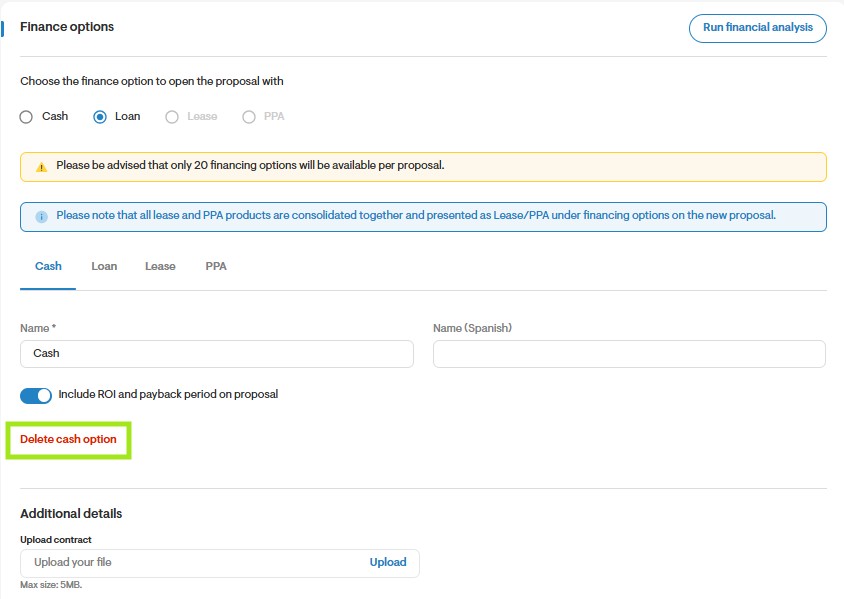
- Save/apply changes if prompted.
If “Delete cash option” is greyed out
This usually happens when Cash is set as the default option in Choose the finance option to open the proposal with. Select a different default option first, then return to the Cash tab and try again.
Confirm it worked
Open/preview the proposal and verify Cash is no longer shown as a financing option.