Help Center Financing Set Up
Integrate with GoodLeap
Published on 2 Dec 2024
This guide will walk you through the steps to integrate with GoodLeap and send a financing application.
Set up the integration
- Navigate to Settings > Manage GoodLeap Credentials.
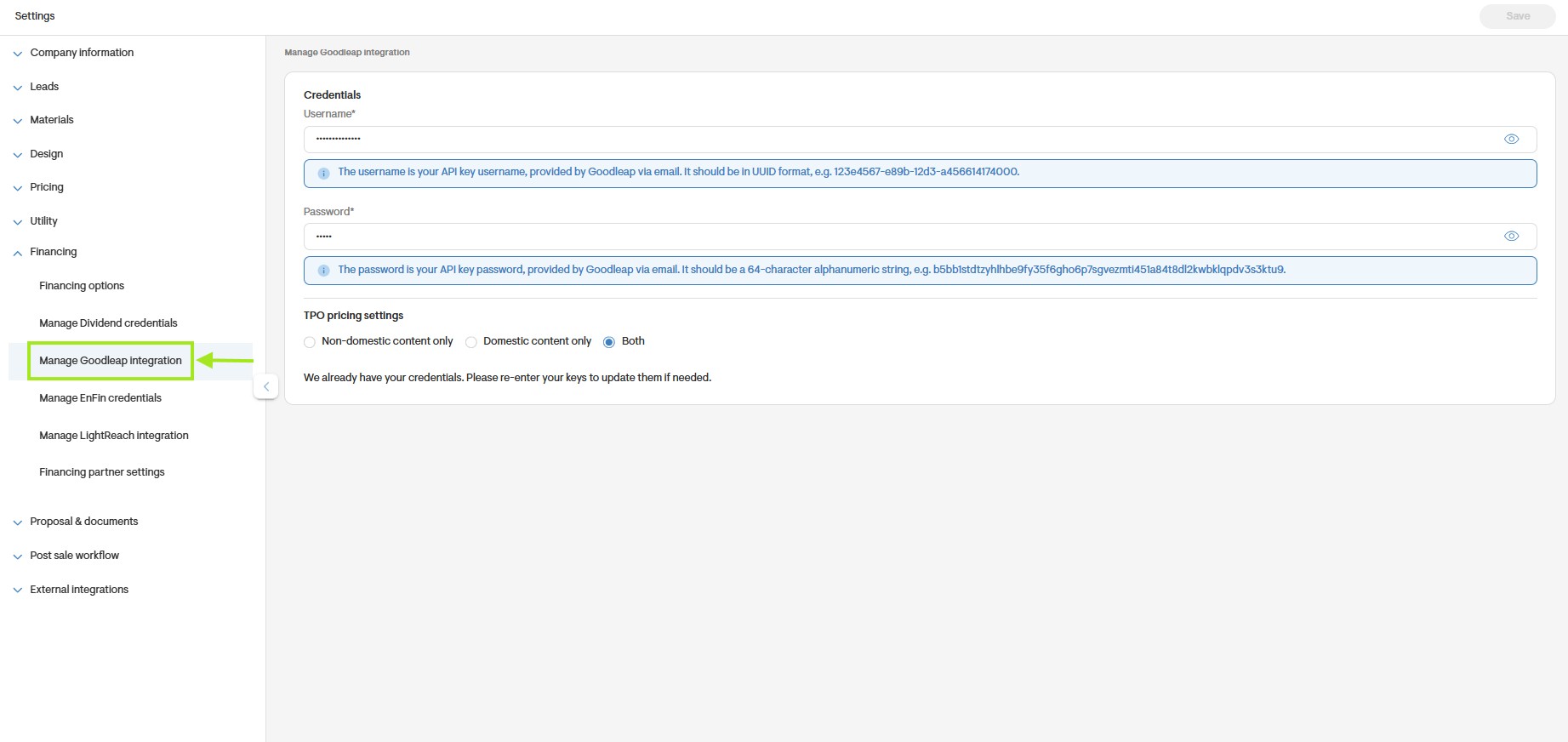
- Enter your Username (in UUID format) and Password (a 64-character alphanumeric string).

Set your TPO pricing settings as to whether sales reps can see both DC & non-DC pricing or only one of the these on the pricing matrix on webquote.
- Save the credentials to integrate with GoodLeap.
- You’ll now see GoodLeap as an option on the Project Overview page.
Set up system losses
It's crucial to initially verify that the system settings align with GoodLeap's expected configuration. Please follow the instructions below:
- Go to your Company Settings.
- Navigate to Design settings and select Default System Losses from the dropdown menu.
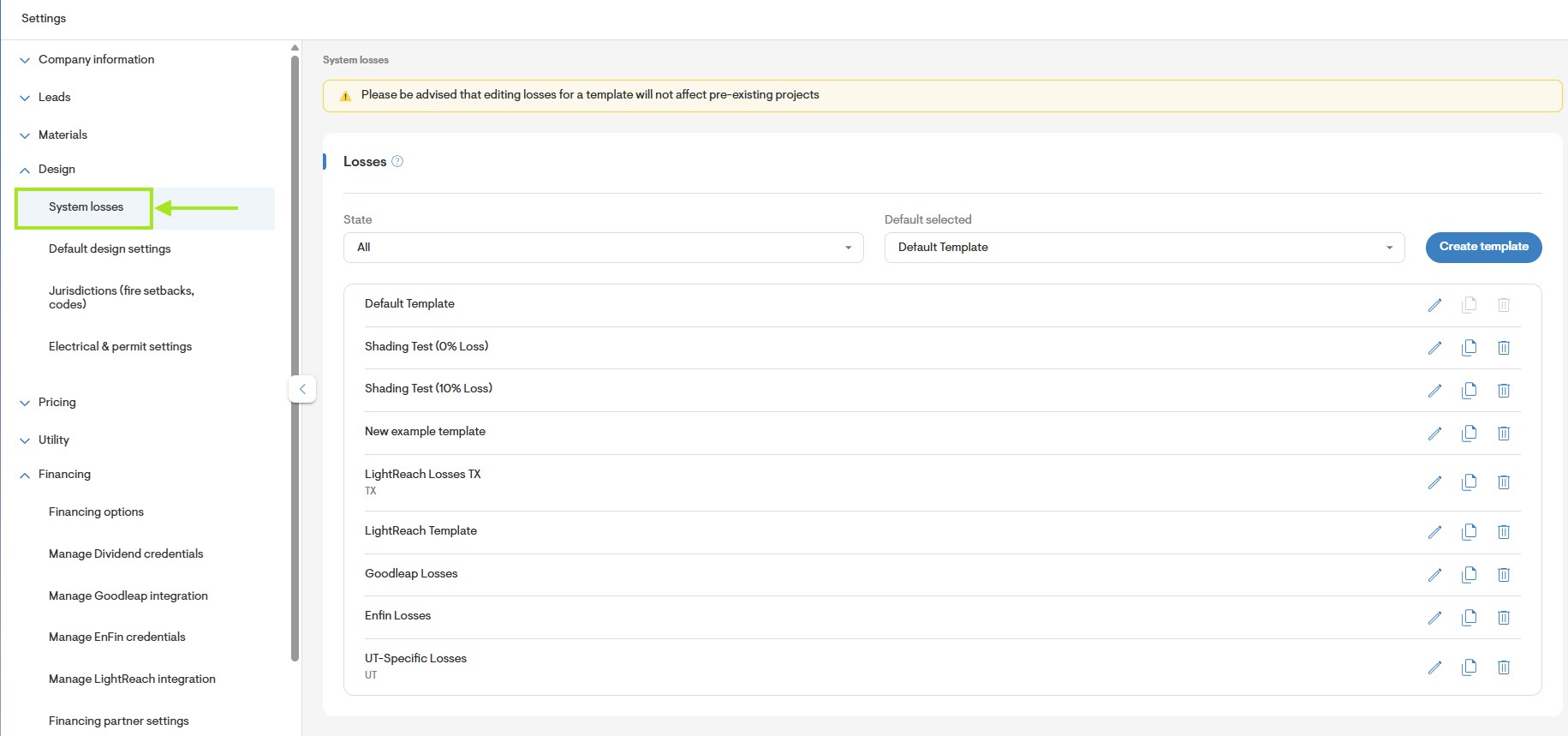
- Click on Add new to create a template.
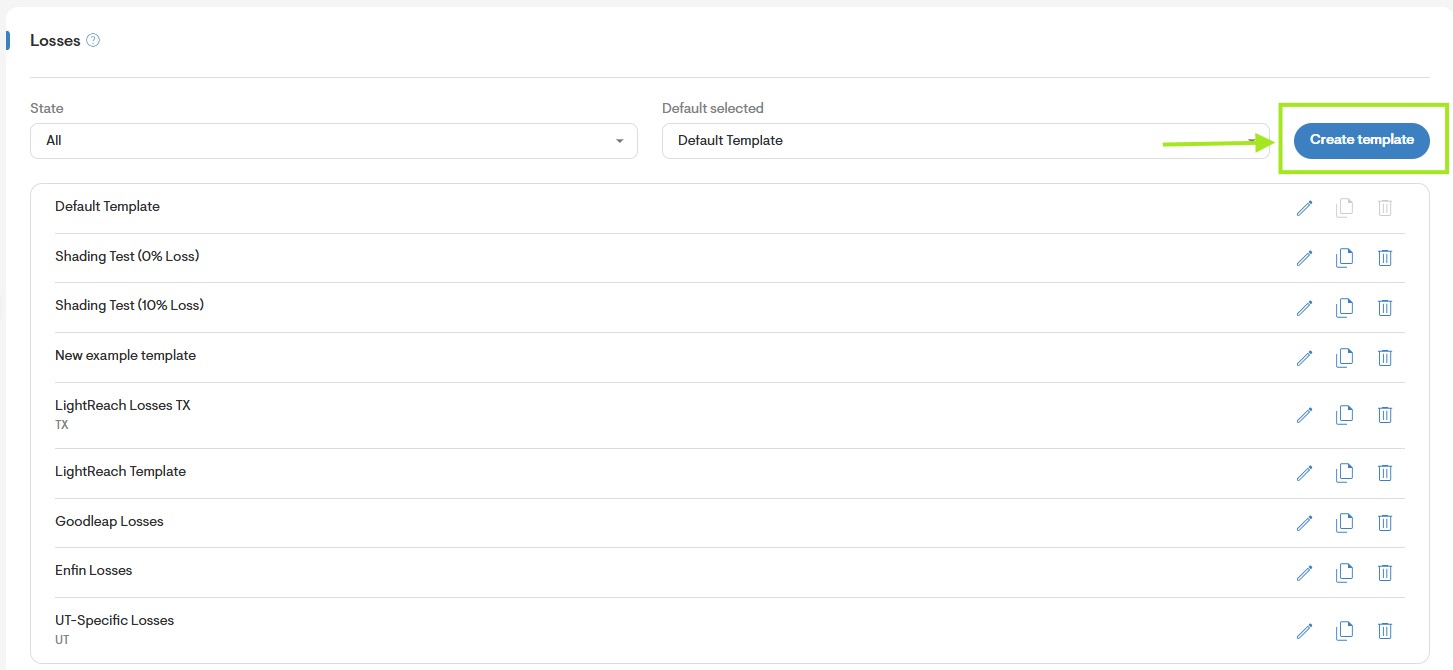
- Enter the annual values for each field following the minimum loss percentage required:
- Soiling: 2.00%
- Shading: Varies by site
- AC wiring: 2.00%
- Connections: 0.50%
- Nameplate rating: 1.00%
- Availability: 2.00%
- Snow: (Varies by state, see below)
- 0% - AL, AZ, AR, CA, FL, GA, HI, LA, MS, NV, NM, NC, OK, OR, SC, TN,
TX, VA, WA
2% - DE, KS, KY, MD, MO, NJ, NY (City of New York Only), UT, WV
4% - CO, CT, ID, IL, IN, IA, MA, NE, NH, OH, PA, RI
7% - ME, MI, MT, NY, ND, SD, VT, WI, WY
10% - MN
16% - AK - Other: 0.00%
- Mismatch: 1.50%
- DC Wiring: 2.00%
- Light-Induced Degradation: 1.50%
- Age: 0.00%
- Save your template for later use.
- Under Materials> Inverters > Make sure the inverters that will be used for the GoodLeap project have an Inverter Efficiency of 97%.
To learn how to submit a financing application, review Send a GoodLeap TPO Application.