Help Center TPO / PPA
TPO Error Troubleshooting
Published on 4 Mar 2026
In this article, we’ll cover the most common errors that users may encounter while importing leases from TPOs and application submissions to TPOs along with steps on how to resolve them.
Errors due to non-compliant hardware on design
While importing TPO products under financing options, the integration will validate whether the materials (panels, inverters, battery systems) used on a project's design options match the Approved Vendor List (AVL) defined by the TPO partners. If none of the design options use approved materials for panels, inverters & battery system, then the below error will appear while trying to import lease options for TPOs integrated on your account.
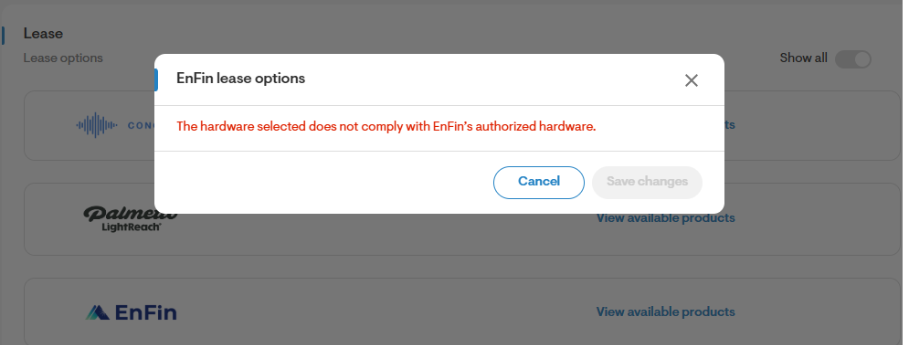
Please note, that the below error may appear both on the web quote and after importing leases, if materials updated to the design are not on the TPO's AVL.
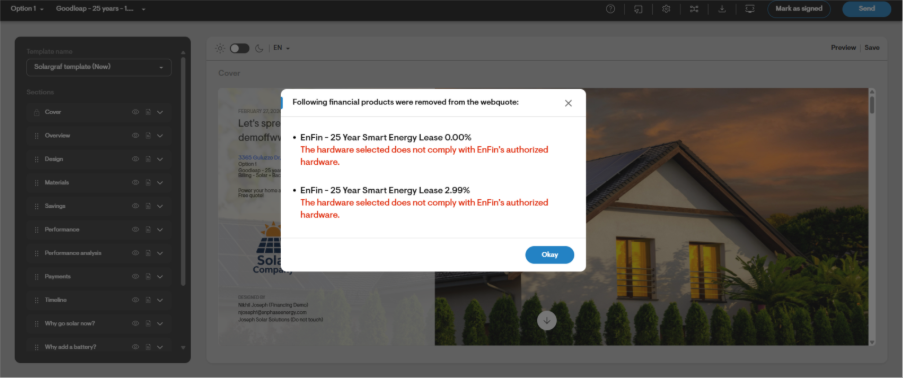
You may encounter below errors:
The hardware selected does not comply with [financier]’s authorized hardware.
Invalid vendor.
Unsupported inverter on the system design.
Steps to resolve: Ensure that the panels, inverters & battery systems used in the design are included on the financier’s AVL. If not, select components that are included in the respective AVL, then update the system design.
Errors due to pre/post solar utility rate
While importing products, getting pricing & submitting the application, the integration with TPO partners have checks in place to ensure a compatible utility rate is selected. Not using a compatible utility rate might throw errors from the TPO provider. Also, you are likely to run into errors when a Genability tariff is not selected on the design option as the pricing from TPO partners needs a Genability LSE ID. Currently only exception to this is GoodLeap which allows using a custom rate in a deregulated utility markets like Texas & Florida.
You may encounter below errors:
The selected pre/post utility rate is not from a recognized utility - please select a known utility from the Integrated Design Partner.
Invalid Pre Solar utility rate.
Invalid Post Solar utility rate.
The pre/post solar rate is outside of the accepted maximum/minimum rate threshold - please adjust the rate.
Estimated rate price must be less than or equal to 0.6.
Steps to resolve:
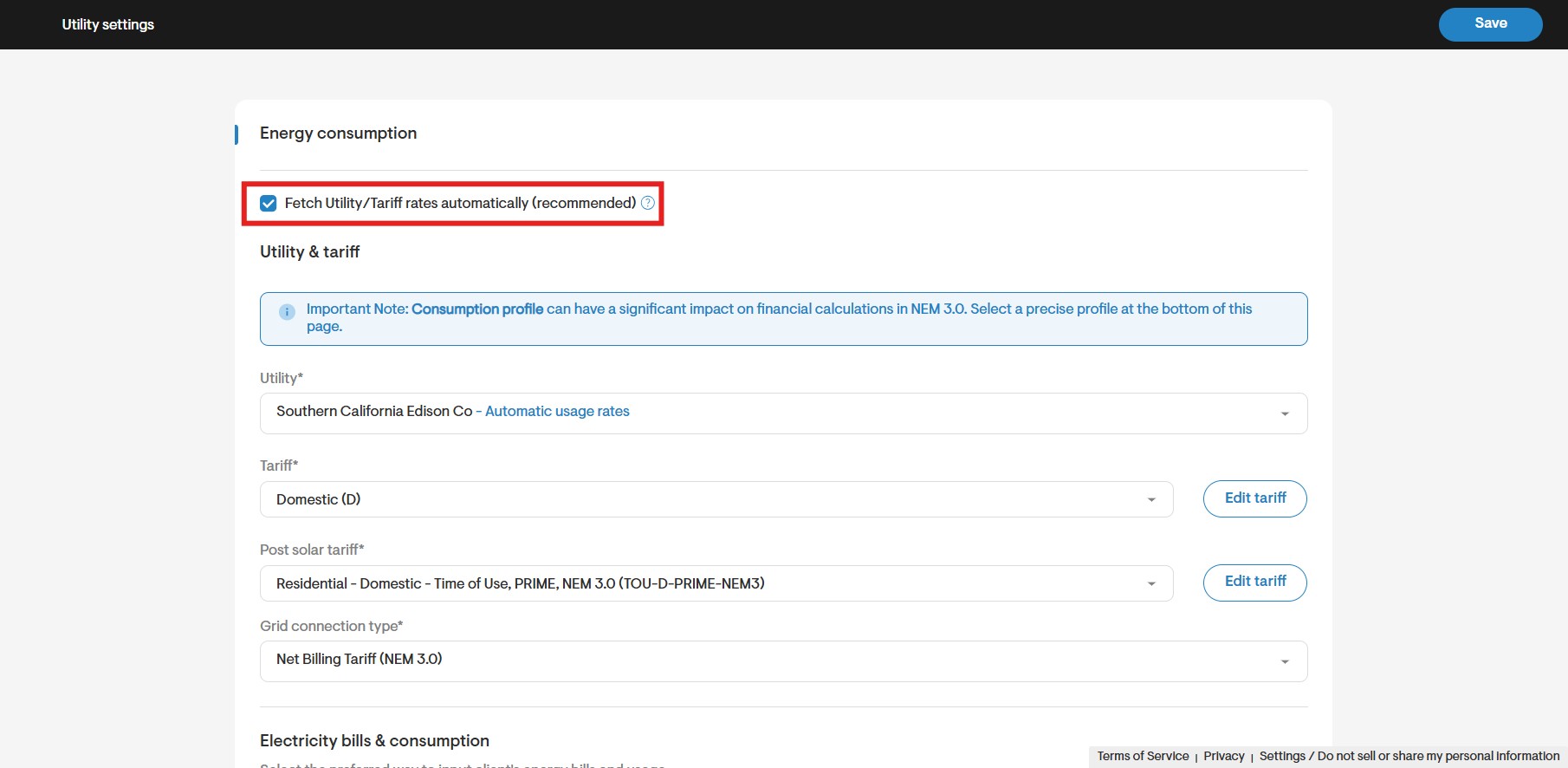
On the project overview page, under utility tab, confirm that Genability tariff is used on the design option by ensuring that the checkbox “Fetch Utility/Tariff rates automatically (recommended)” is checked.
Update the design & consumption on the design option to use a compatible utility rate from TPO provider.
Invalid partner installer details for EnFin
For EnFin TPO, at the time of entering credentials to integrate with EnFin, users might run into error of invalid partner credentials. This can happen when company name/email IDof user on SG does not match what is available on EnFin.
You may encounter below errors:
- Invalid partner installer details. What do you want to do next?
- Sales rep name does not show in dropdown on EnFin application.
Steps to resolve:
Check the company name on EnFin portal exactly matches what is entered on the credentials page.
Check that the user email of the person entering the credentials exactly match what is available on the EnFin portal (including capitals, spaces, etc.)
Send email to EnFin support with user details.
Error of calculated productivity out of range
For GoodLeap& LightReachTPO, on opening the web quote you might run into errors of “VLD productivity: Calculated productivity is out of range” &“The production factor is less than allowed for this market” respectively. TPO providers have validations around the system productivity on the design i.e.first year production divided by system size and throw an error if the validation fails.
You may encounter below errors:
VLD productivity: Calculated productivity is out of range forGoodLeap TPO.
The production factor is less than allowed for this market for LightReach TPO.
Steps to resolve:
Update design to place panels in lower shaded areas to increase production yield.
Check if the losses on the design are as per the loss template defined by respective TPOs.
Min production factor for LightReach TPO is listed here - https://help.palmetto.finance