Help Center TPO / PPA
Send an EnFin TPO application
Published on 28 Oct 2025
Once the EnFin integration is complete by following the steps in this article, you can submit an application from the project page. To do so, follow the steps below.
Add template to design
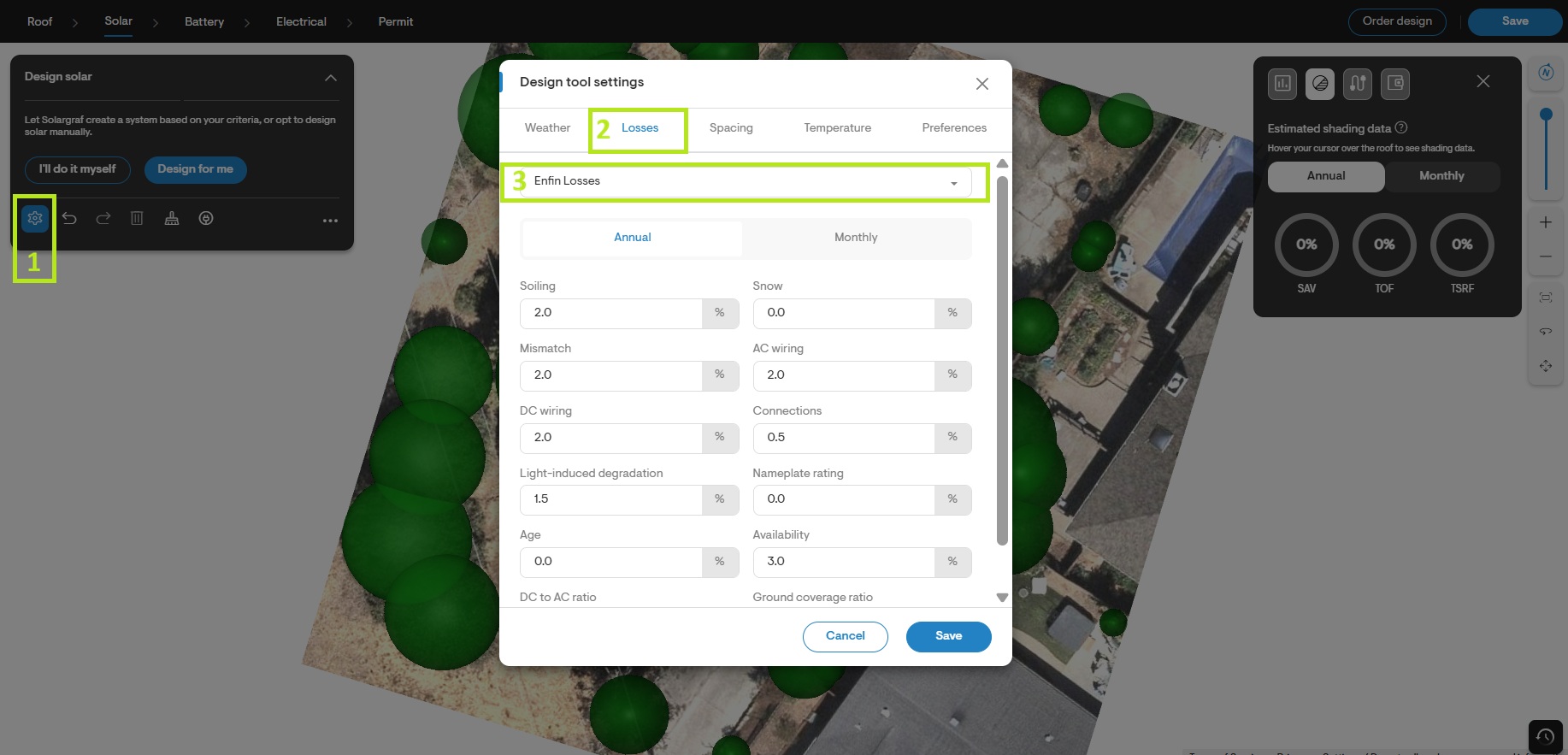
- On a project level, navigate to Solar Design and select the previously created Enfin Losses by:
1. Clicking on the gear icon.
2. Selecting the Losses tab.
3. Selecting EnFin Losses from the dropdown.
Note:If you don’t see the EnFin template, it’s possible that a step in the integration process was missed. Please review the steps outlined in this article to ensure everything was completed correctly.
- Under the same tab/window set the DC to AC ratio to 1.2
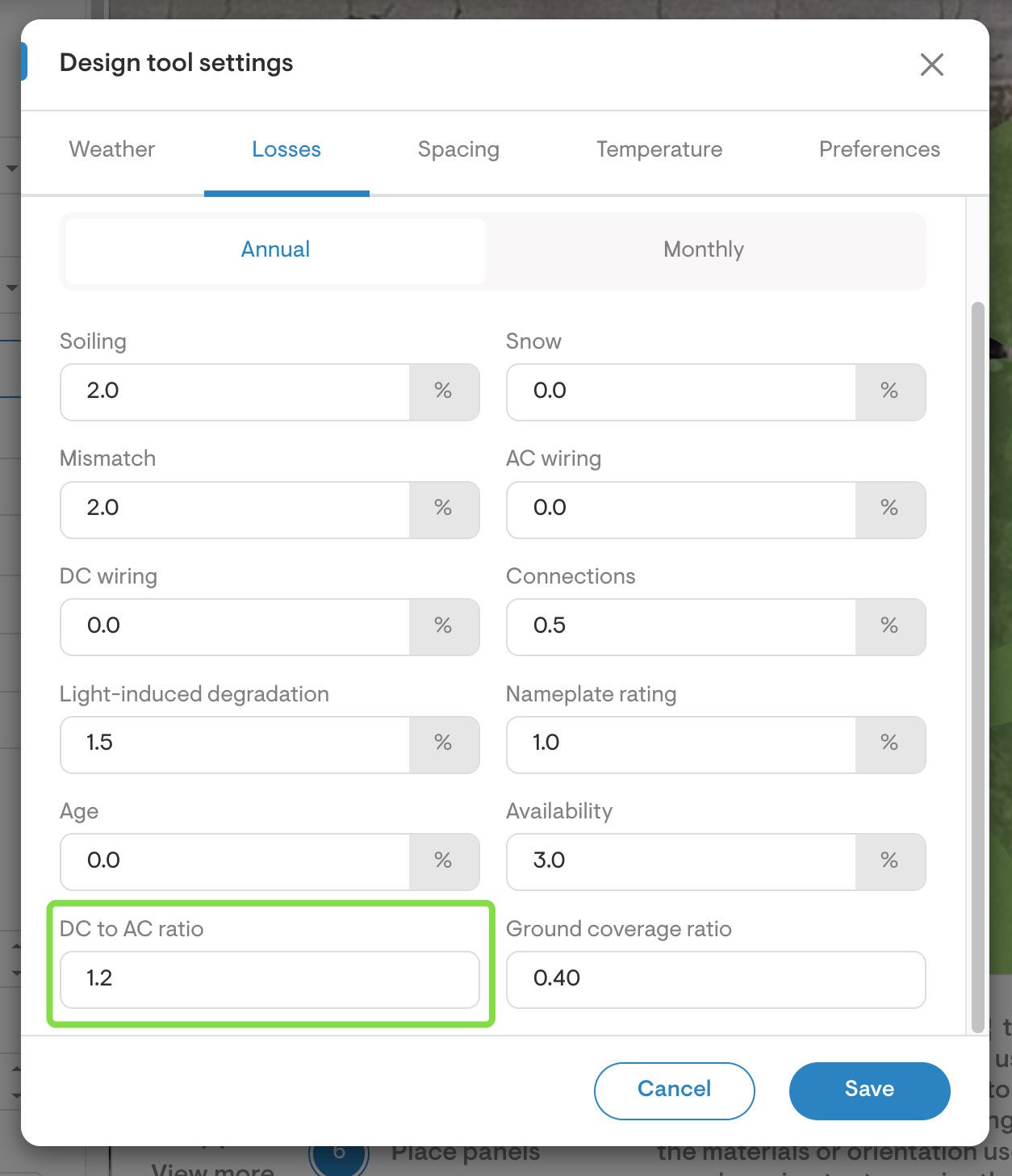
- Save the changes made.
Enable EnFin TPO
- EnFin TPO options must be enabled at the project level, as the availability of certain products depends on the specific address and its associated utility provider.
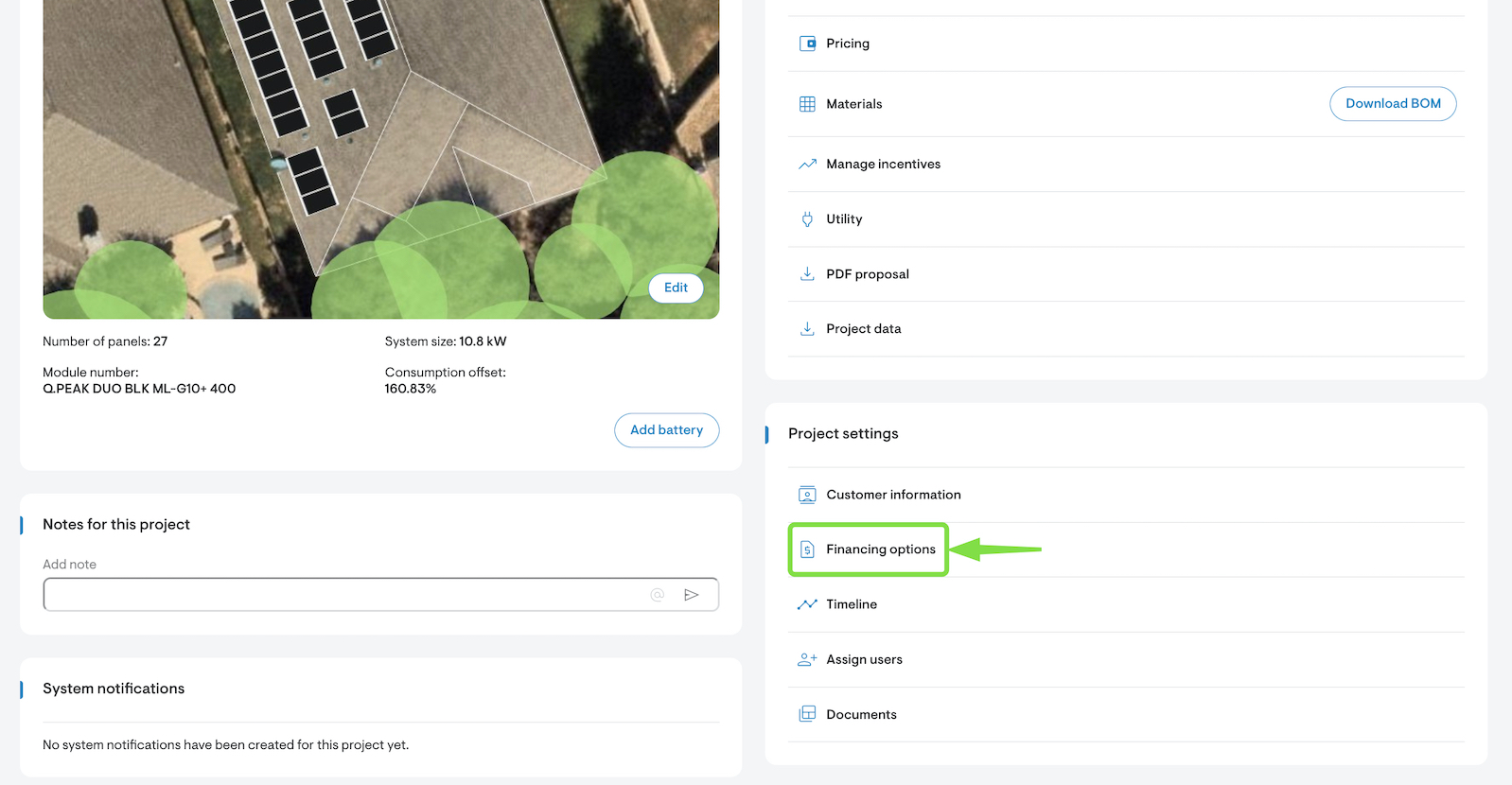
- Select Financing options from the Overview page.
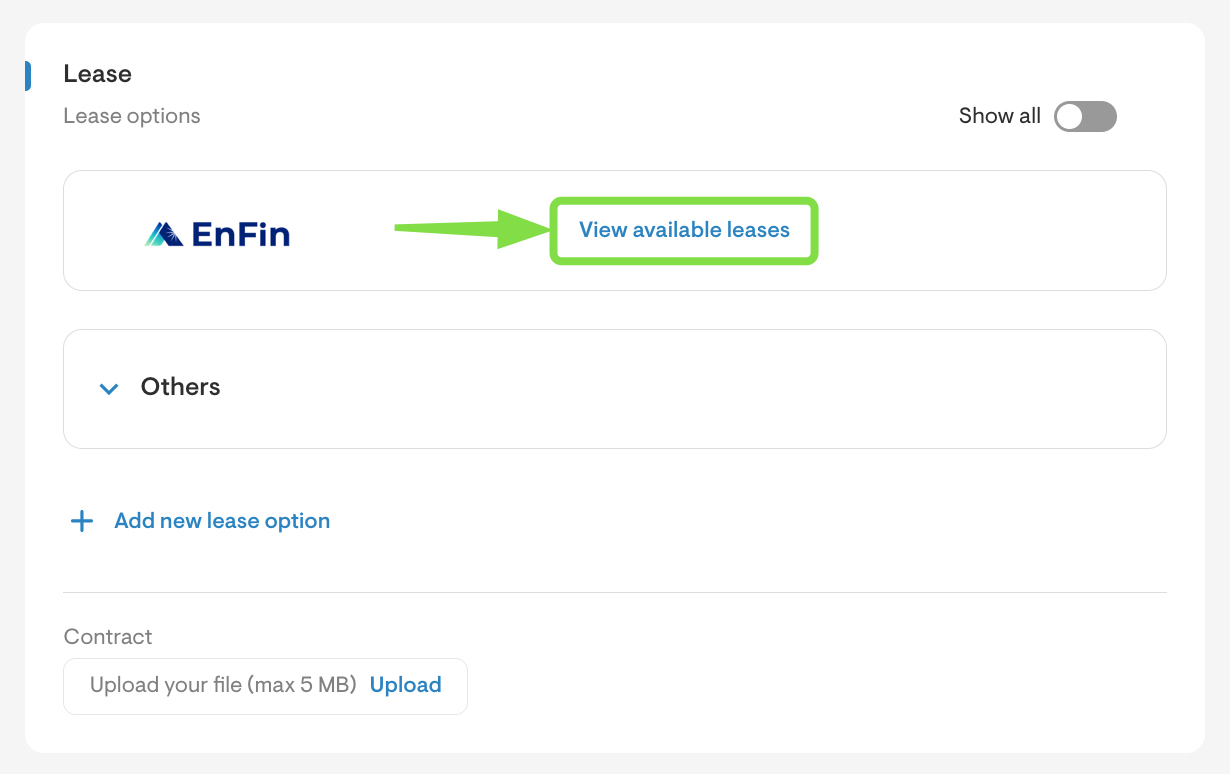
- Scroll down to Lease and select View available leases.
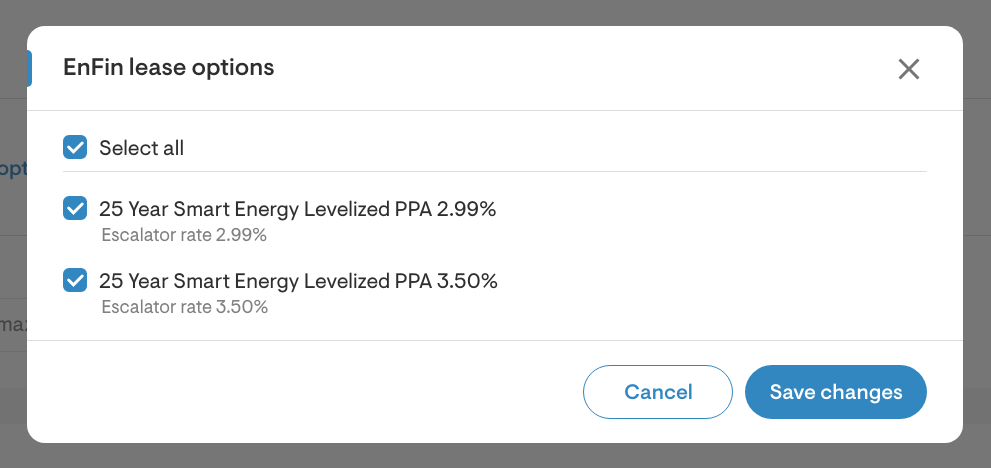
- Select the TPO products to import by enabling the checkbox next next to each desired option individually, or you may use the Select all option if needed.
- Click Save changes.
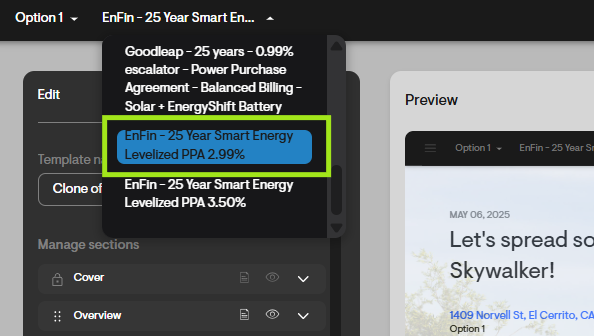
- Navigate to the webquote and choose an EnFin lease product from the financing options dropdown menu.
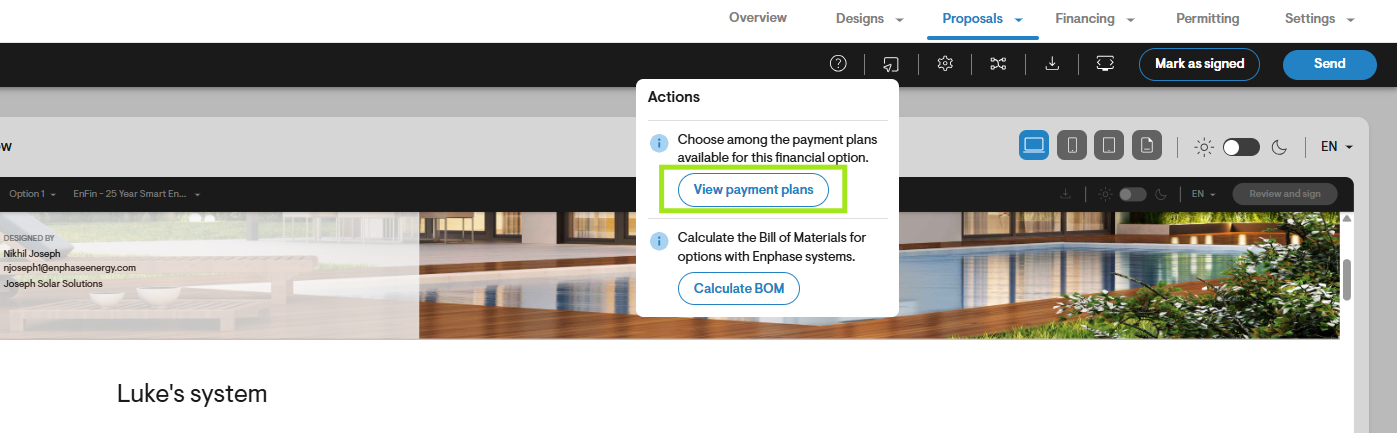
- Click the Actions button from the navigation bar at the top of the page
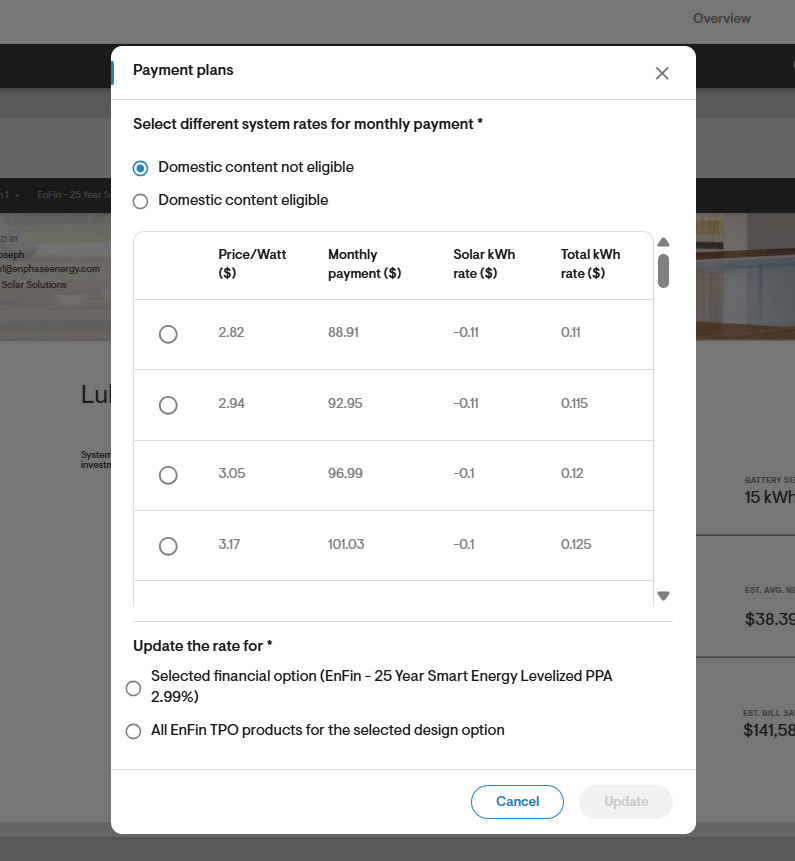
- Choose PPW (price per watt) and under Notifications select the appropriate PPW.
- Send the quote to the homeowner.
Apply for TPO
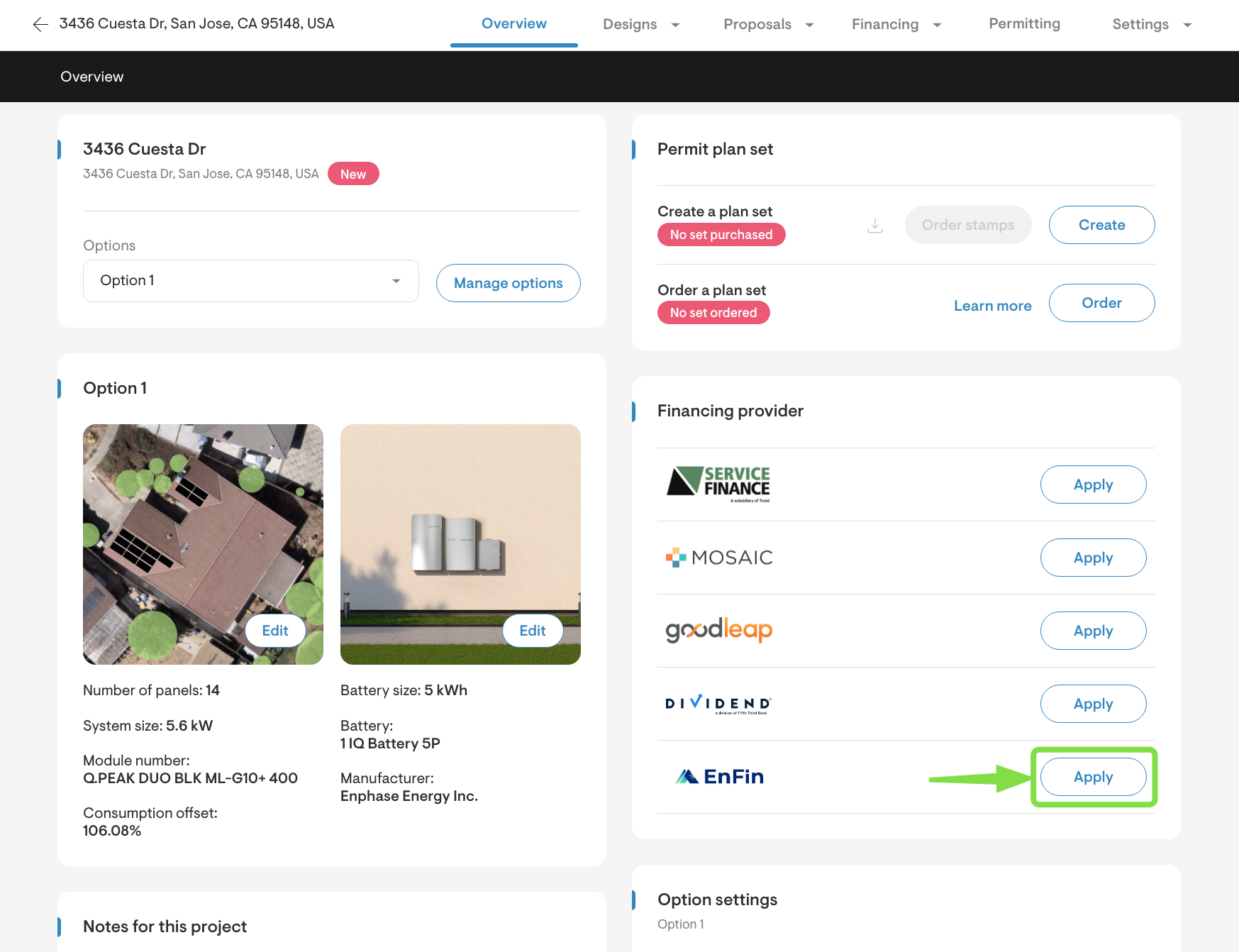
- Navigate to the Overview page:
- Click Apply next to EnFin, select the financial option, enter the applicant's information, choose the sales rep, and confirm the Enphase terms.
- Verify all information and click on Submit financing application.
- Both you and the homeowner will receive a link to enter the applicant's personal information in the EnFin portal.
Note: this link is valid for 15 minutes. - Submit all required details to complete the application.
- To restart an application or submit a change order, repeat the process as needed.