Help Center Release Notes
Solargraf Releases - September 22nd, 2025
Published on 22 Sept 2025
Features Added
- Improved TPO application workflow with Goodleap
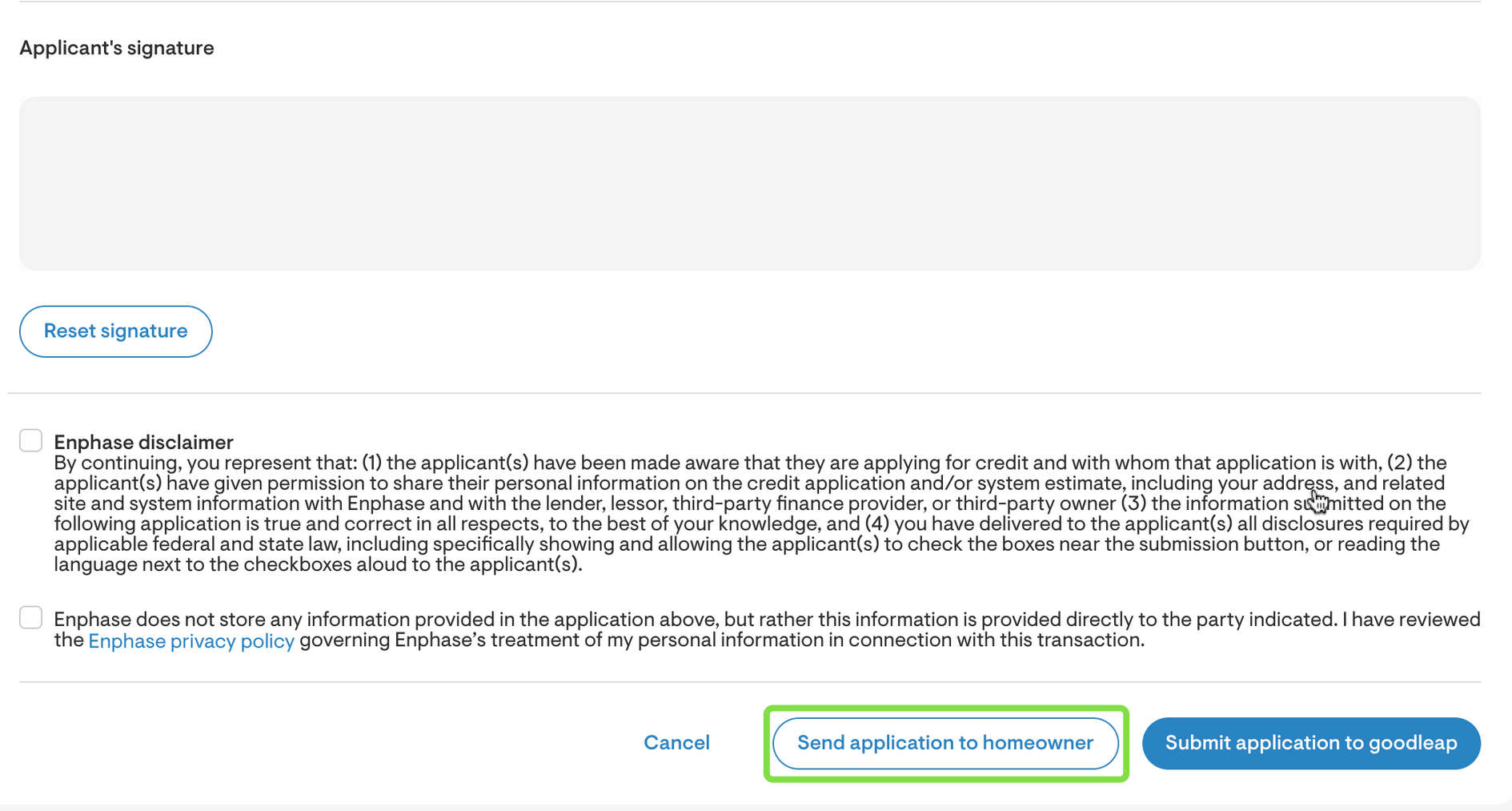
Solargraf now supports sending the Goodleap TPO application directly to homeowners, allowing them to sign remotely.
Project owners will receive an automatic notification when the application is submitted. They can also pull back a sent application if needed, and use the new Send Reminder button to resend the pre-filled application link to the homeowner's email.
- Documents improvements
- Material placeholders now support quantity, model, and manufacturer details.
- Added ability to clone existing document templates
- A new placeholder for pre-solar tariff codes has been added. - Proposal improvements
- Installers can now hide the utility bill offset section from the web-quote.
- Custom lease/PPA rates will now retain their full decimal values, with rounding removed for greater accuracy. - Extra cost and discount toggle
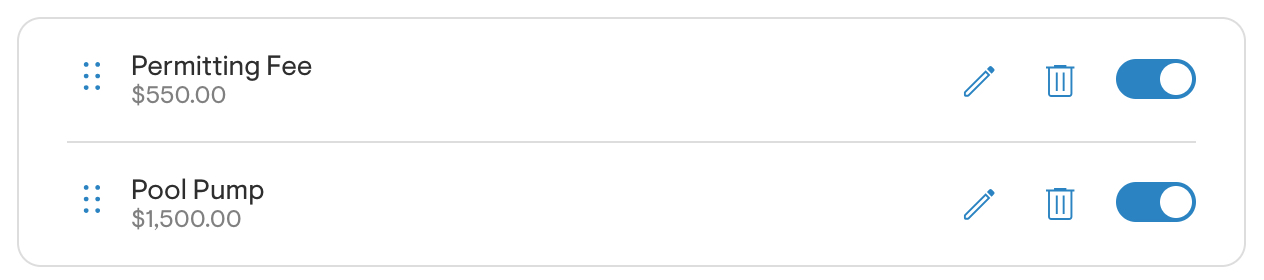
Added ability to enable or disable extra costs and discounts at the project level. When an item has been added using the "+" icon, a toggle appears next to it.
Turning the toggle off will exclude the item from the design’s financial calculations.
- User settings page improvements
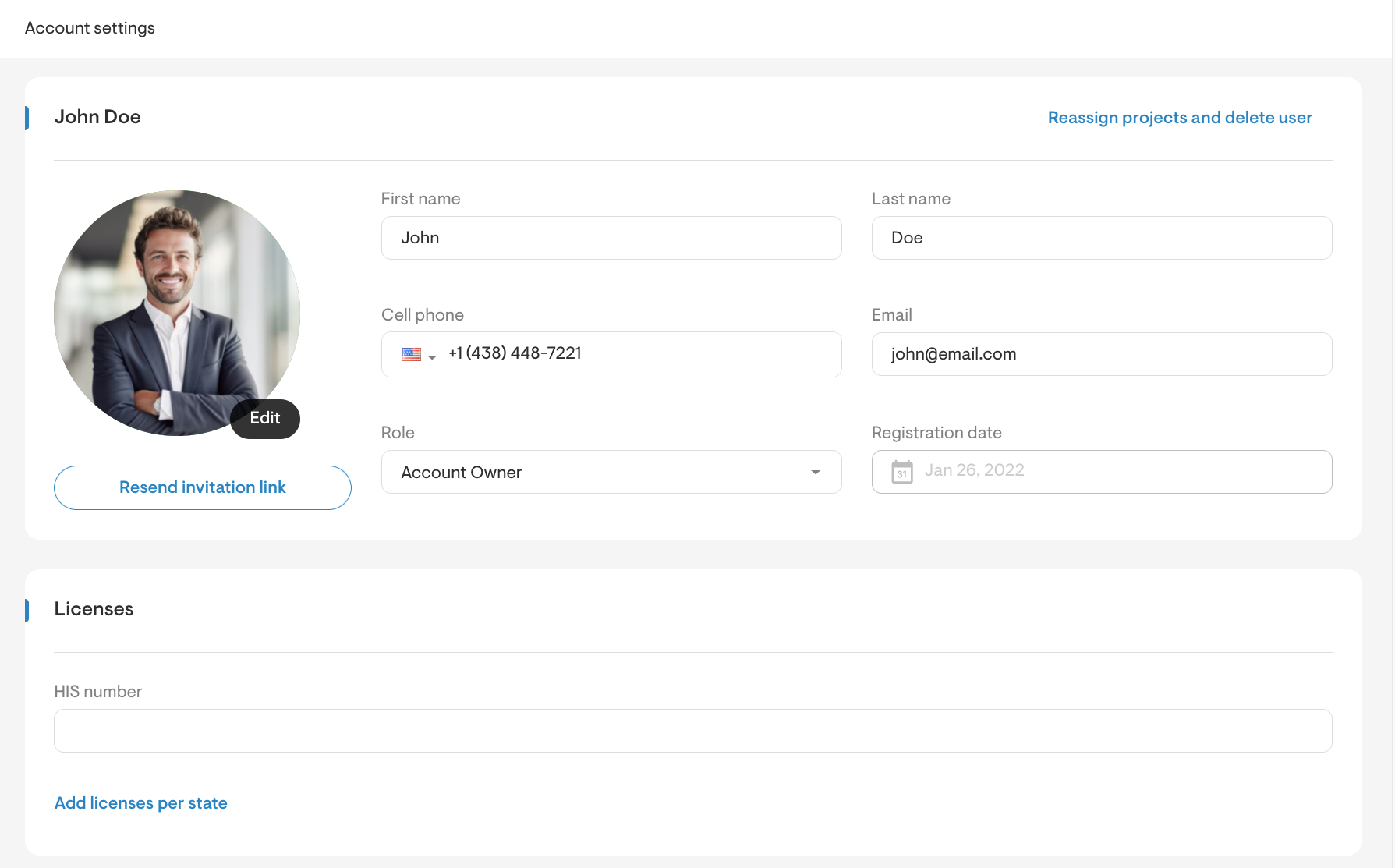
The user settings page has been redesigned for better usability. All settings including basic information, licenses, preferences, Solargraf APIs, and homeowner appointments are now accessible from a single screen
- Revamped panel and inverter management interface
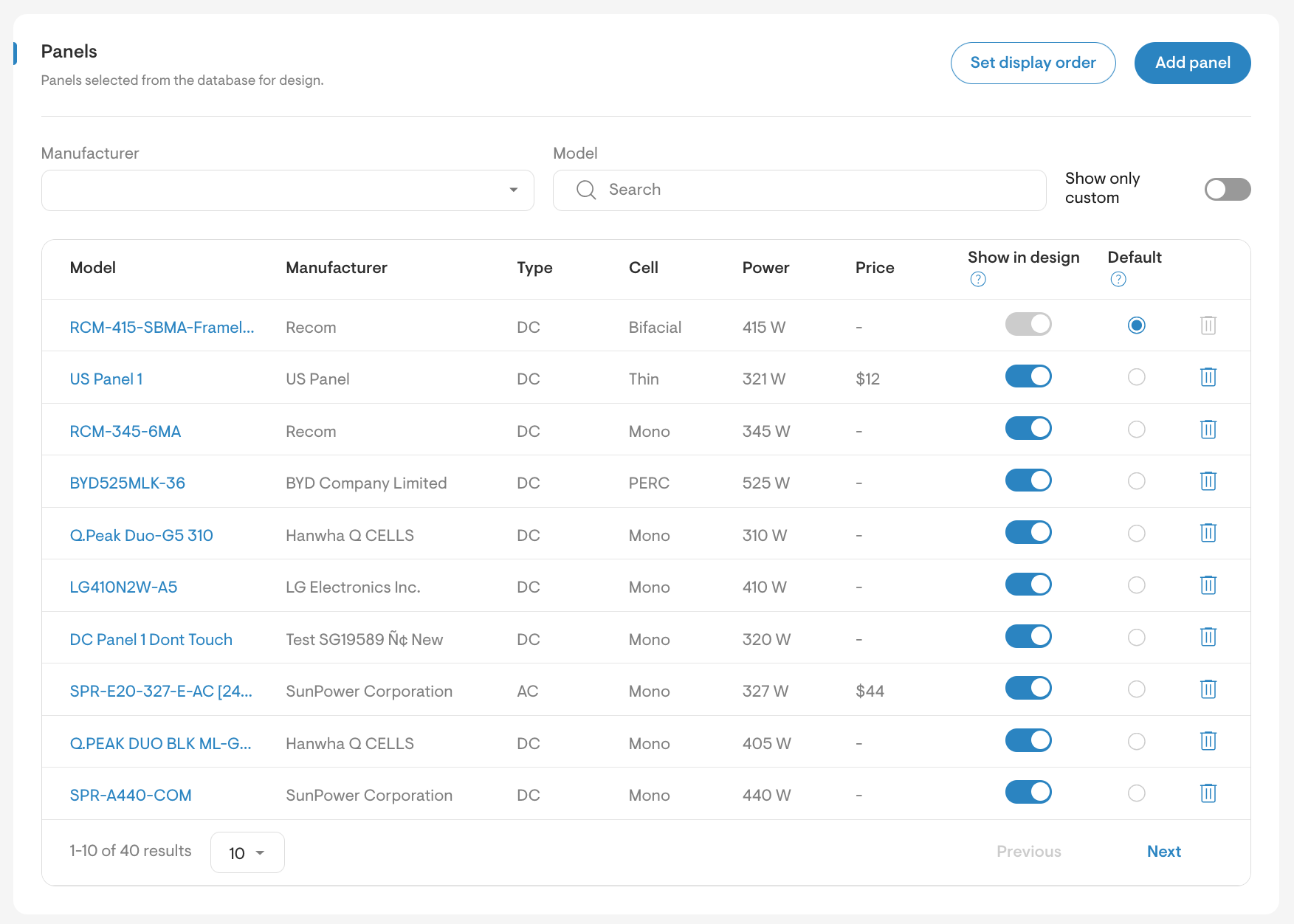
The company Panels settings includes search and filter options, a Show in design toggle to control visibility in the design tool, and the ability to mark panels as Default.
Panels can be easily added from a global database using the Add panel button, and missing panels can be requested.
A new Set display order feature lets you define the order in which panels appear in the design tool. These changes apply to the Inverters settings.
- Design locking functionality
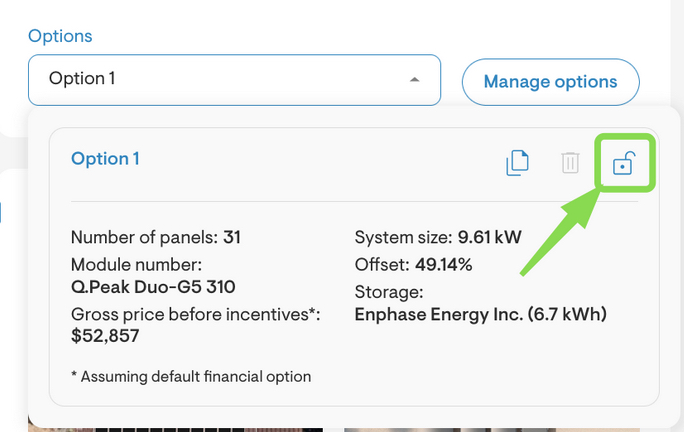
Added support for locking and unlocking designs to control editing access. This permission must be enabled via roles and permissions. When active, users will see a Lock option under Manage Options in Project Overview.
Locked designs can only be edited by users with lock/unlock access; others will have editing disabled, except for cloning.
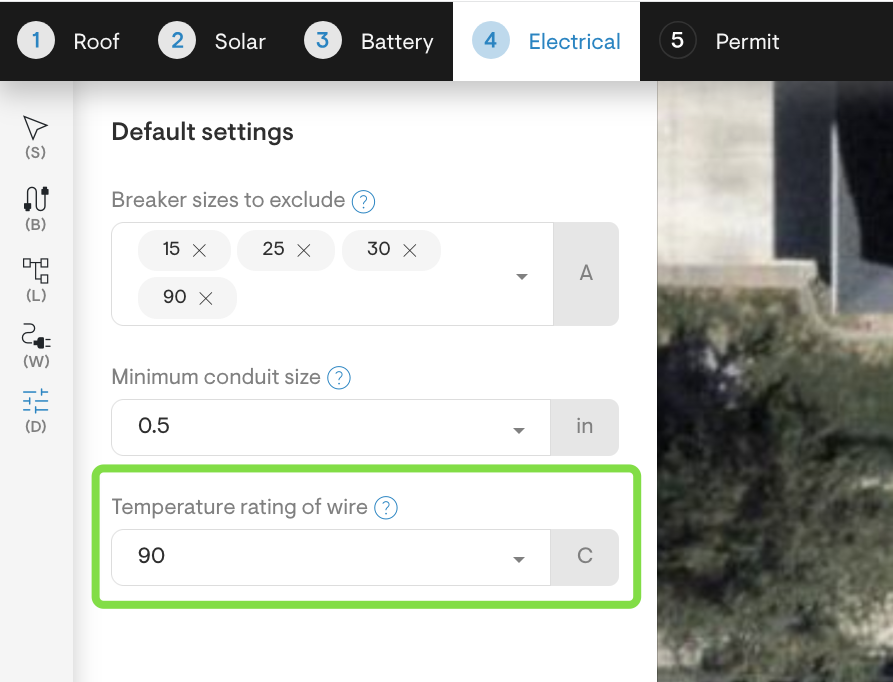
- Wire temperature rating for SLD calculations
You can now specify the temperature rating of wire directly in the Electrical tool. This setting applies to single line diagrams and permit plan sets, allowing for more accurate wire sizing based on site conditions and installer best practices.
- Electrical equipment location and description
Added ability to specify location details and descriptions for electrical equipment within the design tool. This information will be displayed in automated permit plan sets, improving clarity and compliance documentation. - Property line adjustment in design tool
Users can now adjust property lines directly within the Solargraf Permit design interface. This helps prevent overlaps with roof lines and ensures accurate automated permit plan sets. Improved table navigation and sorting
Sortable columns display a sort icon to the left of the column title. When a column is actively sorted, an arrow appears to the right: pointing up for ascending order and down for descending.Added separate permissions for managing documents at project settings levels.