Help Center Release Notes
Solargraf Releases - July 28th, 2025
Published on 24 Jul 2025
Features Added
- Proposal enhancements
- You can now edit the title on the proposal cover page to better reflect your branding or project details.
-The camera angle used in your solar design is now preserved for the proposal view, ensuring consistency in presentation.
- The proposal interface now automatically switches between dark and light mode based on your system settings.
- Dealer configuration enhancements
Added ability to copy proposal settings, proposal templates, and loss templates from a parent account to selected dealer accounts, streamlining setup and ensuring consistency across your network.
- New IQ Battery 5P Configurations
Solargraf now supports SLD and permit plan set creation with the IQ Battery 5P, IQ System Controller 3M, and IQ Meter Collar installed behind the utility meter.
- Additional Permit Plan Set Markers
Users can now display additional markers on permit plan sets, such as the front of the house, street location, roof access point, gas meter, and heat alarm.
- Docusign documents order
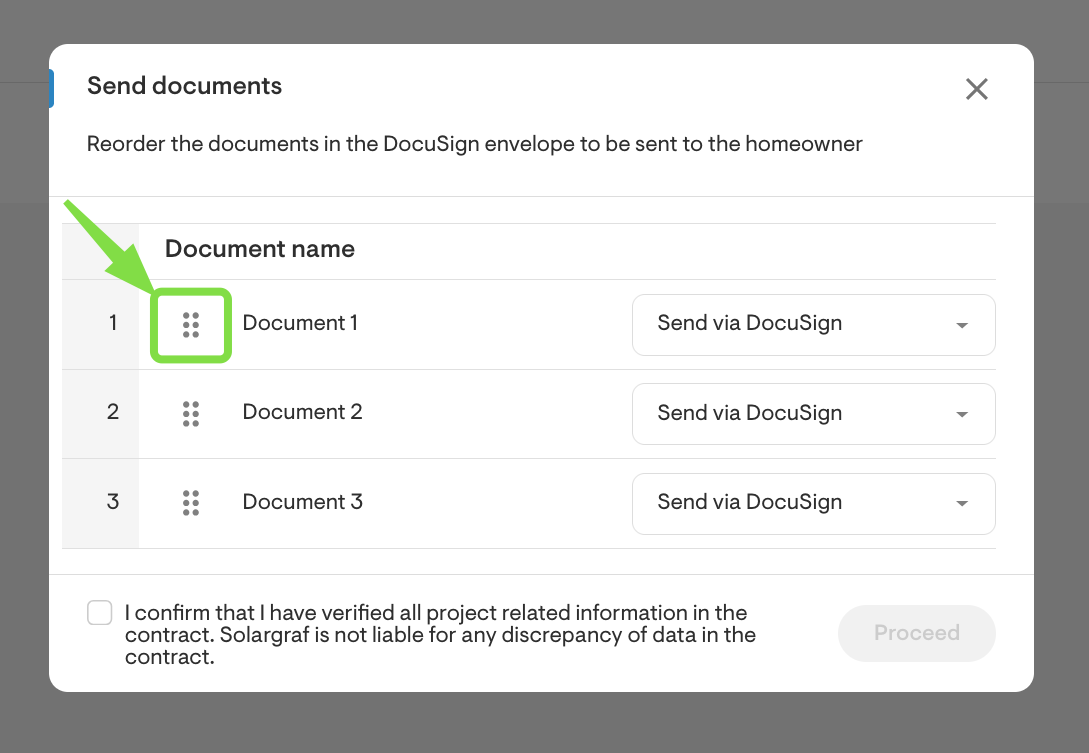
Added ability to reorder document templates to define the exact sequence in which they should be signed by the customer.
To do this, simply click and drag the six grey dots next to each document while in the process of sending a document. This gives you full control over the signing flow.
Domestic Content availability:
You can now determine whether domestic content is available for GoodLeap TPO directly within the platform. Navigate to Settings > Financing > Manage GoodLeap Integration to access this new option.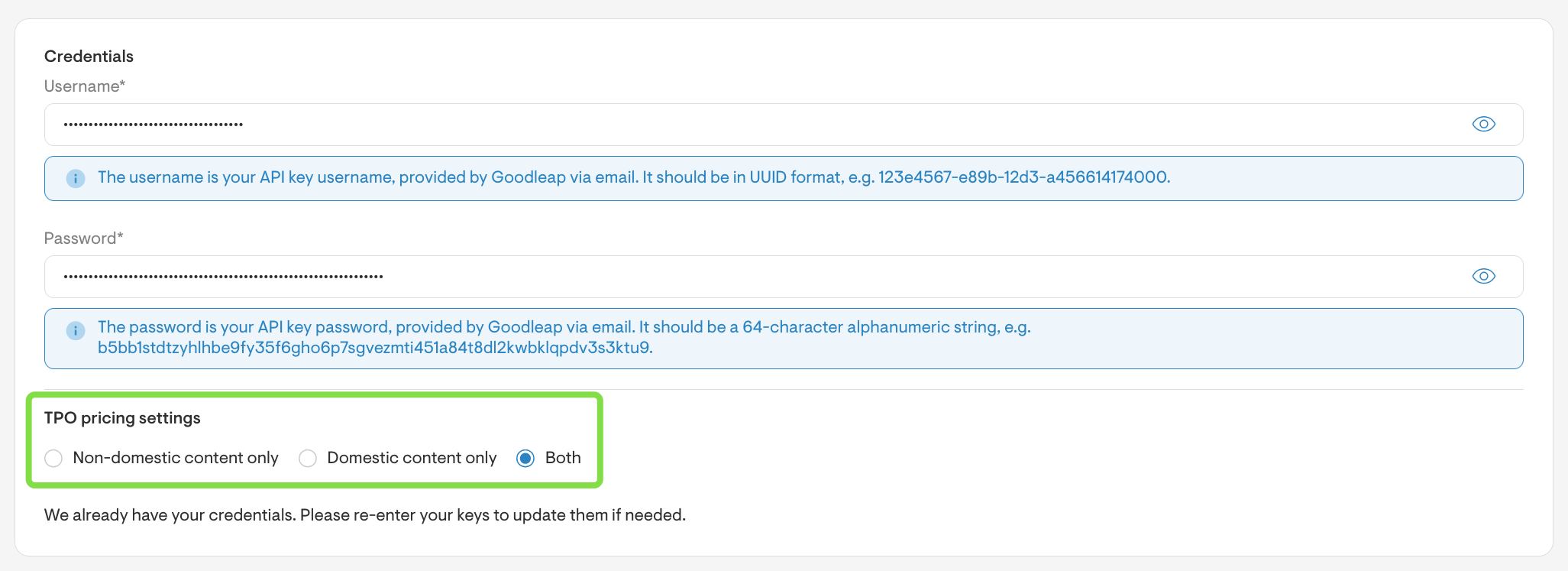
- Updates to Goodleap Loan Offerings:
Goodleap has discontinued their 25-year term loans. interest-only loans, and risk-based pricing loans. They have also improved 20-Year loan offerings by having a lower dealer fees on them. Navigate to Project/Company Settings > Financing to reimport updated loan products.
1st-Year Monthly Production Table
Added the ability to include a table showing first-year monthly production at the end of proposal documents, giving customers a clearer view of expected energy output. To enable this, go to Document Templates at the project or company level, select a document, click the pencil icon, and check the box at the bottom of the page.Array resizing improvements
You can now resize solar arrays beyond the facet boundary without causing errors. Panels will still only be placed on the original facet.Added data to Energy usage CSV
Two new columns have been added to the project data CSV for all tariff types: Fixed charge and minimum Bill.