Help Center Solar Design
Solargraf production estimation FAQs
Published on 2 Dec 2025
In this guide we will cover the steps for troubleshooting production estimates issues.
1. What does the Solargraf Production Engine do?
The production engine estimates how much AC energy a solar design will generate over a full year. It accounts for irradiance, shading, temperature, panel performance, inverter limits, and any defined system losses.
2. Where can yearly and monthly production numbers be viewed?
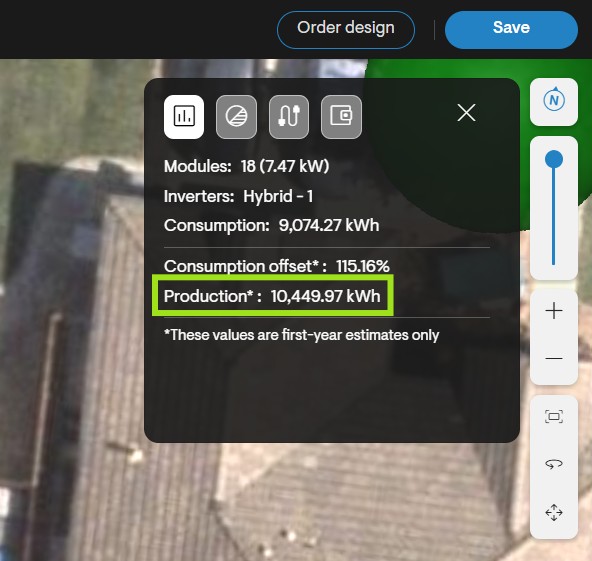
Production values appear in the Solar tab, located in the black panel at the top right of the design tool.
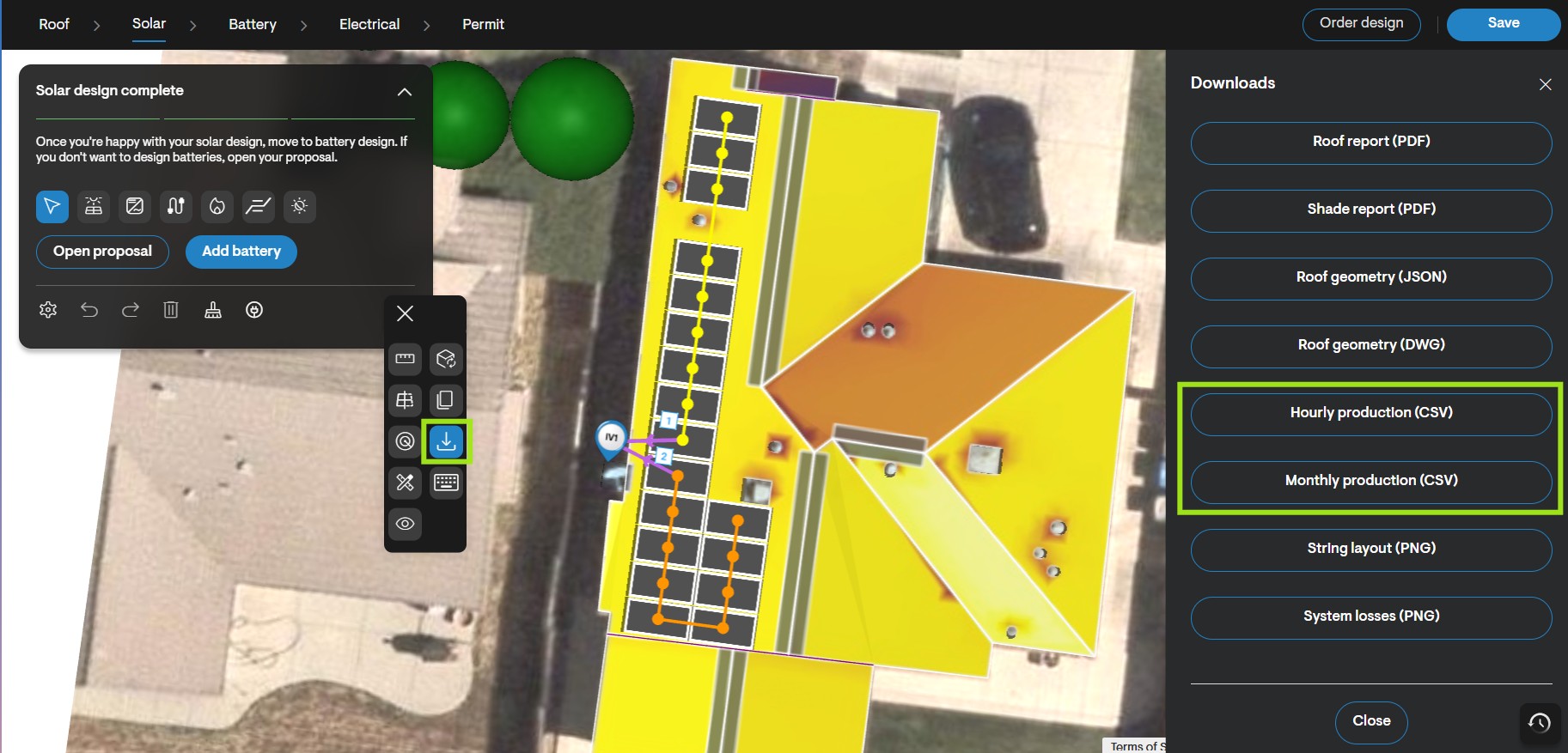
Reports can also be downloaded:
Annual production reports
Monthly production reports
3. What is the "System Loss Diagram"?
The loss diagram shows step-by-step how the final production value is calculated.
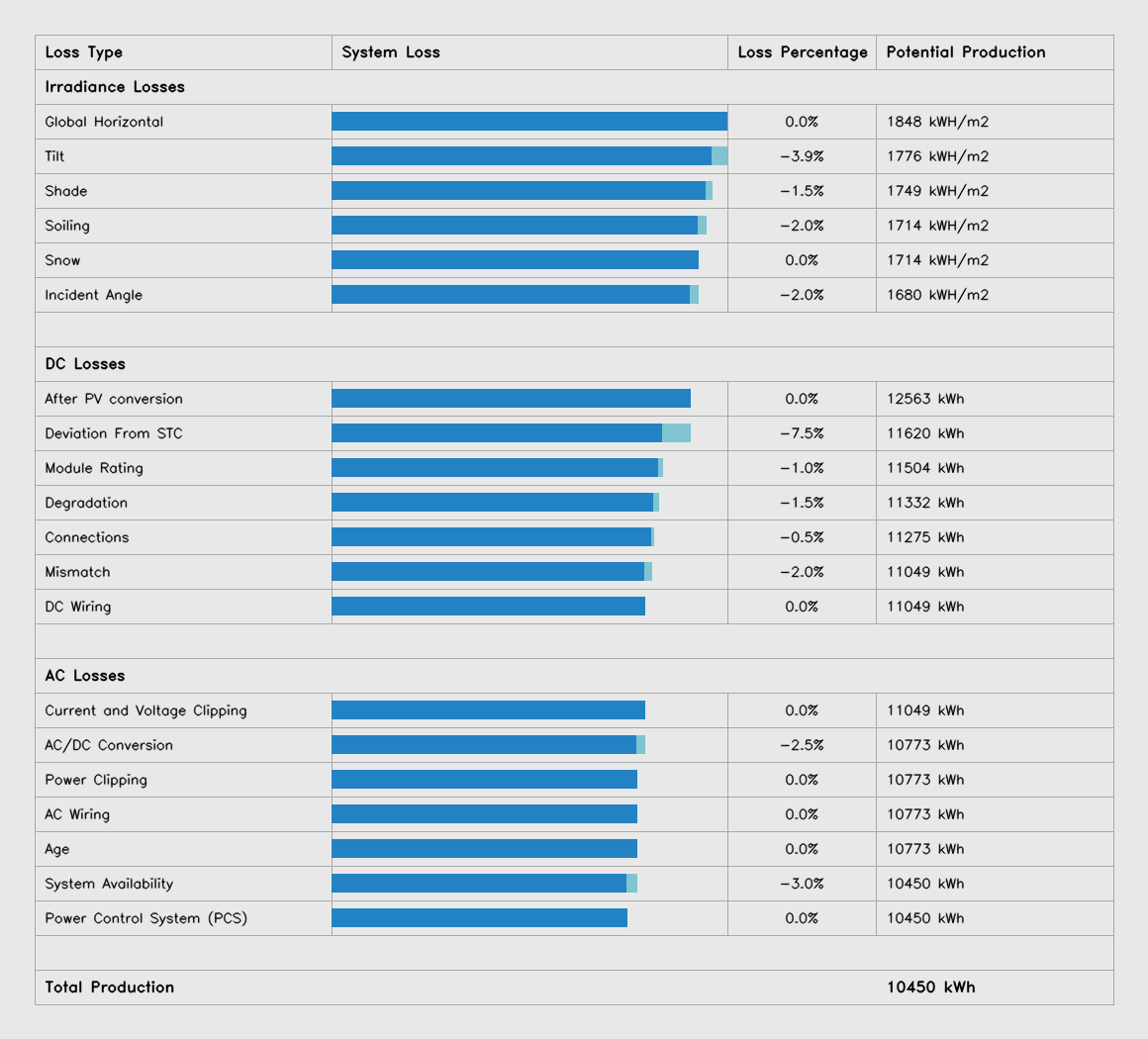
Irradiance adjustments
Shading, soiling, and snow losses
DC modeling and STC deviations
Inverter efficiency and clipping
AC losses
This feature helps identify where production changes are occurring.
4. What are the three main stages of the production engine?
1) Site-Level Modeling
Fetches NREL/PVGIS weather data
Calculates irradiance and solar cell temperature
Applies shading panel-by-panel, hour-by-hour
2) DC Modeling
Determines how panels convert light into DC energy
Uses module electrical parameters
Applies user-set DC losses
3) AC Modeling (Inverters)
Applies inverter efficiency curves
Includes voltage, current, and power clipping
Applies AC wiring, aging, and availability losses
5. Why might a design look incorrect?
Most issues are caused by design inputs rather than engine errors. Common causes include:
Incorrect module electrical parameters
Missing or incorrect stringing on string inverters
Incorrect user-set losses
Wrong roof pitch/tilt or incorrect obstructions
The system falling back to the PVWatts engine
6. What should be checked first if production looks off?
Check which simulation engine was used. At the bottom of the production box you’ll see one of the following:
- Solargraf Engine (recommended)
- PVWatts Engine (fallback)
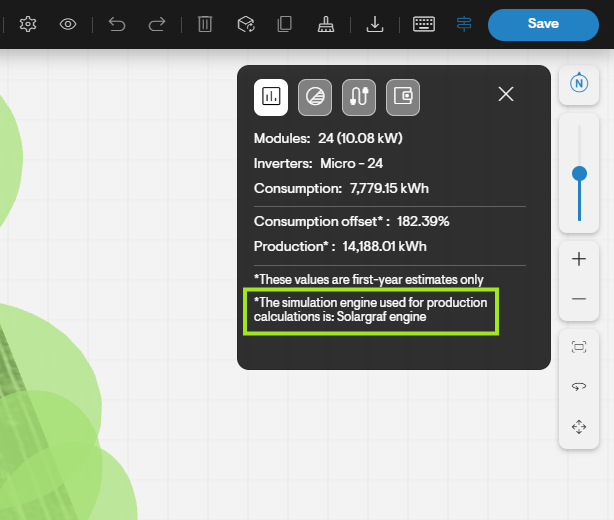
If PVWatts is used, the output will be less detailed and less accurate.
7. Why would Solargraf fall back to the PVWatts engine?
PVWatts is used when module parameters are missing or invalid — especially for custom modules. Missing or incorrect values include:
Short-circuit current (Isc)
Open-circuit voltage (Voc)
MPPT voltage/current
Temperature coefficients
Cell count
Module dimensions
If any of these don’t match the STC values from the spec sheet, Solargraf cannot run the advanced engine.
8. How can module parameters be verified?
Open the module in Company Materials > Panels, then select a panel.
Open the manufacturer’s spec sheet.
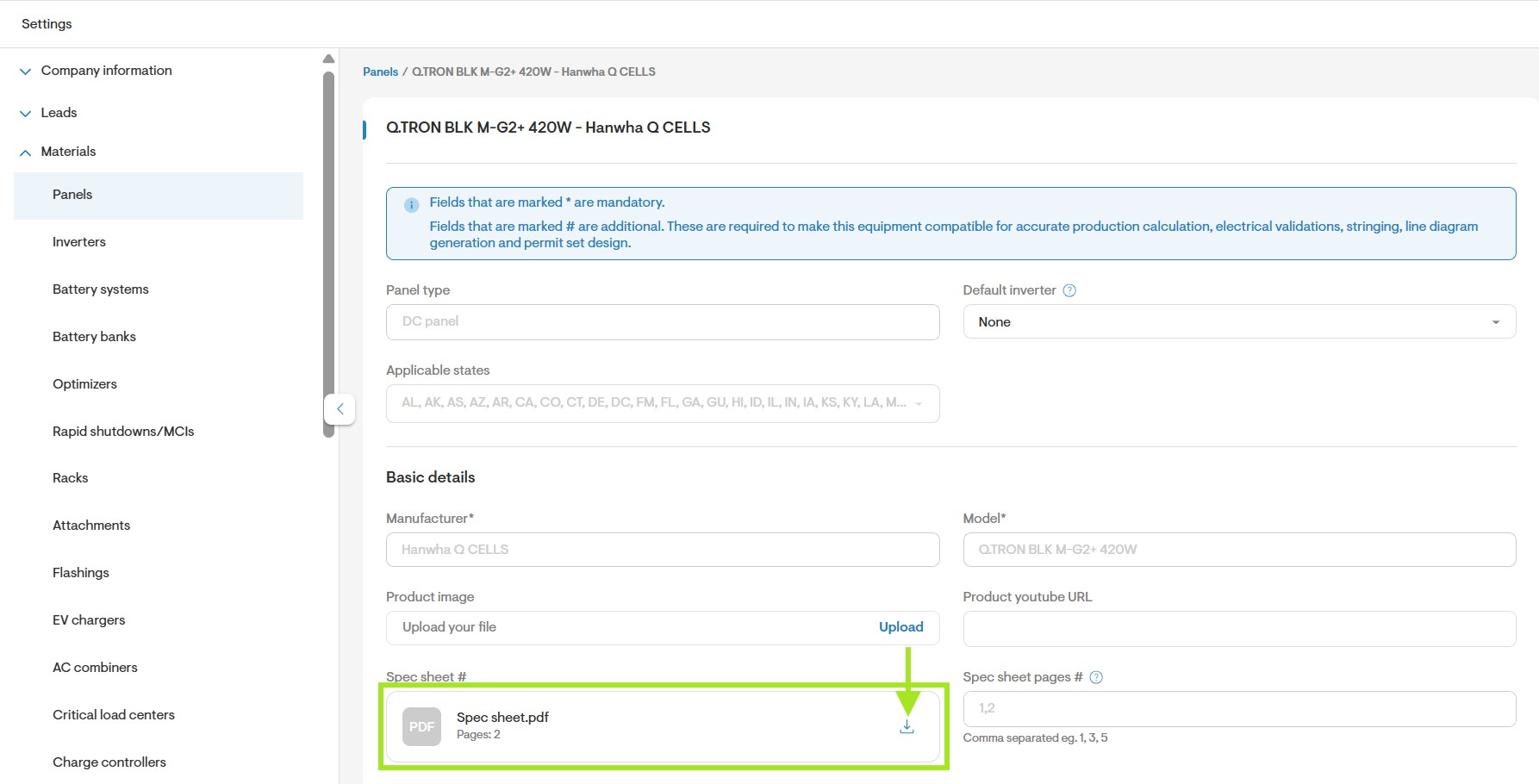
Ensure all electrical characteristics match the STC (not NOCT) data.
Incorrect inputs → Engine error → Reverts to PVWatts.
9. Why might microinverters and string inverters show the same production?
This usually means that stringing has not been applied to a string inverter design. If panels are not assigned to inverter ports or arrays, the tool cannot model string behavior. Please review the design and apply stringing to resolve the issue.
10. What do “irradiance losses” represent in the loss diagram?
These represent reductions in the amount of sunlight reaching the solar cells due to:
Panel tilt
Shading
Soiling
Snow
Incident-angle reflection (light bouncing off glass)
11. What is “Deviation from STC”?
This shows the difference between real-world conditions and lab conditions (STC). It includes:
Temperature impacts
String behavior, including shaded panels affecting the whole string
Real cell performance
Microinverters often have lower deviation losses because each panel operates independently.
12. What are user-input losses?
These are values manually entered in the design, including:
Module rating loss
LID (light-induced degradation)
Connection loss
Mismatch loss
DC wiring
AC wiring
System availability
Aging
These directly affect production and need to be checked if values look unusual.
13. What is inverter clipping?
There are two types:
- Voltage/Current Clipping
Occurs when input voltage or current exceeds inverter limits. - Power Clipping
Occurs when panel power exceeds the inverter’s power rating.
Both reduce AC output.
14. Quick troubleshooting checklist
Before escalating an issue, you can use this quick troubleshooting checklist to help rule out common configuration items. Many issues are resolved here, but you should always feel comfortable reaching out to tech support at any point if needed.
- Confirm the engine type (Solargraf vs. PVWatts)
- Verify module parameters against the manufacturer spec sheet
- Ensure inverter is selected from Solargraf’s database
- Confirm the stringing is set correctly
- Review roof pitch, tilt, and shading
- Review the losses
- Use the loss diagram to help pinpoint where the loss is coming from
We encourage all users to reach out to our support team with any questions at +1 (888) 997-1101 or support@solargraf.com.