Help Center Solar Design
Fire Pathways
Published on 28 Aug 2025
Fire pathways provide critical access for emergency personnel to reach any part of the roof in the event of a fire or other emergency. While standard fire setbacks are essential for safety with rooftop solar installations, they are not precise enough for pathway compliance.
Solargraf tackles this challenge with our smart, configurable fire pathway tool, which can automatically detect and apply uninterrupted paths for first responders.
Detect pathways
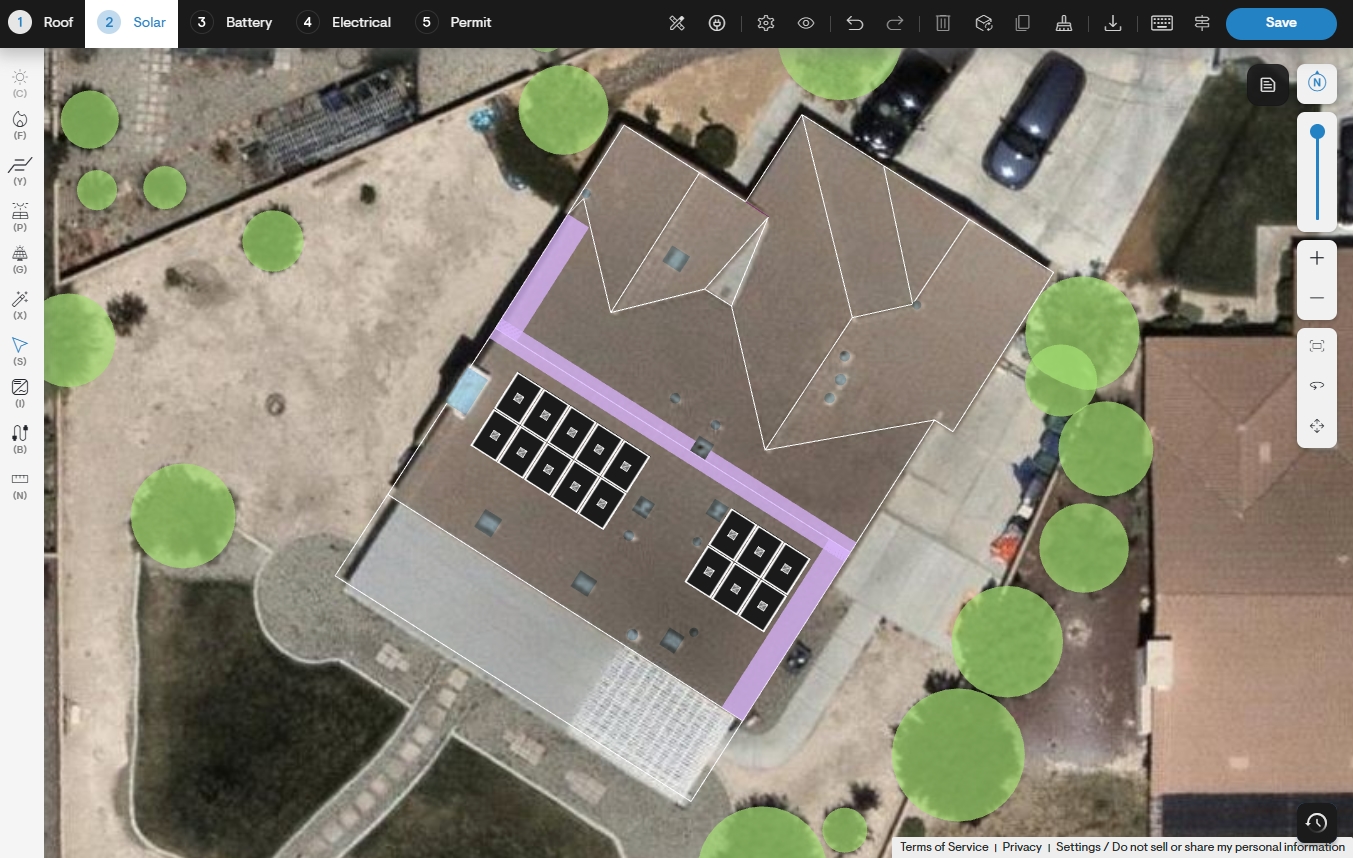
Pathways can be added before or after placing panels. Detection will factor in any panels already added to the design and avoid overlap wherever possible, while panels impacting compliance will be removed.
From the solar design tool, click the Fire pathways button.
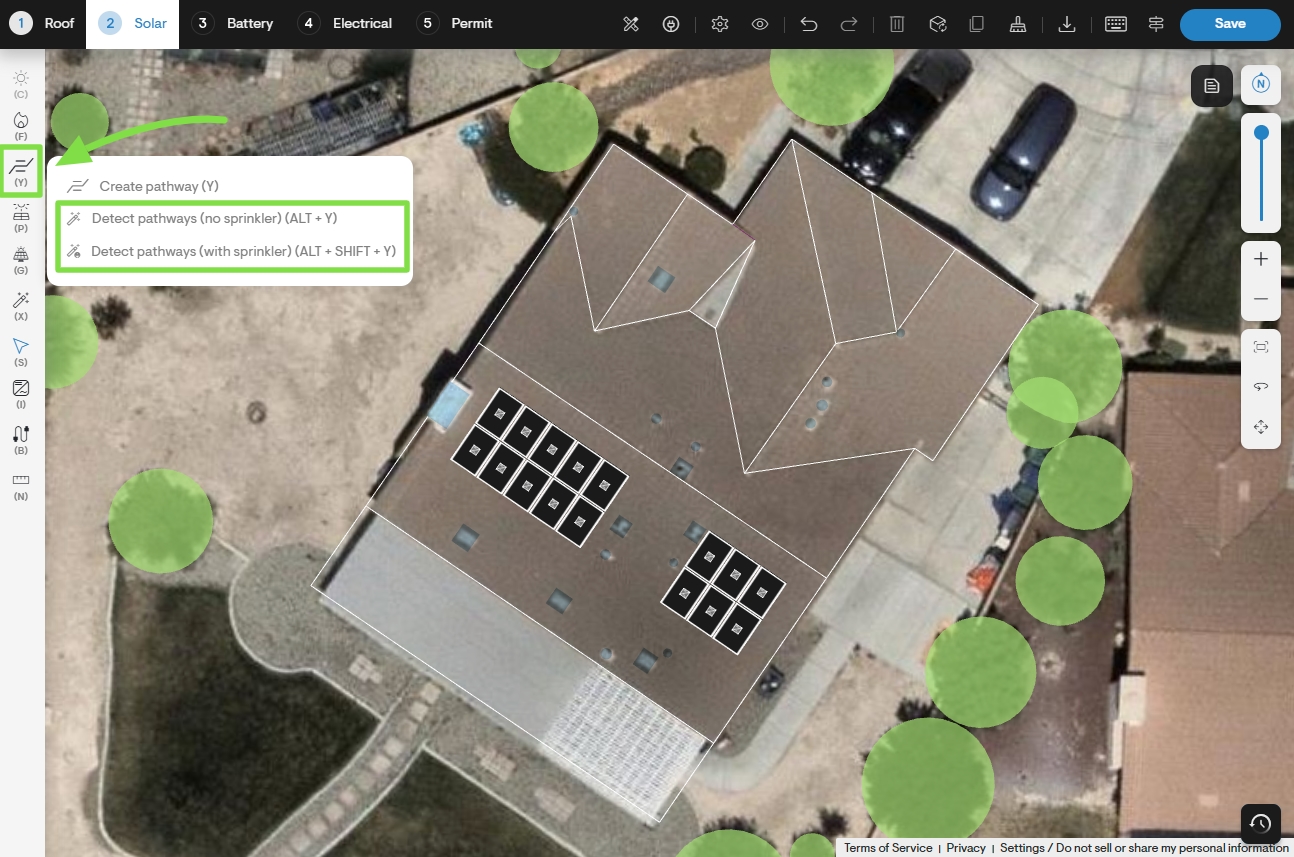
To have Solargraf automatically detect the optimal pathway layout, select either Detect pathways (with sprinkler) or Detect pathways (no sprinkler).
Note:The sprinkler options apply to residential projects only. For commercial projects, select Detect pathways to automatically apply the required fire pathway
Manually create pathways
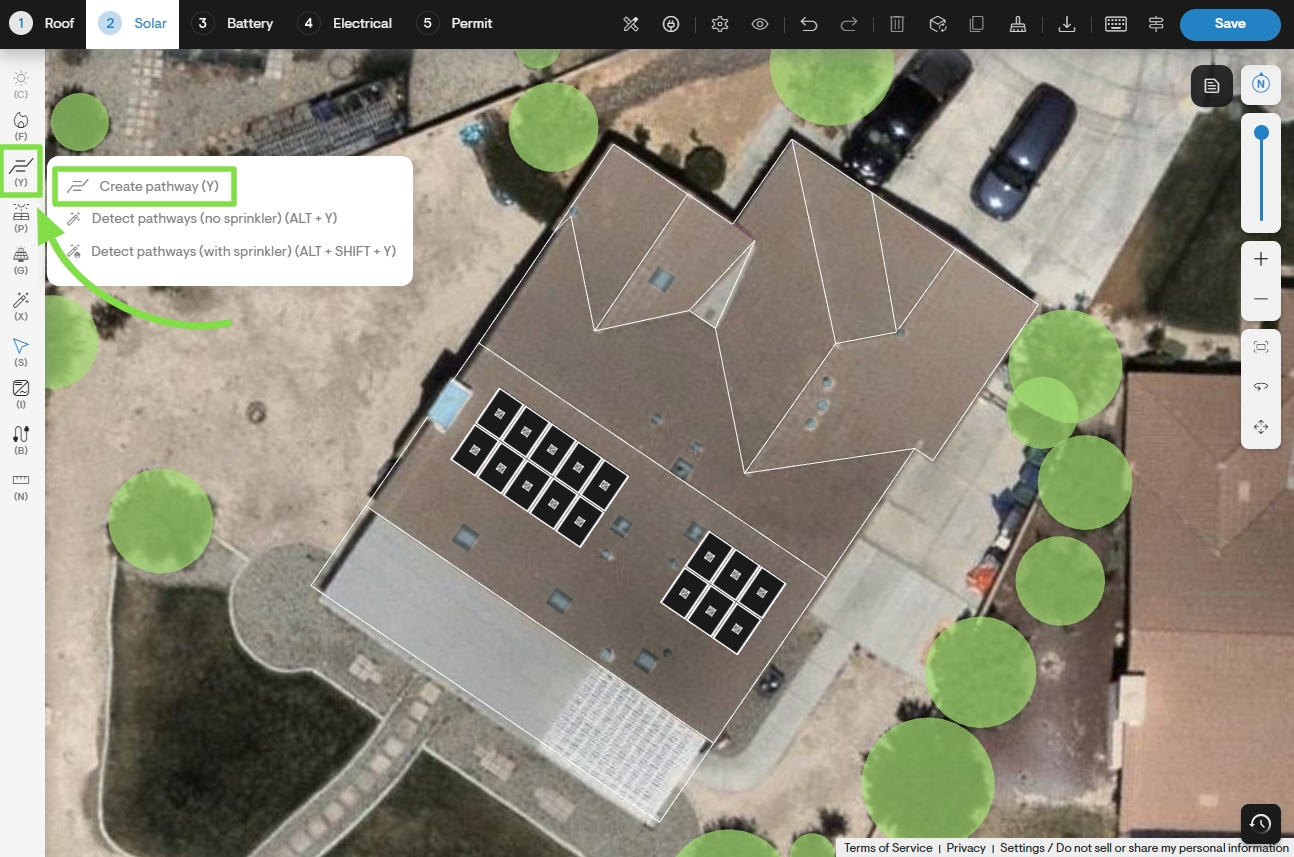
Pathways can also be manually added to a design along any roofline.
From the solar design tool, click the Fire pathways button and then select Create pathway.
Edit pathway
An existing pathway can be repositioned along its current roofline by clicking and dragging with the Select tool.
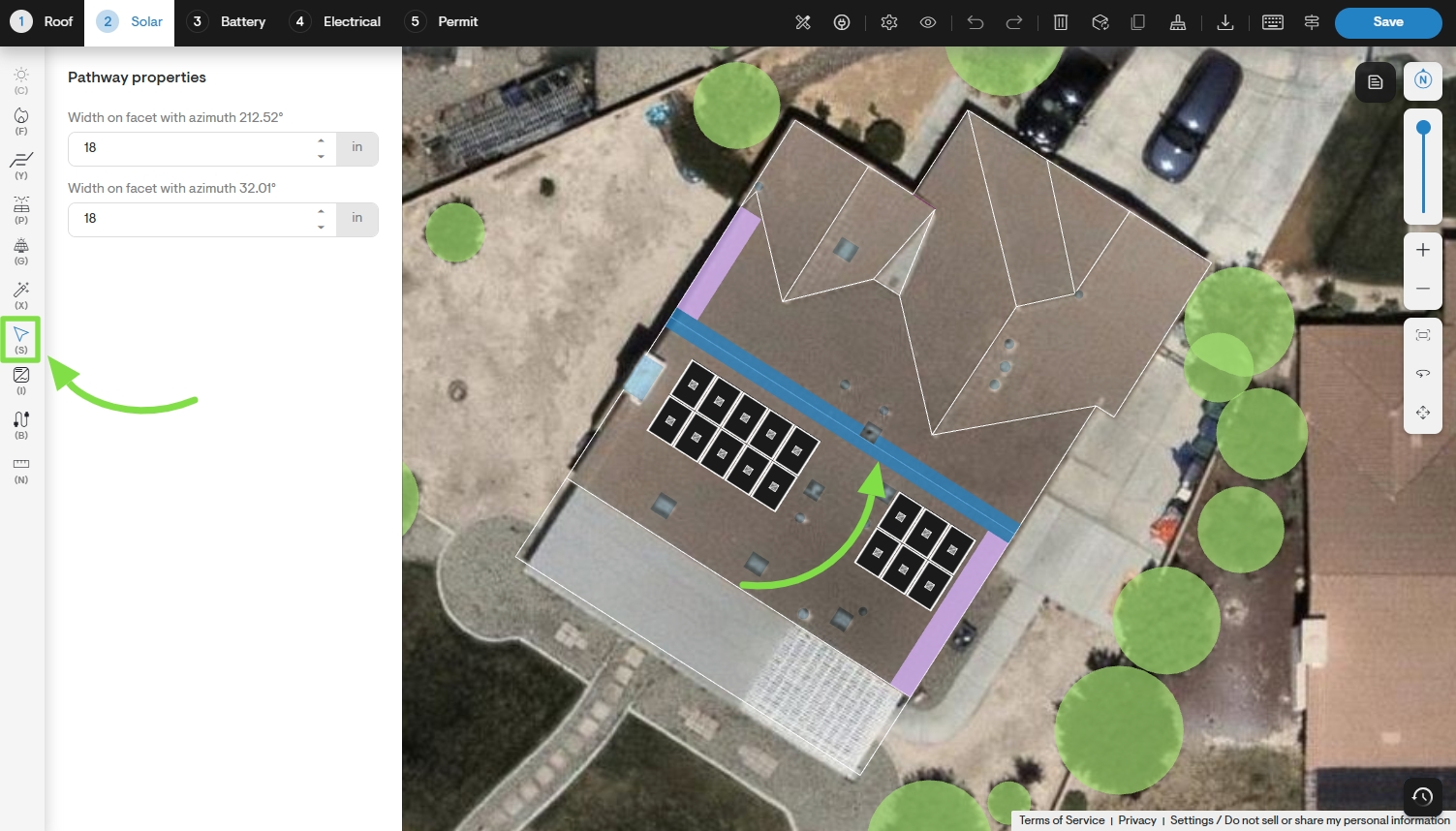
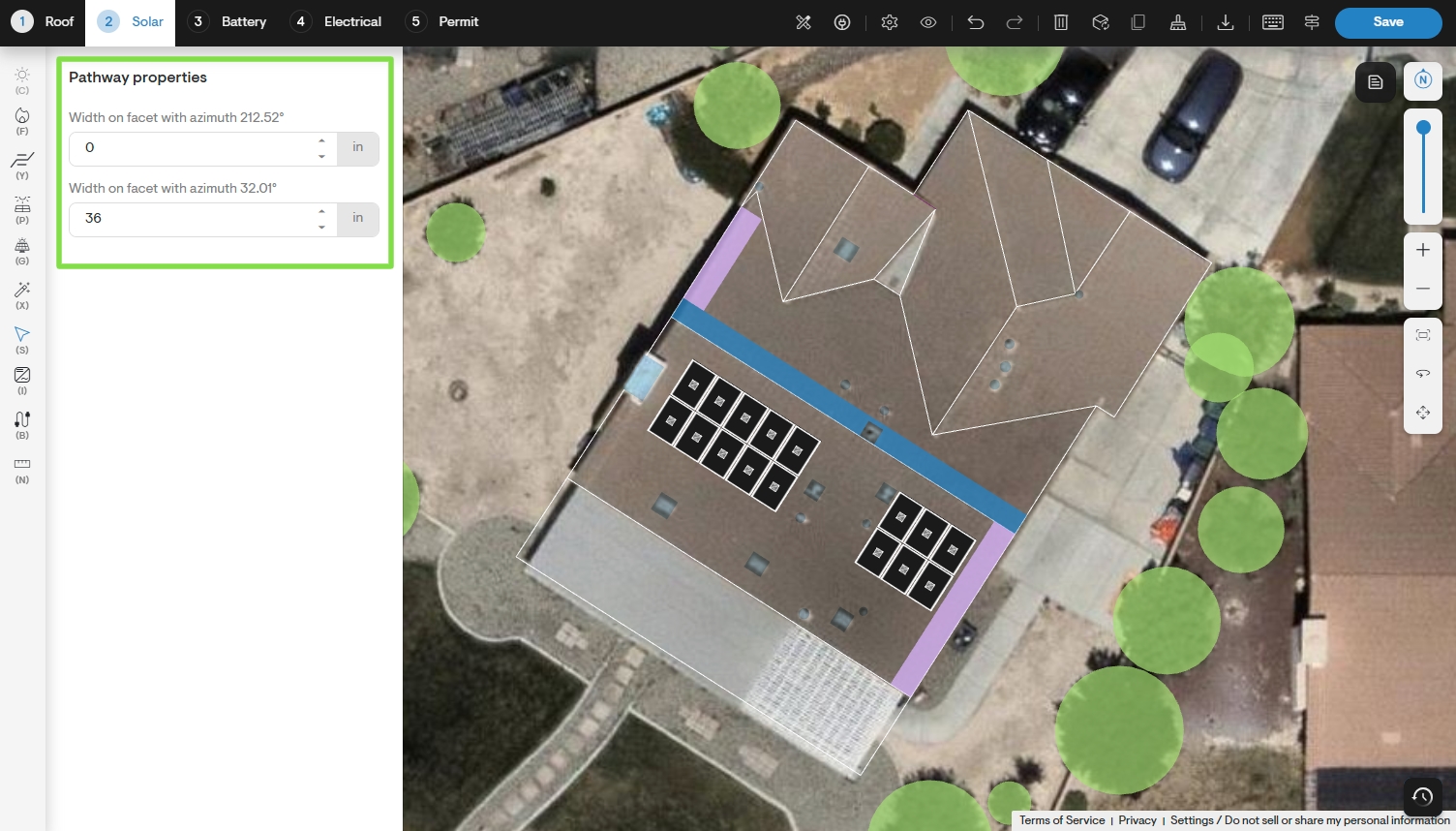
To edit a segment’s width, click on it using the Select tool and then manually adjust its dimenions from the Pathway properties sidebar.
Disregard setbacks & pathways
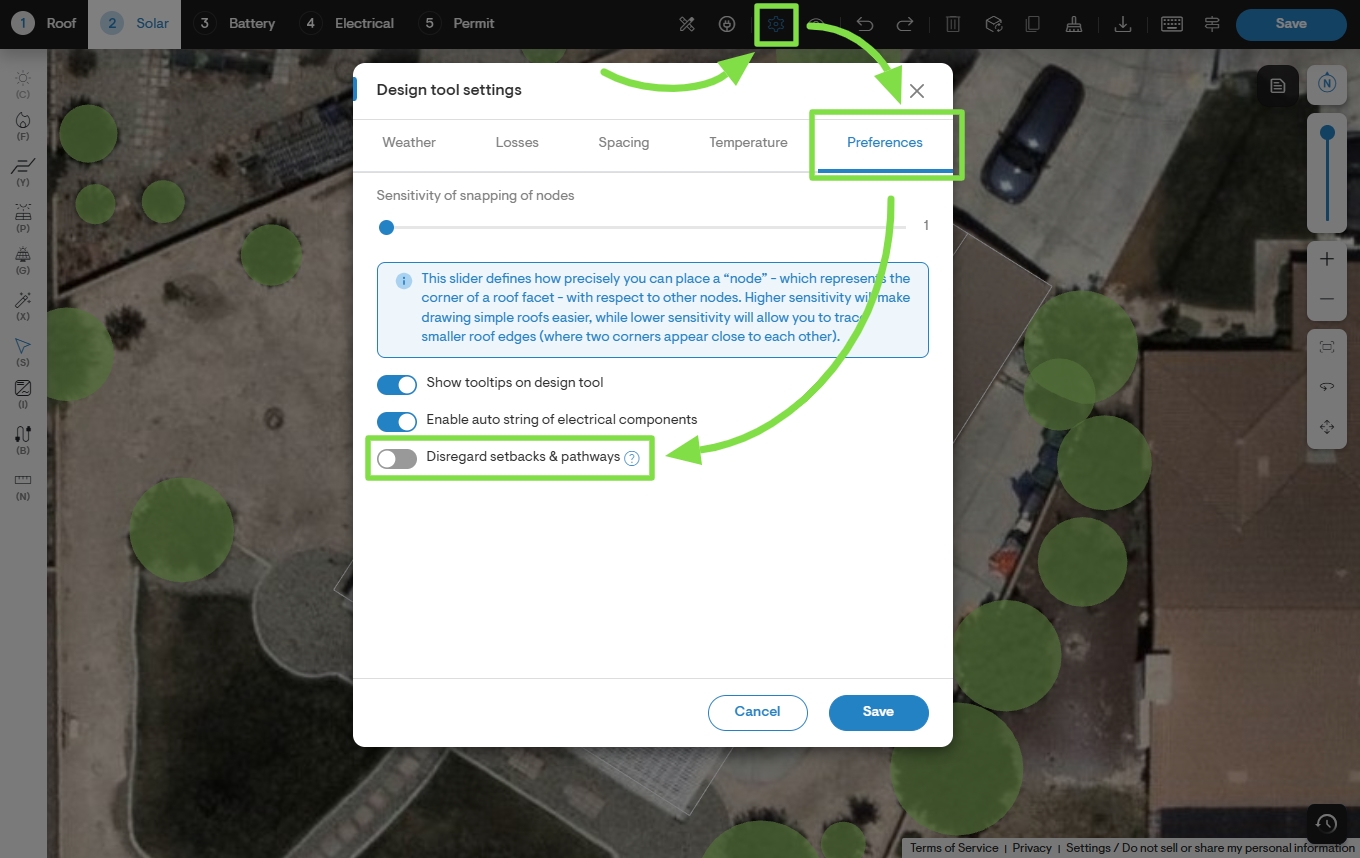
Panels are automatically prevented from being placed within the roof’s fire setbacks and pathways. However, if it is necessary to allow portions of the panel layout to overlap with these areas, this restriction can be temporarily lifted for a given design option.
From the solar design page, click the Design tool settings icon along the top of the page and then select the Preferences tab next. Finally, enable the Disregard setbacks & pathways toggle switch.
Company settings
By default, fire pathways are only detected for a design when prompted by the user. This behavior can be modified for all projects from the Design tool default settings section of Company settings.
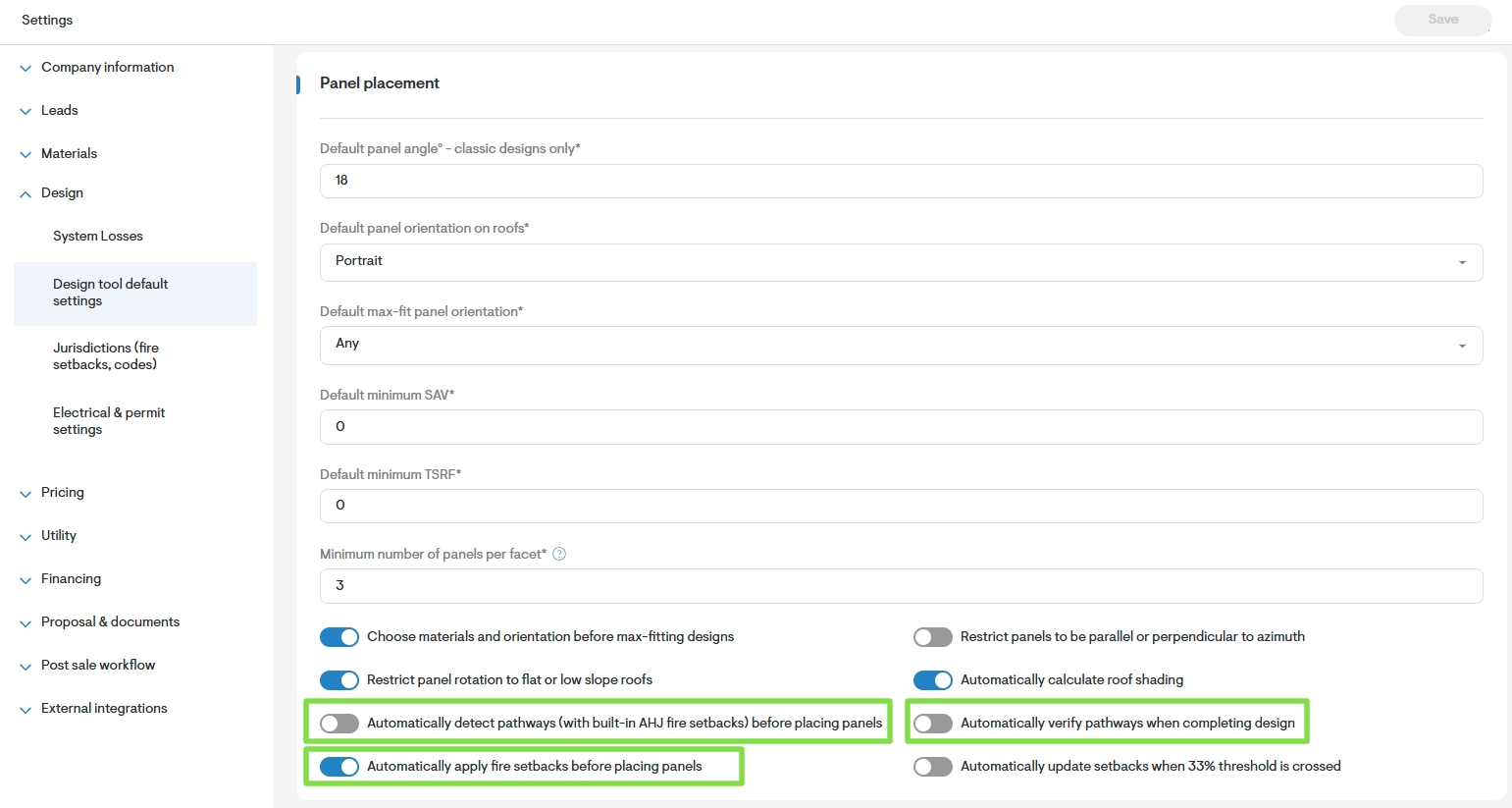
Automatically detect pathways (with built-in AHJ fire setbacks) before placing panels
When enabled, the minimum required fire pathways are automatically added to the roof when first loading the solar design page after completing the roof design. This setting is disabled by default.
Automatically verify pathways when completing design
When enabled, fire pathways are re-evaluated when completing the solar design after panels have been placed, and some panels may be automatically removed if necessary for compliance. This setting is disabled by default.
Automatically apply fire setbacks before placing panels
When enabled, required fire setbacks for the jurisdiction are automatically detected and applied to the design. This setting is enabled by default.
Note: If using the pathways feature in the design tool, it's best to disable setback configurations. This is because Pathways handles setbacks within its own logic automatically, making setbacks adjustments unnecessary.