Help Center Solar Design
Solargraf production estimates: What you need to know
Published on 9 Sept 2025
This guide explains how production estimates for solar photovoltaic (PV) systems are generated within Solargraf. It also outlines best practices to help ensure that you're entering accurate values for your project, leading to more reliable and consistent results.
Production estimation service
Solargraf calculates production values for solar designs using one of two available production engines:
1. Solargraf engine
2. PVWatts engine
Below, we’ll explore the key differences between these two production services and how each is utilized within the platform.
Solargraf engine
The Solargraf engine is an in-house production service developed using proprietary Solargraf capabilities. Our team has integrated best-in-class technologies to ensure accurate energy production estimates at every stage of the computation process.
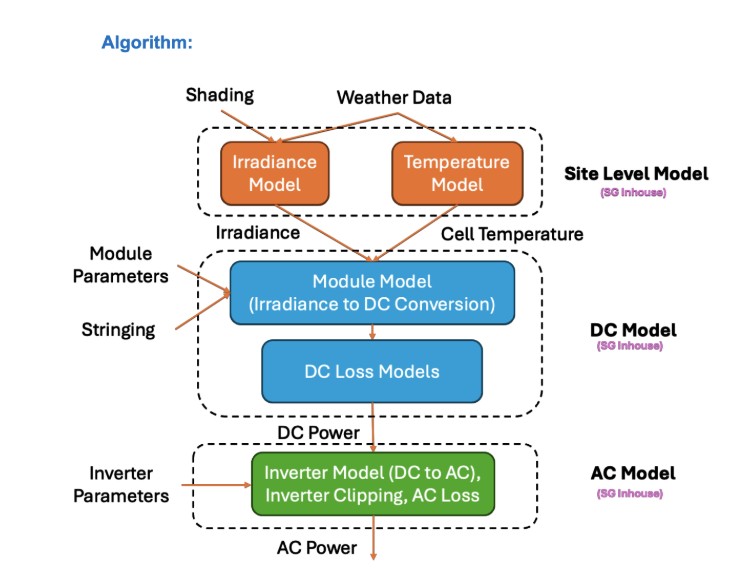
The engine is composed of several specialized sub-modules, each responsible for modeling specific aspects of system performance and energy loss. These include:
- Irradiance and temperature modeling: Incorporates detailed environmental data to simulate real-world solar exposure and temperature effects.
- Module model: Converts irradiance into DC energy based on the characteristics of the selected solar modules.
- DC loss module: Calculates additional DC-side losses such as wiring resistance, nameplate derating, and other system inefficiencies.
- Inverter model: Converts DC energy to AC while accounting for voltage, current, and power clipping losses.
Together, these components enable the Solargraf engine to deliver high-fidelity production estimates tailored to each system design.
Note: The Solargraf engine is the default production service for all designs and geographies due to its high accuracy and robust modeling capabilities. However, in certain cases, Solargraf may not be able to compute production values. These exceptions typically arise from specific design factors or limitations in the input data. We’ll explore these scenarios in more detail below.
PVWatts engine
Developed by the National Renewable Energy Laboratory (NREL), the PVWatts engine provides a simplified estimate of photovoltaic system performance based on basic design inputs and geographic location. It is designed to offer quick, high-level production estimates for homeowners and installers.
Unlike the Solargraf engine, PVWatts requires minimal design parameters and relies on generalized assumptions for its calculations. As a result, its accuracy is lower, especially for complex or highly customized system designs.
System losses
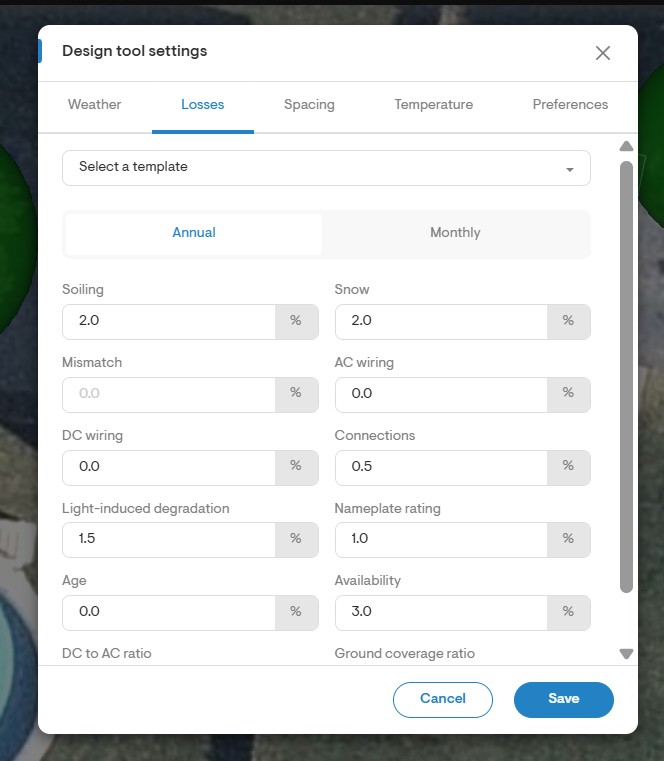
In addition to shading and panel specifications, both production engines Solargraf and PVWatts require user-defined system loss values (%) to accurately estimate energy output. These losses account for real-world inefficiencies such as wiring, soiling, mismatch, and other factors that impact system performance.
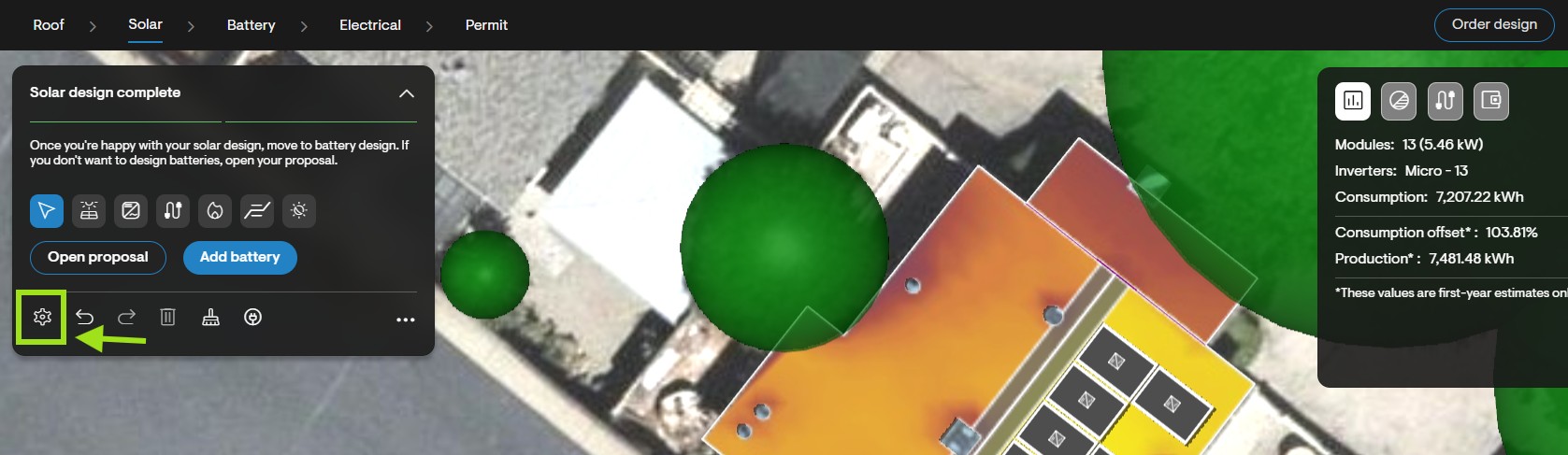
You can enter these values in the Design tool by navigating to: Solar design → Design tool settings → Losses
Note: It is critical to enter realistic and accurate system loss values. Abnormal or incorrect inputs can lead to significant deviations in production estimates, potentially affecting proposal accuracy and customer expectations.
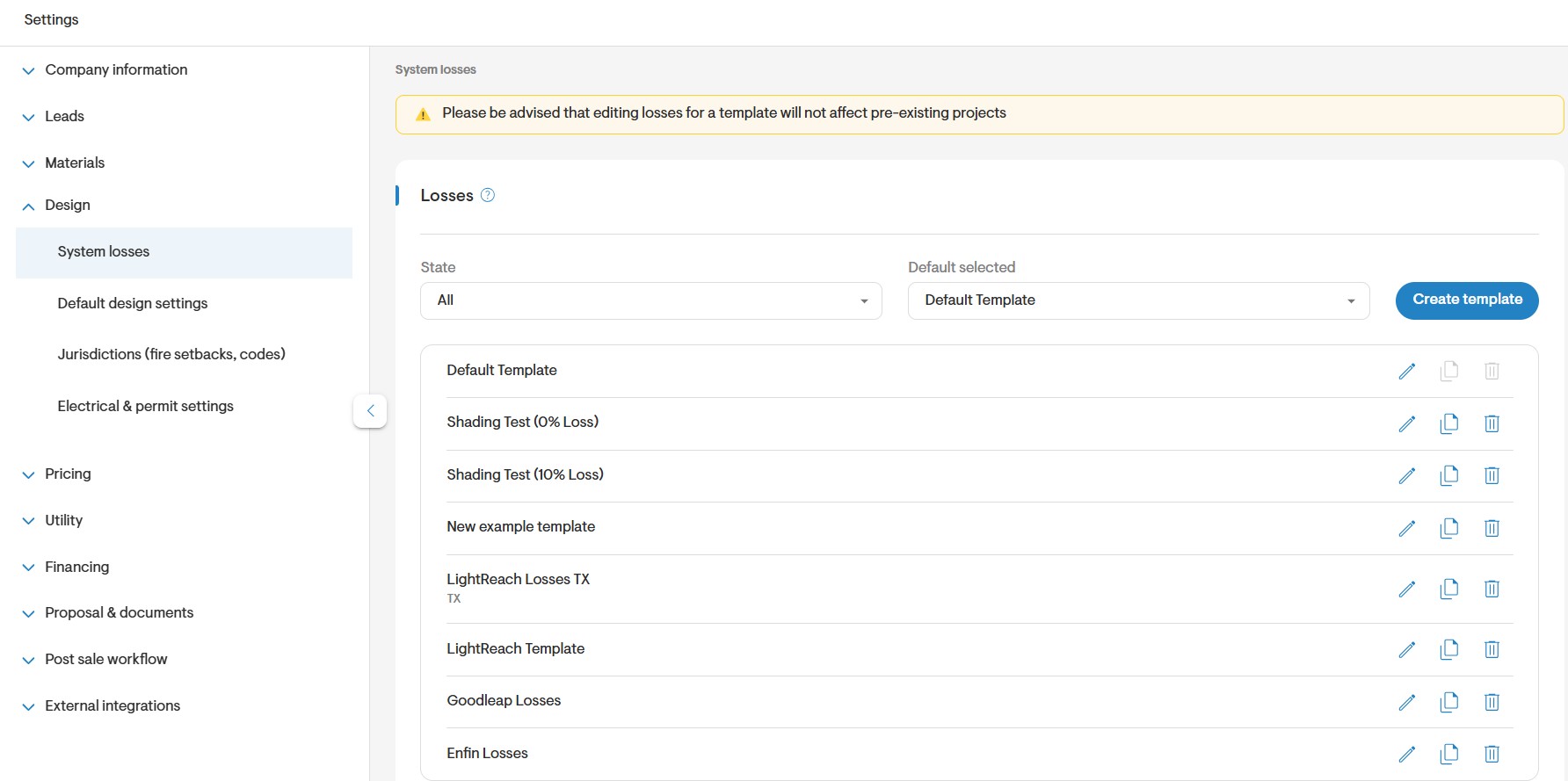
To streamline the design process, you can set default system loss values for your projects at the company level. These defaults are applied automatically during design creation and can be customized based on geographic regions.
To configure default losses, navigate to: Settings → Design → System losses
You can create multiple loss templates and assign them to specific states or regions, ensuring consistency and accuracy across your team's designs.
Debugging Solargraf production estimates
If you believe the system is generating incorrect production estimates, you can begin debugging the issue by following a few simple steps.
Loss Diagram
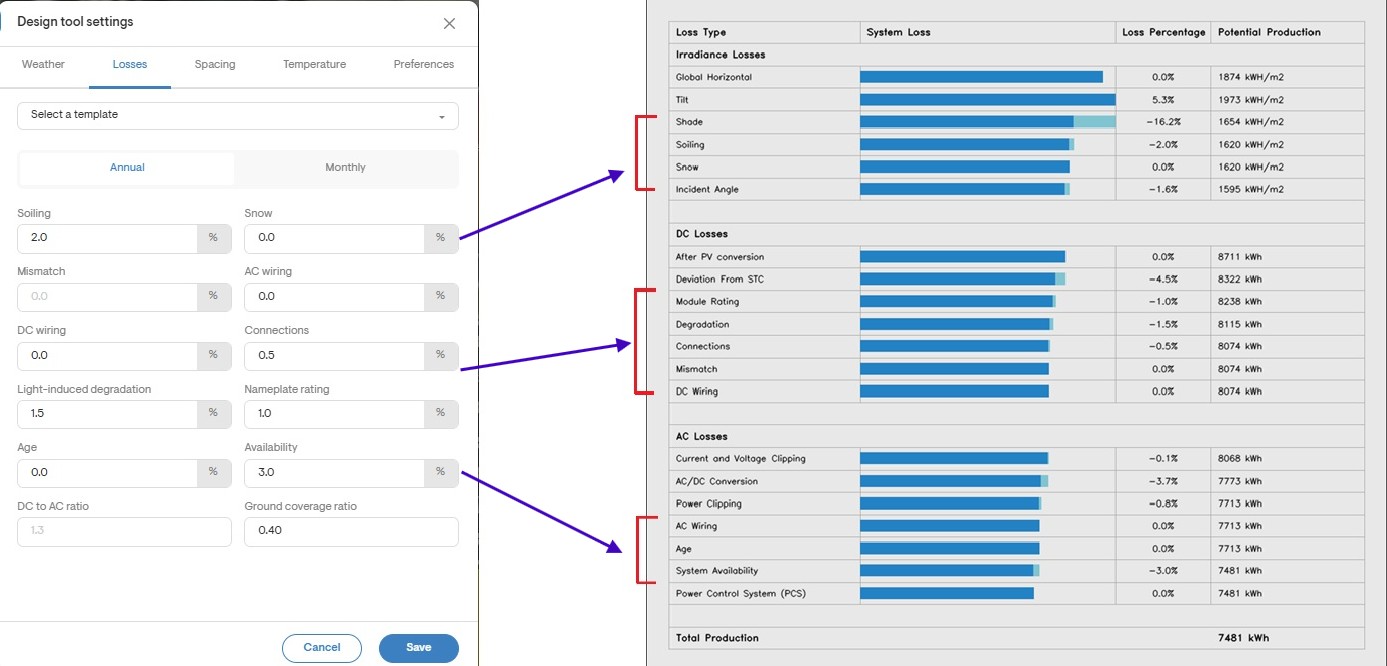
The loss diagram provides a step-by-step breakdown of how irradiance data from weather sources is converted into AC energy. It offers detailed visibility into each stage of the production calculation, allowing you to identify abnormalities and adjust specific parameters as needed.
You can access the loss diagram by navigating to: Design tool → Solar design → Downloads → System losses (PNG)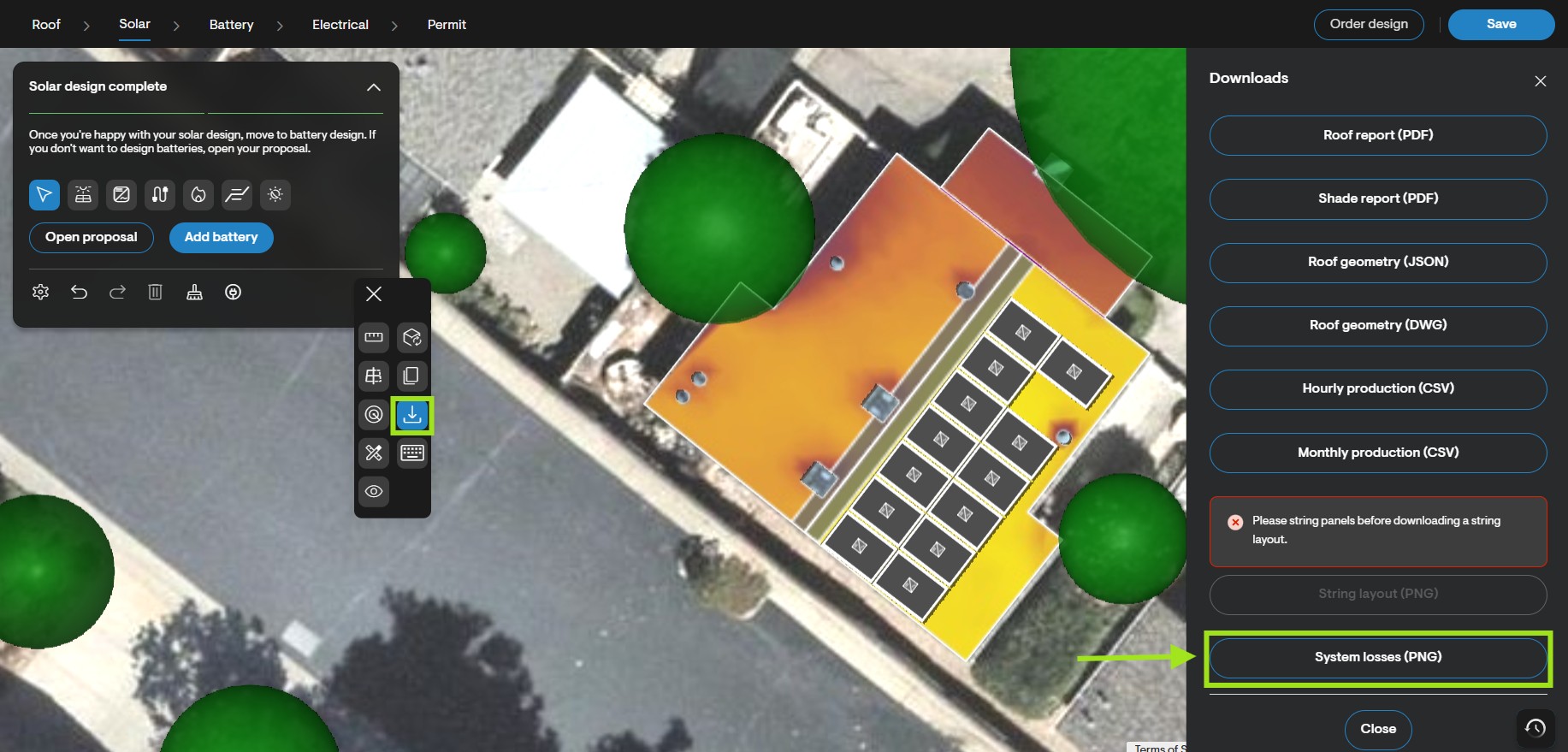
Note: PVWatts production estimates are based on high-level design assumptions. As a result, Solargraf does not generate a loss diagram for designs using the PVWatts engine.
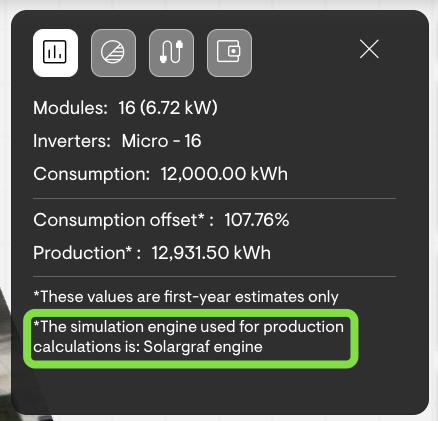
Take a note of production engine used
You can find the production engine used for a design in the Design tool detail section. The selected engine directly impacts the accuracy of the production estimates:
- Solargraf engine → High accuracy
- PVWatts engine → Lower accuracy due to simplified assumptions
To view which engine is being used, navigate to the Design tool detail section of your project.
Module/inverter/optimizer parameters missing
Missing data for modules, inverters, or optimizers will prevent Solargraf from using its high-accuracy engine, defaulting instead to the lower-accuracy PVWatts engine. To ensure optimal results, we recommend using Solargraf-certified materials, which include all required specifications.
If you're creating custom materials, make sure to fill in all fields marked with a ‘#’ in the name these are mandatory for Solargraf’s engine to function properly.
Incomplete Stringing
To ensure accurate production estimates and proper system functionality, all panels must be:
- Connected into strings
- Connected from each string to the inverter
A complete and correct stringing setup is essential for the Solargraf engine to perform accurate calculations.
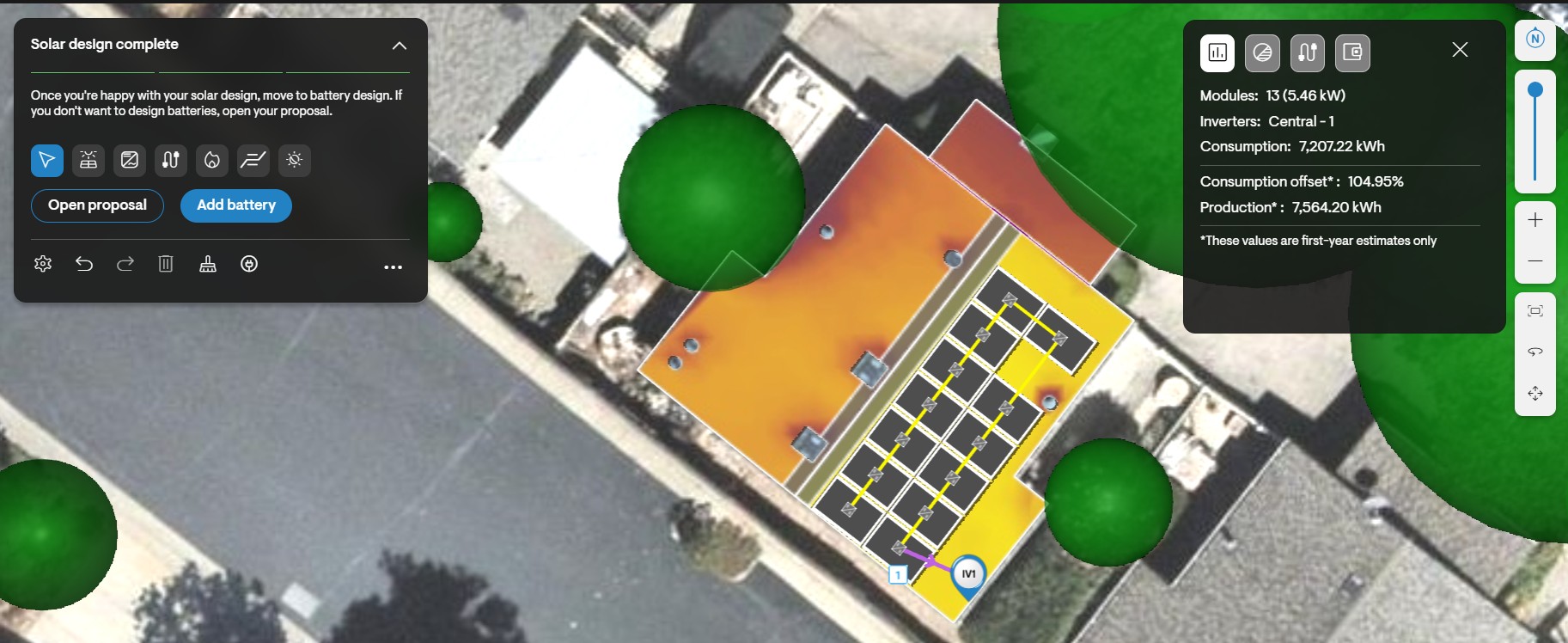
Incorrect stringing as multiple panels are missed
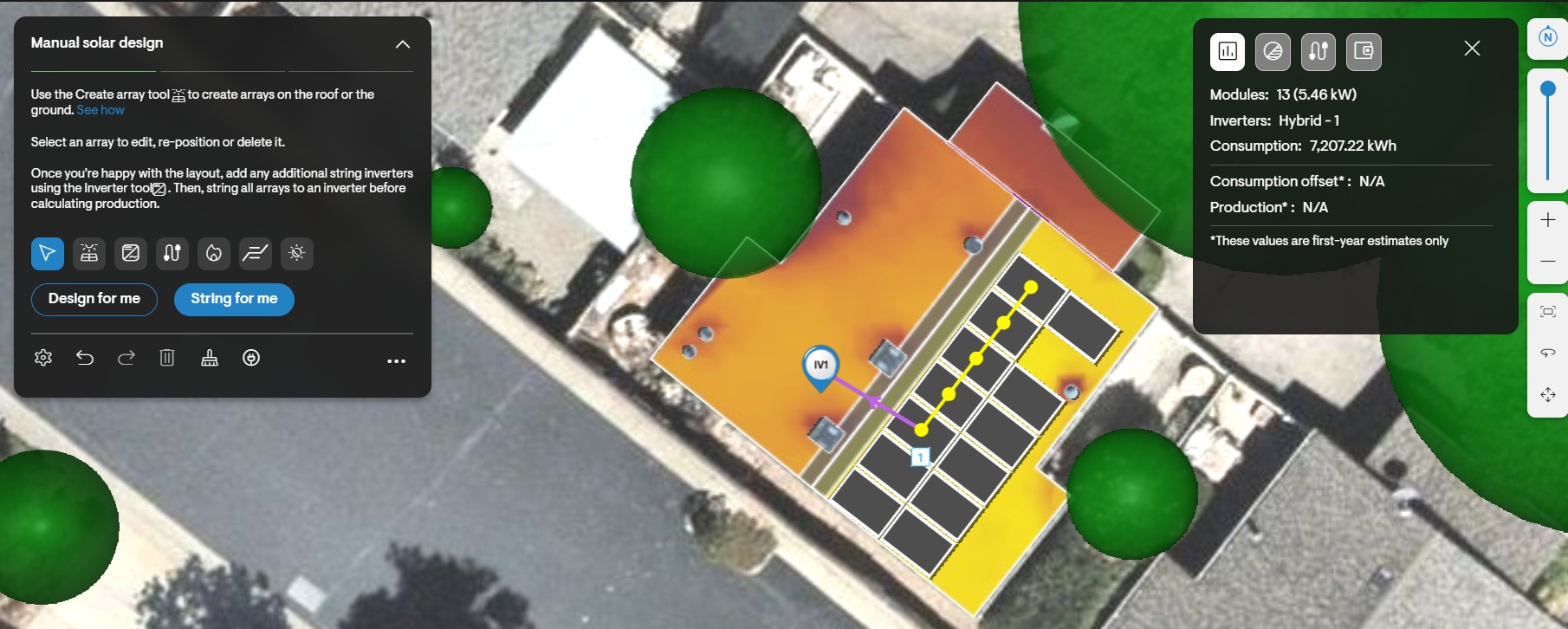
No strings connecting panels in the design
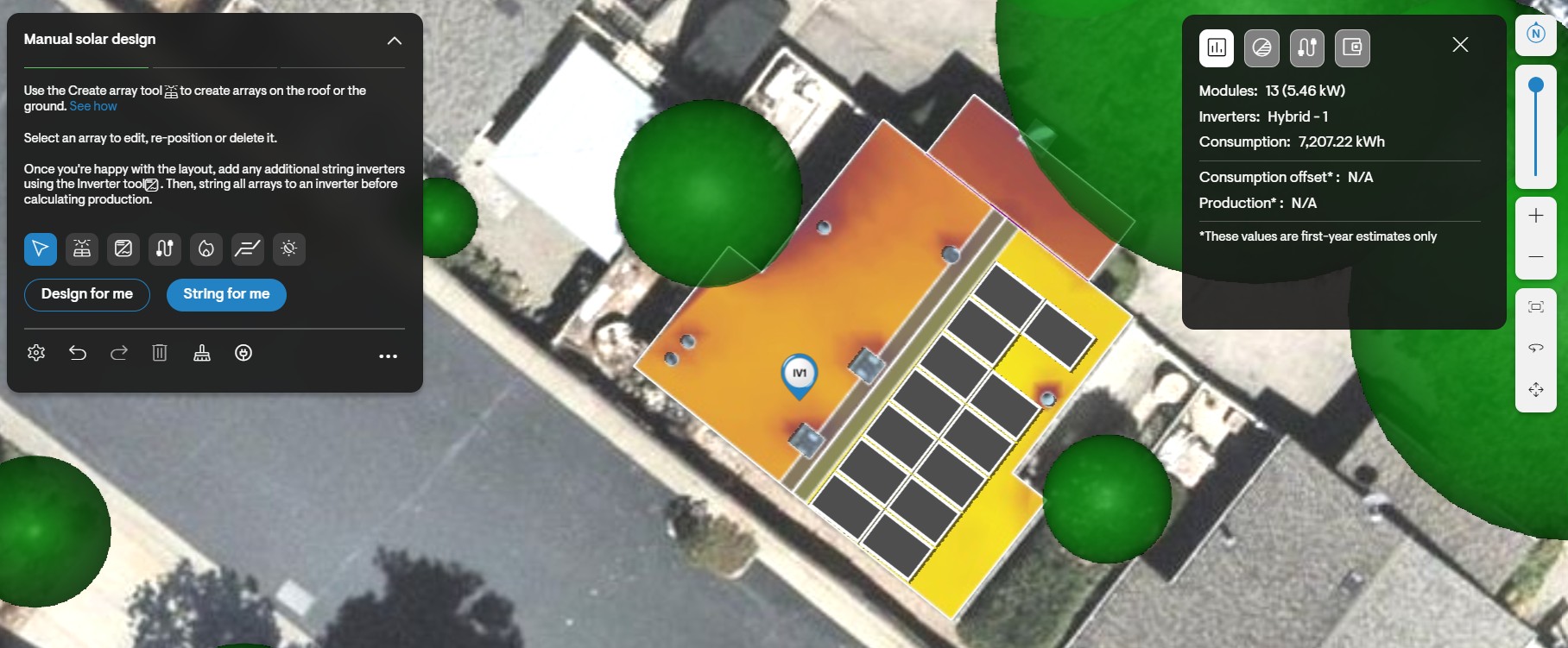
Cross check the system losses
To ensure accuracy, always cross-check the manually entered system losses with the values shown in the loss diagram. This helps in two key ways:
- Verifies that your intended losses are correctly reflected
- Confirms that the system is applying those losses in the production calculation
This simple validation step can help catch input errors and improve the reliability of your estimates.