Help Center Design Tool
Inverter validation
Published on 10 Jul 2024
This guide covers a July 2024 update to the hardware validations run by Solargraf's design tool. Click herefor a quick video explanation.
New design requirement
As of Solargraf's 24.6 release (July 2024), production can only be calculated for solar designs once PV modules and an inverter have been added.
This means it is no longer possible to save a design that includes only PV modules without an inverter model also specified. Roof designs without PV modules can still be saved if users need to move to another task before completing the solar design, however.
Importance of inverter specification
The system architecture — microinverter or string inverter — significantly impacts the performance of a PV system, even when other factors like module model, quantity of modules, tilt, azimuth, and shading remain constant. The precise inverter model (e.g. IQ7 vs. IQ8, or SolarEdge SE6000HS vs. SMA Sunny Boy 5.8kW) also affects the estimated system performance.
Since the first-year production estimate (in kWh) generated by Solargraf’s design tool forms the basis for all financial values in the proposal (such as payback period, ROI, future utility bills, and lease or PPA payments), it is crucial that all designs specify the inverter to be installed.
Adding inverters
String inverters and microinverters each have their own workflow when added to a design.
String inverters
String inverters are added with the dedicated Inverters tool on the solar design page.
To learn more about adding string inverters, see: Solar Design | Add inverters.
Microinverters
Because microinverters are paired with PV modules, they are added at the same time as panels.
To learn more about adding microinverters, see: Solar Design | Add panels menu.
Stringing panels
While stringing panels to the string inverter is not yet mandatory in Solargraf, it is recommended for accurate production calculations.
To learn more about completing stringing, see: Auto-Stringing in Solargraf.
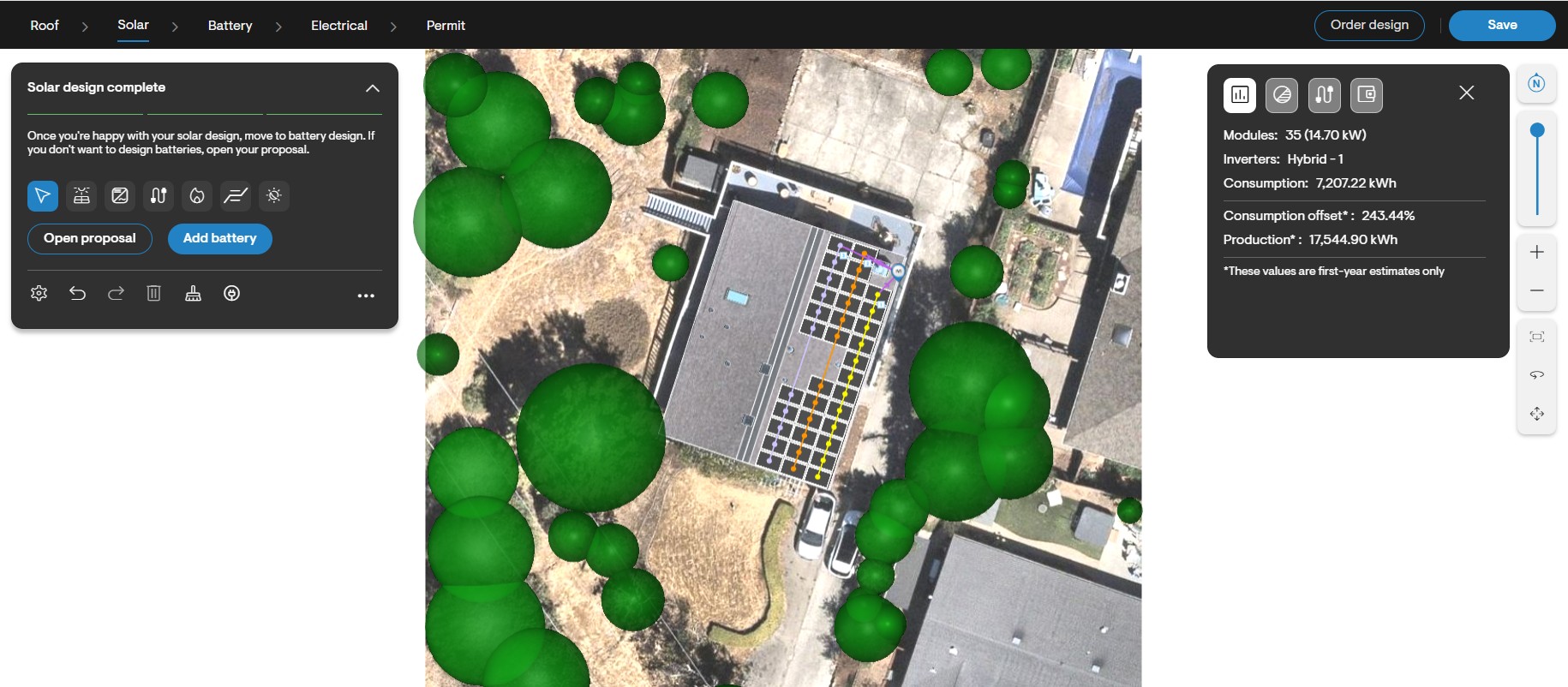
Adding a Tesla Powerwall 3
Even though the Tesla Powerwall 3 (PW3) has a built-in inverter, in Solargraf, we treat the inverter and battery as separate materials. Therefore, when creating a solar design, you must add the Tesla PW3 inverter from our material database under the solar design section, and then add the PW3 under the battery design section. This ensures all necessary components are accurately represented in your design.
To learn more, see: Create a Tesla Powerwall 3 Proposal.
Warning message
When modules are added to the roof but no inverter is associated with the array, the option to calculate production is disabled, and a warning message advises the user on how to correct the issue.
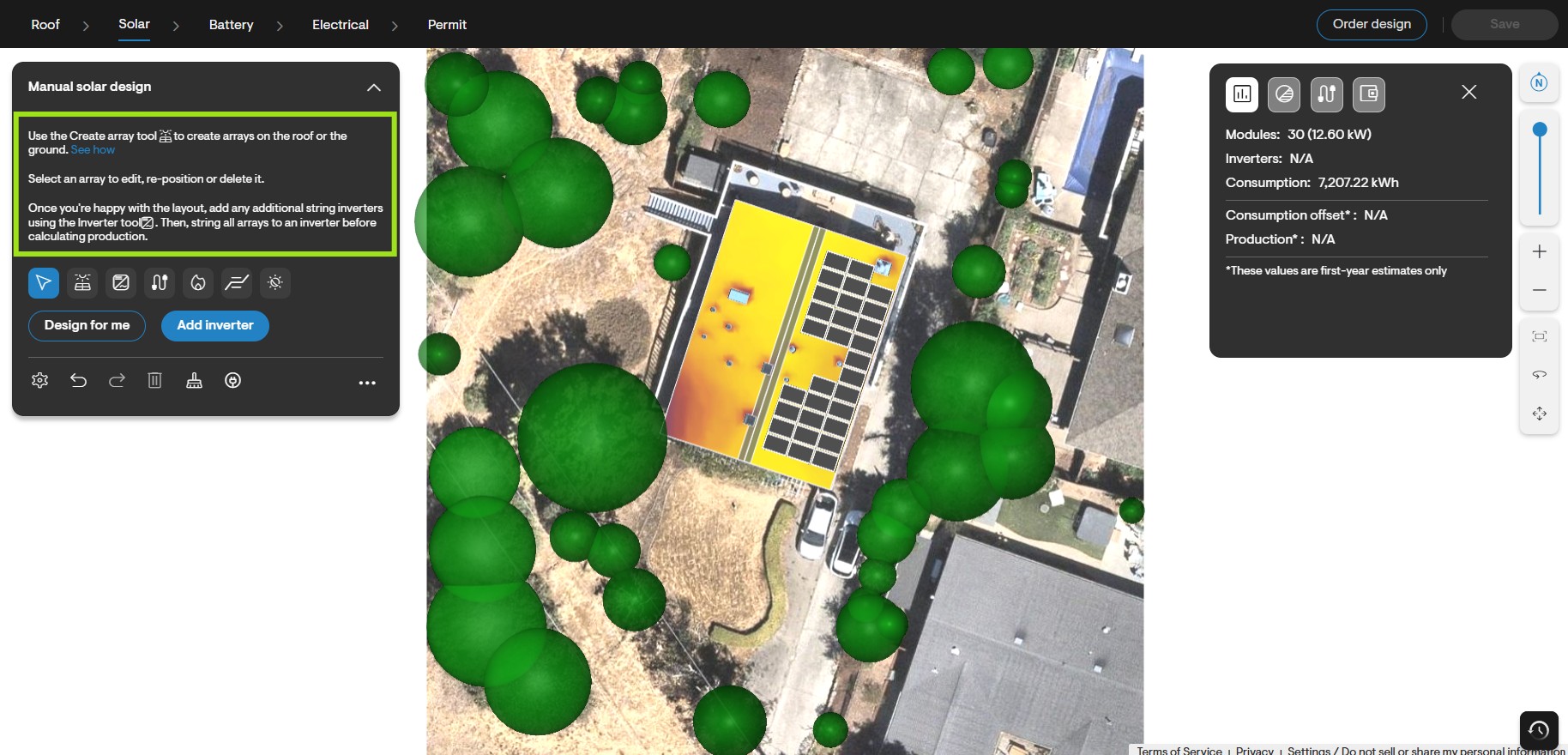
Previous design requirements
Previously, Solargraf designs required only a solar module for shading and production calculations. Most designs also included an inverter — either a microinverter or a string inverter. Some designs using a string inverter would also include optimizers.
However, some users were creating designs without any inverter. In such cases, Solargraf would simulate shading and production calculations with a “mock” microinverter, treating it as though the user intended to design a microinverter-based system but failed to define the exact inverter to be used.
Conclusion
These changes ensure that all designs in Solargraf specify the inverter to be installed, leading to more accurate performance estimates and financial projections in proposals. Please follow the guidelines and recommendations to make the most of the updated design tool features.
For support, call +1 (888) 997-1101, email support@solargraf.com, or access LiveChat via your account's Support page.