Help Center Loan
How to set up No Interest/No Payment Loans in Solargraf
Published on 7 Feb 2022
No Interest / No Payment Loans
Includes:
Deferred Payment or No Interest No Payment Loans
Big Picture: These are essentially loans that have an initial period (promotional period) with no monthly payments and will roll into either a standard loan or a solar loan monthly payment loan.
Method 1: Using Solargraf Calculator
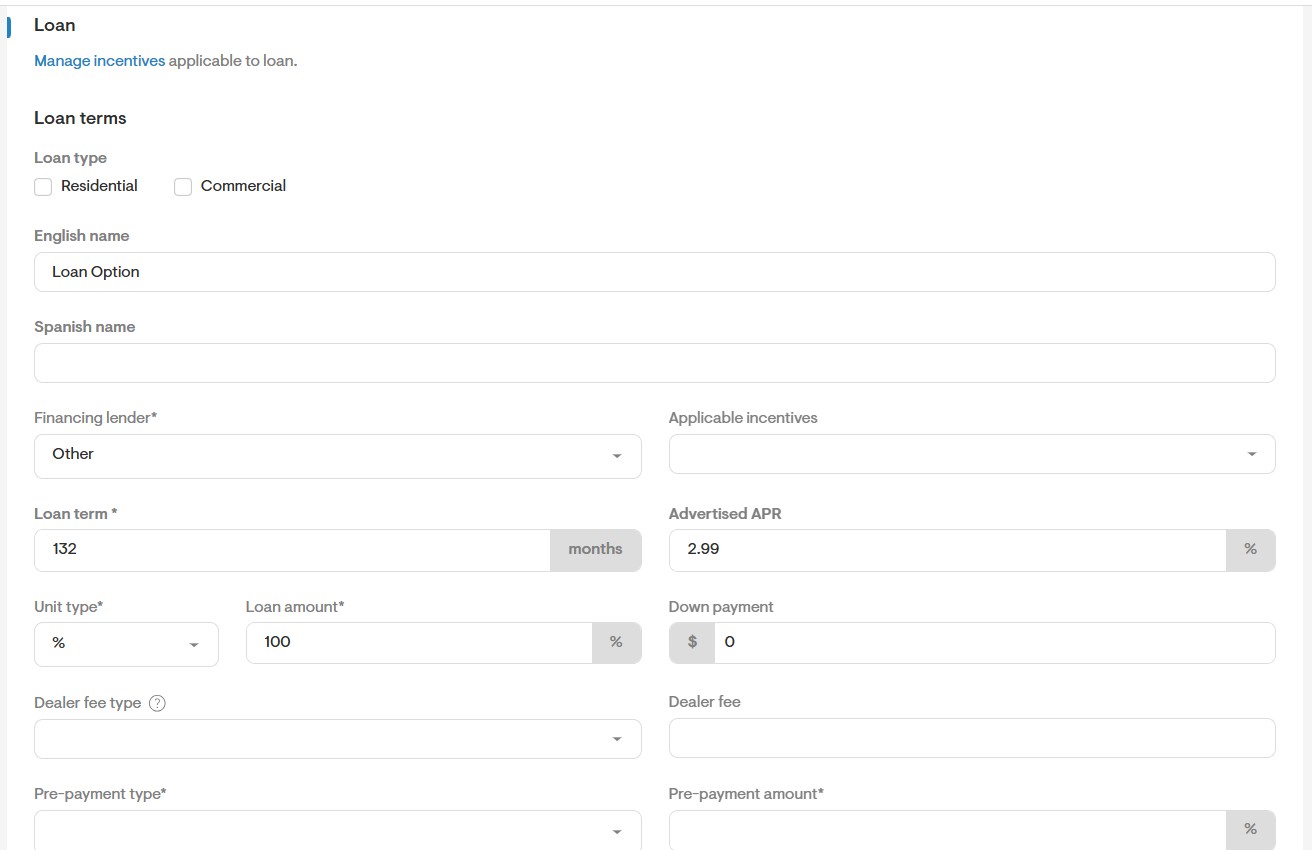
- Loan Term is additional to the Promo Period, e.g. if it’s 12 months no payment with a 10Y 2.99%, the total loan term is 120 months + 12 months, so 132 months.
- The APR will be the same as advertised by Mosaic
- No Applicable Incentive should be selected
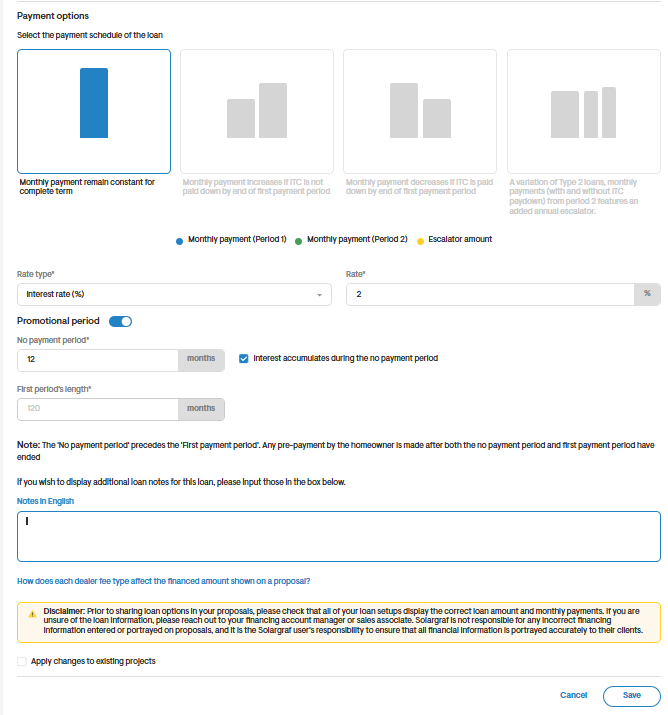
- The Promotional Period should be selected
- The No Payment Period is the period where no payments are expected, the above example its 12 Months
- The box for interest accumulation also needs to be ticked
- The Rate Type should be selected as “Interest Rate (%)” and the number should be the interest rate on the loan, with the example it is 2.99%
Method 2: Using Payment Factors
- Loan Term is additional to the Promo Period, e.g. if it’s 12 months no payment with a 10Y 2.99%, the total loan term is 120 months + 12 months, so 132 months.
- The APR will be the same as advertised by Mosaic
- No Applicable Incentive should be selected
- The Promotional Period should be selected
- The No Payment Period is the period where no payments are expected, the above example its 12 Months
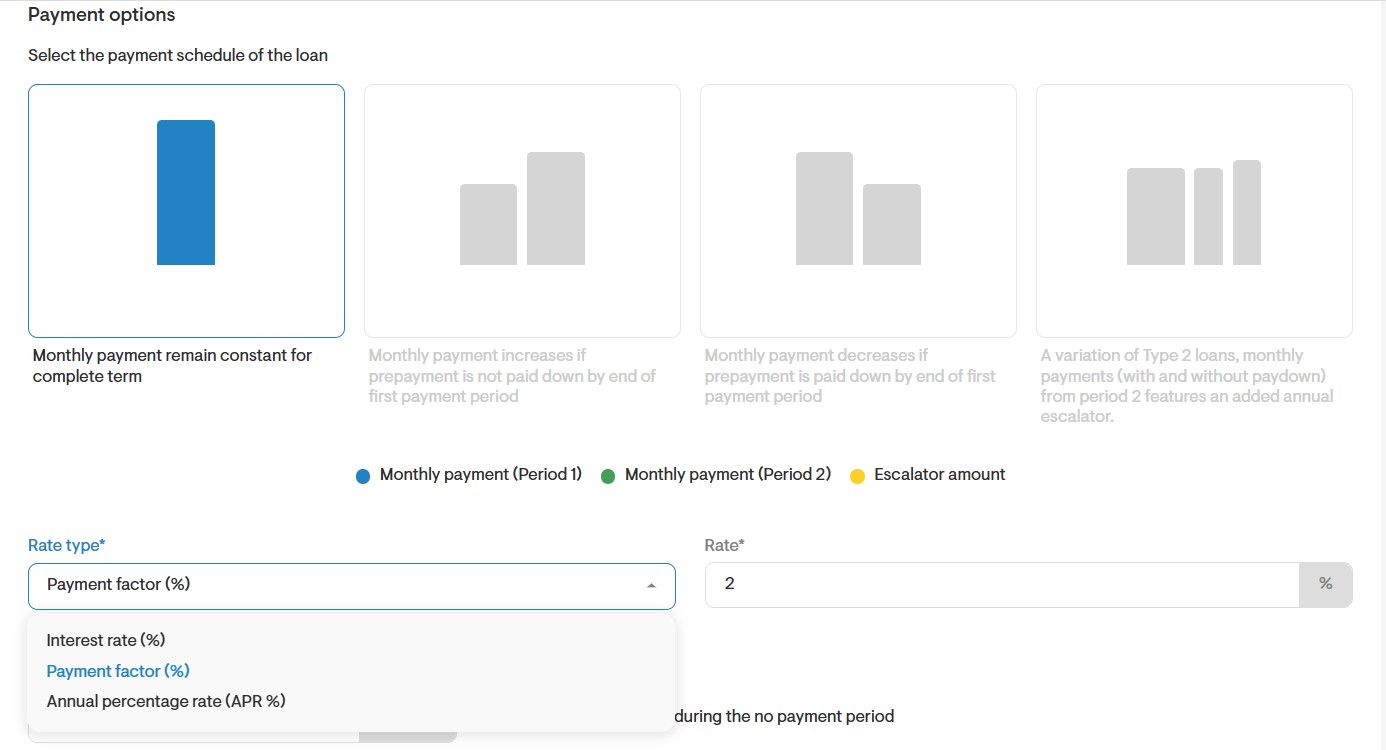
- Enter the payment factor (i.e. using the monthly amount the fintech calculator, the Payment Factor = Monthly Amount from Loan Calculator / Loan Amount Used in Calculator
- Remember the Payment factor is a percentage so always multiply the number from the above calculation by 100 to make it a percentage.
- If there are two periods calculate the payment factor for the second period and put that in the second period payment factor.