Help Center Design Tool
How to Download a DWG Rendering of Your 3D Design
Published on 30 Jun 2023
The following guide provides information on how to download a DWG file of your 3D design in Solargraf.
Getting started
Before downloading a DWG file for your project, first complete at least the roof design using the 3D design tool. To include PV modules in the model's file, you must complete the solar design as well.
To learn more about these steps, see:
Download the DWG file
From your project's solar design page, click the Download icon near the upper-right corner of the page
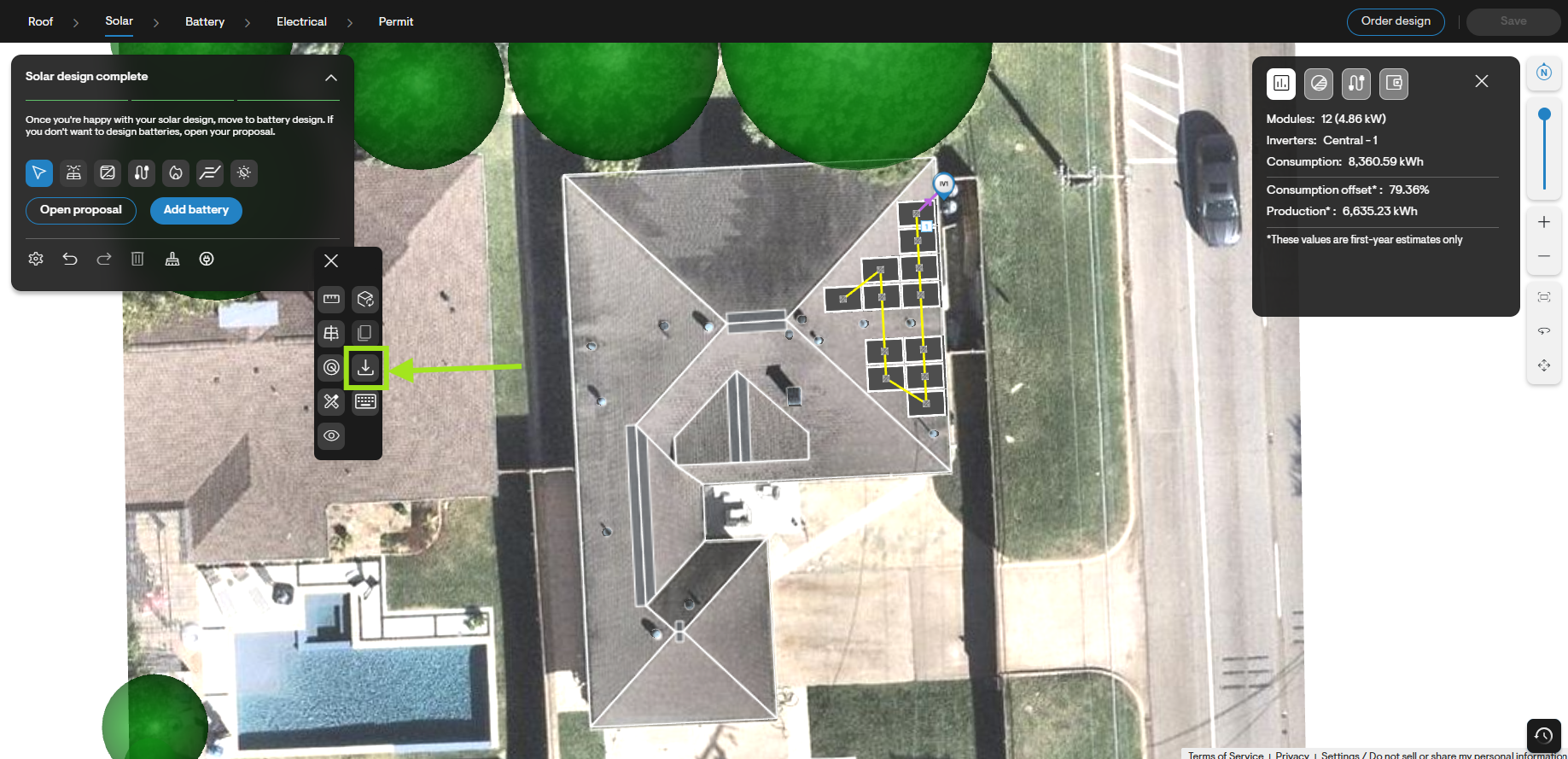
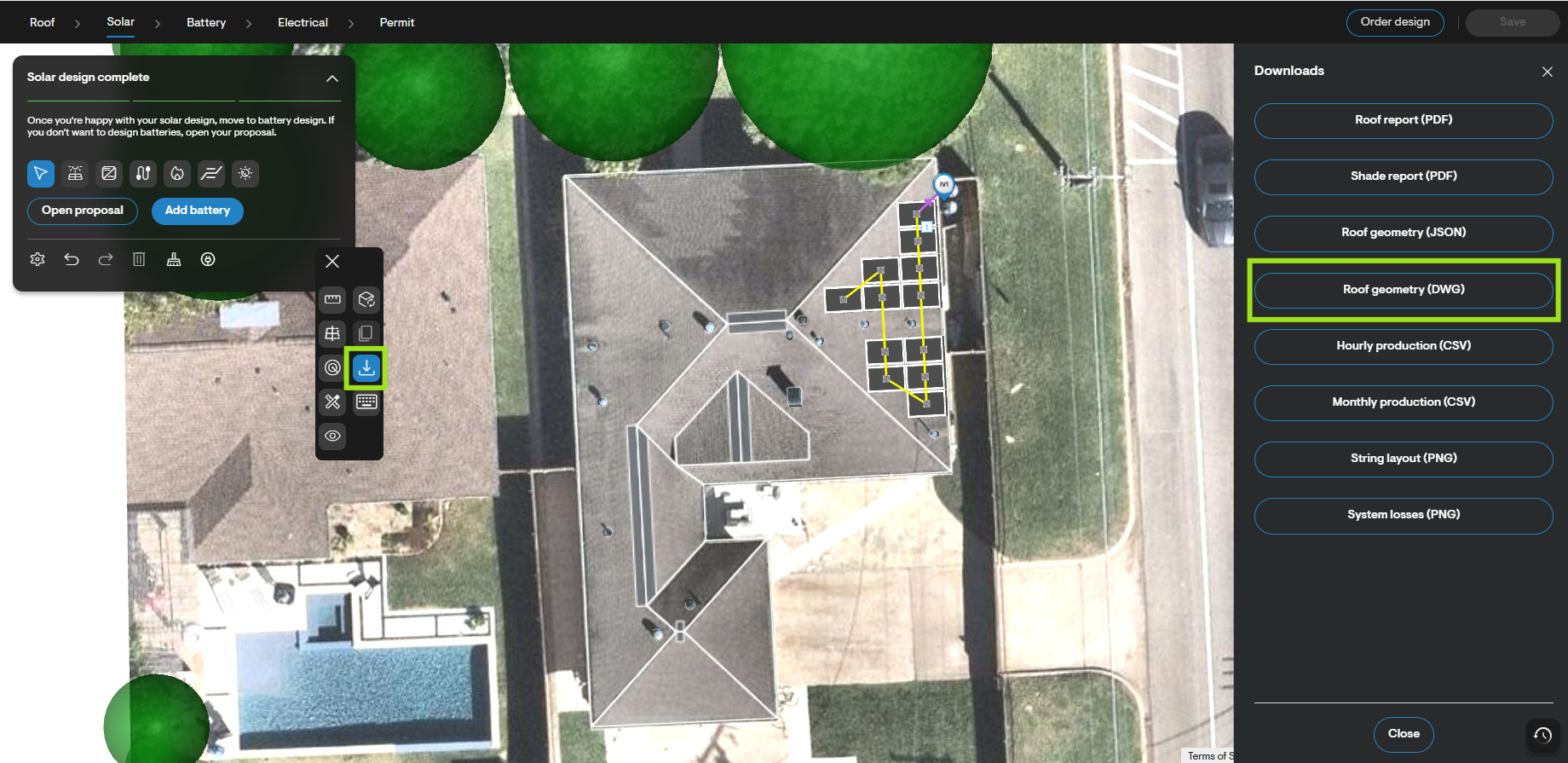
Next, select the DWG file - roof geometry option from the Downloads menu.
Finally, confirm which design features you would like modeled in the file, and then click the Download button in the dialogue box.
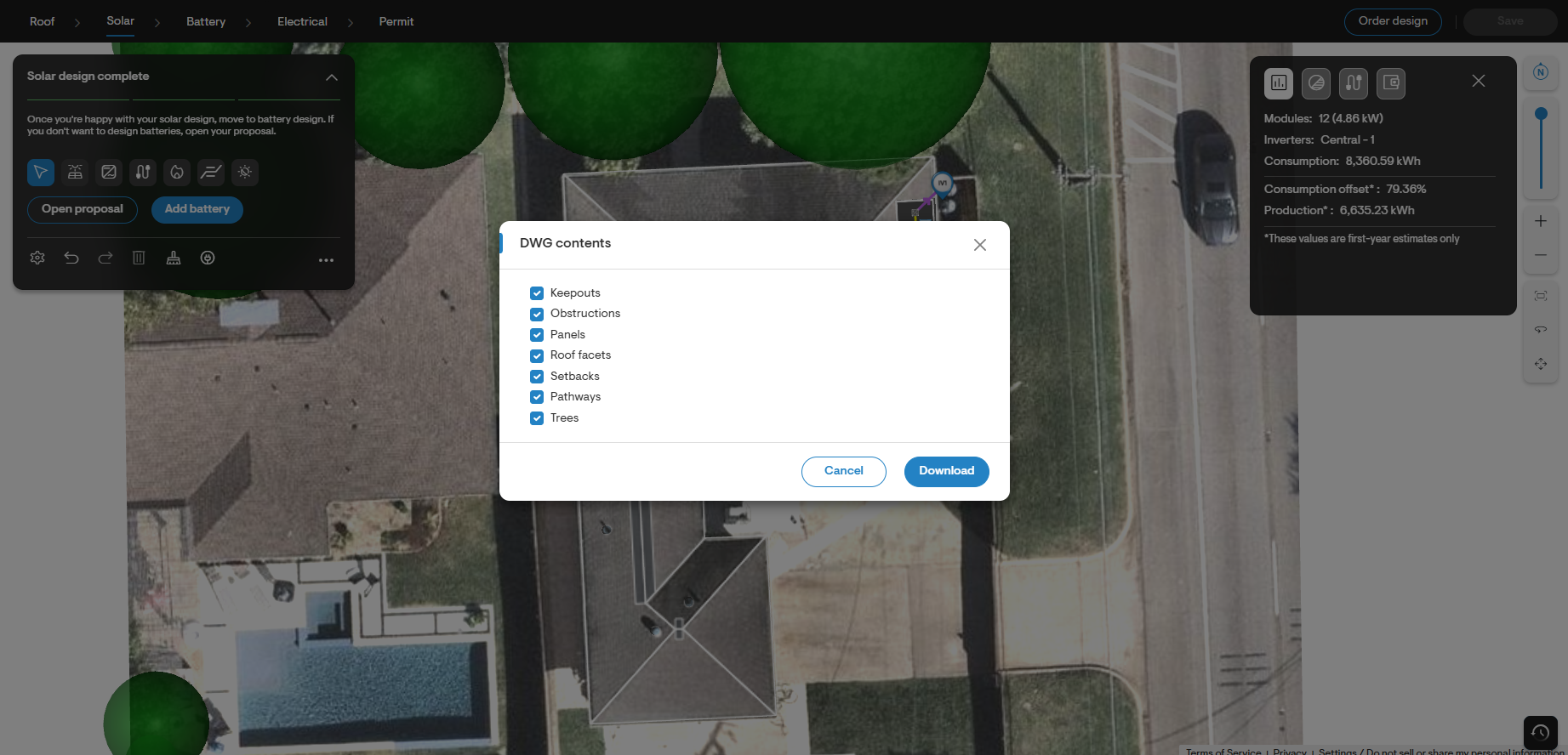
The download will be saved to your computer as a compressed ZIP folder containing your project's DWG file.