Help Center Pricing
How to: Add an SREC
Published on 10 Dec 2021
This guide will walk you through adding a custom Solar Renewable Energy Credit (SREC) incentive to your Solargraf account.
Step 1: Go to the Default Incentives page.
Go to the companySettings and navigate to Pricing.
Open Incentives & rebates and Click Add an Incentive.
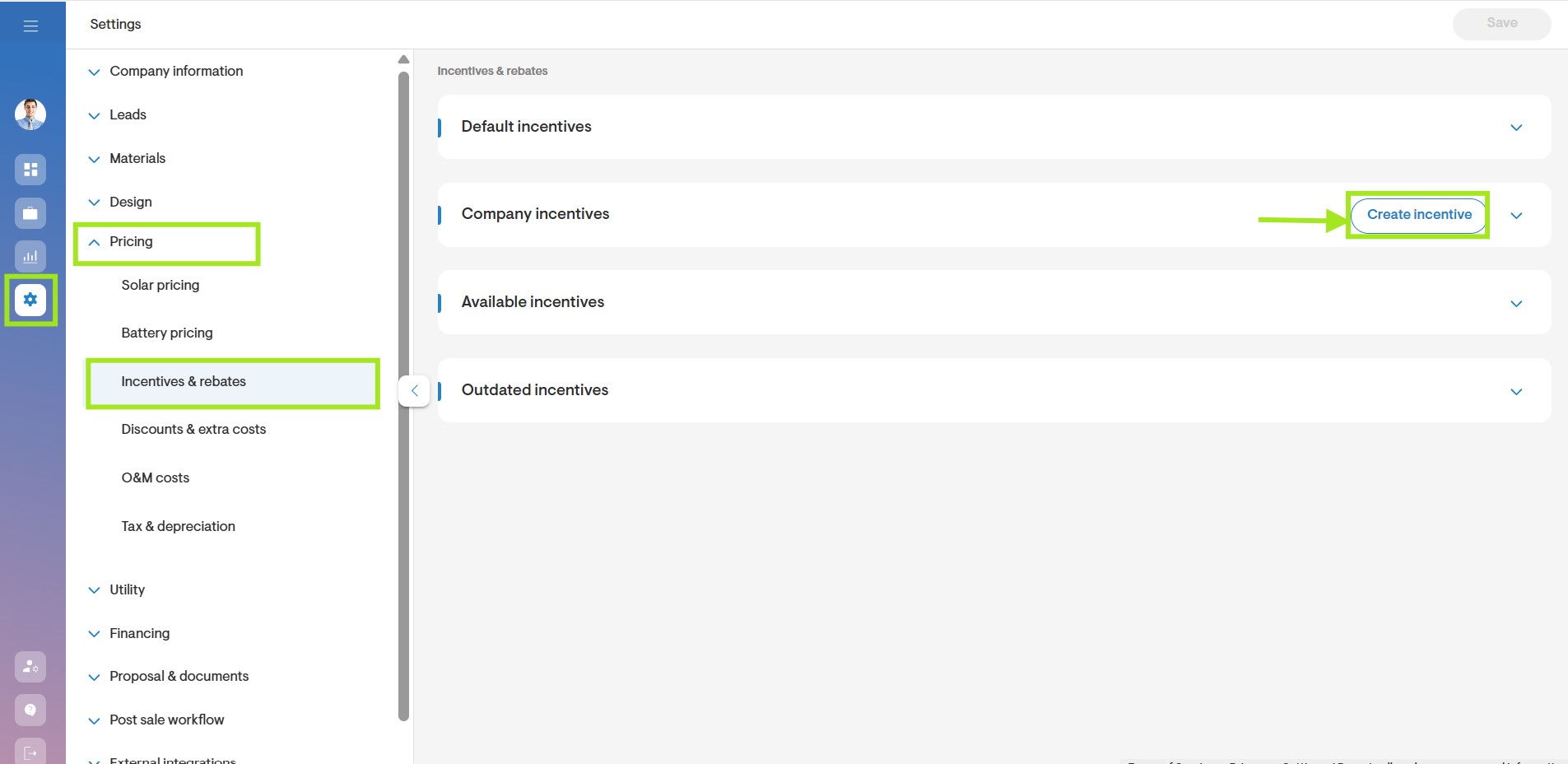
Step 2: Click Add Incentive.
When prompted with 'Is this an SREC?', select 'Yes' in the form.

- Define the Incentive type: Federal, State, Utility, Local or Non-Profit.
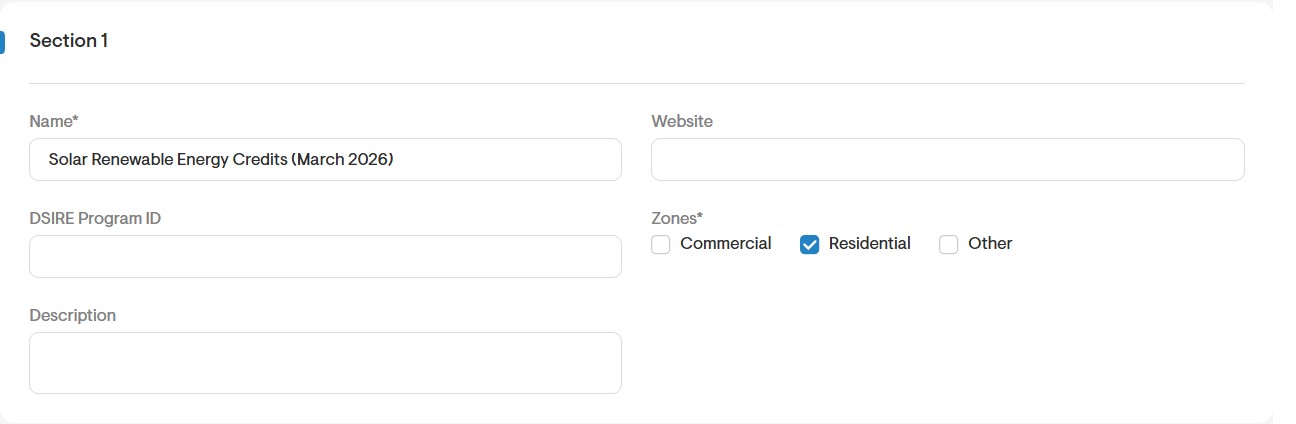
Step 3: Fill in Section 1
Complete the required fields for the SREC.
Name. Enter the correct name for this SREC. If relevant, it's helpful to include information relating to the block or system size to which the rate applies, to ensure that the correct incentive is added to each project.
Zones. Select which types of projects this incentive applies to (Commercial, Residential, or other).
Website. This field is not mandatory, however it can be used to direct clients to more information on the SREC.
Dsire Program ID. Enter the number that appears at the end of the corresponding DSIRE link for this SREC. For example to link to this page, you would enter '5688'. The system will automatically generate the correct link and display it when the incentive is activated.
Description. You can add in a description for the SREC.
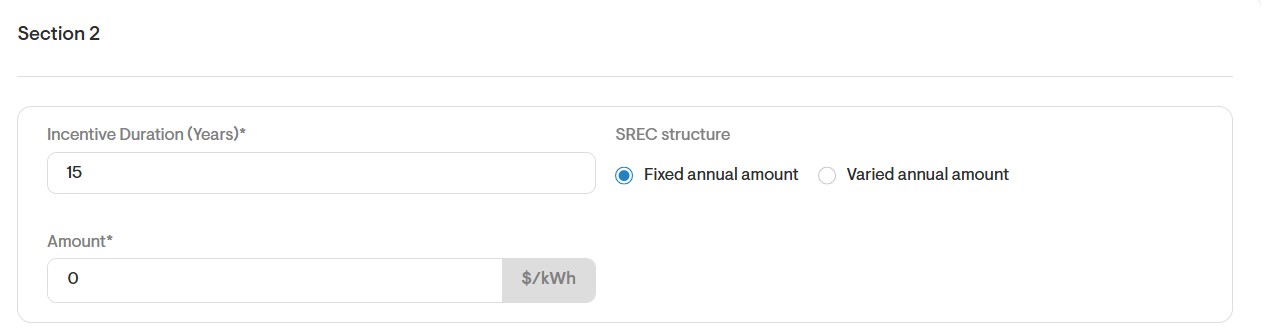
Step 3: Fill in Section 2
- SREC Duration (Years). The length of the SREC will impact the total savings that can be generated from applying this incentive.
- There are two ways to model SRFCS: Fixed Amount or Varied annual amount.
- If you select Fixed Amount, you will be required to enter one $/kWh AC rate for the entire length of the SREC.
- If you select Varied annual amount , you can enter the rates for each individual year.
- Click Add Yearly Amount to enter information for each additional time period.
Step 4: Apply the incentive to your project.
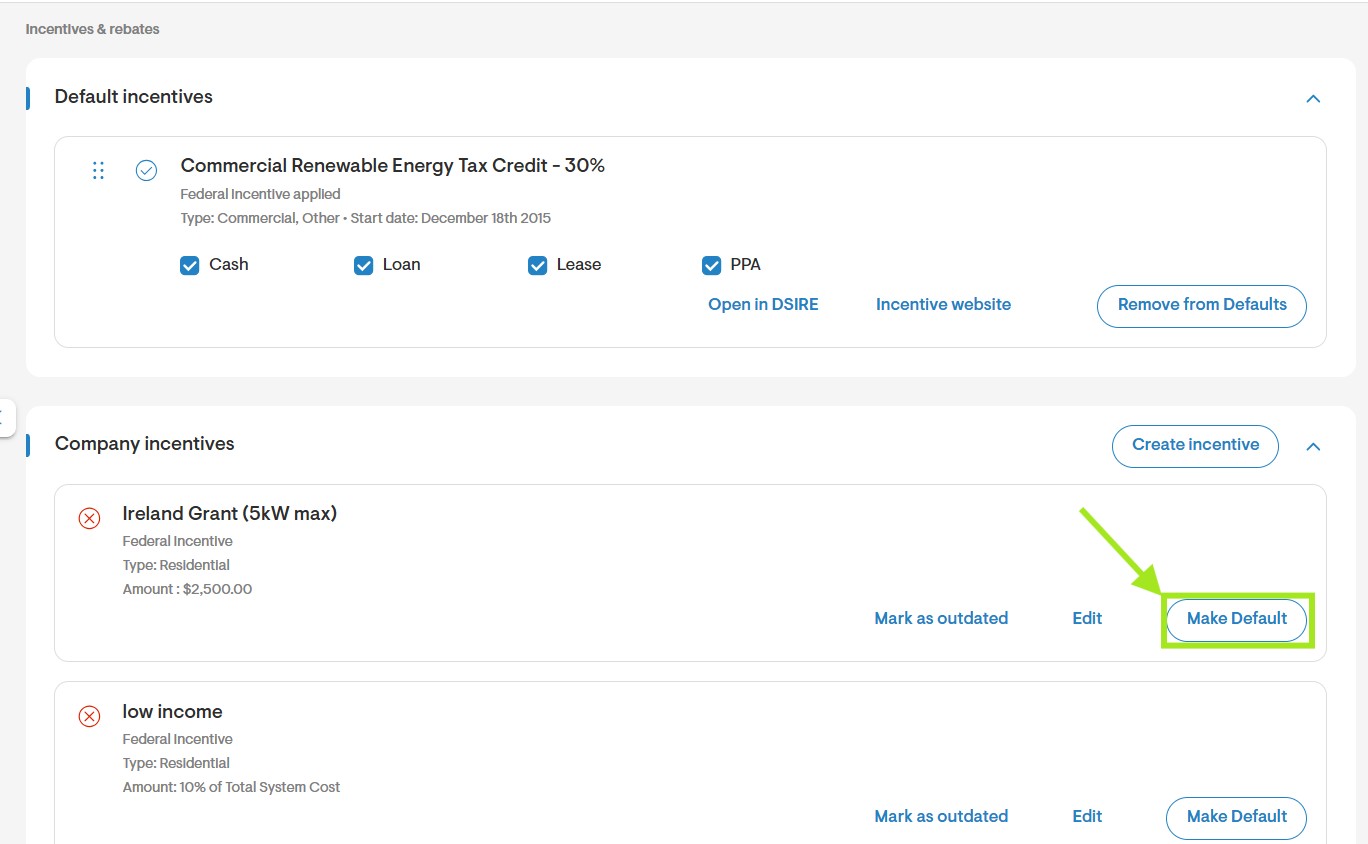
- Once the incentive has been added to your account, you will be able to apply it to all existing and future projects in the relevant state.
- To apply the SREC incentive to a project, go to the project's Overviewpage> Manage Incentives.
- Click Activate to apply the incentive to your project.
- You can choose to activate the Incentive for just this design option or for all design options associated with the project.
If you have any questions on adding an SREC incentive to your account, you are welcome to reach out to our support team at support@solargraf.com.