Help Center Solar Design
Add a Microinverter to your Design
Published on 16 Jun 2023
The following guide provides information on how to add a microinverter to your Solargraf design.
__________________________________________________________________________________________
Add Microinverters
- Once you have drawn your roof and selected the facet you would like to add panels to, you can add microinverters to your design.
- Click into the facet you are adding panels and microinverters to.
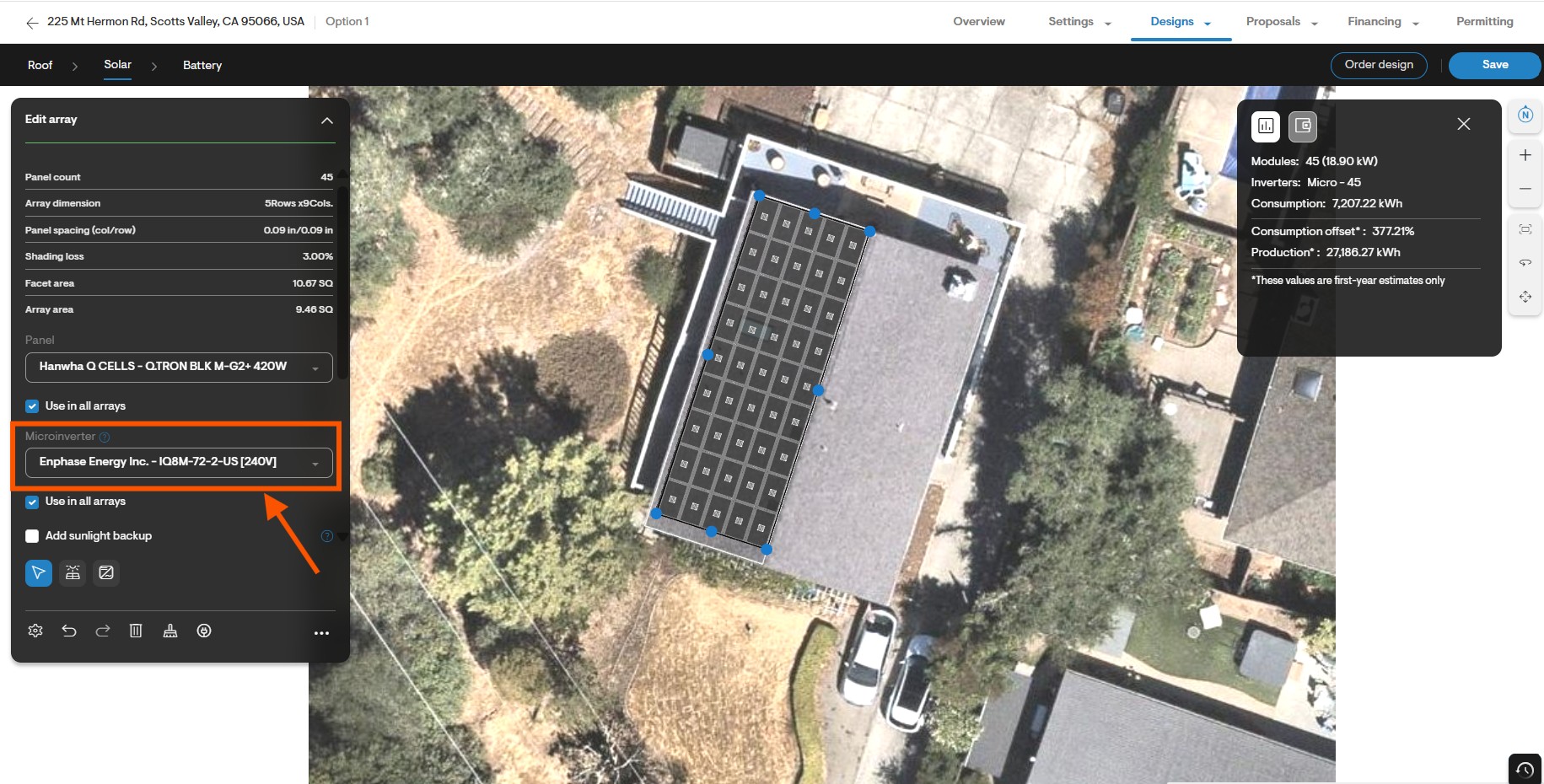
- On the left hand side menu scroll down to the bottom. Add a microinverter under the Microinverter field.
- The number of microinverters added will automatically be populated based on the number of panels in your design.