Help Center Design
Setting Up Fire Setbacks
Published on 10 Mar 2023
The following guide will walk you through adding fire setbacks to your Solargraf account and how to configure the setbacks by state. Please note that Solargraf maintains its own database of AHJs. It's best practice to use this built-in database rather than creating AHJs manually.
Configuring the Fire Setbacks
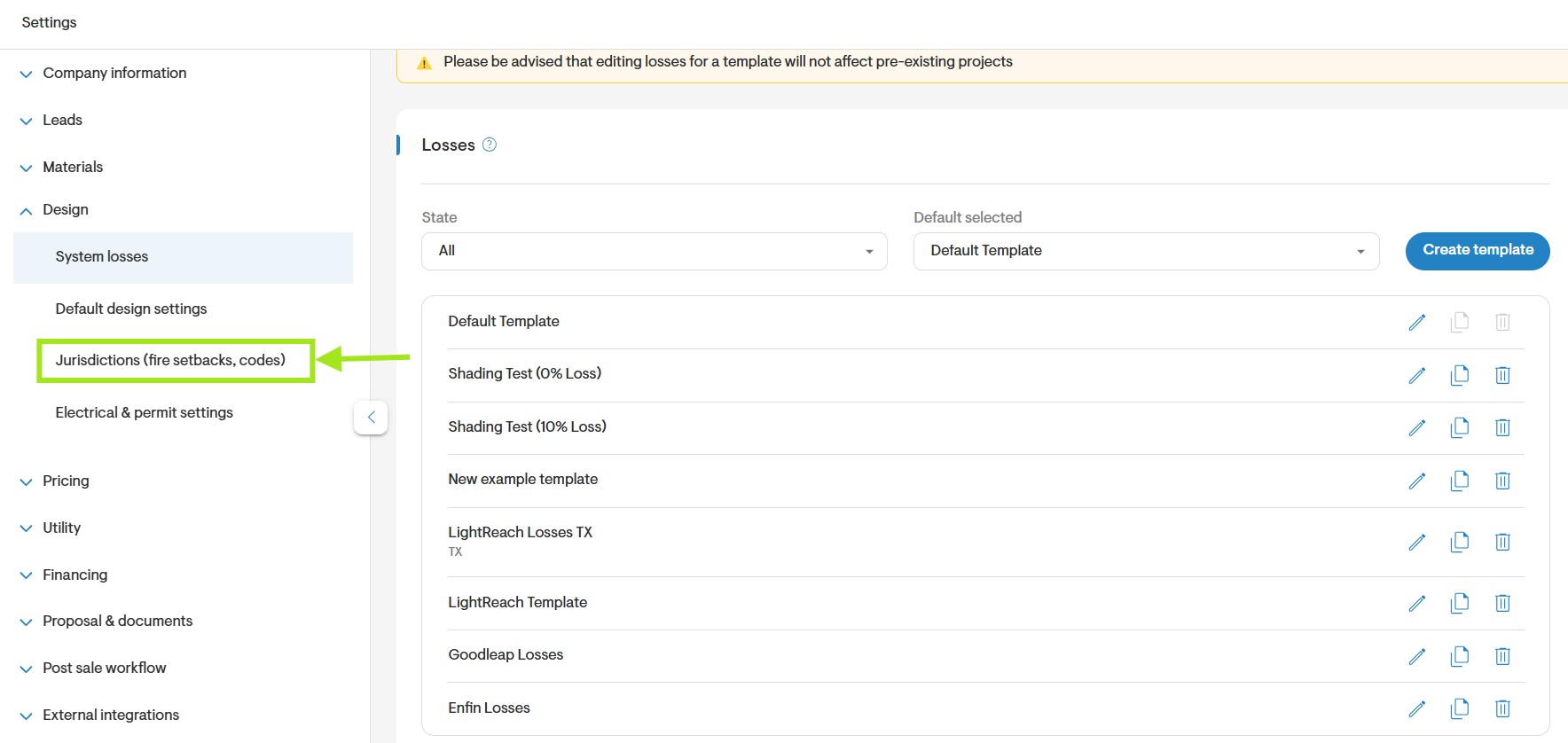
- To get started, navigate to Settings > Design > Jurisdictions (fire setbacks, codes).
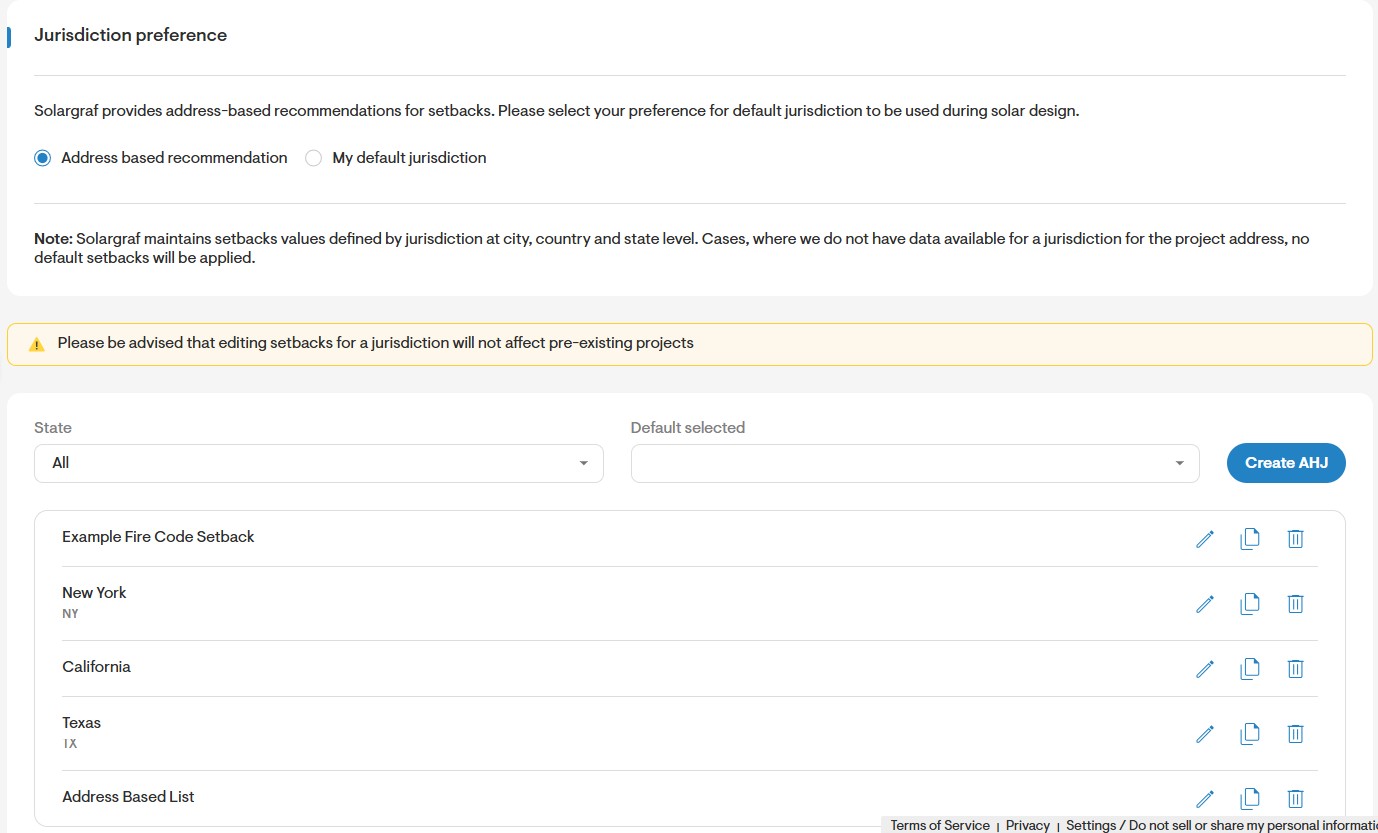
- Next, click on Add New.
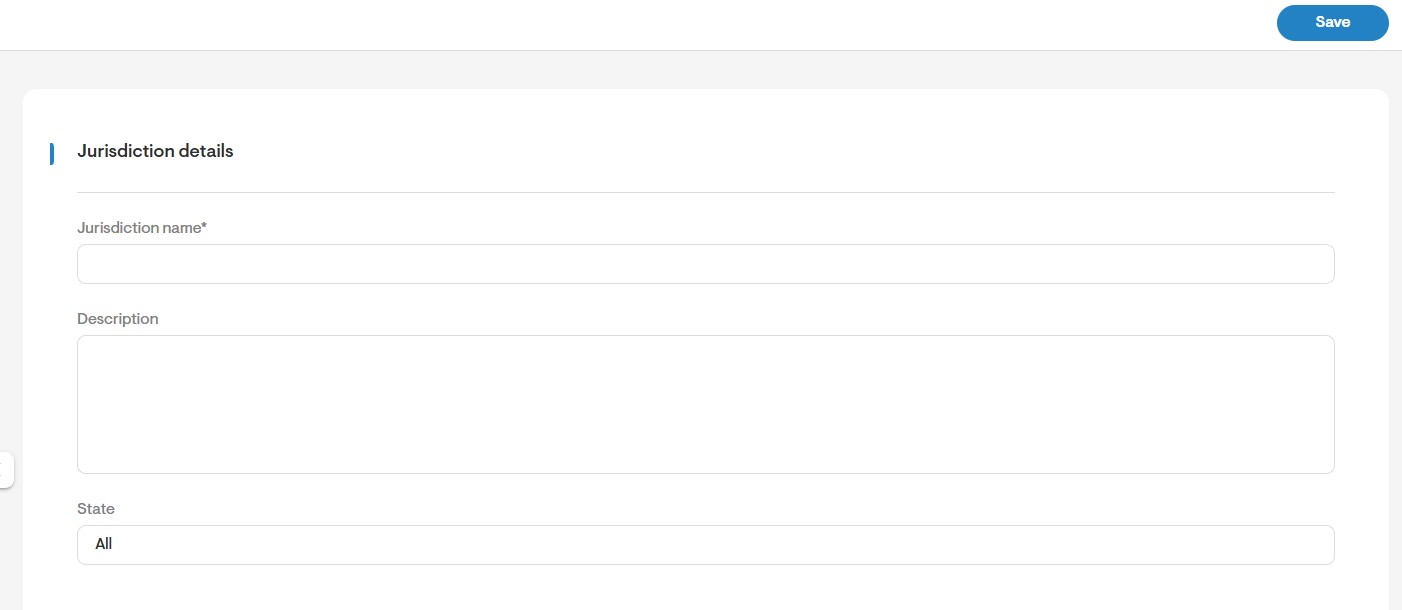
- Enter the Jurisdiction Name and Description, then select the State to which the following setbacks apply. Alternatively, select 'ALL' if the setbacks may apply to all states.
- Next, enter the setbacks for pitched roof facets as well as for flat roof facets. You may define a setback for every edge type of the roof including eaves, ridges, valleys/hips, rakes, and around obstructions. You may also define a default value for the setback, which will be applied if there is no setback defined for the specific roof edge.
- When defining the setback for the ridge, you may define a value for when more than 33% of the roof is covered by panels, as well as when less than 33% of the roof is covered.
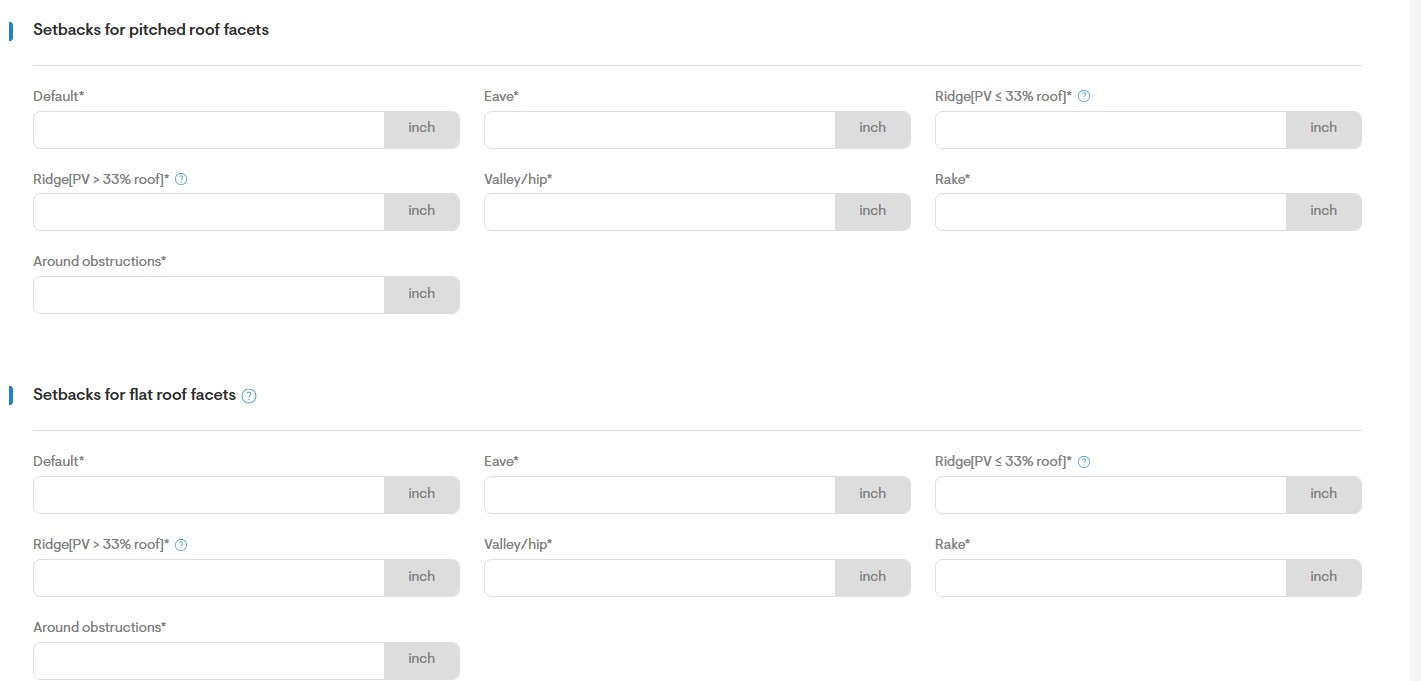
- You may also choose not to apply setbacks to rakes that are connected to a ridge.

- Finally, select the Governing Codes for the defined setbacks.
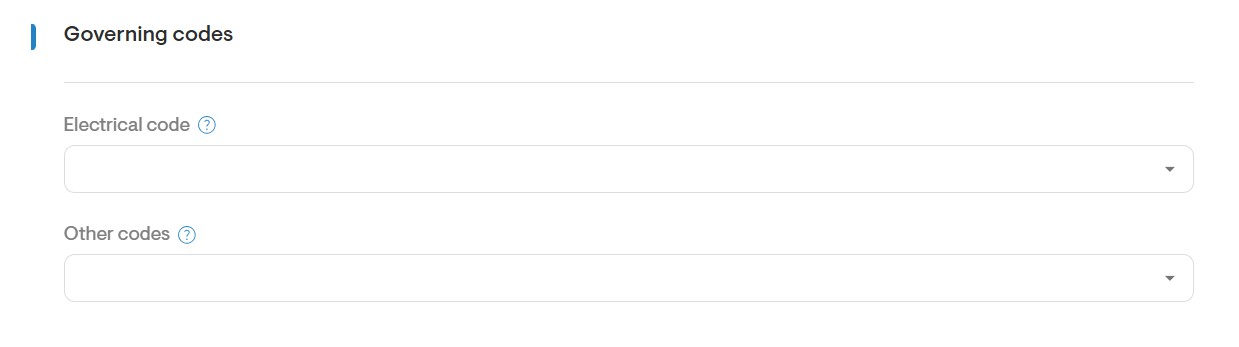
- Once all fields have been completed, click the Save icon on the top right of the page.
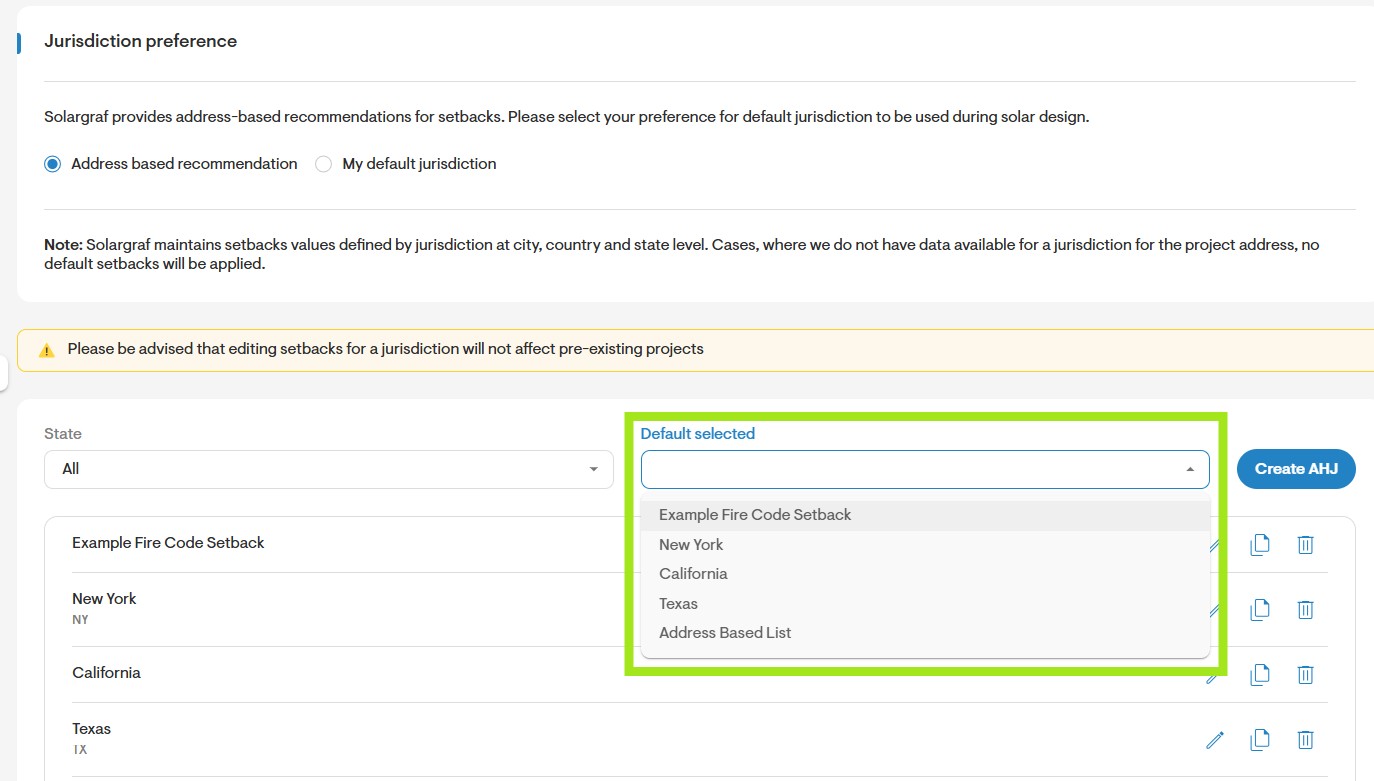
- To define a default fire setback select it from the field shown below.
Applying the Fire Setbacks to your Design
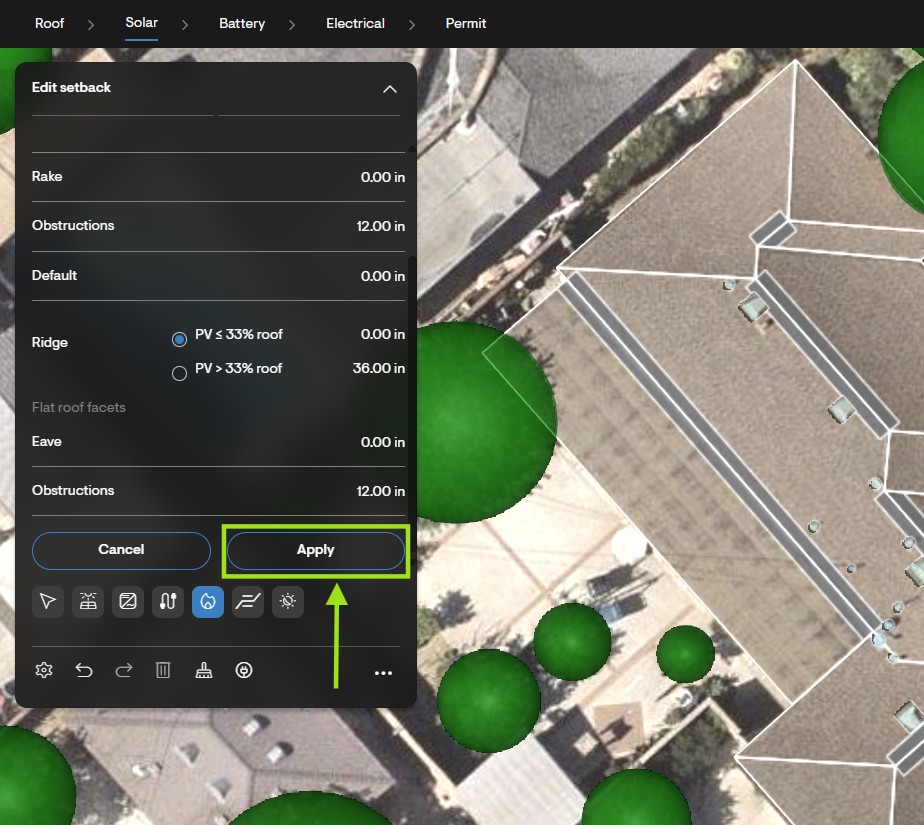
Once the fire setbacks are configured under the company Settings, they may be applied to your drawing. They can be applied after the panels have been added to your drawing.
- To get started, on the Solar tab, click the Fire Setbacks (F) tool.
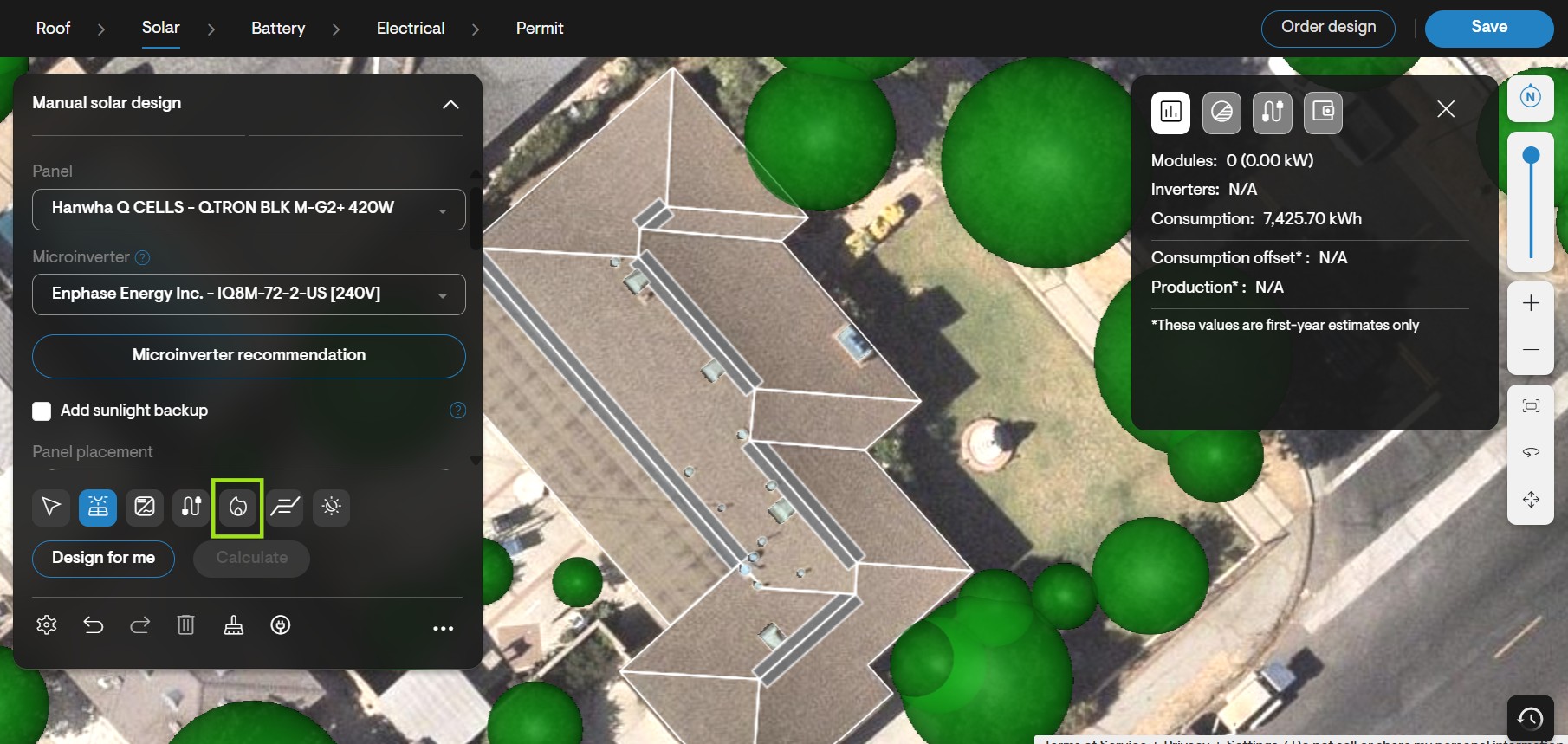
- Under Jurisdiction, select the setback applicable to your design from the jurisdiction drop-down.
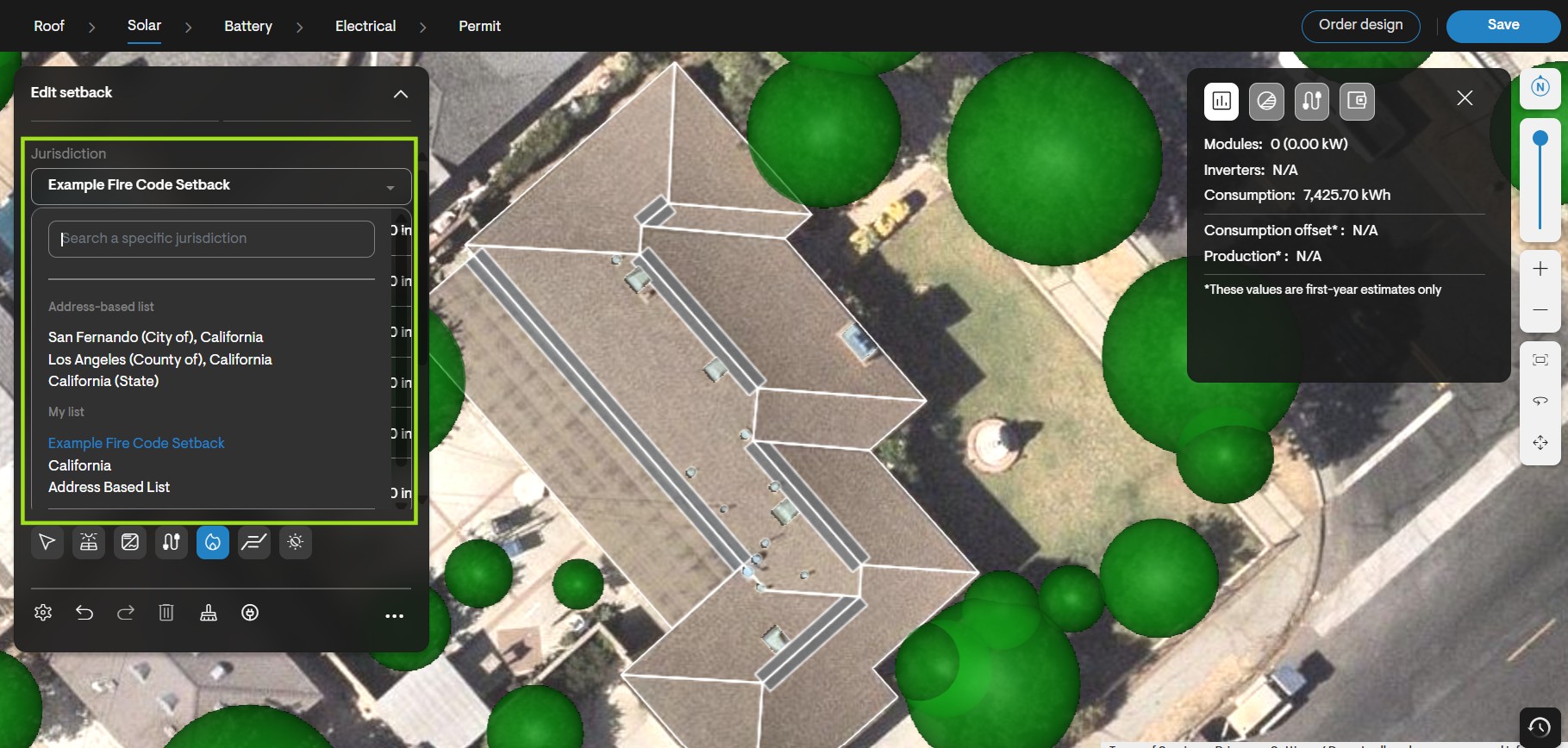
- Finally, click Apply to apply the selected setbacks to your design.