Help Center Materials
Pairing panels with a default microinverter in Solargraf
Published on 24 Mar 2026
Solargraf now allows installers to pair any solar module with a default microinverter. When a module has a default microinverter defined, Solargraf will automatically pre-select that microinverter in future designs. This ensures faster workflows, consistent system design, and reduced risk of incompatible equipment pairings.
Why this feature matters
1. Faster, more efficient design workflows: When a designer selects a panel in the design tool, Solargraf automatically selects its paired microinverter, removing the need for the user to manually change the microinverter selection, where they change the panel selection.
2. Improved accuracy and reduced risk: Pairing modules with a default microinverter helps prevent using incompatible pairings, ensuring correct DC:AC ratios and proper electrical support.
How to pair a panel with a default microinverter
Step 1: Navigate to materials settings
Go to Settings → Materials. In the Panels tab, select the module you want to pair.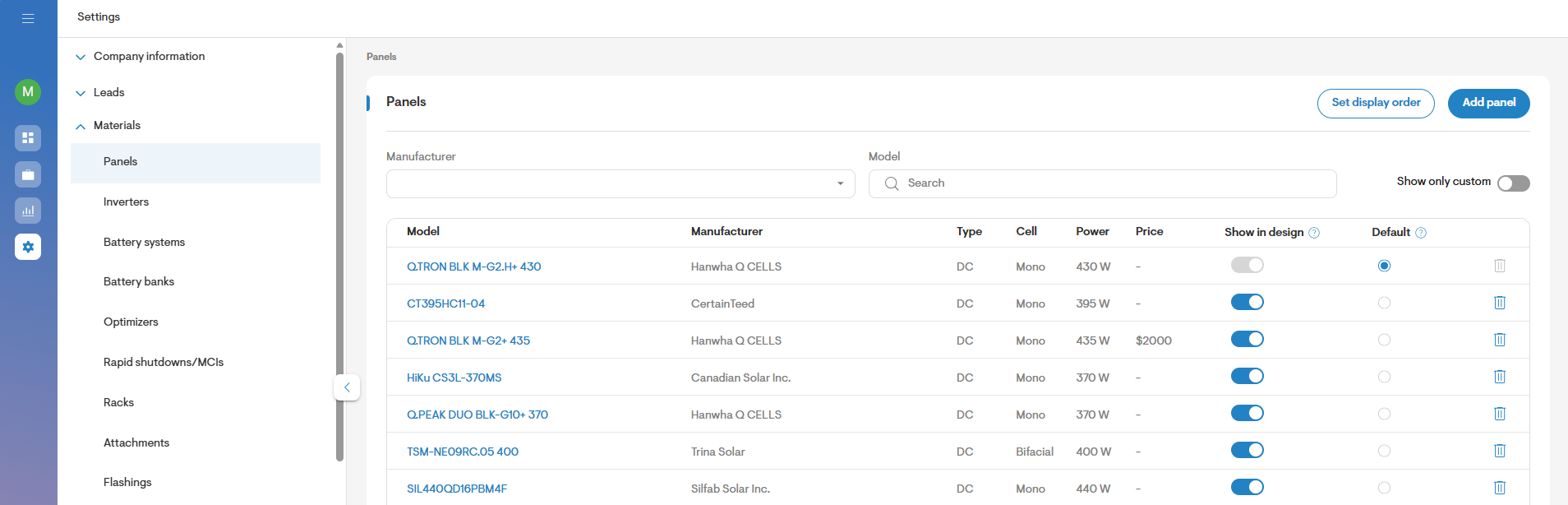
Step 2: Assign the default microinverter
Use the Default inverter field at the top of the panel settings page to choose a microinverter. Save your changes.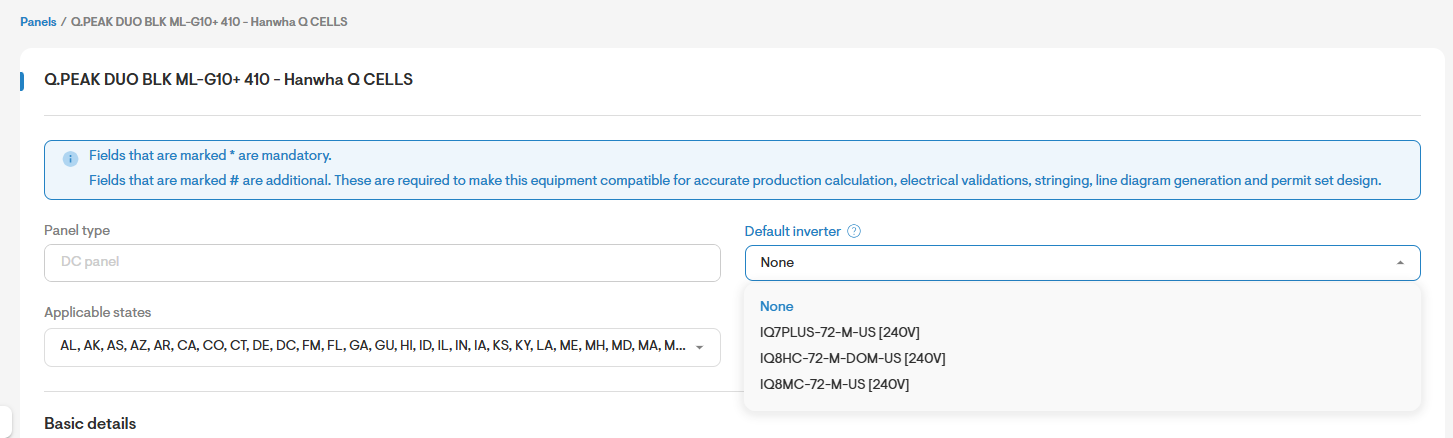
Step 3: Automatic selection across all projects
Once saved, Solargraf will apply the pairing for new and existing designs across all users in your company.
Summary
Pairing modules with default microinverters helps teams maintain accurate, efficient, and professional solar designs.