Help Center External Integration
Docusign: Troubleshooting
Published on 1 Feb 2023
The following guide provides some troubleshooting tips related to the Docusign integration on your Solargraf account.
Reconnecting your Docusign account
Some Docusign issues may be resolved by disconnecting the integration with your Solargraf account and then reconnecting it.
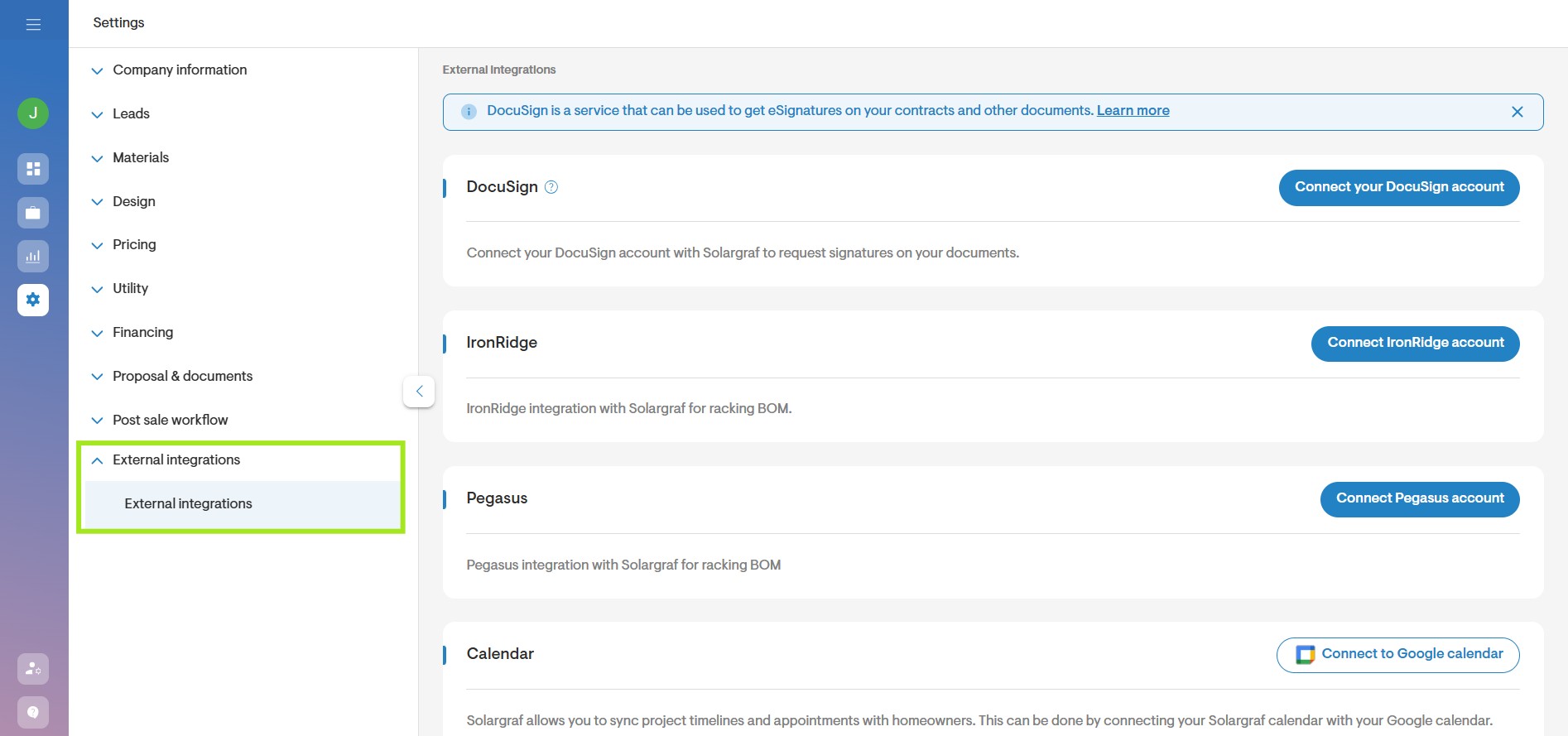
- To get started, go to your company's Settings and click on the External integrations option.
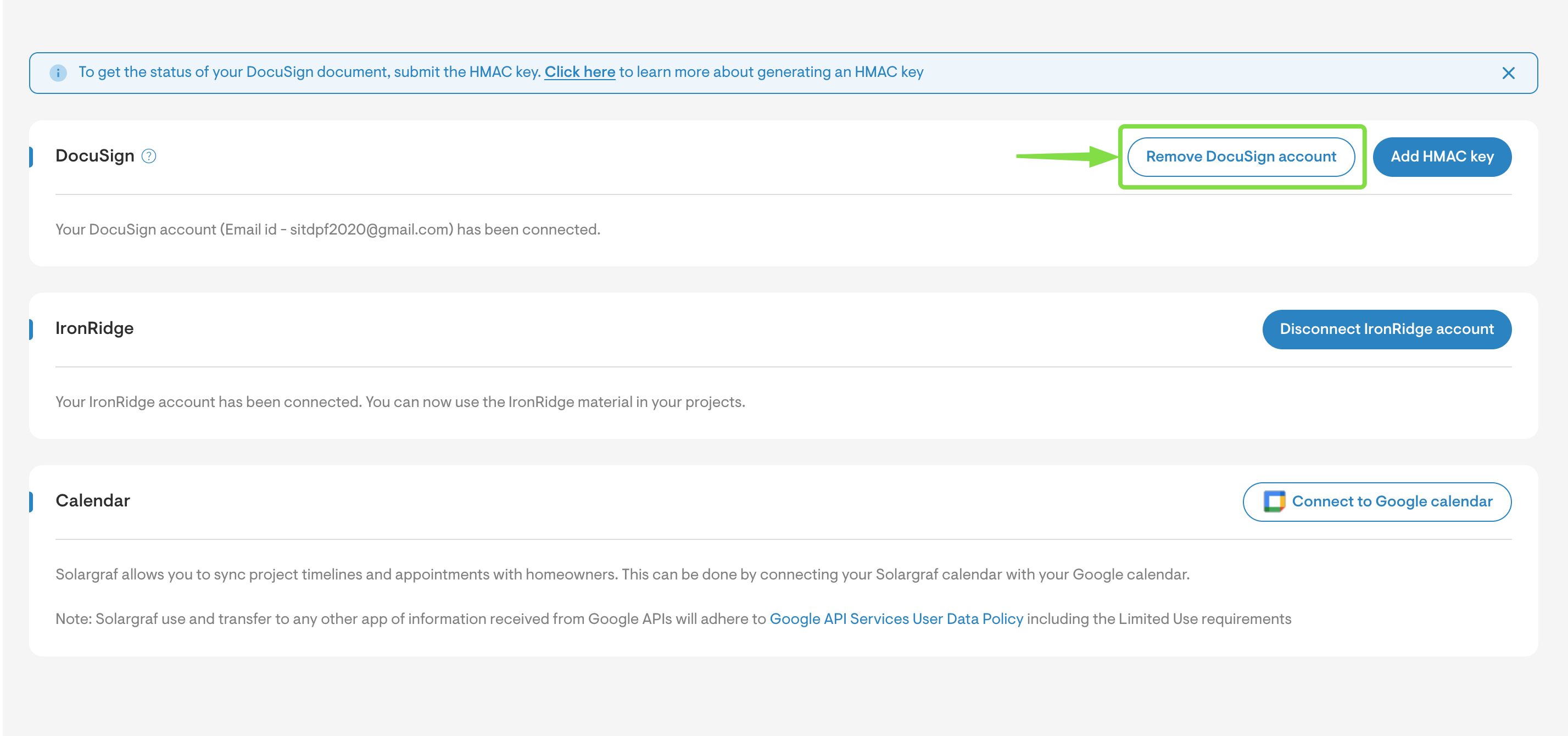
- Click the Remove Docusign account button to temporarily disconnect the integration.
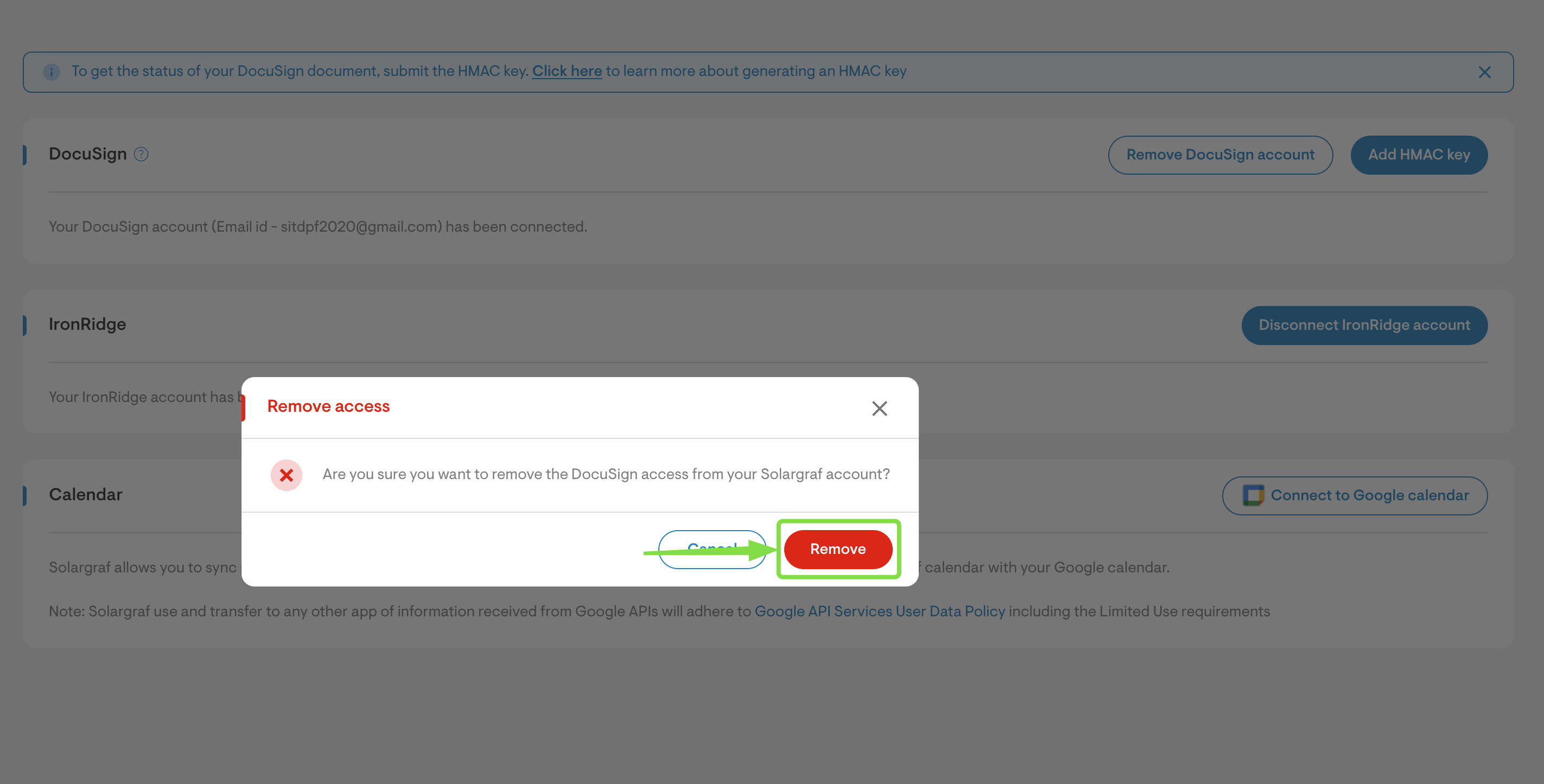
- In the dialog box that appears, click the Remove button to confirm your choice.
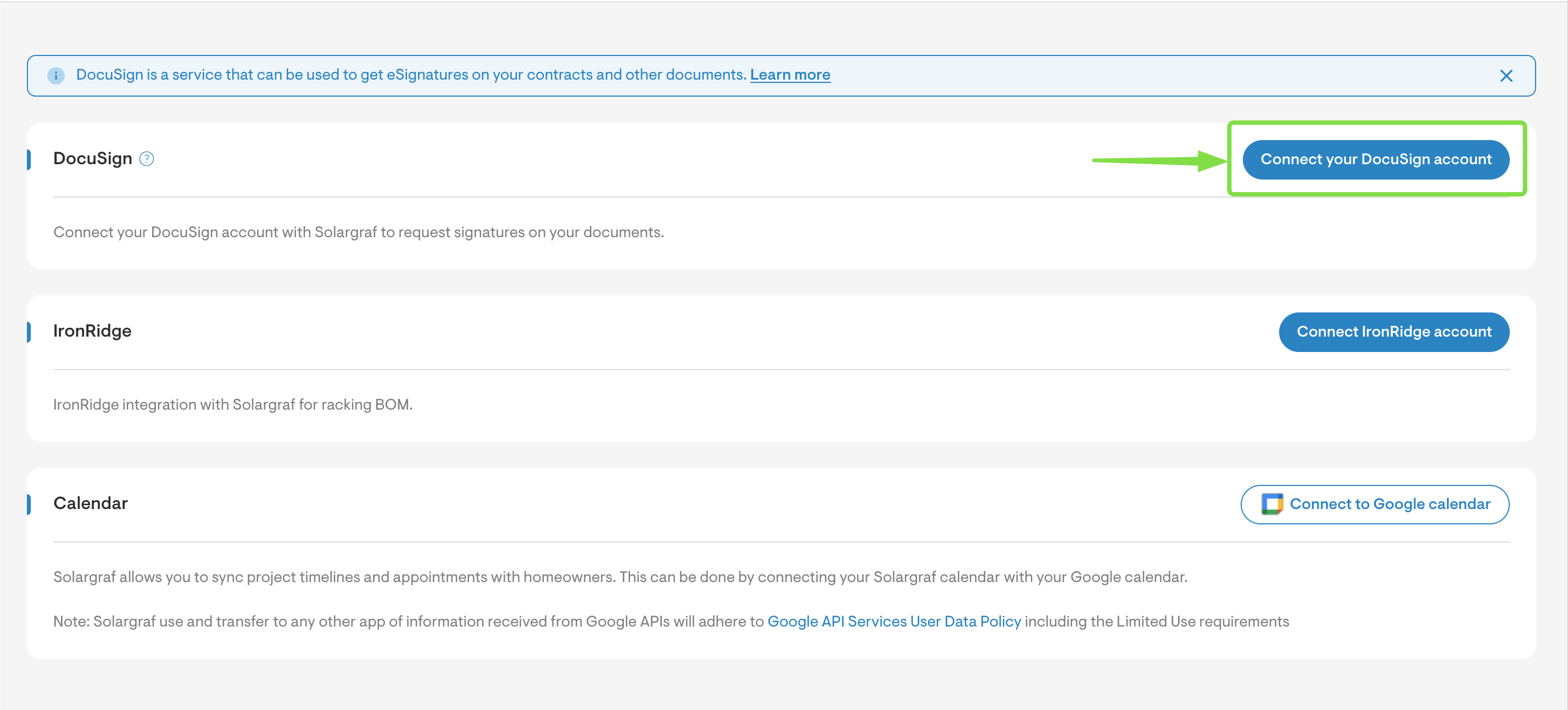
- Next, click the Connect your Docusign account button to re-establish the connection. For more informaton on how to sign in, see Docusign: How to Connect Your Account.