Help Center Open API
Solargraf API Integration Guide
Published on 6 Jul 2023
Note:Solargraf API integration is a self-service feature.
Requirements
- Solargraf Enterprise subscription
- Developer or IT lead
- Defined integration goals
Resources
All API endpoints are detailed in Solargraf API Documentation.
Getting started
- Start by navigating to your user profile.
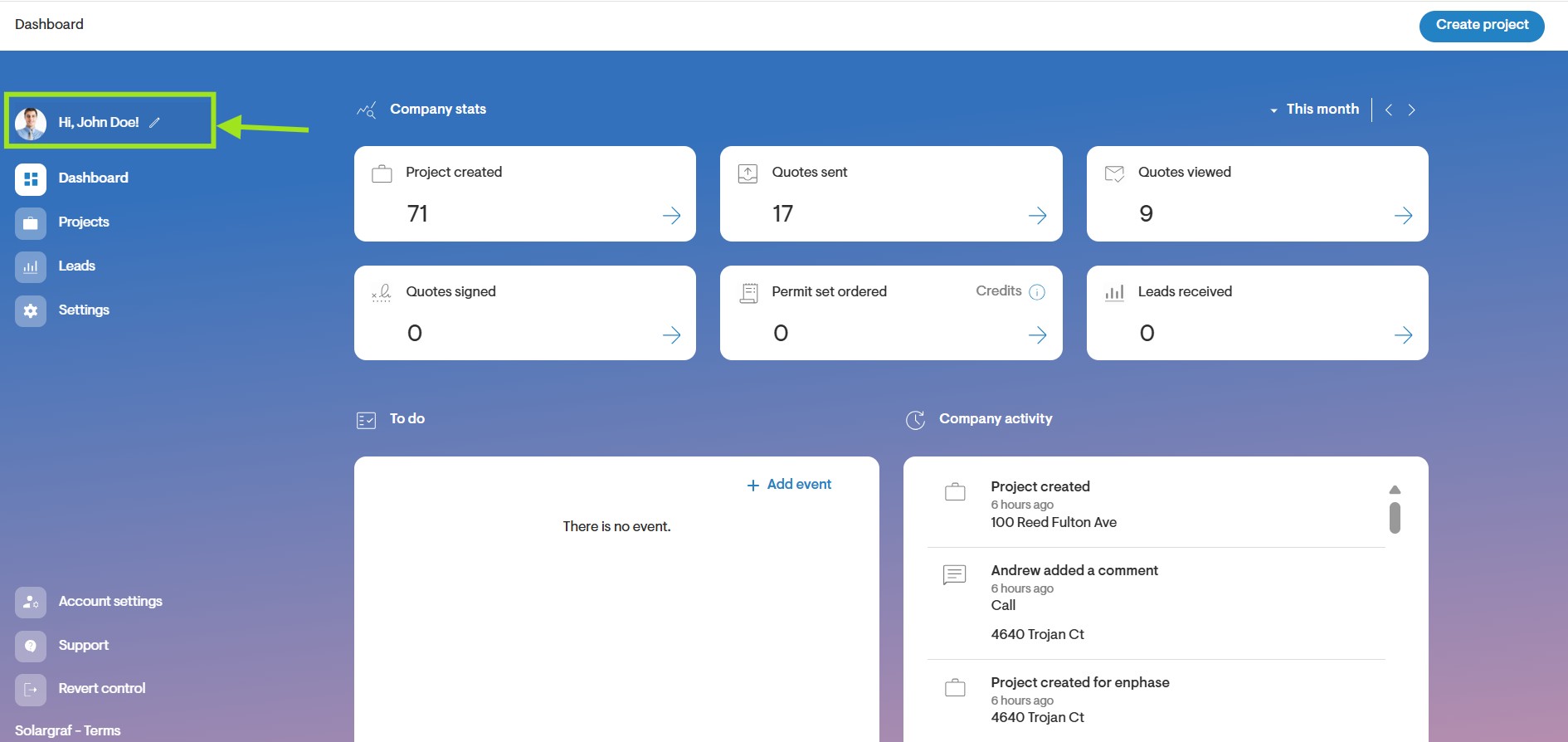
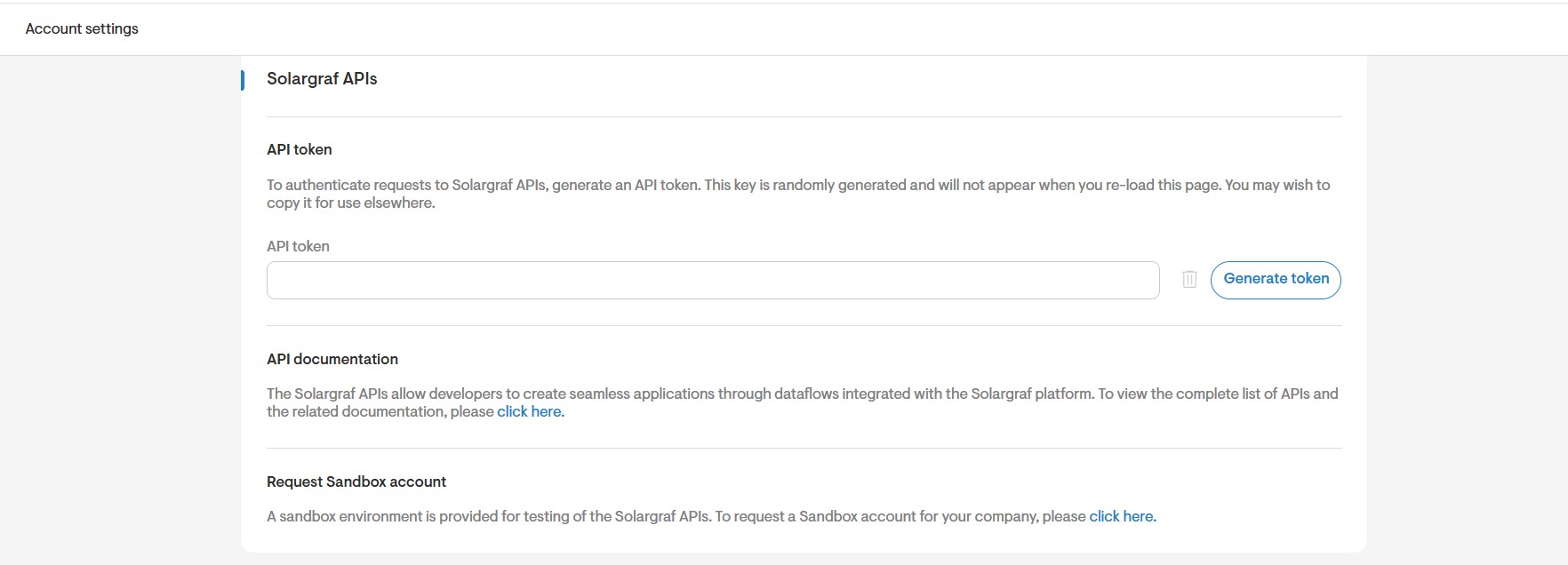
- Next, scroll down to the Solargraf APIs section heading, where you will be able to:
- Generate an API token
- Access documentation
- Request a Sandbox account
- View services and service IDs
Next steps
- Once you have received Sandbox access and an API key, begin by testing endpoints for connectivity with a tool such as Postman.
- Build your CRM integration based on your business needs and test it thoroughly within the Sandbox environment.
- When everything is working as expected, switch to your production account, generate a new production API key, and repeat your tests to confirm stability.
- Once validated, you are ready to launch your integration and begin using it in your live environment.
If you have any questions or requests for feature enhancements regarding the Solargraf API, please reach out to your Partner Success Manager at accounts@solargraf.com.