Help Center NEM
Setting a NEM 3.0 Utility
Published on 31 Jan 2023
The following guide provides some information on the NEM 3.0 utility modeling on Solargraf.
Setting the Grid Connection Type
To setup an NEM 3.0 grid connection type, go to the Utility Settings page of your Solargraf project.
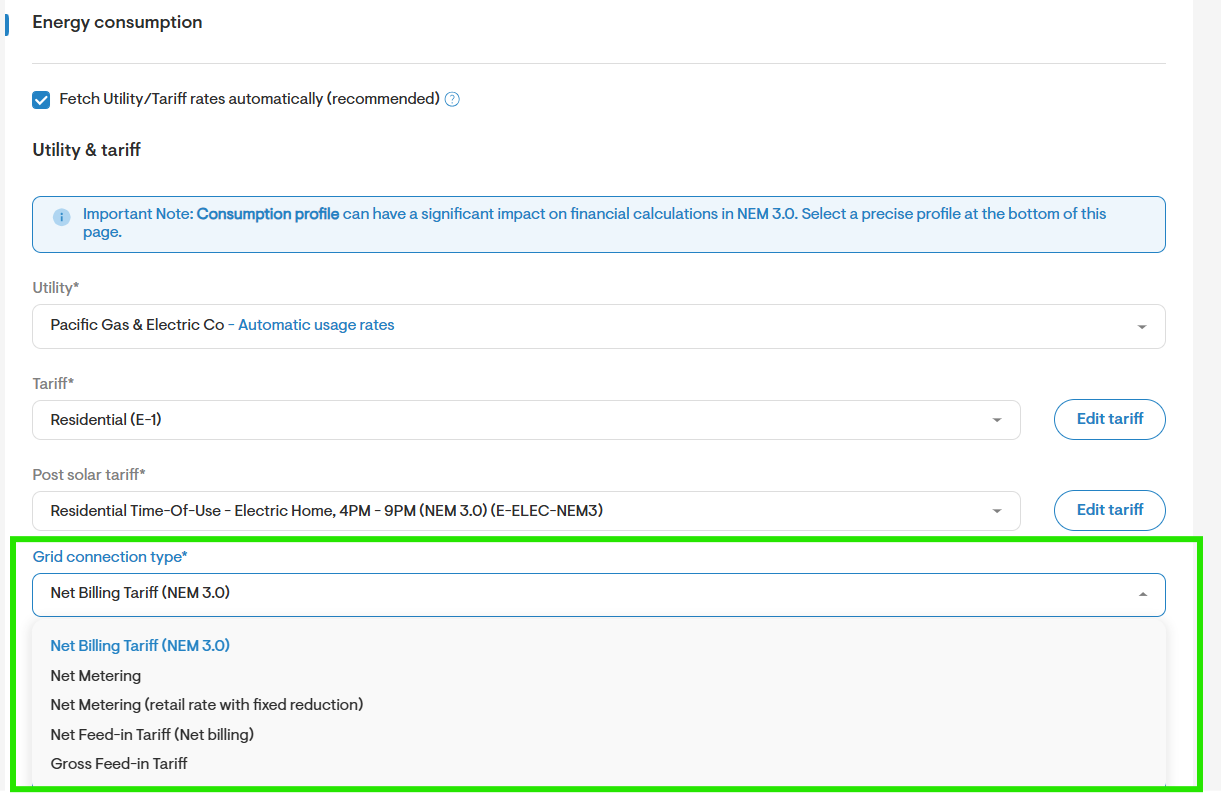
Select a Net Billing Tariff (NEM 3.0) as the grid connection type.
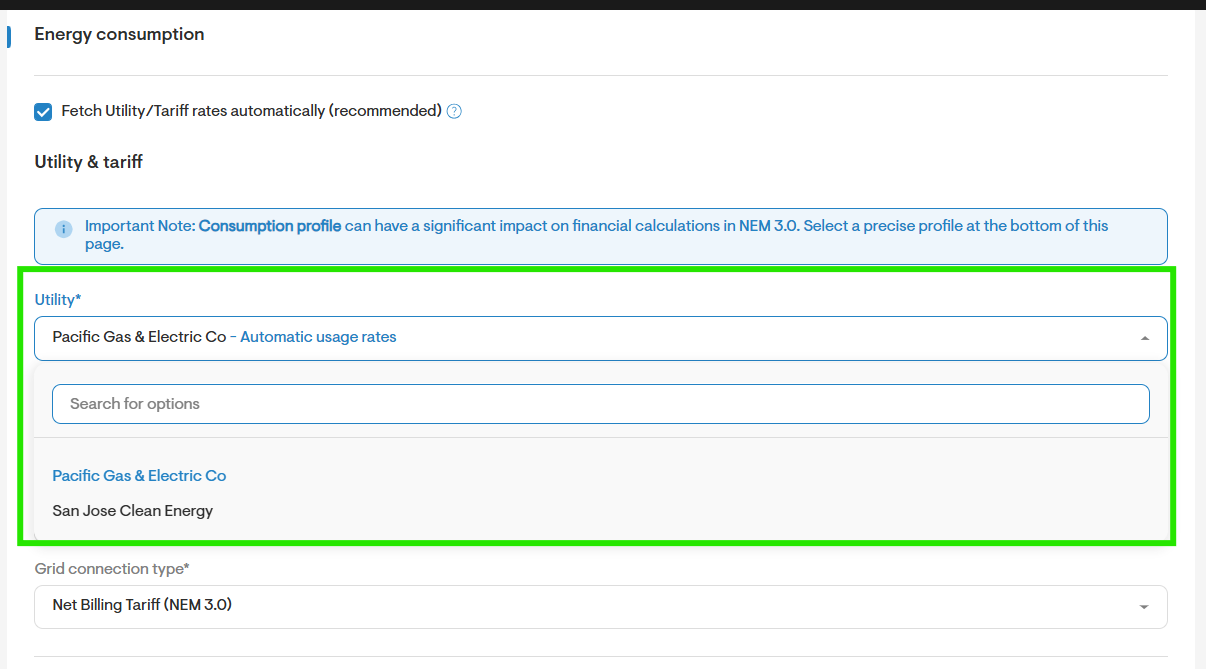
Select the appropriate Utility from the dropdown menu or use the search field to find the desired option.
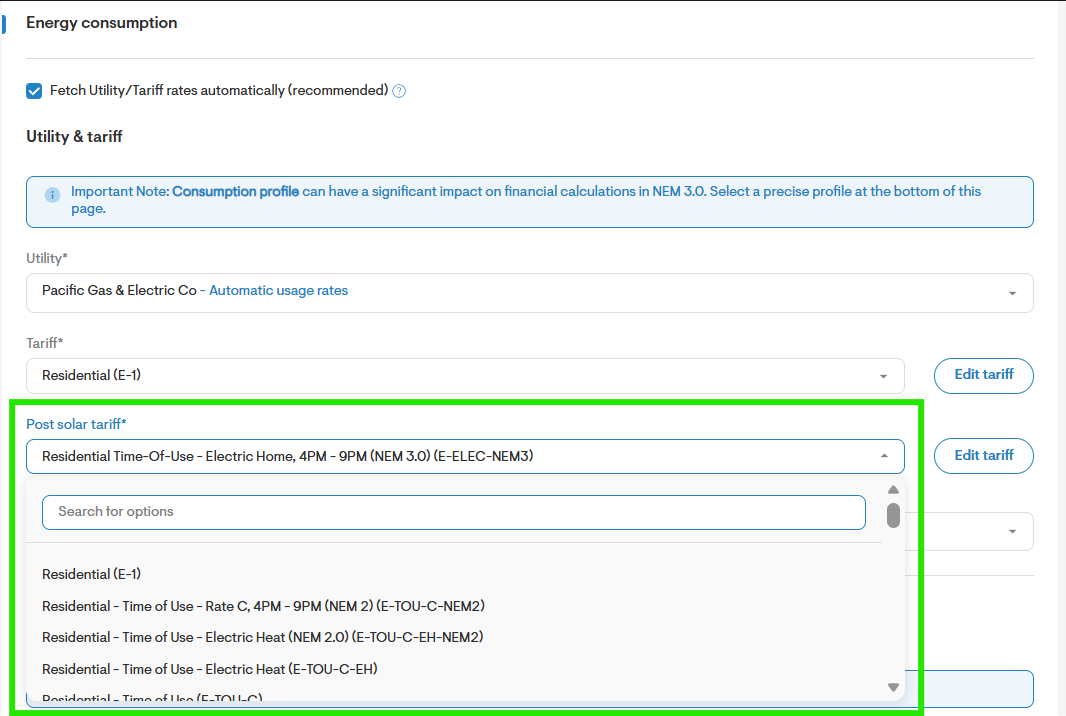
Select the appropriate Post solar tariff as seen below.
You will also need to indicate whether this project is for a Low Income Customer.
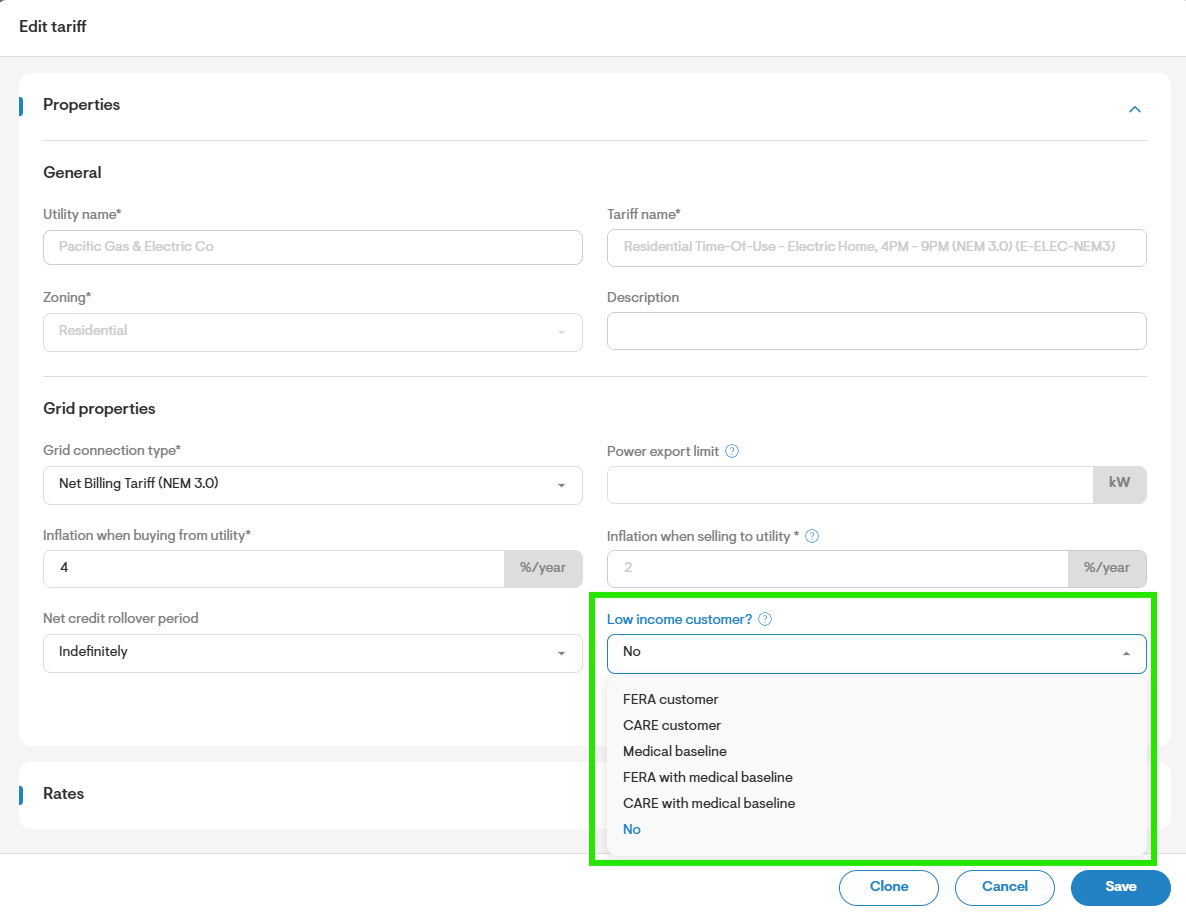
Note: You will notice that the inflation percentage when selling to utility is fixed at 4% for NEM 3.0 grid connection types.
Proceed with Utility Configuration: Continue configuring your utility by entering Electricity bills & consumption details and setting up the Consumption profile as seen here. Remember to save your changes.
Supported Utilities
The following is a list of the supported utilities that can be modeled using the NEM 3.0 grid connection type. All utilities are located in California:
Pacific Gas & Electric Co
San Diego Gas & Electric Co
Southern California Edison Co
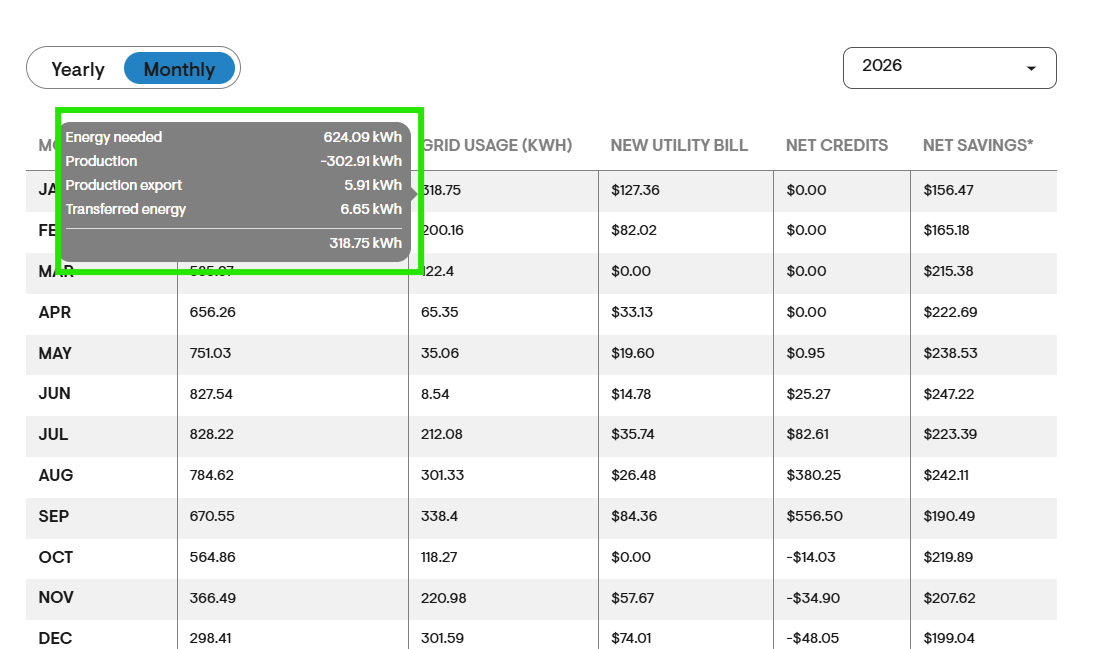
Monthly Breakdown
Under the Monthly Breakdown section, under the Grid Usage (kWh) column, you will be able to see the Energy Needed, Production, Production Export for each month.
To learn more about NEM 3 calculations click here.