Help Center Utility
How To Upload CSV For Custom Hourly Usage Rates
Published on 13 Jul 2026
Solargraf now allows users to update custom hourly usage rates via CSV upload.This guide outlines how to do so.
This is applicable only for projects where automatic usage rates (fetched from Genability)are not used.
Steps to upload hourly usage rates
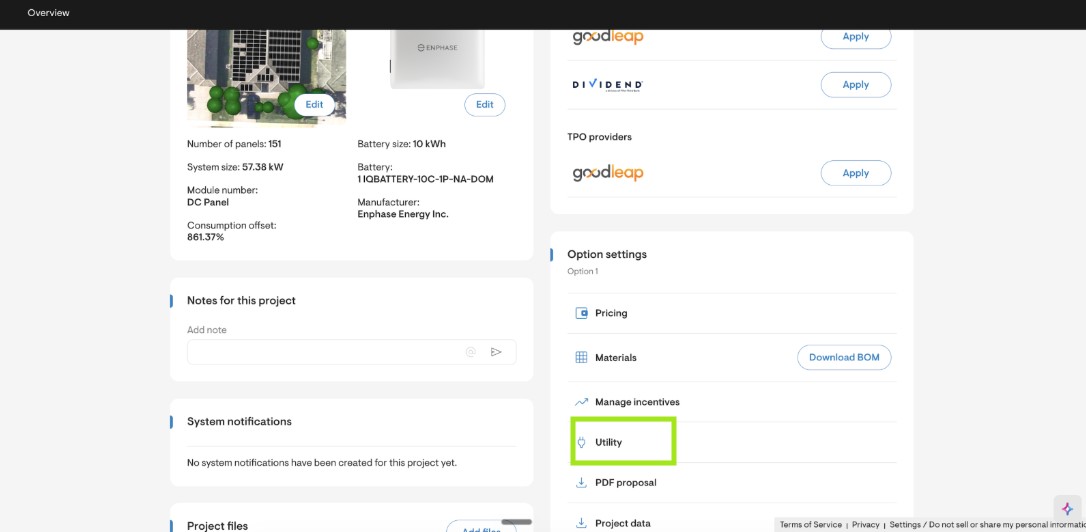
Go to Project Overview > Utility
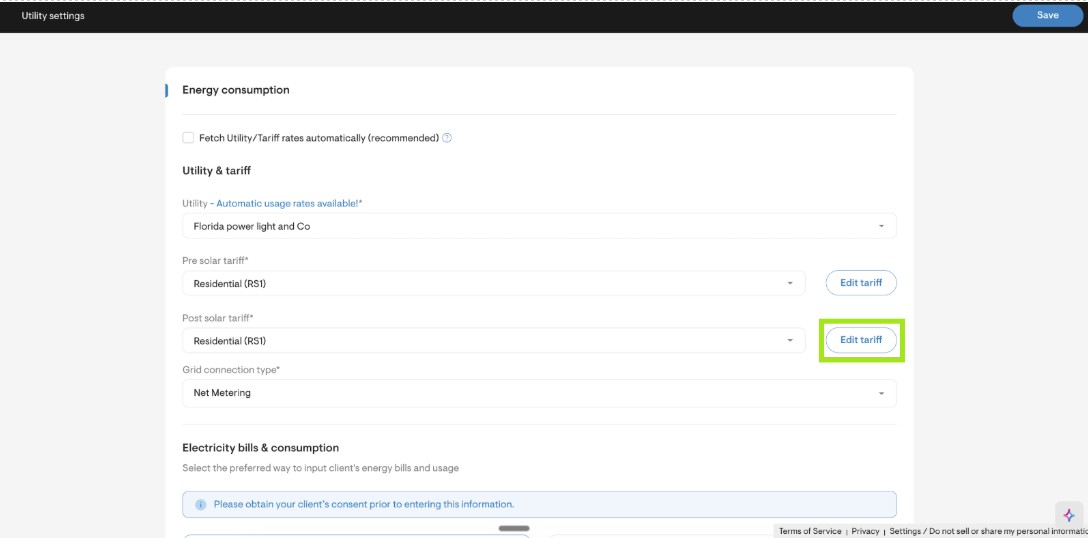
Click on the Edit Tariff button for either the pre-solar tariff or the post-solar tariff
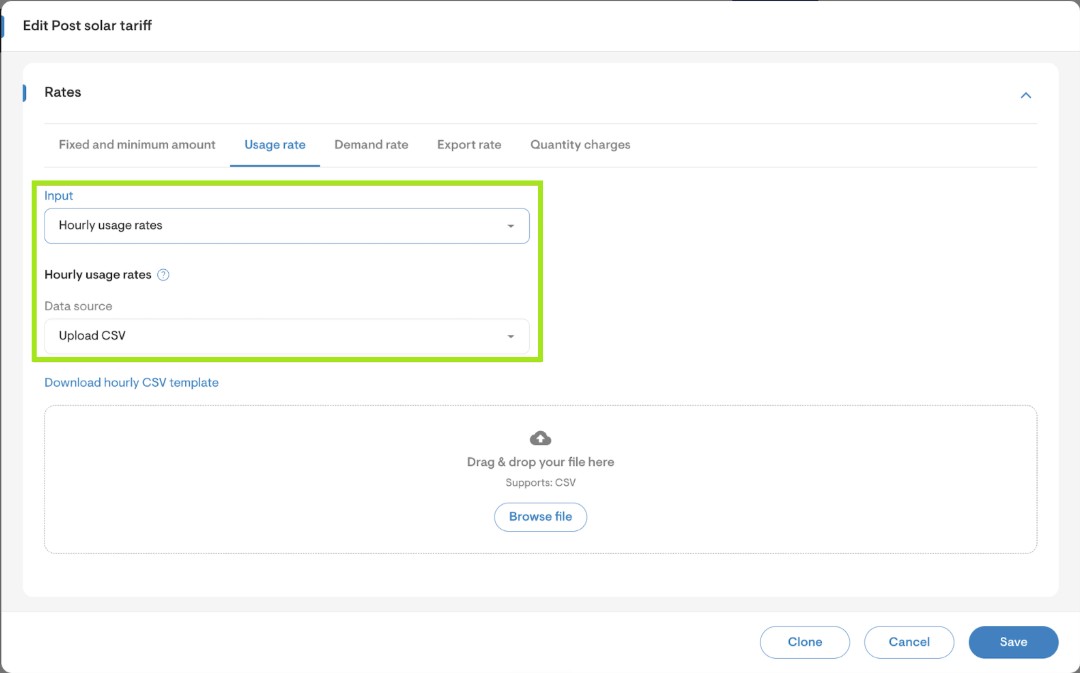
Under the Rates section, go to the Usage rate tab
Select Hourly usage rate from the Input dropdown
Select Upload CSV from the Data source dropdown
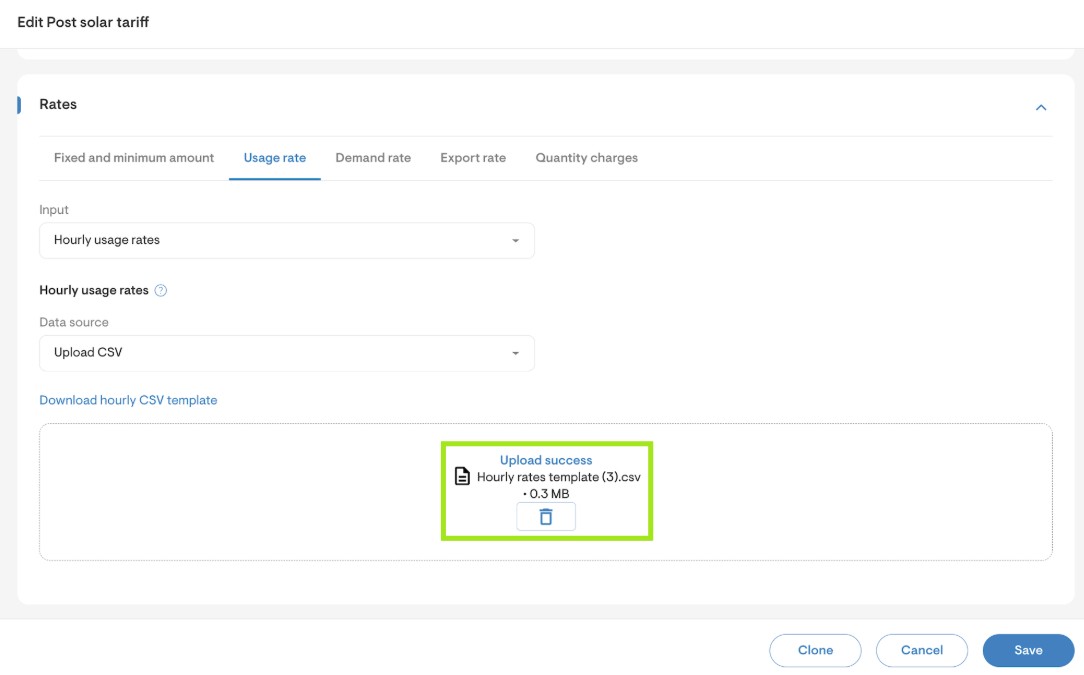
Upload a CSV file containing the homeowner’s hourly usage rates and click Save