Help Center Utility
Custom bills or usage input option for custom tariffs
Published on 20 Aug 2026
Solargraf now supports manual electricity input for projects that do not use automatic utility rate retrieval through Genability. You can enter custom bills or consumption data directly, ensuring proposals accurately reflect real-world electricity costs when a Genability-supported rate is not in place.
Using custom bills or usage as an input option
Note that manual input using custom bills or usage is already available for projects using automatic usage rates (Genability).
1. For projects that do not use automatic usage rates, uncheck the box for fetching utility or tariff rates automatically.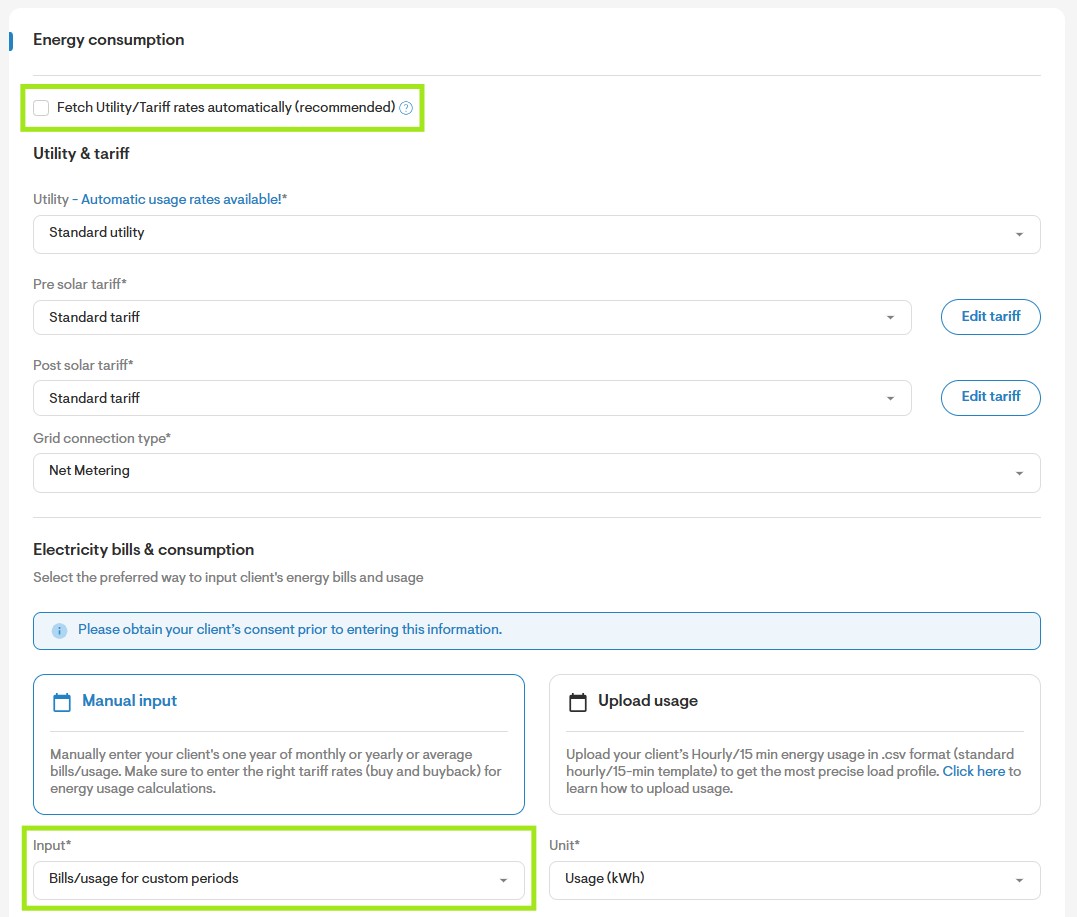
2. In the Electricity bills and consumption section, select Manual input, then select Bills/Usage for custom periods.
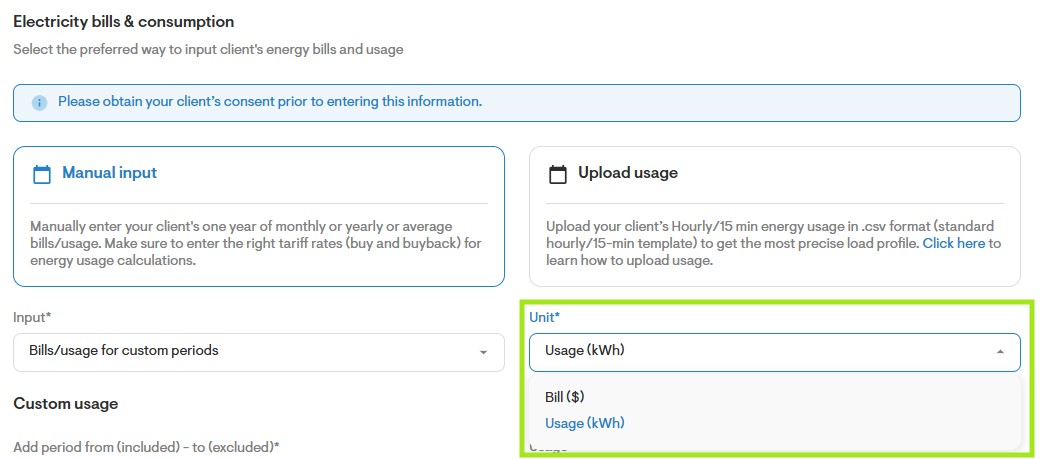
3. Change the unit type between Usage (kWh) or Bill value ($) as needed.