Help Center Book A Training Session
How to Book a Training Session
Published on 18 May 2023
The following guide provides information on how to book a training sessions on Solargraf.
Attend a Webinar Training Session
To attend a webinar training sessions, you must first register for the webinar.
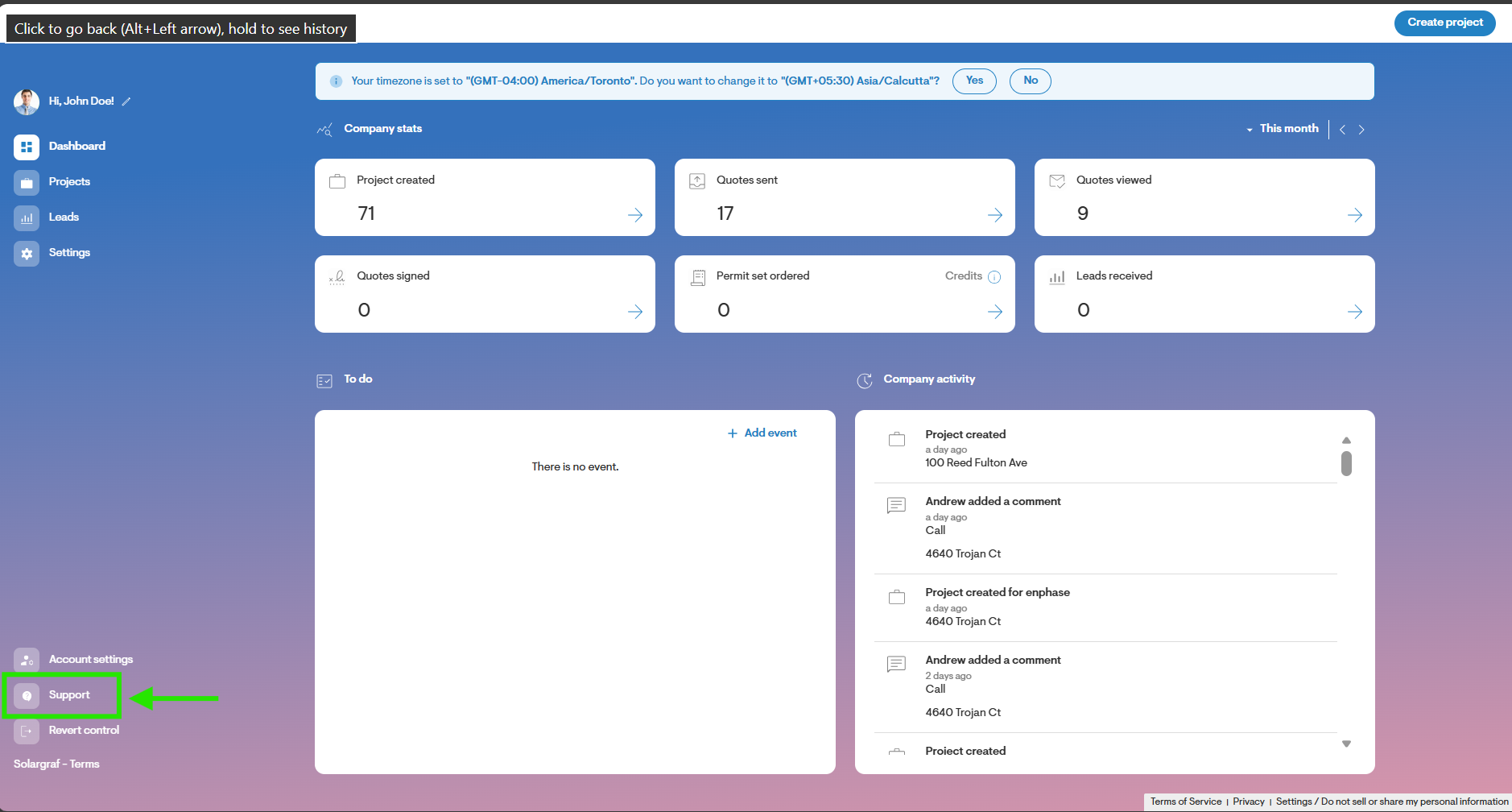
To do so from the Dashboard, click Support.
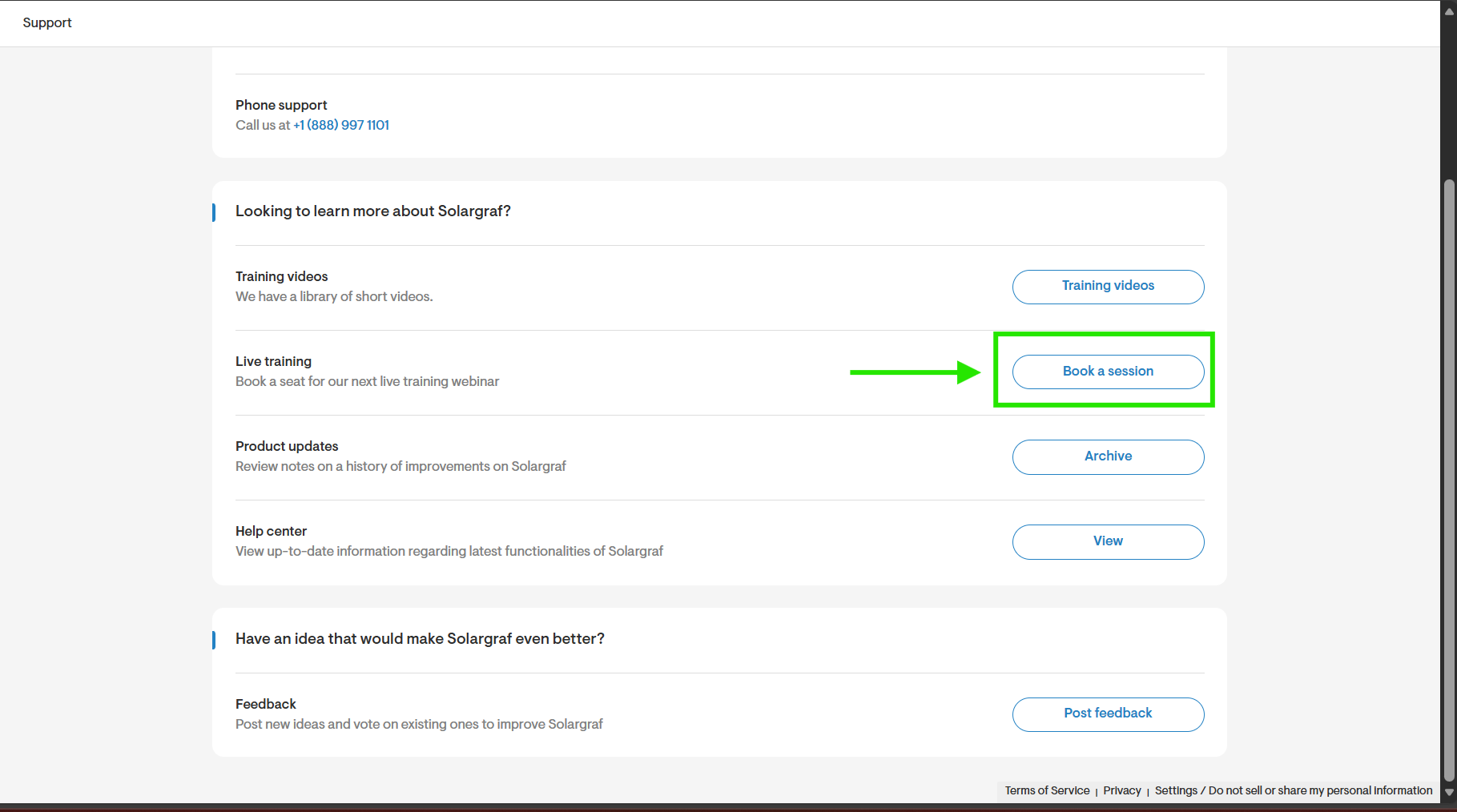
On the Support page, click Book A Session.
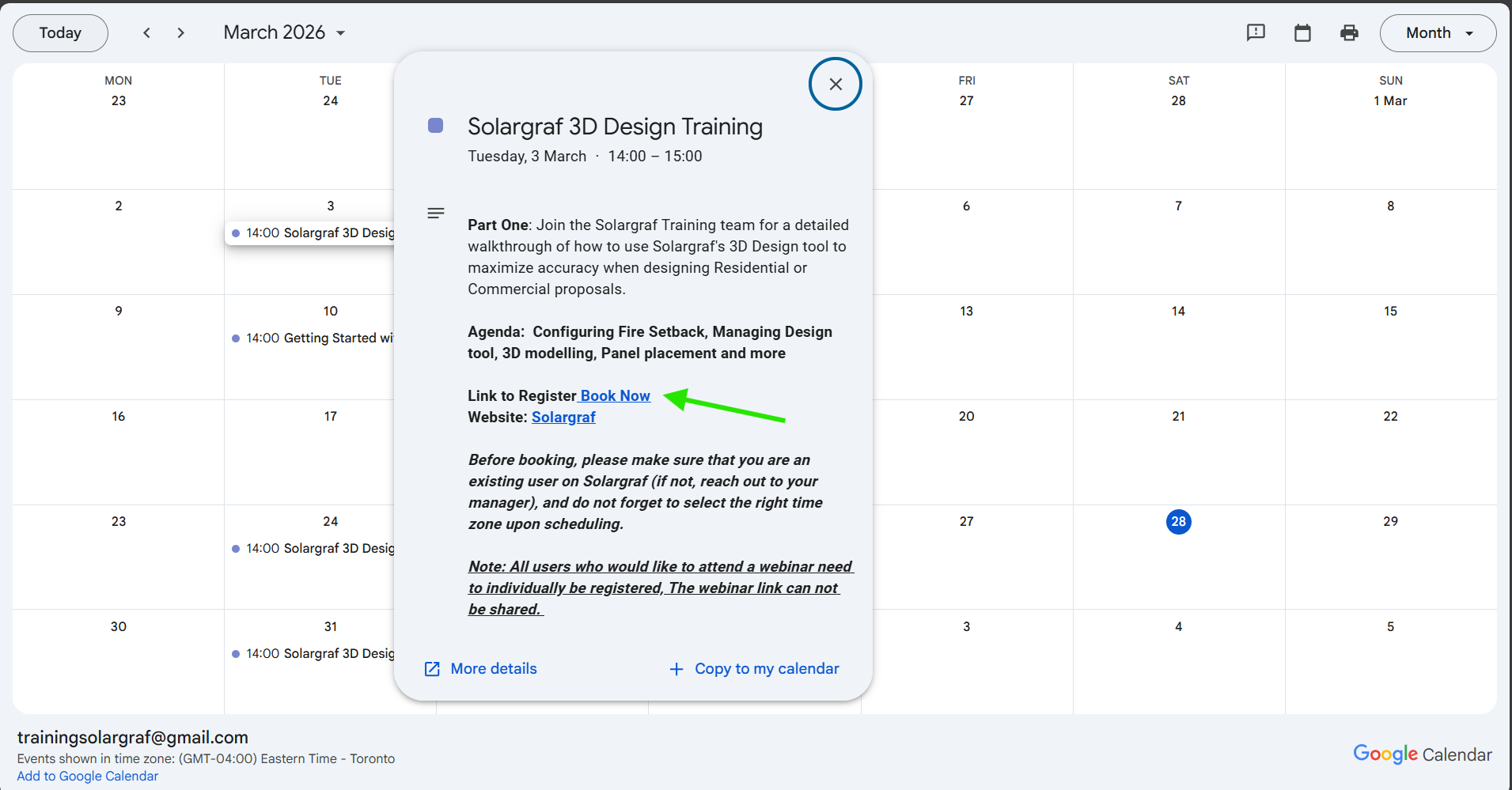
This link will take you to a calendar displaying various training sessions scheduled over the coming weeks. Simply click on the session you wish to attend, then locate and click the Book Now link to proceed with booking.
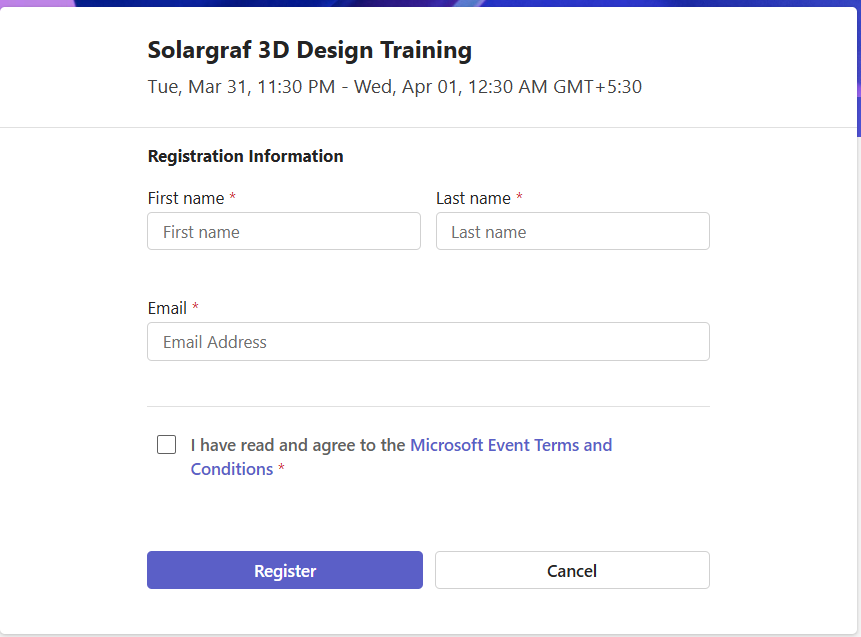
Select the date and time that is most suitable, fill in your name and email and then click Register.
On the day of the training, you may use this guideto ensure you are well-prepared to join the webinar which will be hosted through the GotoWebinar via web or app.
Book a 1-on-1 Training Session
To book a 1-on-1 training session with our trainers, please reach out to to accounts@solargraf.com